
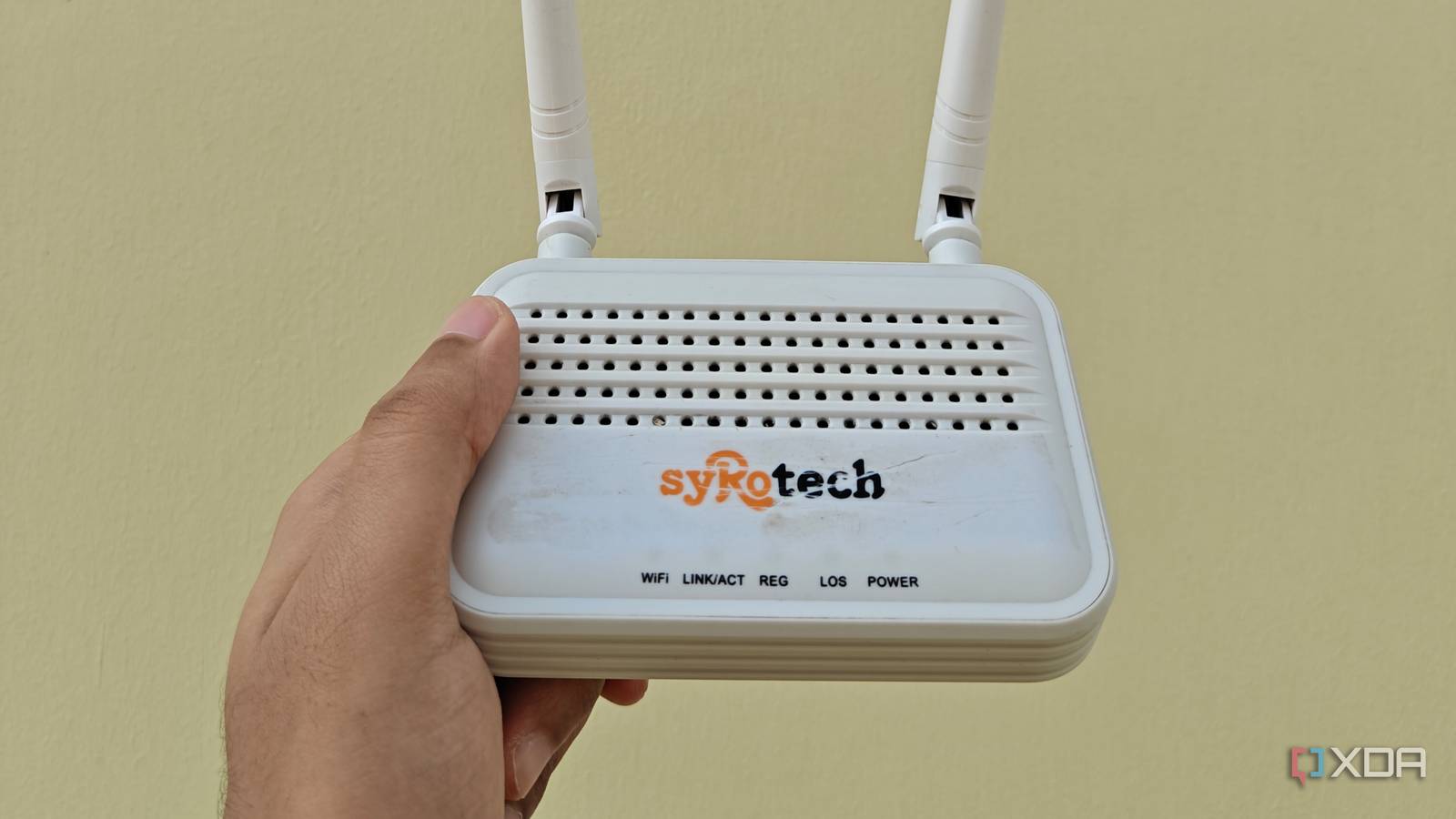
Published Oct 30, 2026, 5:01 PM EDT Jasmine is Software and PC Hardware Author at XDA with years of tech reporting experience ranging from AI chatbots right down to gaming hardware, she's covered just about everything. Whether it's breaking news about the latest AMD NPUs or creating video tutorials on social media platforms, Jasmine has contributed to the world of AI and tech in a variety of ways including interviewing the CEO of Razer, AMD's Director of Product Marketing and the VP of Lenovo. Passionate about gaming and PC technology, she has built countless computers, keyboards and other peripherals - knowing them inside and out. When you're traveling with multiple devices like laptops, tablets, phones, and sometimes even streaming sticks, it really exposes the absolute worst of public hospitality networks. Every device requires you to open a browser, hunt down a terms-of-service checkbox, and authenticate through a clunky captive portal splash page. Some hotels enforce strict per-room or per-device connection caps, blocking secondary gadgets or forcing constant re-authentications. A lot of hotels use Layer 2 client isolation to prevent guests from talking to each other, which breaks local file transfers, casting devices, and hardware setups. By repurposing an old wireless router or configuring a dedicated travel networking stack, it can transform how public Wi-Fi is handled by consolidating every personal device behind a single private gateway. WISP is the brain behind it all How does it actually work? In order to consolidate all of your devices onto a single private gateway, you need to take advantage of WISP, or wireless ISP mode. Instead of plugging the router's WAN port into a physical Ethernet drop, the router's wireless radio operates in client mode to connect directly to your hotel's public Wi-Fi network as its upstream internet source. This essentially allows you to use your router as you would at home, but instead of having it connected directly to a physical port, you can wirelessly connect it to the internet source. After doing this, you get network address translation and private subnets. The travel router you've created generates its own isolated local subnet, running its own DHCP server and local firewall. It creates a single upstream client. To the hotel's infrastructure, your entire collection of personal devices appears as a single connected client. It comes up as the travel router's MAC address. You're essentially bypassing arbitrary per-device billing or connection limits as long as you're not capped by a certain amount of data; if you are, all your devices will contribute to that cap since they're connected through the same device. How to get your travel router set up You may need to prepare your router in advance Bypassing captive portals and device limits can be annoying, so make sure you understand the workflow in advance. When first arriving at a hotel, you should connect your travel router to the hotel's Wi-Fi via a wireless ISP mode. Evaluate your old home router's capabilities. If the stock firmware lacks WISP or client bridge modes, flash an open-source networking stack like OpenWRT for granular radio and routing control. WISP mode is necessary to establish local NAT and bypass per-device limits, whereas a pure Layer 2 client bridge can pass hotel DHCP straight through. Once you know you have WISP mode, access the router's management interface, scan for the hotel's SSID via the wireless client interface, and input the shared key and bind it as the WAN uplink. Next, you need to establish the private access point. You can set up a distinct local SSID and WPA3/WPA2-PSK security passphrase on the router's LAN/WLAN interface, ensuring a familiar network name and password that you can easily recognize amongst a lot of different wireless connections that may appear in your hotel. Once you've set up Wisp, this doesn't actually bypass any of the hotel's captive portals. You have to connect a single device, like your phone or laptop, to your travel router's private Wi-Fi network. When you attempt to browse the web, it will redirect traffic through the hotel's captive portal login page. Authenticate as normal, and once you've done this, the router's WAN interface should be granted internet access. After this, you should get instantaneous downstream connectivity because the travel router handles the upstream authentication session. All other devices connected to your private travel SSID immediately gain internet access without ever needing to touch the hotel splash page. In scenarios where hotel portals tie access to specific device MAC addresses or require explicit wired Ethernet registration, some travel routers can clone your laptop's MAC address to seamlessly clear network access controls. You get a lot of perks From security to no more client isolation One of the main benefits of using this method is being able to bypass any Layer 2 client isolation. Layer 2 isolation enforced by hotels can prevent your devices from talking to one another, but these only affect the router's WAN interface in this instance. This means that all of your local devices that are connected to your travel router remain fully visible to each other within your private travel subnet, allowing secure local file sharing and remote access without any interference. Alongside this, you get a lot of security benefits too. Hotel networks are notorious hotbeds for unencrypted traffic sniffing, ARP spoofing, and man-in-the-middle attacks across shared local subnets. Because you're using your own private network, you can actually have encapsulated tunneling by routing your travel router's traffic through a persistent WireGuard or OpenVPN tunnel back to your home server or a trusted VPS. This method neutralizes those public packet inspections. Get rid of hotel captive portals Use hotel Wi-Fi just as you would at home Battling hotel captive portals and device limits natively on every gadget introduces unnecessary administrative friction and security exposure. Repurposing an old router into a WISP gateway centralizes authentication and restores local network control. Stop wrestling with hospitality network restrictions device by device. Configure an old router with client mode routing, encapsulate your traffic behind a private NAT firewall, and make public Wi-Fi behave like your home network.
I turned an old router into a travel router, and hotel Wi-Fi finally stopped being annoying
Full Article
Original Source
Read the full article at Xda-developers →KhanList aggregates and links to publicly available news content. We do not host full articles from third-party sources. Always verify important information with original sources.