
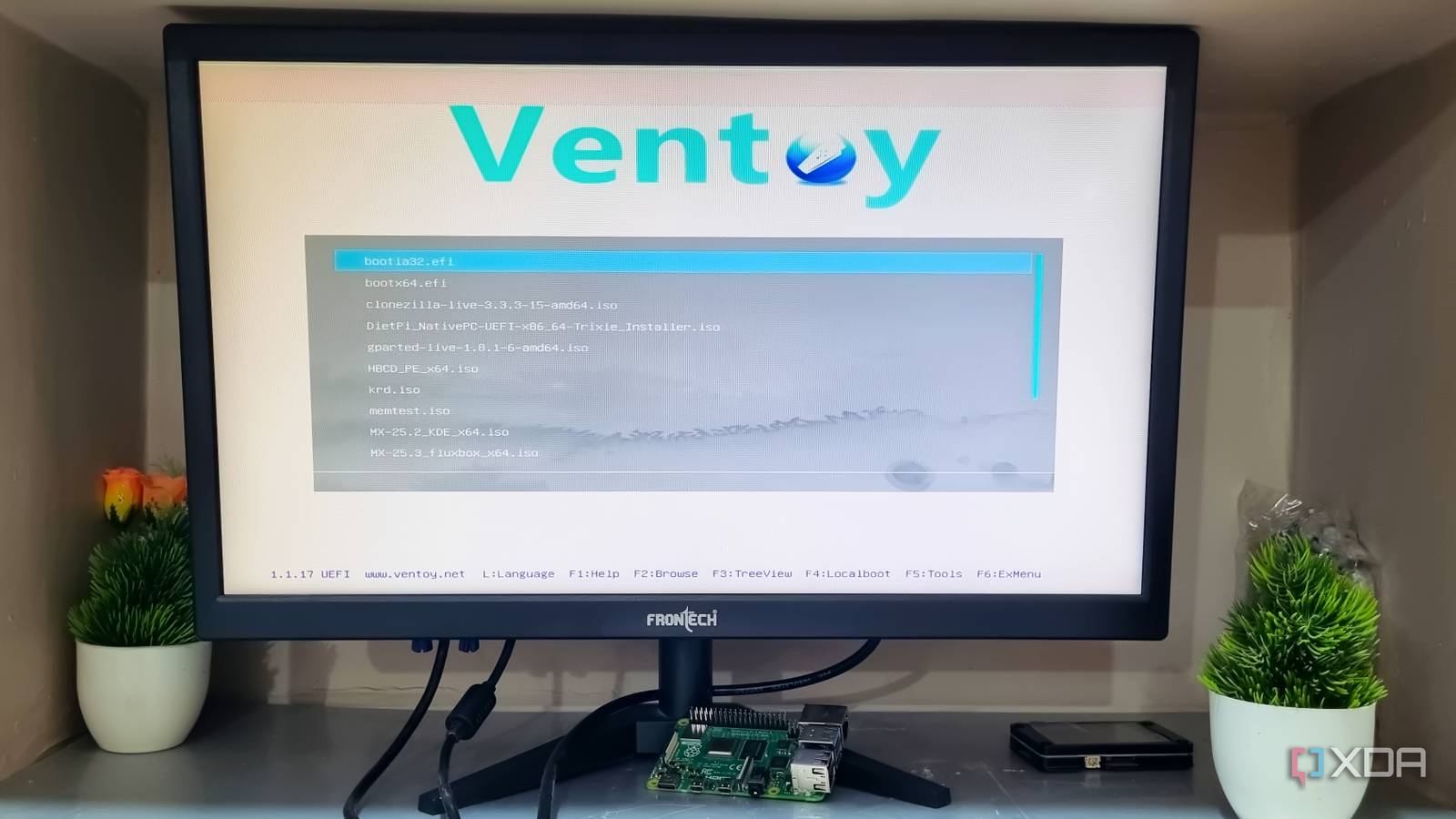
Published Nov 12, 2026, 8:01 PM EST Abhishek is an author at XDA who covers computing. He has loved computers since he got the Lenovo G570 in 2012. Abhishek holds a master's degree in computer applications and began his writing career in 2018. He loves writing how-to articles, listicles, and informational posts on popular operating systems and web services. He closely follows the Windows Insider program and tests new Insider builds to discover upcoming experimental features and upgrades. His past work includes long-term collaborations with reputed publications like Tom's Hardware, and Windows Latest. When not writing anything, he is busy watching new episodes of One Piece or searching for something binge-worthy. A recovery USB is one of the first things you should do after installing a new operating system. Windows had a built-in USB recovery drive creation tool, but it wasn’t great. I switched to Rufus for creating bootable Windows USB drives because it was fast and offered options to modify the installation. My recovery approach was reinstallation only because Windows backs up apps and preferences to the Microsoft account. I could restore that data during reinstallation, but it became an exhausting affair. But what if you have multiple computers with different operating systems? What if you need recovery and troubleshooting tools to avoid a complete reinstallation? These situations drove me to build a formidable USB drive that covers everything I described. Let's explore how I built the drive and the tools that are a part of it. An ultimate bootable USB drive is very useful Covers all the scenarios Before I discuss the tools and the setup, you must understand why an ultimate bootable USB drive is necessary. A recovery USB isn't just for hastily reinstalling the operating system whenever you run into a problem. It's a serious method that purges all your system drive data and should be used as a last resort only. Sometimes, reinstallation doesn't solve the problem because it wasn't software-related at all. You need tools to test memory sticks, storage drives, and other components. There are cases when a disk refuses to install an operating system because it's in an incompatible partition scheme. Or, you might be dealing with a dynamic disk that needs to be converted back into a basic one. Even scenarios like complete drive cloning, data backups, or migration need recovery tools that a Windows recovery drive doesn't offer. You should also not ignore the fact that Windows is probably one of the multiple operating systems a user might have. Harsh system requirements have forced people with old systems to try multiple Linux distributions and other OS variants, none of which can be fixed with a single Windows or Linux recovery drive. Building the bootable drive Nothing better than Ventoy If you've ever built a multi-boot USB drive, you might already know about Ventoy. The process is simple because you need to build the Ventoy drive only once. Then, it's just a matter of downloading and copying the ISO files to the drive. If I used Rufus, I would have to create a bootable USB drive with a different operating system ISO or tool every time. Ventoy can boot on both UEFI and legacy systems, and that's the reason why one drive is sufficient for all kinds of hardware. Since I have multiple Linux systems, most of which run either Ubuntu or MX Linux, I keep a copy of them on the drive. It's extremely useful when I want to do a quick reinstallation on a home server, which is mostly for experiments. MX Linux runs on my old laptop and is a perfect distro to revive old systems. I don't keep other distros, and I'll share the reason in a moment. Windows 11 is my primary daily driver, and I keep a copy of the latest ISO file on the Ventoy drive. This is purely for reinstallation purposes or doing a fresh installation on my virtual machines. For comprehensive troubleshooting, I have a copy of Hiren’s BootCD PE on the drive. Imagine a bootable Windows recovery environment that loads when your current Windows installation cannot. The tool is useful for common scenarios like a forgotten login password, BCD fixes, or removing malware. I have successfully reset the password of local accounts on my VMs with its built-in tools on multiple occasions. For Windows-related problems, Hiren’s BootCD PE is enough, but Linux machines don't benefit from it. So, I keep a few other tools on the USB drive as well. Not all distros include every necessary tool Other than the ISO file I mentioned, I keep GParted Live, ShredOS, KRD, Netboot.xyz, Clonezilla, MemTest86, and System Rescue on the Ventoy drive. GParted is included with some Linux distros but is useful even when you want to prepare a disk for a Windows installation. ShredOS is a different beast because it can wipe your disk clean and offers options to convert dynamic disks to basic disks once again. I was a DBAN user for a long time, but ShredOS is its modern, actively maintained alternative. Clonezilla doesn’t need a big introduction because it's one of the popular disk cloning tools out there. Despite being 20 years old, it works like a charm on both Windows and Linux machines. You can use it to clone drives and then migrate them to a new storage drive. I have used it while swapping disks, and it's not a bad system snapshot tool as well. Kaspersky Rescue Disk (KRD) is also a recovery tool to find and fix malware infestations on your system. I haven’t faced any glaring malware issues for a few years, but I still keep it as an option. I previously mentioned that I don’t keep multiple operating systems, and that’s because of Netboot.xyz tool. It can download installers and ISO files using its servers, and all I have to do is ensure a fast internet connection. I highly recommend it if you want to keep maximum space free on the Ventoy drive. Lastly, System Rescue is just like Hiren's BootCD PE, but for fixing problems with Linux systems. Switch to a multi-boot Ventoy drive My recovery USB is now a versatile tool that can fix both Windows and Linux systems. It’s got all the necessary tools, bootable rescue environments, and even a network-bootable OS installer tool. I still keep copies of two Linux distros and Windows 11 because the network can be unreliable in other locations. Netboot.xyz still needs a URL of the Windows 11 ISO file, which is why I prefer to keep a local copy of the ISO on the USB drive. Ventoy Ventoy is an open source tool to create bootable USB drive for ISO/WIM/IMG/VHD(x)/EFI files.
I turned a basic Windows recovery USB into the ultimate PC troubleshooting toolkit
Full Article
Original Source
Read the full article at Xda-developers →KhanList aggregates and links to publicly available news content. We do not host full articles from third-party sources. Always verify important information with original sources.