
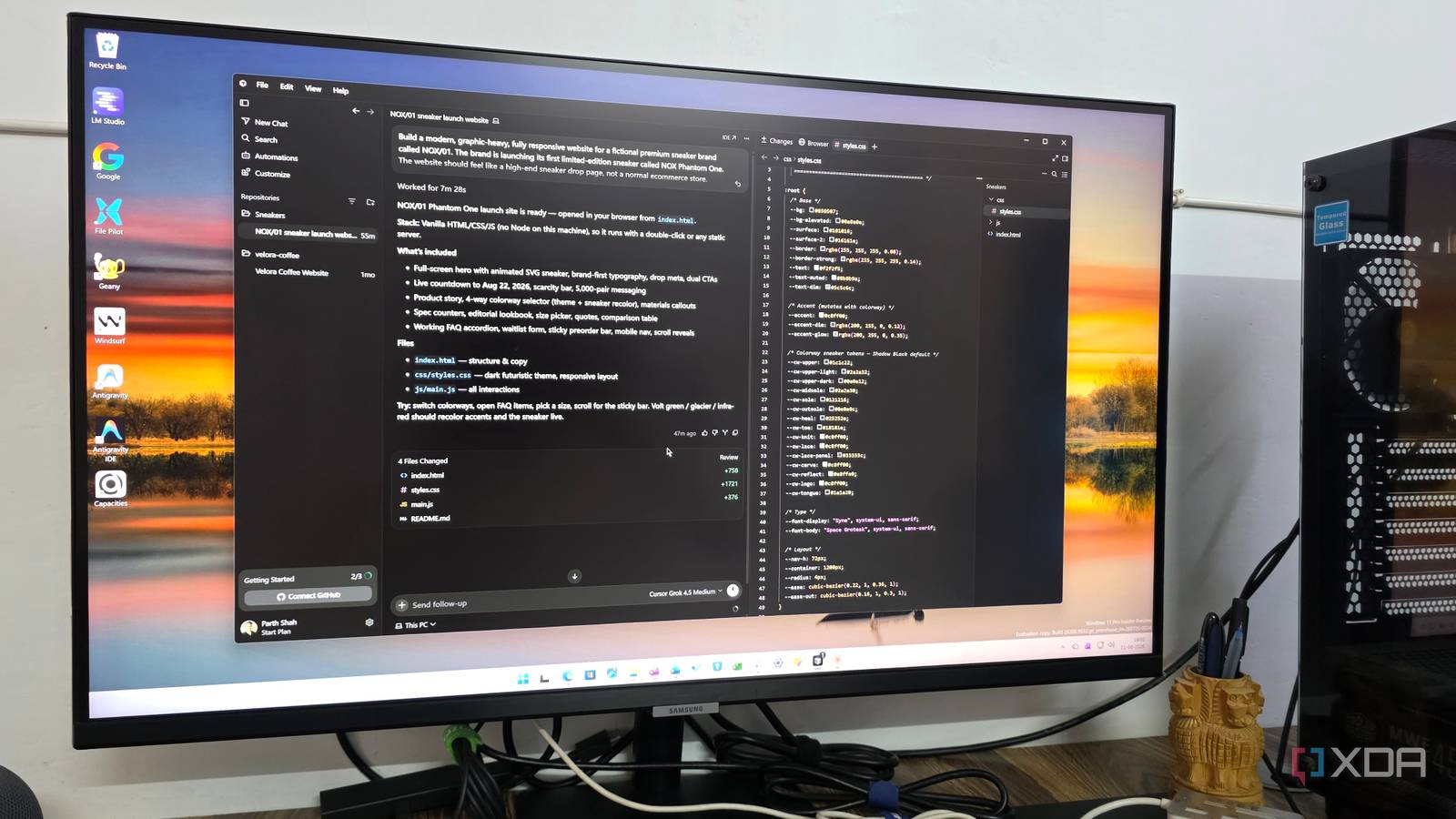
Published Aug 22, 2026, 4:00 PM EDT Parth, a seasoned tech writer, wields the keyboard (or pen) with finesse to unravel the intricacies of both Windows and Mac operating systems. He has covered evergreen content on mobile devices and computers for multiple publications over the last six years. You can find his work on AndroidPolice, GuidingTech and TechWiser. Whether it’s demystifying system updates, deciphering error codes, or exploring hidden features, Parth’s prose guides readers through the binary maze. When not immersed in tech jargon, you’ll find him sipping chai, pondering the next software review, and occasionally indulging in a friendly debate about mechanical keyboards. AI coding tools have changed so quickly that choosing the right one no longer feels as simple as picking a familiar editor and installing a few extensions. Over the past month, I have rotated between VS Code, Cursor, and Devin Desktop for my everyday coding work to see how each one handled real projects, quick fixes, and longer AI sessions. All three can get the job done, but they approach coding very differently. By the end of the month, one of them had clearly become the tool I wanted to open first. VS Code The old favorite learned new tricks VS Code was the most familiar of the three, and I was surprised by how much Microsoft has changed the experience in just the last few months. The biggest addition for me is the new Agents window. Instead of keeping everything in a single chat session in the sidebar, I can launch and manage multiple agent sessions and jump between tasks without making a mess. It makes VS Code feel far more capable for agentic development than the editor I was using even a few months ago. Still, I couldn’t shake the feeling that VS Code is a traditional code editor with AI gradually layered on top. The editor, extensions, terminal, Git tools, and customization are still at the center of the experience. That’s great if I already know exactly how I want to work, but it doesn’t feel quite as purpose-built around autonomous agents as some newer tools do. I missed the Kanban-style board I get in other AI coding environments, where I can glance at one screen and understand which agents are planning, coding, reviewing, or waiting for input. I also wasn’t impressed by the basic Copilot experience with its default model choices. For anything demanding, I switched to stronger models like Claude Code or GPT-5.6 to get the quality. Once I did that, VS Code became more capable, especially for larger changes and more complicated reasoning. That said, anyone who has been using VS Code for years should give its latest AI features another look. However, it still wasn’t enough to pull me away from my preferred option. Devin Desktop AI agents take center stage here Devin Desktop surprised me a lot with a different identity (it was known as Windsurf). Instead of treating AI as something that sits beside my code, the new experience revolves around managing agents first and editing code second. The Sessions view was easily my favorite part. It gives me a Kanban-style overview of what my agents are doing, so I don’t have to keep opening different chats just to figure out where everything stands. I can see tasks progressing across the board, keep an eye on work happening in parallel, and then jump into a session when something needs my attention. It feels like managing a small development team rather than chatting with an AI assistant. The best part is that the regular editor is still only a click away. If an agent gets 90% of the way there but misses a small UI detail or changes something I don’t like, I can switch back to the code, make the correction myself, and carry on. The interface itself deserves some credit, too. My main complaint is the model experience. SWE-1.7 is fast, but I still wouldn’t choose it for my most demanding work. There are a few other things I liked. Devin Desktop can handle local and cloud agents from the same interface, which makes parallel work much easier to manage. Cursor This is where everything clicked Cursor ended up being the one tool that clicked with me the most, and the latest version three update is a big reason why. The makeover pushed the interface much further toward AI without throwing away the excellent code editor underneath. The new Agents window can handle multiple agents across local projects, worktrees, cloud environments, and even remote SSH sessions, while I can switch back to the regular IDE whenever I want. It doesn’t feel like AI was simply bolted onto a traditional editor, but it also hasn’t gone so far toward autonomous agents that I feel disconnected from my code. Then there are Automations, which were a game-changer during my month with it. Cursor can run always-on agents based on schedules or triggers from services such as GitHub, Slack, and webhooks. More recent updates also let me create an automation by describing what I want with the /automate command. The biggest surprise, though, is Grok 4.6. I went into the test expecting to eventually fall back to Claude or GPT for serious work, as I did with the other editors. However, it surprised me. It became my go-to for complex tasks. What mattered more to me than benchmarks was its efficiency. Grok 4.6 generally understood what I wanted, made the necessary changes, tested its work, and moved on without burning through tokens. However, I think Cursor now has so many AI features that new users can take some time to understand where everything fits. I found my ideal coding setup After a month of jumping between all three, I can see why each one has its audience. VS Code has evolved dramatically and remains the safest choice for anyone already comfortable with it. Devin Desktop impressed me with its agent-first approach and excellent Sessions view, but I found myself reaching for stronger models. Cursor gave me the best balance, and it’s the one I am sticking with for now. Cursor Cursor is an AI-powered IDE that rivals VS Code and Devin Desktop.
I tried VS Code, Cursor, and Devin Desktop for a month and I have a clear winner for you
Full Article
Original Source
Read the full article at Xda-developers →KhanList aggregates and links to publicly available news content. We do not host full articles from third-party sources. Always verify important information with original sources.