
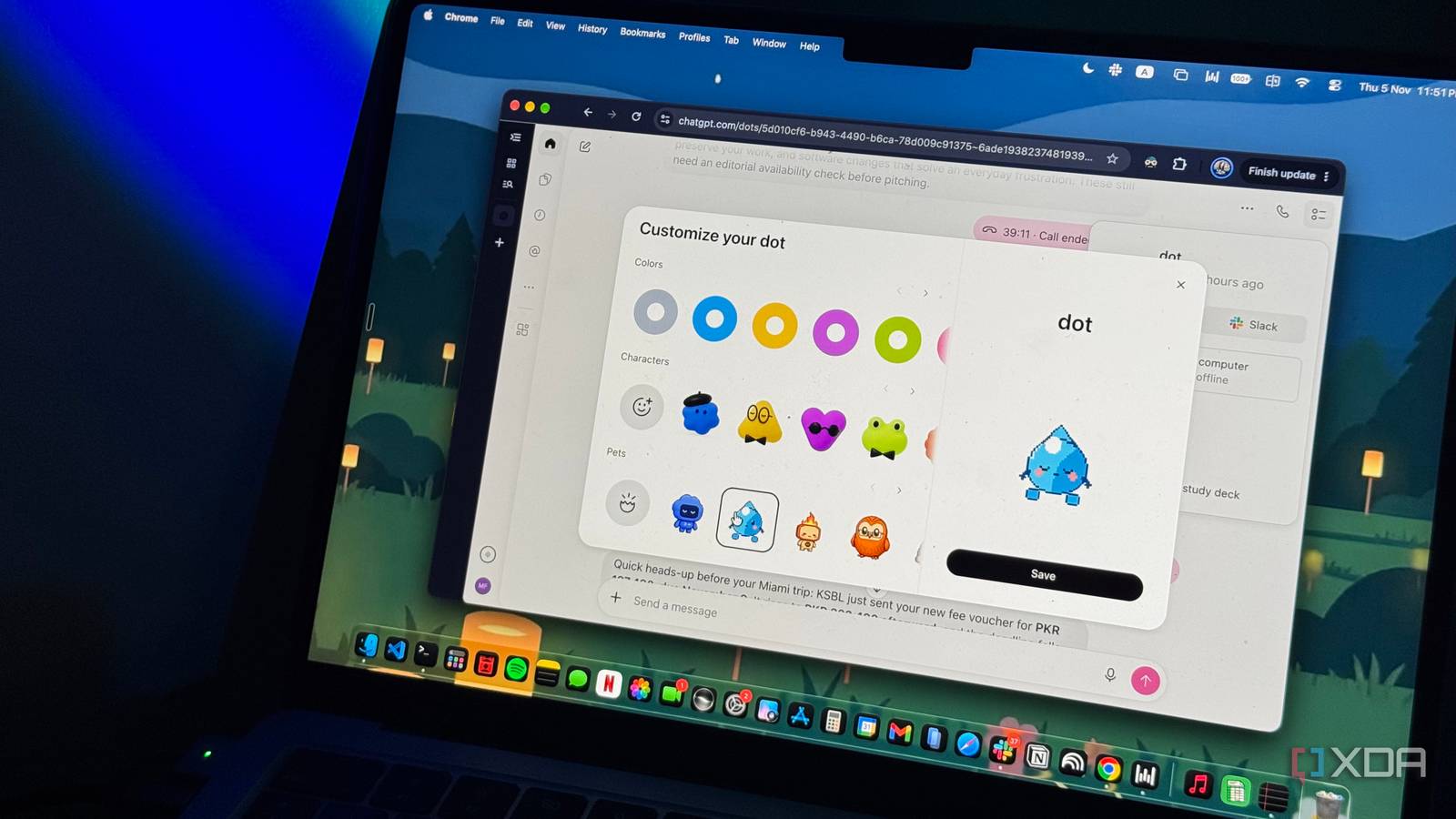
Published Nov 6, 2026, 12:30 PM EST Mahnoor Faisal is a tech journalist covering AI and productivity tools with bylines at XDA, SlashGear, MakeUseOf, Laptop Mag, and Android Police. She's been writing professionally since she was sixteen, and has since penned hundreds of articles. This includes in-depth coverage of AI tools like NotebookLM to breaking news across the AI space. Her passion for technology started when she received her first iPod Touch (4th generation) on her 8th birthday, and she's been deep in the tech world ever since. Currently pursuing a degree in computer science, Mahnoor brings both a journalist's eye and a technical foundation to her coverage of how AI is reshaping the way we work and learn. We've reached a pretty dystopian point where people will casually say they asked "Chat" a question, and everyone around them knows exactly who they're talking about. Not a friend, not a colleague, but an AI chatbot. Somehow, we've gone from Googling everything to treating ChatGPT like that one friend who knows a little bit about everything. That said, we've now gone one step beyond just asking "Chat" questions and getting answers. We've officially stepped into an even more dystopian era where AI isn't just waiting for us to ask questions anymore. It's keeping tabs on our lives, remembering things we'd forgotten ourselves, and reaching out to us before we even realize we need help. In other words, we've gone from talking to AI to having AI initiate conversations with us. I've been actively trying out tools built around this premise, including OpenClaw and Perplexity Computer. I've been putting ChatGPT's recently launched Dots through its paces for the last three weeks, and it might just beat them all. Dots makes having a personal AI assistant feel effortless You don't need to be a tech nerd to use Dots Always-on AI agents that actually take initiative to do the work for you have been around for months now. Despite that, they've clearly not been as widely adopted as conventional AI chatbots, and I think a big part of that comes down to how complicated they can be to set up and use. Take OpenClaw, for example. While getting started has become considerably easier with dedicated installers for macOS and Windows, it previously required running loads of commands in the terminal. Despite the installers, though, there's still a learning curve involved when it comes to configuring the agent and connecting it with the tools you rely on daily. For someone who just wants an AI assistant that works out of the box, that can be a lot to ask. This is where Dots comes in. Announced at OpenAI's annual DevDay conference, Dots are what the company describes as "remarkably capable, always-on agents built to handle everything." Powered by GPT-6 Astra, each Dot has its own cloud computer and browser, can connect to thousands of apps, and is designed to work on your behalf around the clock. Before I talk about Dots' capabilities and how I've been using it as my personal assistant, I think the most important thing to highlight is just how effortless it is to get started with. Unlike OpenClaw, Dots doesn't require you to spend hours setting things up or figuring out an entirely new interface. The setup involves very basic tasks, like choosing a name for your Dot and customizing how it looks. It's available on ChatGPT's web interface, desktop app, and mobile apps right out of the box, too. Ultimately, you don't need any technical knowledge to get started, beyond knowing how to navigate the same old ChatGPT interface you've probably been using for years. The proactiveness is where Dots really shines Dots knows when to step in without being asked When Dots was launched, I saw a lot of people sharing that they'd been using AI chatbots as their personal assistants long before Dots came along. While that's certainly true, I think there's a pretty big difference between the two. For the most part, using a conventional AI chatbot as a personal assistant involves an active back-and-forth. You feed it a prompt, it gives you an answer, and you repeat the process whenever you need something else done. Now, you could technically make a chatbot proactive by setting up scheduled tasks, reminders, or automations that monitor certain things for you. ChatGPT itself has supported these features for quite some time now. But even then, there's a limitation to that proactiveness. You're still the one who has to figure out what needs monitoring in the first place and tell the chatbot what to look out for. That's where Dots has really changed things for me. Rather than waiting for you to identify a potential problem or tell it what needs doing, it can proactively look through information from your connected apps, figure out what might need your attention, and reach out to you about it. After using it for three weeks, I'd argue that this is easily its most impressive aspect. For instance, I have a group project for a course I'm taking where we need to reach out to multiple organizations to set up a seminar. I remember starting a ChatGPT thread and asking it to help me find organizations we could reach out to, and I didn't think much of it afterward. It was just another conversation I'd had with ChatGPT, and as far as I was concerned, it was over. A few days later, though, I got a notification from my Dot telling me that one of the organizations we'd reached out to had replied. Not only did it summarize their response, including how many people they wanted the session for and when they were hoping to schedule it, but it also offered to help me plan the workshop activities. To be clear, I hadn't asked my Dot to keep tabs on this project, nor had I set up any automations or reminders to monitor my inbox for replies. It had simply picked up on something I was working on and recognized that an email I'd received was relevant to it. That's exactly the kind of proactiveness I think sets Dots apart. Dots learns more about you as you use it The more you use Dots, the better it understands you In addition to taking initiative and proactively reaching out to you, another reason why using Dots has really grown on me is because of how useful it gets over time. Similar to memory in ChatGPT, Dots begins to pick up on your habits and preferences, gradually learning how you work, what matters to you, and the things you tend to need help with. The more you interact with it, the better it gets at understanding your routines and anticipating what you might need without you having to explain everything from scratch each time. For instance, an example I mentioned in another article about Dots' proactiveness was how I made a bit of a financial blunder and accidentally withdrew a significantly larger amount from my Payoneer account than intended. Naturally, I was pretty stressed about the whole situation, and Dots helped me keep track of my correspondence with Payoneer's support team. What's interesting, though, is that Dots seems to have picked up on the fact that withdrawals from this account are something I tend to worry about. Ever since that incident, it's started notifying me whenever I make a withdrawal from Payoneer, something it never did before the scare. I hadn't asked it to monitor my withdrawals going forward, either. It had seemingly picked up on something that caused me a lot of stress and started keeping an eye on it. Similarly, I've been using Dots quite a bit for studying lately. Over time, it's started picking up on how I prefer to study, the courses I'm taking, and the kind of help I typically need when preparing for exams. So, instead of having to explain my study routine or provide context about my courses every time, it already has a pretty good idea of what I'm working on and how I like to approach it. There's a catch (and a pretty big silver lining) The biggest downside here is that Dots is currently exclusive to ChatGPT Pro subscriptions and above. This means you're looking at a subscription costing at least $100 a month just to get access to it. Of course, if you already pay for the Pro tier, this is just another benefit you're getting at no additional cost. However, for someone who doesn't, that's a pretty steep price to pay for a personal AI assistant regardless of how impressive it might be. The silver lining, though, is that the usage limits have been surprisingly generous so far. Conversations with your Dot don't count toward your regular ChatGPT usage limits, although tasks it delegates to ChatGPT Work or Codex do. OpenAI has also been offering extended usage allowances during the initial rollout, which might explain why I've been able to use it so extensively without running into major limitations. These introductory allowances aren't necessarily representative of what using Dots will look like in the long run, and OpenAI hasn't clearly outlined exactly how much autonomous work users will be able to get out of their subscriptions once the promotional period ends.
I tried OpenClaw and Perplexity Computer, but ChatGPT Dots finally feels like a personal assistant
Full Article
Original Source
Read the full article at Xda-developers →KhanList aggregates and links to publicly available news content. We do not host full articles from third-party sources. Always verify important information with original sources.