
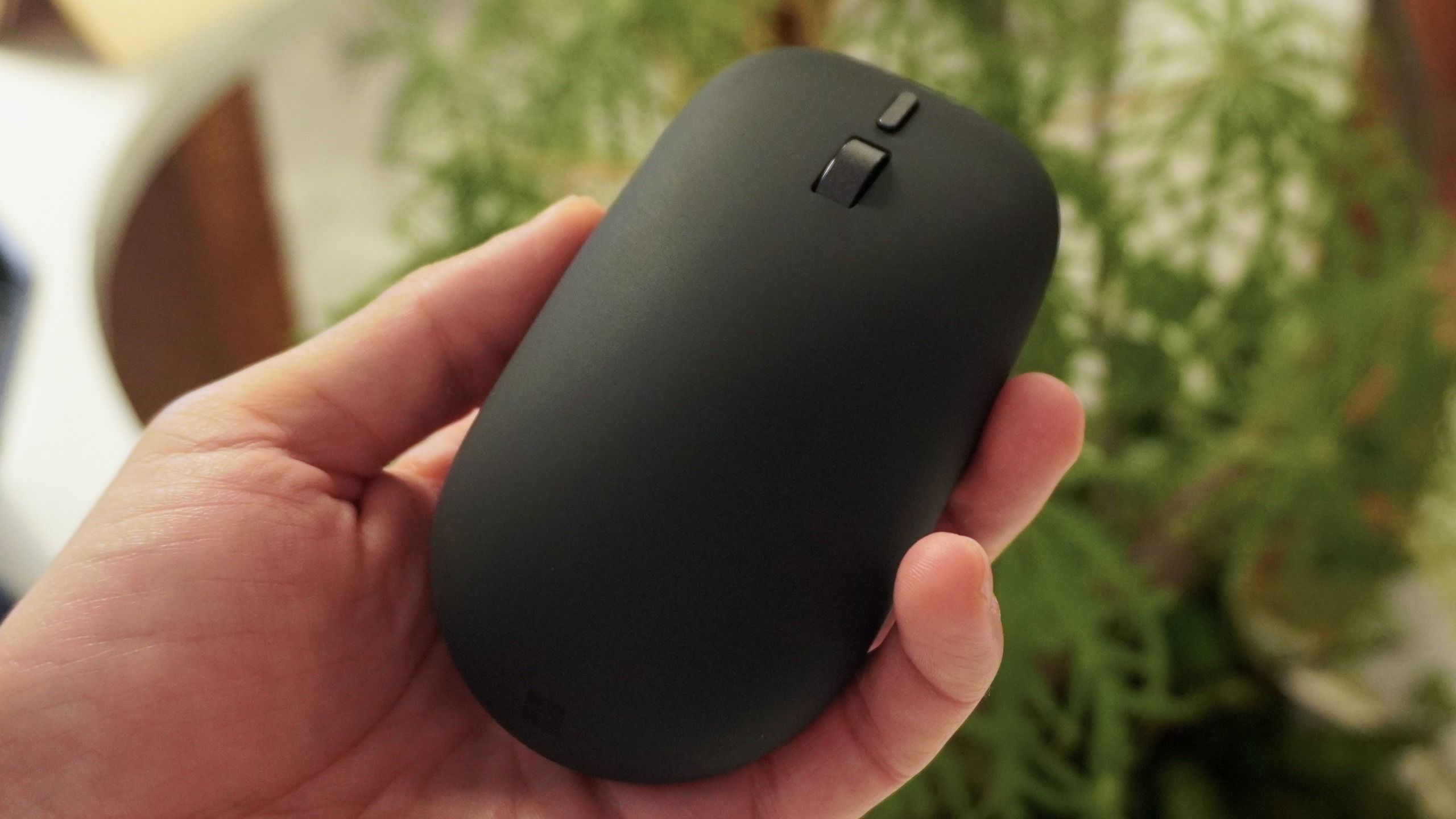
(Image credit: Future) When Microsoft introduced its new Surface lineup at Snapdragon Summit, attention naturally gravitated toward the silicon and the screens. I mean it did to me — fawning over the new Surface Pro and Surface Laptop armed with Snapdragon X2 Plus.But yet, the quietest peripheral on the table — the redesigned $79 Surface Mouse — might be the most significant announcement of them all.Beyond its 30% recycled chassis, ambidextrous silhouette and dedicated action button, the standout feature is that the integrated haptic feedback can actually communicate with you as you work.Let me explain.Closing the tactile feedback loop (Image credit: Future)For decades, the computer mouse has been an entirely one-way transmission line: your hand clicks or drags, and your eyes watch the screen to confirm the result. Trackpads have experimented with haptics to mimic mechanical switches, but standalone desktop mice have largely remained hollow plastic shells with rigid microswitches.The Surface Mouse turns that input into a two-way conversation in some small but significant ways:Window snapping: Drag a browser window toward the edge of your screen, and the mouse body delivers a subtle tactile bump when Windows 11 snaps the pane into place. It’s one of a few different haptic responses you’ll feel across the OS, and adds a liveliness to the whole UI.Object alignment: Slide an element across any of the Microsoft Office applications, or in Adobe’s Creative Suite, and I physically felt a micro-tick when the shape locks onto an alignment guide or center axis. This will be massive for me — someone with zero alignment awareness — who always falls out trying to snap objects onto ruler lines.Tactile verification: Instead of guessing whether a click registered in a laggy software pipeline, the haptic actuator provides an instant physical confirmation under your palm. If you’re doing anything particularly heavy, it’s good to know separate of the machine running slow that the click has been acknowledged.The takeaway (Image credit: Future)Haptic feedback in a mouse sounds gimmicky on a spec sheet. I’ve seen it before in the Logitech MX Master 4, and while it feels good, it doesn’t really do anything.Get instant access to breaking news, the hottest reviews, great deals and helpful tips.But in real-world productivity workflows, the Surface Mouse is transformative. It offloads visual verification to your fingertips, shaving seconds off repetitive alignment tasks.That Copilot key may grab the headlines, but the tactile dialogue inside the Surface Mouse is the game changer here. Follow Tom's Guide on Google News and add us as a preferred source to get our up-to-date news, analysis, and reviews in your feeds. More from Tom's GuideI stress-tested the Asus Zenbook 14 for college — it’s a great fit, but Windows on 8GB RAM is a problemI tested DLSS 5 in NBA 2K27 on a mid-range gaming laptop — it's the future of photorealistic graphics, but there's a catchSnap’s CEO told me he hates getting AI-drafted texts from his wife — so what’s the plan to fight brain fry with Specs? Jason brings a decade of tech and gaming journalism experience to his role as a Managing Editor of Computing at Tom's Guide. He has previously written for Laptop Mag, Tom's Hardware, Kotaku, Stuff and BBC Science Focus. In his spare time, you'll find Jason looking for good dogs to pet or thinking about eating pizza if he isn't already.
I tried Microsoft’s new haptic Surface Mouse — standard mice now feel completely broken to me
Full Article
Original Source
Read the full article at Tomsguide →KhanList aggregates and links to publicly available news content. We do not host full articles from third-party sources. Always verify important information with original sources.