
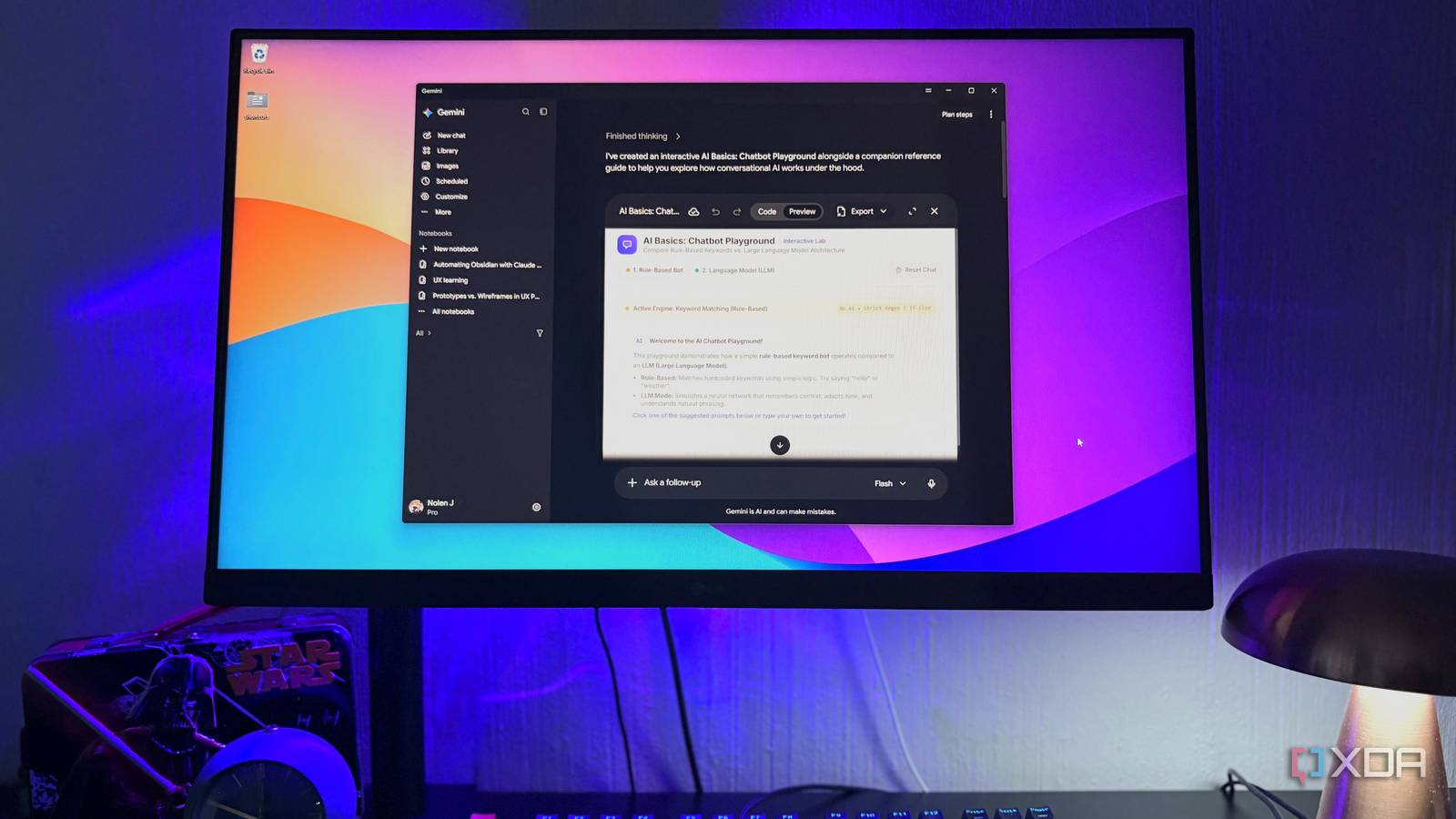
Published Oct 18, 2026, 7:00 PM EDT Nolen began their writing career in 2019, with three years dedicated to editing the Creative section at MakeUseOf. Their expertise lies at the crossroads of technology and creativity, covering areas like photography, video editing, and graphic design. Outside of work, you'll often find Nolen diving into a good book, writing their own stories, or playing video games. If you're as indecisive as me, then you're probably paying for more than one AI chatbot, and each one naturally ends up with its own job. And usually the one that's easiest to open or sitting closest to hand ends up getting the most work. On Windows, Gemini never had that spot, and instead it used to live in my browser as a bookmark. Claude and ChatGPT both have desktop apps, so they get the quick stuff by default, and Gemini got whatever I remembered to open a tab for. Google has finally put out a Gemini app for Windows, though, and it got me wondering if a proper app could change which subscription earns its keep. Gemini finally comes to Windows Mac users got it first, and it shows Google made the Gemini desktop available to Mac users back in April, and Windows users got theirs in September, roughly five months later. Before that, Gemini's presence on Windows was mostly installing the website as a web app through Chrome or Edge. There was also the Google app for desktop from April, but that leaned on search rather than being a chatbot. I tried the web app route ages ago and honestly forgot about it, and would still default to the bookmark in my browser. This one is a proper install though, and it runs on Windows 10 and up, including ARM machines. The installer comes from Google's own site rather than the Microsoft Store. Inside looks the exact same as the Gemini website with your chats and notebooks in the collapsible side panel, workspace features at the top, and settings at the bottom. So there's no need to relearn a new UI. The app itself is free, and paid plans apply across Gemini everywhere, so my Pro sub carried over without me having to do extra setup. The Mac version still has more going on, though, like a one-click button to launch Google Antigravity and separate shortcuts for a mini chat and the full window. Google says more native features will come to Windows over time. The simplest AI desktop app on Windows Sometimes doing less is the superior option Alt + Space is the one thing here a browser tab can't do. It pulls Gemini up over whatever I've got open. This combo is already claimed by tools like Copilot and PowerToys on a lot of PCs, and Windows has also used it for the window menu since forever. Luckily, you can change it in Gemini by right-clicking in the system tray, going to Settings, and changing the shortcut under General. Claude has a similar quick window on Windows, but you have to set its shortcut up yourself, and there's a bug report about these shortcuts not surviving a restart. Something about Gemini that appeals to a scatterbrain like me is how minimalist it is; there isn't much going on in the app. ChatGPT's desktop app is built on Codex now, with Chat, Work, and Codex all living in one place. Claude splits into Chat and Code tabs, and its Code tab wants Git for Windows installed when you first start using it. Gemini looks and functions exactly like the website, which suits me for quick queries and smaller tasks, all the day-to-day stuff basically. To be fair, all three let me open them and type a question straight away, but there is one thing about ChatGPT and Claude that can get a little annoying. If I last left Claude sitting in its Claude Code GUI view, I have to click back to Chat and start a new conversation the next time I open the app. ChatGPT does the same thing if I last left it in Codex. Gemini has its own agent side too, called Task Mode, which used to be Spark before Google renamed it. The difference is it’s just a Chat and Task toggle below the prompt box, and tasks end up in the same chat list so there's no separate window to toggle between. It does need a Pro or Ultra plan, which I'm on anyway. The app also is much lighter than the others, requiring only 200MB of free disk space and using fewer resources to run. What the Gemini Windows app is still missing Mac users are still a few features ahead There are still a couple of areas where the Windows app comes up short. Screen sharing is still a Mac feature, and it has more global keyboard shortcuts and two different ways to pull up the assistant. Files are a similar story. Claude’s Cowork works directly on files on my computer, and Gemini’s Task mode can sort local folders and turn local files into Docs and Sheets, but only on Mac for now. On Windows, it sticks to connected apps instead of working with your local directories. Google says more of this is coming to Windows but there isn't a date attached to it, so it could be months away for all we know. Simpler turned out to be the selling point What pulled me to getting Gemini on Windows was mostly an absence. Claude and ChatGPT keep adding modes, which is perfect for when you actually need those features, but it's overkill for wanting something where you can quickly ask a question or work through a smaller task. Gemini lets me do that without detouring through Codex or Claude Code first. Google Gemini
I tried Gemini's new desktop app for Windows, and it's making me rethink my Claude and ChatGPT subscriptions
Full Article
Original Source
Read the full article at Xda-developers →KhanList aggregates and links to publicly available news content. We do not host full articles from third-party sources. Always verify important information with original sources.