
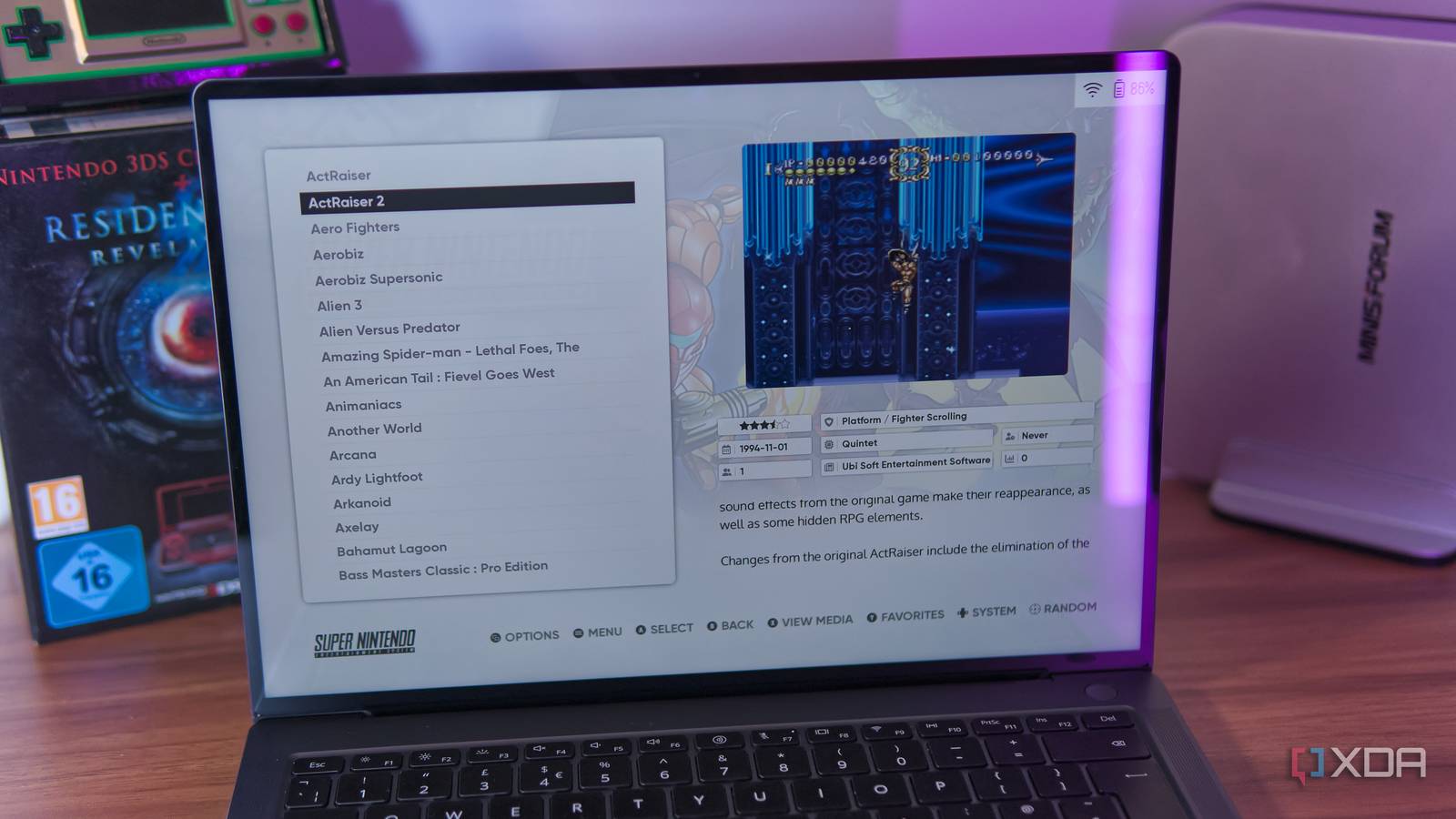
Emulation used to be a complicated endeavor, even for some of the consoles we consider relatively simple today. But now, things have progressed so much that we often don't focus as much on the emulation part, but more on the interfaces that make it happen. Frontends, as they're called, give you a user-friendly way to browse and play your games, and RetroArch is one of the most popular ones out there. But after trying every free frontend in active development, I don't think RetroArch is the best option out there. There are more options than I thought I still have a clear favorite, though I'll start by admitting that I went into this project with a somewhat set idea in my mind. My favorite emulator frontend has long been ES-DE, and, aside from RetroArch and iiSU on Android, I hadn't really bothered looking into the possibility of others existing. But a quick search showed me there's a wide array of options out there, and a good few are still in active development today, and that was somewhat surprising. What's perhaps less surprising is that other options aren't as popular for good reason. I tried Playnite, LaunchBox, GameEx, mGalaxy, Pegasus, and Simple Launcher, and almost all of these options have frustrating problems. Most have UIs that feel overly complicated or ugly, and others make setup harder than it should be. The only two I can recommend are Playnite and LaunchBox. Unlike ES-DE, they're not just frontends for emulation, and they can launch games from all kinds of platforms on PC, including Steam, Amazon, and others. They also have more mouse and keyboard-focused interfaces, compared to the more controller-focused UI of ES-DE. Still, the polish of ES-DE is very hard to beat, and I actually prefer the HTPC focus of ES-DE, since I'd always rather play these games with a controller anyway. ES-DE is customizable and beautiful Plus it works perfectly with a controller RetroArch and ES-DE both offer fairly user-friendly UIs, but in my opinion, it's extremely hard to top ES-DE. The default UI is already fantastic, but you can dive into dozens and dozens of themes that completely change the look and feel of the experience while retaining the ease of use of the base package. ES-DE is also incredible in its presentation beyond the theme itself. Games are automatically organized by platform, and each platform itself is presented in a clean and beautiful way (depending on your theme, but the default is quite good already). But ES-DE also creates dedicated sections for your recent games and your favorites, so you can easily jump back into something you've played recently, which is great. The built-in metadata scraper lets you download game icons, screenshots, descriptions, and even trailers, and it turns your game library into a lively collection that's just pleasant to peruse. Other frontends can also have metadata managers, but I found most of them much harder to get started with compared to ES-DE, which prompts you to download metadata when your first run it, and makes it easy to do subsequent runs as well. Diving into all the settings available in ES-DE can be slightly intimidating at first, but it works and looks great out of the box, so you can dive into the extras at your own pace without it getting in the way of your experience. And the entire UI is very controller friendly, so you can browse every menu and find games quickly without ever needing a keyboard and mouse. If you ever wanted something that felt like a console for the living room, ES-DE lets you build the perfect solution. Setup can be even easier If you just dont have the time Setting up ES-DE by itself is already relatively easy, but there are a few steps where you have to define directories for your ROMs, download emulators, and so on. It's not too hard to do, but what's so great about ES-DE is that, because it's clearly the best option, there are also some solutions out there that build upon it and make it even easier. Of course, I'm talking about EmuDeck and, for Linux users, RetroDeck. EmuDeck is on all desktop platforms, but on Linux, I actually prefer RetroDeck, though you're perfectly well served either way. What these tools do is they setup the entire emulation flow for you. They download ES-DE, emulators, and even create the folder structure for your ROMs. All you need to do then is move your ROm files into said structure to get started. These tools even present you with some ES-DE theme options during setup, so you don't have to go through the menus to find a more unique look for your setup. Whether you use these tools or not, ES-DE is fantastic, but they do make it easier than ever to get started. What about phones? iiSU wins for Android While PCs are still my go-to when it comes to emulation, there are many people who might prefer playing their games on their phones, and if that's you, you might be disappointed to find out that ES-DE for Android is actually a paid release. But if you want a great gaming frontend for Android, I'd have to recommend iiSU. I first tried iiSU a few weeks back and even though it's still in its early stages, it's absolutely beautiful. It doesn't have all the theming options of ES-DE, but it still offers an easy setup process and a gorgeous UI with some configuration options to make it your own. Its look is inspired by platforms like the Wii U, Nintendo 3DS, and even Sony's XMB interface from the PlayStation 3 and PSP. I wrote extensively about iiSU before, so I recommend checking out that article if you're curious to learn more. RetroArch is still great But for a different reason While RetroArch isn't my choice of frontend for emulation, it still plays a major role in my emulation experience. I almost struggle to call RetroArch a frontend because to me, it's more like a middleman, and it does that job exceedingly well. The thing is, while RetroArch can be a frontend, its best job is serving as a manager for different emulators, which operate as "cores" for RetroArch. Essentially, downloading an emulator no longer means opening your web browser, searching for the best emulators, and learning how each one works and how to configure them. RetroArch brings all these emulators under one roof, with a universal UI and an easy way to customize options for each one, while also making installs easy. For most frontends, ES-DE included, RetroArch is seen as an emulator itself, and loading up a game using a specific core is simply using specific command arguments behind the scenes. It's all invisible, yet it all works perfectly. And if you use a solution like EmuDeck or RetroDeck, it will even download many emulator cores for you, so you barely have to do anything to set it up. ES-DE is the best way to play your retro games RetroArch is a popular frontend for emulation, but it can actually do a lot more, and work together with a solution like ES-DE for the best experience. Arguably, combining these two is the best way to get into retro gaming on your PC, while Android gamers can replace ES-DE with iiSU and still take advantage of that pairing. As a frontend, RetroArch isn't the best, but it still has its place. ES-DE OS Windows, macOS, Linux, Android
I tried every free emulator frontend, and the one I'd recommend isn't RetroArch
Full Article
Original Source
Read the full article at Xda-developers →KhanList aggregates and links to publicly available news content. We do not host full articles from third-party sources. Always verify important information with original sources.