
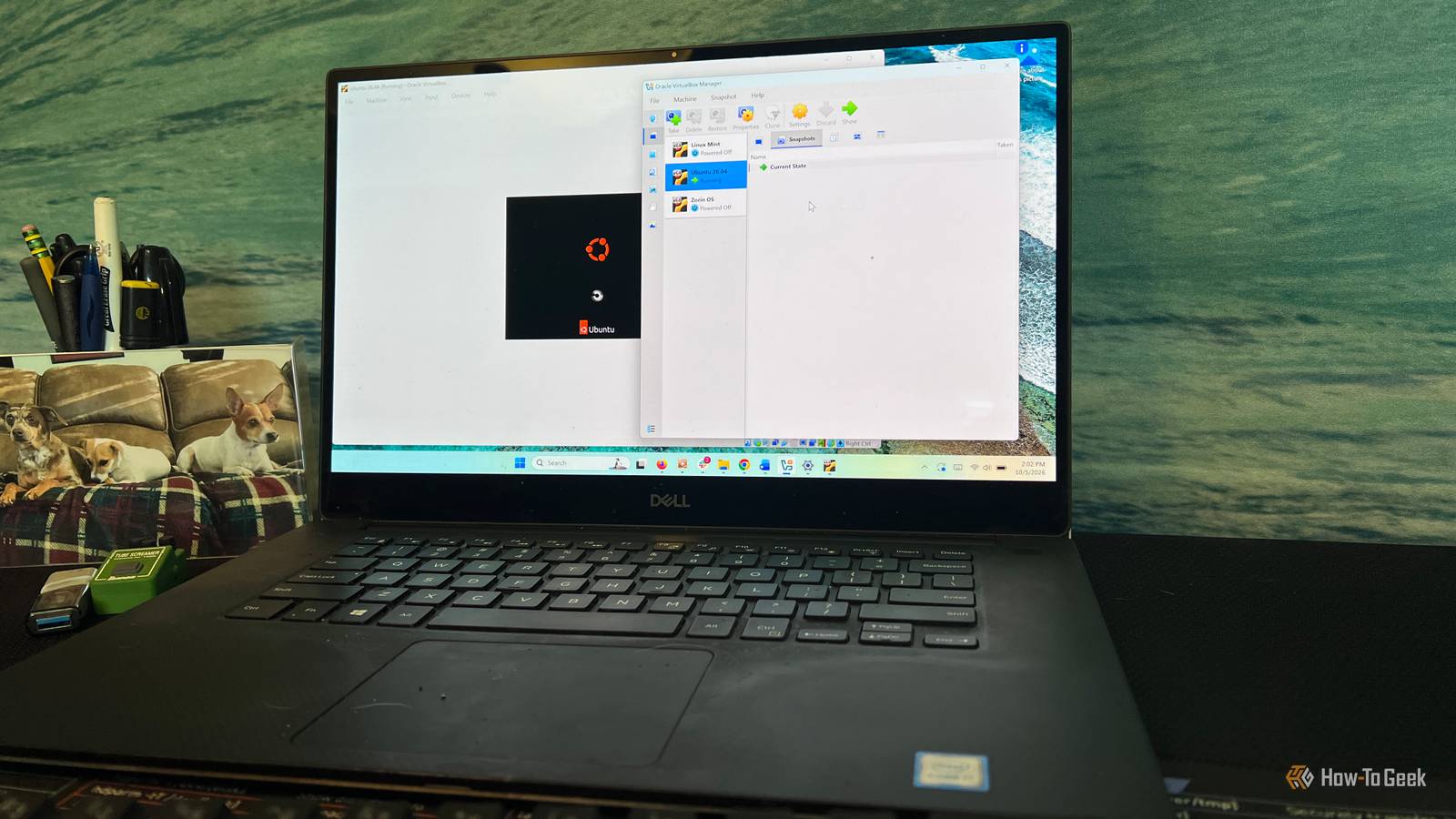
Published Oct 6, 2026, 8:00 AM EDT Rich Hein is a veteran technology journalist with more than two decades covering developer, consumer and enterprise topics. Rich's career has been dedicated to service journalism, connecting readers to content that informs and delights. Previously, Rich was vice president and editor-in-chief for Simpler Media Group, director of audience development for IDG and editor/writer for sites like CIO.com, ComputerWorld, CodeGuru and other tech-centric publications. He's received numerous accolades, including the IDG Summit and Azbee awards and has been covered by Medium for his work in audience development. When not at his desk, Rich lives in Daytona Beach with his wife and three dogs. He enjoys playing guitar, surfing and staying abreast of the latest in tech. I spend a lot of time behind a computer, and for decades Windows has been my daily driver. Mostly, that's because it's the environment I had to work in at the different companies I've worked for over the years. That said, the gap between Windows and Linux keeps getting smaller for the things I actually do every day. At this point, I can see pretty clearly that Linux can handle my regular workload and workflow without too much compromise. What I'm less interested in now is looking through distros to find which one has the longest feature list or the most customization options. I just want an OS that does what I need with as little friction as possible. With this in mind, I put Zorin OS, Linux Mint, and Ubuntu inside Windows without replacing anything on my Windows machine to see which one felt the most familiar. I understand that two of these distros are Ubuntu-based and Ubuntu itself is based on Debian, but I'm just looking for a solid Windows replacement, and these three fit the bill. I tested all three Linux distros inside Windows for free VirtualBox made it easy to try Linux without touching my Windows installation If you're reading this and you're interested in Linux or considering leaving Windows for some other operating system, I feel like this is the most interesting part of the experiment. Testing all of this software within my current version of Windows was easy and free. I used VirtualBox, a free download from Oracle, to run Zorin OS, Linux Mint, and Ubuntu as virtual machines inside of Windows. The only real resources you need are time and a willingness to experiment. Inside VirtualBox, I could boot each of these distros, explore the desktop, open settings, manage files, and install software without changing my Windows setup at all. This way, I could compare each distro based on how it actually felt to use instead of judging it from screenshots, other people's articles, or feature lists. For Windows users, this is about as low risk as it gets. You don't have to repartition a drive, set up a dual-boot system, or replace Windows entirely just to see if Linux makes sense for you. Once you actually spend some time using Linux, you may wonder why it took you so long to give it a try. Linux Mint was easy to understand but still felt like Linux It was familiar enough to use right away, but some Windows habits didn't carry over cleanly Linux Mint gets a lot right for Windows users right from the start. That’s because the Cinnamon desktop follows a familiar layout: the application menu in the lower-left corner, taskbar across the bottom, system tray on the right. That, along with the conventional minimize, maximize, and close buttons that all Windows users already know, means there isn’t much of a learning curve. Where Mint felt the most different from Windows was in the details. You can see the application menu is familiar, but the categories and organization don't map directly to the way Windows handles apps and settings. Software installation is also a little different. Instead of downloading .exe installers from a website as you would on Windows, Mint encourages you to use its built-in Software Manager, though you can still download and install standalone DEB packages or Flatpaks. This is the thing that really pushed me toward Zorin. Mint can look Windows-like at first, but once you start actually digging into the software, updates, and drivers, it's clearly Linux. Ubuntu made me rethink the most familiar habits It worked, but I had to adjust more than I did with Zorin or Mint Ubuntu required a little more coaxing in the VirtualBox setup than the other two distros, requiring a change in the graphics controller settings before it would render the desktop properly. Once I made that change, it booted fine. Right off the bat, I wasn't a fan of the taskbar being on the left side of the screen. I could probably get used to it, but coming from Windows it didn't feel right. Another thing that struck me was search. I couldn't find a search box or a magnifying glass to click. Instead, I had to know to press the Super key or Windows key on a Windows keyboard. Once I figured that out, I was able to navigate around pretty easily. Of the three, Ubuntu felt like the biggest departure from the Windows experience. It gave me the least to relearn after Windows Zorin OS was the easiest of the three for me to settle into. So much of the desktop felt familiar right away. The layout is reminiscent of Windows 7, which is still one of my favorite versions of Windows. The taskbar, application menus, system tray, and settings were all where I expected them to be. That's one of the biggest reasons people like Zorin. It doesn't require Windows users to completely rethink how the desktop should work. I also liked Zorin's Windows App Support because it gave me a path to run some of the Windows software that I've used for years instead of forcing me to find a replacement for every app I use. Zorin also does a good job of putting common tasks inside graphical tools. This is important if, like me, you prefer not to work in the terminal. The downside is that the Windows resemblance does have limits. Some Windows apps just won't work properly and once you get deeper into software management and system settings, you're still dealing with a Linux machine. Lately, I've been running Windows 10 inside of GNOME Boxes so that I can run pretty much whatever Windows app I need right inside Zorin. This isn't exclusive to Zorin, but it is one way that I've been able to keep using the Windows tools I've relied on for years while spending more of my time in Linux. Zorin is the one I'd keep Zorin came out on top for me, but Mint was close. Both were easy to use, but Zorin let me carry over more of my Windows habits and, in some cases, keep using the Windows apps I already know. That gave it the edge. If I had to pick one to keep using right now, it would be Zorin.
I tried 3 Linux distros inside Windows for free to see which felt most familiar
Full Article
Original Source
Read the full article at Howtogeek →KhanList aggregates and links to publicly available news content. We do not host full articles from third-party sources. Always verify important information with original sources.