
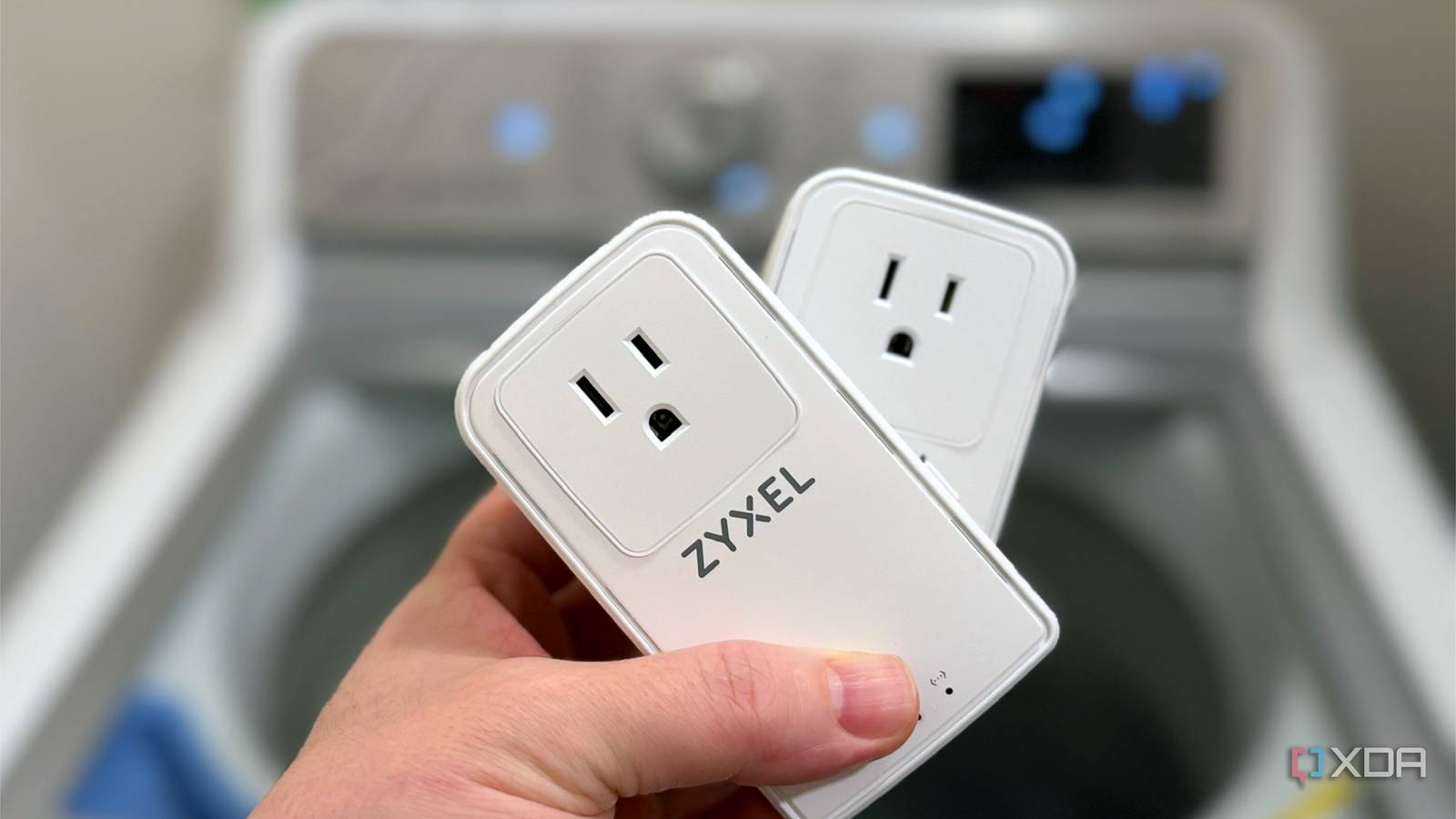
Published Oct 9, 2026, 10:01 AM EDT Maker, meme-r, and unabashed geek, Joe has been writing about technology since starting his career in 2018 at KnowTechie. He's covered everything from Apple to apps and crowdfunding and loves getting to the bottom of complicated topics. In that time, he's also written for SlashGear and numerous corporate clients before finding his home at XDA in the spring of 2023. He was the kid who took apart every toy to see how it worked, even if it didn't exactly go back together afterward. That's given him a solid background for explaining how complex systems work together, and he promises he's gotten better at the putting things back together stage since then. I had a plan for this one, and it was good. I'd plug a Powerline networking kit into a few rooms, get a baseline, then turn on the vacuum, the space heater, the hair dryer, and a pile of cheap chargers to see which one knocked the link over. Just about every rundown of Powerline adapter problems blames household appliances, so that seemed like the obvious place to start. I never got to turn the vacuum on. My house broke the Powerline link before any appliance had the chance, and it took a breaker trip at 3 a.m. to make me realize why. If you live in a newer home, there's a decent chance the same thing will happen to you, and it has nothing to do with what you plug in. I built a whole test plan around my vacuum I never got that far though The kit I used is the Zyxel PLA6456, a pair of G.hn Wave 2 adapters rated at up to 2,400 Mbps over your electrical wiring. That number is mostly marketing, because each adapter has a single Gigabit Ethernet port, but the kit has a good reputation. The theory I wanted to test is well documented. Most Powerline kit FAQs list switch-mode power supplies, dimmers, energy-saving lamps, and running motors in vacuums, fridges, and washing machines as interference sources, and TP-Link specifically calls out charging devices. Powerline adapters push a high-frequency signal over your mains wiring, and anything that sends electrical noise into that same wiring forces the adapters to slow down. So the plan was simple: run iperf3 in three rooms, flip each appliance on for 60 seconds, and log what happened. The trouble started before I'd plugged anything else in 76 Mbps on a 2,400 Mbps kit The adapters paired, eventually. One had shipped with encryption enabled and a stray network name, so they ignored each other until I reset both and paired them again. Even finding the settings page was an adventure, because my router never listed the adapter, and I ended up reaching its web interface through an IPv6 link-local address in Chrome. Once I got in, the Available Connections table told the real story. The link was running at 76 Mbps transmit and 30 Mbps receive, and after a re-pair it settled at 68 and 37. That's about the speed the Powerline LED would flag as amber, on a kit that hit 530 Mbps in someone else's house, and I hadn't switched on a single appliance yet. The lopsided numbers matter here. When one adapter receives far worse than it transmits, the noise is usually close to that adapter, and mine shared an outlet with the router, a server, a lamp, and a laptop charger. So I moved it to a quieter outlet on a different circuit and tried again. The PHY rates stayed low, at 72 and 35, which ruled out the clutter plugged into my desk power strip as the reason. My office's arc-fault breaker didn't like it either AFCI breakers are standard in new builds now A little before 3 a.m., everything in my office went dark. The network dropped, the lights went out, and the breaker for my office circuit had tripped. It's an Eaton BR combination AFCI, and once I unplugged the Powerline adapters and reset it, it held. An arc-fault circuit interrupter (AFCI) monitors a circuit's current for the high-frequency signature of an electrical arc, a real fire risk in damaged wiring. The electrical code now requires them on most living-area circuits, so almost any house built in the last several years will have a panel full of them. The problem is that a Powerline adapter also puts high-frequency signals on the wire, on purpose, all day. I'm not the first person to hit this. This pattern has been repeatedly found across networking companies' support forums and among DIY enthusiasts. I can't conclusively prove it was the Powerline adapters, and my Eaton breaker has no trip indicator to tell me what it saw. But it held once the adapters were gone, and I wasn't plugging them back in to test in the middle of the night. Please don't fix this by swapping breakers or bypassing the AFCI. It's there for a reason, and a faster network isn't worth a fire risk. If your adapters trip an arc-fault breaker, the adapters are what need to go. Every circuit in my house runs through a battery panel The common thread was the house itself The AFCI explains the trip, but it doesn't explain the slow link on a circuit without one. For that, I think the answer is the other thing an older house wouldn't have. My home has an Anker SOLIX whole-home battery system, and its panel is now the main panel for the entire house. The original panel was rewired to sit downstream of it, so every circuit gets its supply through the SOLIX hardware, even the ones that aren't on battery backup. That matters because a battery system like this is built around an inverter, which is essentially a very large switch-mode power supply. Those are exactly what the Powerline troubleshooting guides warn about, except this one sits between the utility and every outlet in my house. I can't measure the noise it puts on my wiring, and I can't bypass it to compare, so treat this as an educated guess rather than a finding. But when the slowdown follows me from circuit to circuit and every circuit shares one piece of power electronics, that's where I'd start looking. I went in expecting to blame a vacuum, or the air conditioning, or maybe my washing machine, and instead the obstacles were things a builder installed on purpose. Arc-fault breakers make homes safer, and whole-home batteries keep the lights on in an outage, but neither was designed with Powerline networking in mind. Powerline still makes sense, just not in a house like mine Powerline Ethernet isn't a bad idea. In an older home with standard breakers and no battery system, a kit like the Zyxel PLA6456 can deliver hundreds of megabits without opening a single wall, and that's still a great result. Your appliances will still cost you some speed, and I'd keep chargers off the same outlet as your adapters either way. But before you buy a kit, check your breaker panel. If you see breakers labeled "AFCI" or "Combination AFCI" with a test button, or if your home has a solar or battery system wired into the main panel, Powerline is a gamble, and you might be the one to find out at 3 a.m.
I thought my appliances would break Powerline Ethernet, but my new house beat them to it
Full Article
Original Source
Read the full article at Xda-developers →KhanList aggregates and links to publicly available news content. We do not host full articles from third-party sources. Always verify important information with original sources.