
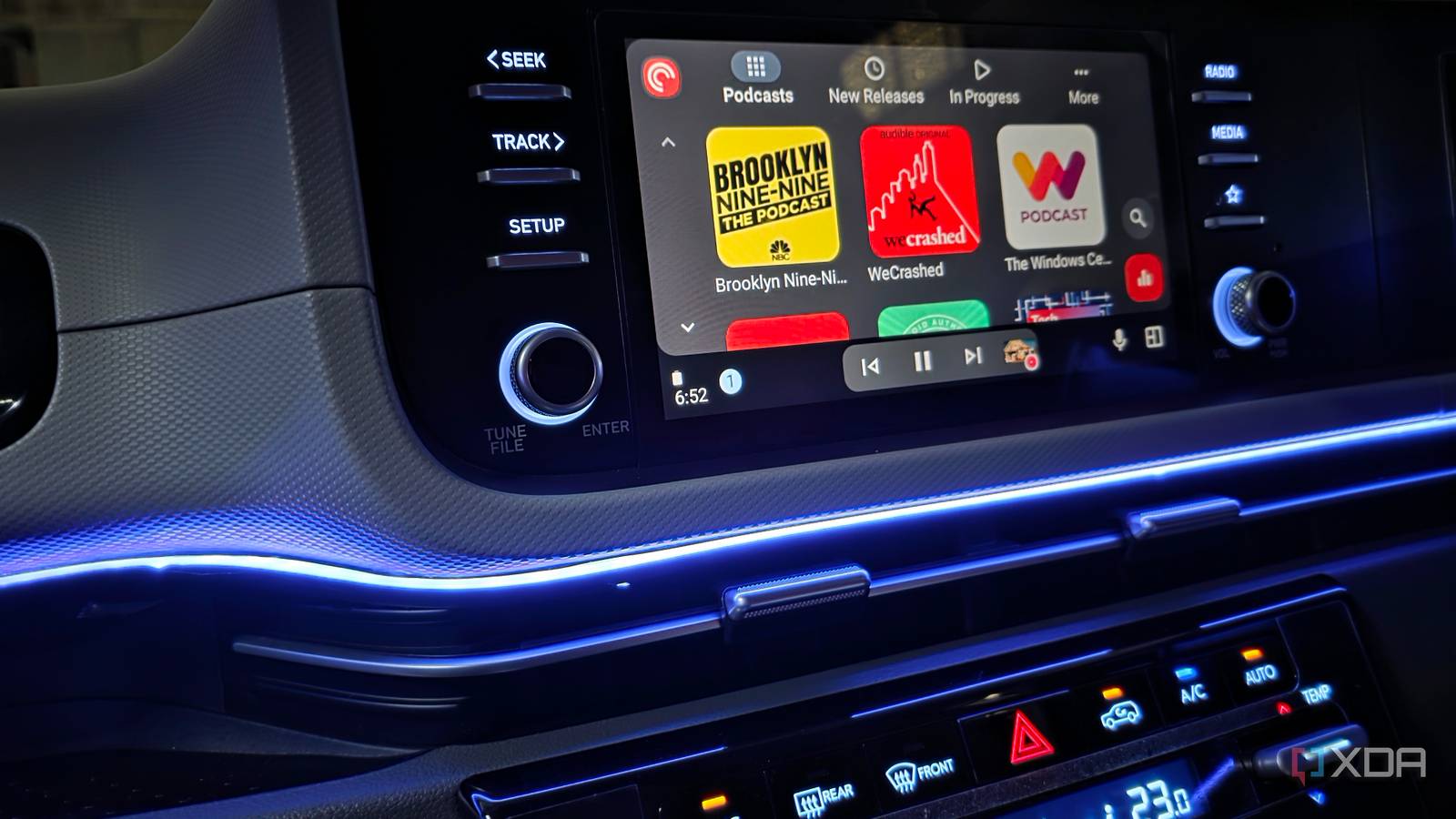
Published Oct 25, 2026, 2:30 PM EDT Parth, a seasoned tech writer, wields the keyboard (or pen) with finesse to unravel the intricacies of both Windows and Mac operating systems. He has covered evergreen content on mobile devices and computers for multiple publications over the last six years. You can find his work on AndroidPolice, GuidingTech and TechWiser. Whether it’s demystifying system updates, deciphering error codes, or exploring hidden features, Parth’s prose guides readers through the binary maze. When not immersed in tech jargon, you’ll find him sipping chai, pondering the next software review, and occasionally indulging in a friendly debate about mechanical keyboards. Apple CarPlay has always impressed me with its clean interface, slick animations, and seamless integration with iPhone. After spending considerable time with CarPlay, I thought Apple had figured out the better in-car experience. However, my opinion changed when I returned to Android Auto and started digging deeper into its lesser-known capabilities. From smarter automation to handy customization options, I realized that CarPlay wasn’t necessarily the better choice for me after all. Custom Gemini shortcuts are incredibly useful My favorite commands are one tap away One of my favorite Android Auto features is the ability to create custom Gemini shortcuts and access them with a single tap. Instead of repeating the same voice commands every time I get behind the wheel, I can turn my frequently used instructions into dedicated shortcuts on the Android Auto launcher. Setting them up is straightforward. I open Android Auto settings on my Galaxy S25 Ultra, head to Customize launcher -> Add a shortcut to the launcher -> A Gemini action, enter my preferred command, and assign it a name. The shortcut then appears alongside my regular apps on the car’s infotainment screen. For example, I can create shortcuts to navigate home, find nearby petrol stations, send my ETA to my wife on Messages, or play my favorite playlist. I specifically appreciate the ETA shortcut when I am running late and want to keep my family informed without dictating the same message. I can even experiment with more complex commands to handle multiple tasks, depending on Gemini’s supported integrations. Samsung Routines take automation further My car triggers some clever automations Another reason I prefer Android Auto over Apple CarPlay is how seamlessly it works with Samsung’s Modes and Routines. It’s one of the most underrated features on my Galaxy S25 Ultra, and I have created a dedicated routine that automatically adjusts my phone’s settings whenever I get into my car. I opened Settings -> Modes and Routines -> Routines, created a new routine, and selected my car’s Bluetooth connection as the trigger. From there, I can automate several actions without installing a third-party app like Tasker. For example, I have configured my phone to turn off Always On Display, disable fast charging, and switch to the Light Performance profile whenever it connects to my car. These adjustments help me manage power consumption and heat generation, especially during long drives when my phone is connected to Android Auto and running navigation and music apps simultaneously. The best part is that I don’t have to remember to reverse these changes. Once I disconnect from the car, Samsung Routines can automatically restore the previous settings. Apple offers similar automation capabilities through its Shortcuts app, but I find Samsung’s implementation flexible when it comes to controlling system settings. Gemini is miles ahead of Siri on CarPlay Siri feels stuck in the past One of my biggest frustrations with Apple CarPlay was Siri. It handled basic commands like making calls and playing music. But I often found myself repeating or rephrasing requests when I wanted something complicated. After switching back to Android Auto, Gemini reminded me how useful a capable voice assistant can be behind the wheel. For instance, I can ask Gemini to find a highly rated vegetarian restaurant along my route, draft a detailed WhatsApp message, or even play a specific song based on the movie scene. Gemini is smart enough to understand such requests and get the job done. I can even ask it to get my appointments and tasks for the day or the next week. You need to try out Gemini’s integration with YouTube Music to truly understand what I am trying to convey here. Local music playback is flexible My offline playlists feel limitless Another area where Android Auto has won me over is local music playback. Don’t get me wrong, Apple CarPlay supports offline music through compatible apps, but I find Android Auto’s selection of third-party music players much more appealing. One of my favorite apps is Poweramp, and it has become an essential part of my Android Auto setup. I have over 200 songs stored locally on my Galaxy S25 Ultra, and Poweramp makes managing and playing them a breeze. It supports folder-based organization, custom playlists, several audio formats, and a powerful built-in equalizer. I can tweak the bass, treble, and other sound settings to suit my preferences and use the Android Auto interface to access my music collection. It even works with Gemini, where I can ask Google’s AI assistant to play a specific track from Poweramp. CarPlay suddenly doesn’t feel superior Apple CarPlay still has plenty going for it. But I realized that a beautiful interface isn’t everything. Custom Gemini shortcuts save me time, Samsung Routines handle repetitive tasks, Gemini makes hands-free interactions easier, and flexible local music playback gives me more control over my entertainment. I am not saying CarPlay is a bad platform, but Android Auto offers flexibility and personalization I value more. For now, I am sticking with Google’s platform.
I thought Apple CarPlay was better than Android Auto until I tried these hidden features
Full Article
Original Source
Read the full article at Xda-developers →KhanList aggregates and links to publicly available news content. We do not host full articles from third-party sources. Always verify important information with original sources.