
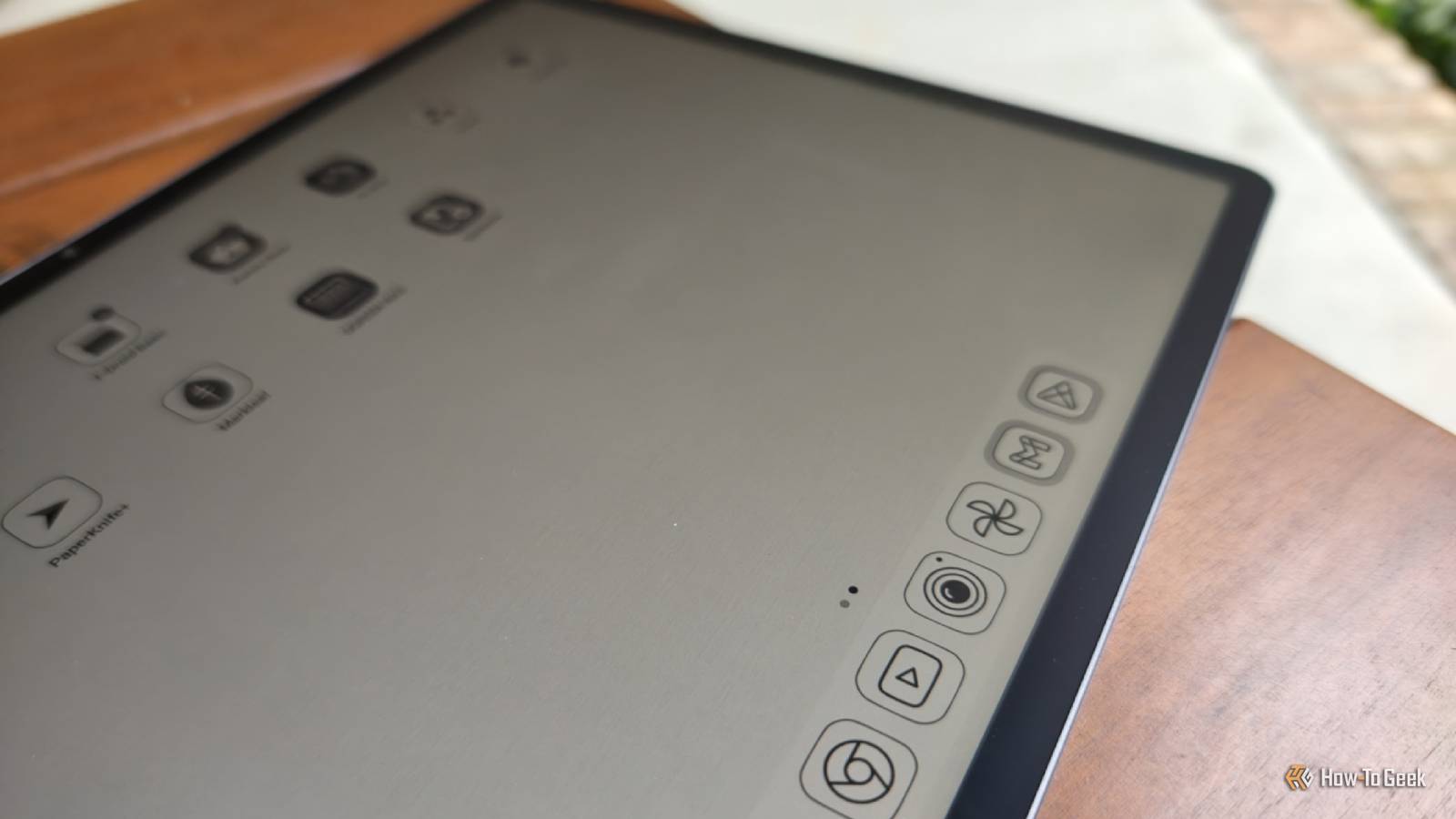
Published Sep 19, 2026, 3:00 PM EDT Bertel is a lifelong tech enthusiast with over a decade of experience writing thousands of articles about Android devices, Linux, and more. Before joining the How-To Geek team, Bertel wrote for the likes of MakeUseOf, MakeTechEasier, and Android Police—at the latter he wrote over 3,500 articles. He delights in helping others decide which tech to bring into their lives... and which tech to do without. Bertel graduated from the College of William and Mary in 2012 with degrees in History and Government. He has spent his entire career as a tech journalist covering Android, Linux, wearables, smart home devices, and more. As much as I enjoy digital books and comics, there is nothing quite like reading on paper—but I have neither the budget nor the space to amass physical copies of my digital library. This is why I've kept tabs on the state of paper-like Android tablets over the years. After comparing three devices that each take a different approach, here's what I would buy. A black and white E Ink tablet My BOOX Go 10.3 is great for books and manga, but color comics are a no-go When I read a digital copy of a novel on my super-thin BOOX Go 10.3, it's increasingly hard to argue that it isn't a superior experience to carrying around a physical book. The text looks as crisp as on paper, except I have complete freedom to change the size, font, and spacing. It's gentle on my eyes and ideal for reading outdoors. The device itself is paper-thin, which can't be said for the physical versions of the lengthy fantasy ebooks I'm currently reading (Adrian Tchaikovsky’s Epic Fantasy bundle has been a banger). Reading manga or other black and white comics on this device feels just as good. The lines are striking, providing amazing contrast without the eye strain that comes from staring at a mostly white OLED or LCD. If you have the opportunity to read Strangers in Paradise on a monochrome E Ink tablet, do it. Tragically, things tend to fall apart when I want to read my full-color comics. A monochromatic eReader like my BOOX Go can only render these in black and white, which loses much of the detail and often isn't fully legible. This leads me to try a color eReader instead. A color E Ink tablet I found the Bigme B10 an okay comic experience and worse for everything else Credit: Bertel King / How-To Geek My first color E Ink eReader was the BOOX Tab Ultra C. On that device, color E ink felt like reading newspaper prints. It's not a bad look, but it's also not the one that series like Saga or Monstress were designed for. These comics look much more accurately represented on the OLED screen of my Motorola Razr Fold than they do on an E Iink tablet. This year, I tried out a Bigme B10. Despite being a newer tablet with better specs, the technology hasn't evolved in the past few years. In fact, this purchase was a step backward. Bigme's software is so janky that I very quickly sold the device (Bigme’s return policy was too costly and time-consuming to bother). If anything, the color representation on the comics I wanted to read felt worse than I remembered and not worth the roughly $600 this device commanded. It gets worse. Color Kaleido 3 screens are incredibly dim, so they require a front light in all but direct light. Their lower contrast also makes ebooks less pleasant to read than they are on black and white eReaders. The end-result is a display that feels mediocre for books and comics alike. Yet while these generalizations are largely true, some brands make better modifications than others. I‘d say the Kindle Colorsoft technology stack results in a better reading experience than what I encountered with Bigme, but since I have no interest in getting locked into Amazon’s ecosystem, I needed to look elsewhere. Paper-like LCD It’s TCL NXTPAPER or bust I've heard about TCL's NXTPAPER displays for years, but I never quite convinced myself to pull the trigger. So I was happy to receive a review sample of the TCL Tab A1 Plus NXTPAPER, which is the right size and shape to compare with the E Ink Android tablets with which I am more familiar. TCL's approach to Android is quite minimal. It’s largely stock, with a few additions related almost exclusively to the display. The tablet does not activate an eEeader mode by default, but the difference is already striking when you first turn on a tablet. Colors look different on this matte display than on conventional tablets. They are less vivid, and, like the Frame TV on my wall, sometimes make the graphics look more like art (even if most of the time it doesn't). Things get interesting when you press the NXTPAPER button on the side of the device. This presents two additional options, a color e-paper mode and an "ink" one. The color option is much less vivid and feels comparable to an E Ink tablet, only it doesn't take on the low DPI look of a newspaper. This means modern comics retain the sharpness that their paper versions have, even if the colors are off. The higher refresh rate means I can turn pages and switch between comics more quickly. Reading ebooks on this tablet is less ideal. While the tablet does have advantages such as being readable in direct sunlight, it still feels like reading on an LCD. When a text file is only presenting words in black and white, there just isn't much nuance for TCL’s NXTPAPER stack to handle. It's fine, but I'm not noticing enough distinction to want to pick up this heavy tablet over my significantly lighter phone, even if I would still choose this over conventional Android tablets. For books, I‘d prefer to return to BOOX any day of the week. Unlike E Ink, NXTPAPER never quite feels identical to paper. Again, like my Frame TV, the backlight is the biggest tell. But perfection can be the enemy of the good, and there's something to be said for being close enough. NXTPAPER fails at being a drop-in replacement for paper, but it succeeds at offering a far more pleasant reading experience than conventional Android tablets and iPads. Which type of Android tablet is the better paper-like experience? E Ink excites me. I look forward to seeing how the technology progresses, and I get my hopes up whenever a new tablet is announced. Yet I continue to walk away disappointed. I have not yet seen an E Ink device that is best for all types of reading. If you’re committed enough, I would recommend a tablet like my BOOX Go 10.3 for ebooks, though any other black and white eReader will suffice. For color comics, E Ink just doesn’t quite do it for me just yet, and I’d recommend a TCL NXTPAPER tablet instead. That said, I personally have come to view a book-style foldable as the most ideal digital e-reading device. It’s lightweight, comfortable to hold for hours at a time, around the same size as a paperback, and large enough for comics.
I tested 3 paper-like Android tablets, and the winner isn't e-ink
Full Article
Original Source
Read the full article at Howtogeek →KhanList aggregates and links to publicly available news content. We do not host full articles from third-party sources. Always verify important information with original sources.