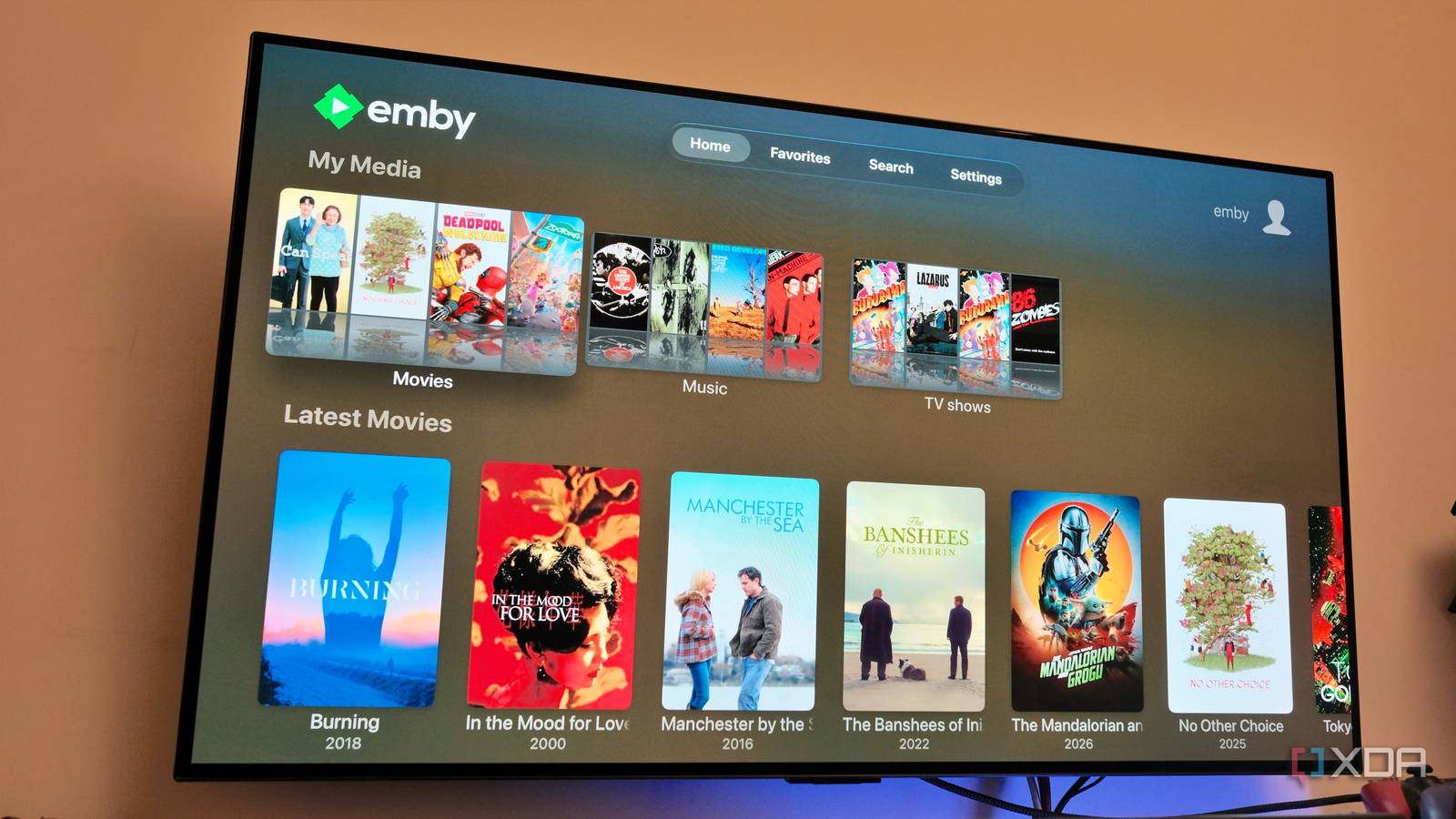
Published Aug 18, 2026, 3:00 PM EDT Samir Makwana is a technology journalist and editor from India since past 18 years and his work appears on MakeUseOf, HowToGeek, GSMArena, BGR, GuidingTech, The Inquisitr, TechInAsia, TechWiser, and others. He has written news, features, and gadget reviews for national technology media publications. His passion is to help people with their technology problems and gadget purchases. For that, he has worked for some of the biggest international technology publications, covering news, explainers, how-to guides, listicles, and product-buying guides. He has worked as an editor and managed teams since 2015. His expertise broadly covers computers, smartphones, game consoles, headphones, smart home products, browsers, and apps. Comparisons between Plex, Jellyfin, and Emby tend to circle the same few points, like better metadata, paywalled hardware transcoding, and a smart TV-like interface. What rarely gets covered is the actual mechanics of moving the library between media servers. Most assume that they’d spend an entire weekend just for that. I went into my switch from Jellyfin to Emby bracing for exactly that. I expected a slow rebuild from scratch, spending a weekend renaming files, and getting a fresh start for anything tied to my server. Nothing like that happened. The parts of the switch to Emby that went smoothly turned out to matter more than feature comparison. They were the reason the switch to Emby was a move worth making. Emby scans existing folders without a single rename No renaming files to fit the convention I’d already organized my media library to meet the file-naming conventions for Plex and Jellyfin. The structure had TV show folders with season subfolders and year tags for movies. Before switching, I assumed Emby would expect an entirely different structure. I thought I’d have to spend an evening fixing the names of files and folders so that Emby could recognize them and fetch metadata correctly. That didn’t happen. After installing Emby, I pointed its libraries at the same folders on my storage and let it run its first scan. It matched nearly all shows and movies in that pass, using the folder and file names exactly as they were. I didn’t touch the scan settings, restructure anything, or write a single naming rule. There were a couple of misses, mostly foreign-language titles with inconsistent metadata online. I’d expect Plex and Jellyfin to stumble on those same titles for the same reason. My watch history didn’t reset to zero A third-party sync tool helps Switching media servers means you lose a few things, and one of them is your watch history. Emby doesn’t offer an official way to import the play state from Jellyfin or Plex, and manually marking hundreds of already-watched episodes wasn’t something I wanted to do. A community tool called WatchState handled it instead. It’s built specifically to sync play state across Plex, Jellyfin, and Emby. I used it to pull my continue-watching data from Jellyfin and apply it to the new Emby server. The entire setup wasn’t exactly plug-and-play. But it took a few tweaks before the sync ran cleanly. Emby and Jellyfin natively support this kind of sync, since a well-supported community tool shouldn’t be the only option for something this basic. My existing devices needed very little configuration Same devices, just a different app to open Reconfiguring remote access and opening up ports on the router is a separate headache when switching servers. But I’d already solved that problem with Tailscale before I ever touched Emby, so remote streaming worked the same way it always had. What I hadn’t solved was the client setup and hunting down a decent Jellyfin client for every device in the house, which had felt like a recurring chore. I paid for the Emby Premiere subscription, which unlocks features like hardware transcoding and mobile sync. I put the official Emby app on my Apple TV, phones, tablets, and computers. The only setup step on each device was pointing the app at my new Emby server URL. For my household, the setup took a few minutes, and the media library was ready to stream everywhere it needed to be. Emby interface was easy to use for my household No one struggled to find content My biggest worry about switching media servers was the usual round of “how do I find X” questions from the non-technical members of my household. That never happened. Nobody noticed a dramatic difference from Jellyfin’s interface, and everyone found their way around Emby without a walkthrough. The only thing I personally missed was Jellyfin-Enhanced, a plugin that made my old Jellyfin server’s interface closer to that of a commercial streaming service. Its absence didn’t cause any confusion for anyone else in the house. It’s arguably a low bar for measuring user experience friction, but Emby kept it to a minimum. Custom collections and Live TV required extra effort Not everything carried over cleanly The move from Jellyfin to Emby went smoothly, but it wasn’t entirely seamless. There was some pain involved, especially around passing on the custom collections that I had curated over time. I had to rebuild each one from scratch inside Emby. Also, I found that Live TV and DVR setup needed to be done from scratch again in Emby. I had to reconfigure my tuner and channel guide data. Though neither of these tasks sounded difficult, they do require some manual effort to rebuild from scratch. The switch was worth the weekend I didn’t need The folder scan and device compatibility did more to make the switch to Emby painless than anything about Emby’s feature set or interface. The watch state sync needs extra effort, but that’s worth it if you plan to keep Jellyfin, Plex, and Emby running in your home lab. An appropriate folder structure with proper file names is key to a smooth move to any media server. Of course, there’ll be exceptions that you might need to fix manually. If you have an existing Plex or Jellyfin library and are wondering whether the switch to Emby is worth the weekend, the honest answer is yes. The library scan in Emby might be a tad longer than the other two, and you might have to configure Live TV separately. The rest should mostly take care of itself. Emby Emby is a paid-for alternative to Plex that has a few unique features you won't get anywhere else, like smart home integration and HDR tone mapping. The only disadvantage is that it'll cost you money to use some features that you get free elsewhere, like caching your video files.
I switched to the media server nobody talks about, and I don't regret it
Full Article
Original Source
Read the full article at Xda-developers →KhanList aggregates and links to publicly available news content. We do not host full articles from third-party sources. Always verify important information with original sources.