
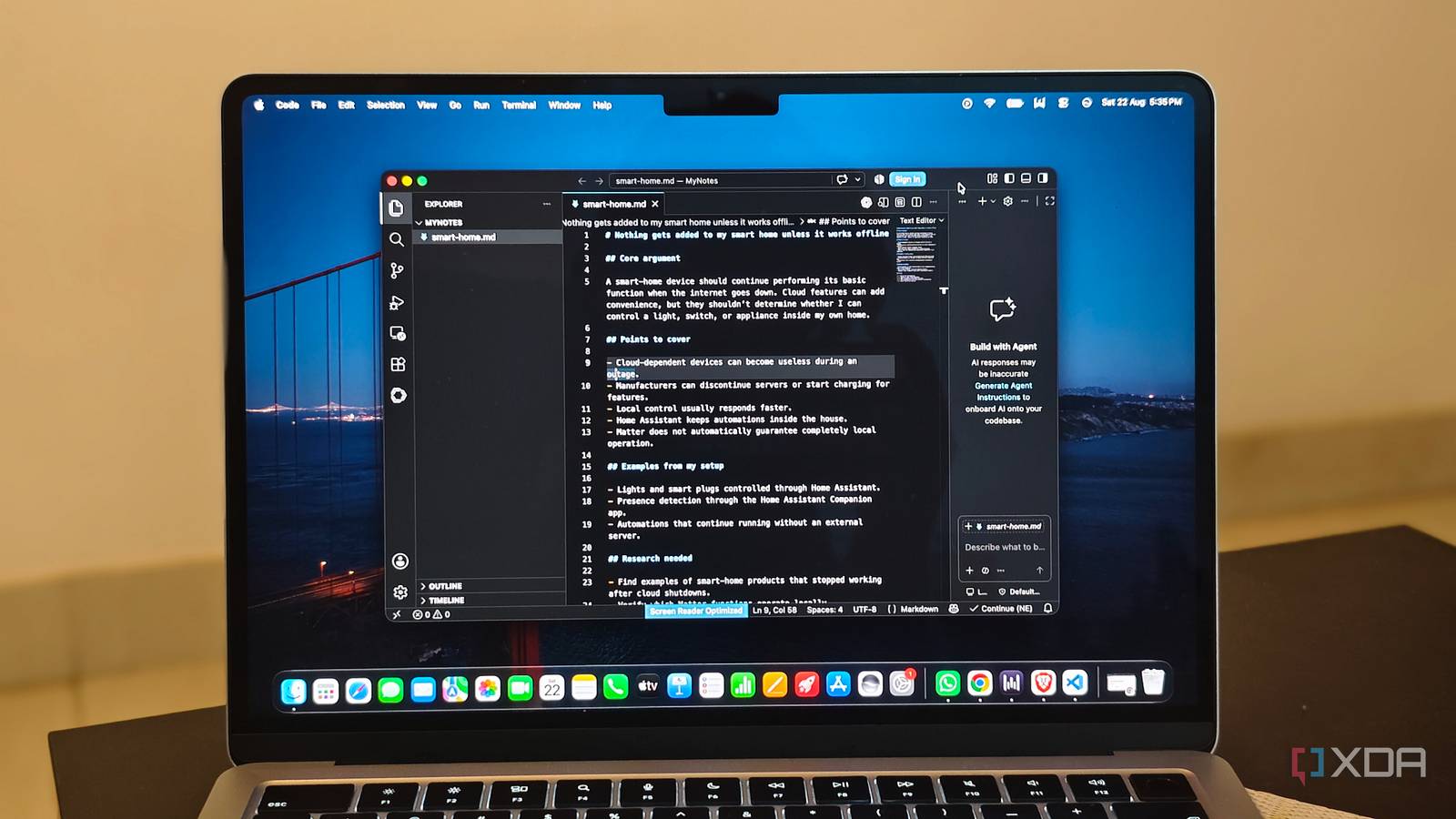
Published Aug 23, 2026, 7:00 PM EDT Anurag is an experienced journalist and author who’s been covering tech for the past 5 years, with a focus on Windows, Android, and Apple. He’s written for sites like Android Police, Neowin, Dexerto, and MakeTechEasier. Anurag’s always pumped about tech and loves getting his hands on the latest gadgets. When he's not procrastinating, you’ll probably find him catching the newest movies in theaters or scrolling through Twitter from his bed. I have been a long-time Notion user. I have used it to take notes, prepare documents, write my articles, and even present things to people. I stuck around primarily because it has a dark mode, which Google Docs doesn’t have on desktop, and I found features like rich embeds helpful. Today, if you open Notion, you are greeted by an extremely cluttered platform that’s trying to do everything. There are AI meeting notes, docs, notes, and a bunch of other features being shoved down your throat that you probably don’t need. There are AI agents, integrations, an AI chatbot, etc., and starting a note is a multi-step process. You have a bunch of options here and there, and the platform is trying to do too much. I decided to get rid of it, switch to good old Markdown, and use Syncthing to sync it across my devices, and to be honest, my workflow is a lot faster now. Notion is trying to be everything at once Jack of all trades, master of none Notion stopped being a note-taking app a long time back. The company now describes it as an AI workspace, and almost every part of the product reflects that change. Notion can transcribe meetings, search across connected apps, manage projects, generate documents, and automate work using custom agents. You can still use it to write a simple note, but that now seems like one small feature inside a much larger platform. Some of these additions are genuinely useful. I have used Notion’s AI Meeting Notes to record meetings, and it does a good job of transcribing them and pulling out the important details. Its databases are also far more capable than anything you can build inside a regular notes app. However, Notion keeps putting every new feature inside the same workspace, whether you need it or not. The sidebar has more sections, AI appears across the interface, and creating a page now presents options for different kinds of content before you have written anything. A better way to describe Notion right now is a tool that can do many things but does few of them as well as a dedicated app. My problem is that, with all these features, even the most basic functions are starting to feel cumbersome. I find it much easier to write an article in Google Docs than in Notion because there are fewer distractions. Note-taking is a lot better on Google Keep or Apple Notes than on Notion. Markdown lets me open a file and start writing It does nothing else My replacement for Notion is a regular folder filled with Markdown files. I create a .md file, name it, and start typing. If I need some structure, I can put it inside another folder. Markdown gives me enough formatting for almost everything I write. I can add headings, links, lists, images, and quotes without reaching for a formatting toolbar. The syntax is also simple enough that I barely have to think about it while writing. More importantly, all of that formatting lives inside a plain-text file rather than being tied to one app. I can open the same note using any Markdown editor. I can also search the folder using Finder, move files around normally, or rename them without worrying about breaking a workspace. I mostly use VSCode as the editor, but if I stop liking it tomorrow, I can just switch to Cursor, Antigravity, Zed, Neovim, or literally anything else. Markdown obviously does far less than Notion. It doesn’t give me databases, AI meeting notes, elaborate embeds, or built-in presentation tools. However, I don’t need those features when I’m writing an article or quickly saving an idea. The biggest improvement is how little there is to manage. Every document is a file, every folder works like a folder, and I can start writing as soon as I open one. Syncthing keeps the folder updated across my devices What else can you ask from a notes app? The one convenience I didn’t want to lose was automatic syncing. Syncthing handles that by watching my Markdown folder and copying any changes directly between my devices. It doesn’t store the files in a central cloud account. Instead, the devices exchange them whenever they are online at the same time. The setup requires installing Syncthing on each device, connecting them using their device IDs, and selecting the folder you want to share. Once that is done, it runs in the background. If I create or edit a Markdown file on one device, Syncthing detects the change and sends the updated file to the others. Syncthing is a synchronization tool, not a backup service. If you delete a file, it also sends that deletion to your other devices. It supports file versioning, but keeping a separate backup of the folder is still important. Also, editing the same file on two disconnected devices can create a conflict copy, so I try to avoid working on the same document in two places before they have synced. I am sick of apps trying to do everything I really liked Notion because it was fun to use. Taking notes on the platform was fun. Creating my own second brain and organizing it exactly how I wanted was fun. Notion supported all of that very well. It still does, but I now find it cumbersome and cluttered. Everything is in there, and that is just not it for me anymore. I see the same trend across multiple tools. Evernote started as a note-taking app but now also wants to manage tasks, calendars, and AI. Canva has expanded from design into Docs, Sheets, websites, email, and its own AI assistant. Every platform now wants to become the only app you need, and the original experience often gets buried in the process.
I switched from Notion to a plain Markdown folder and Syncthing, and I'm faster than I ever was before
Full Article
Original Source
Read the full article at Xda-developers →KhanList aggregates and links to publicly available news content. We do not host full articles from third-party sources. Always verify important information with original sources.