
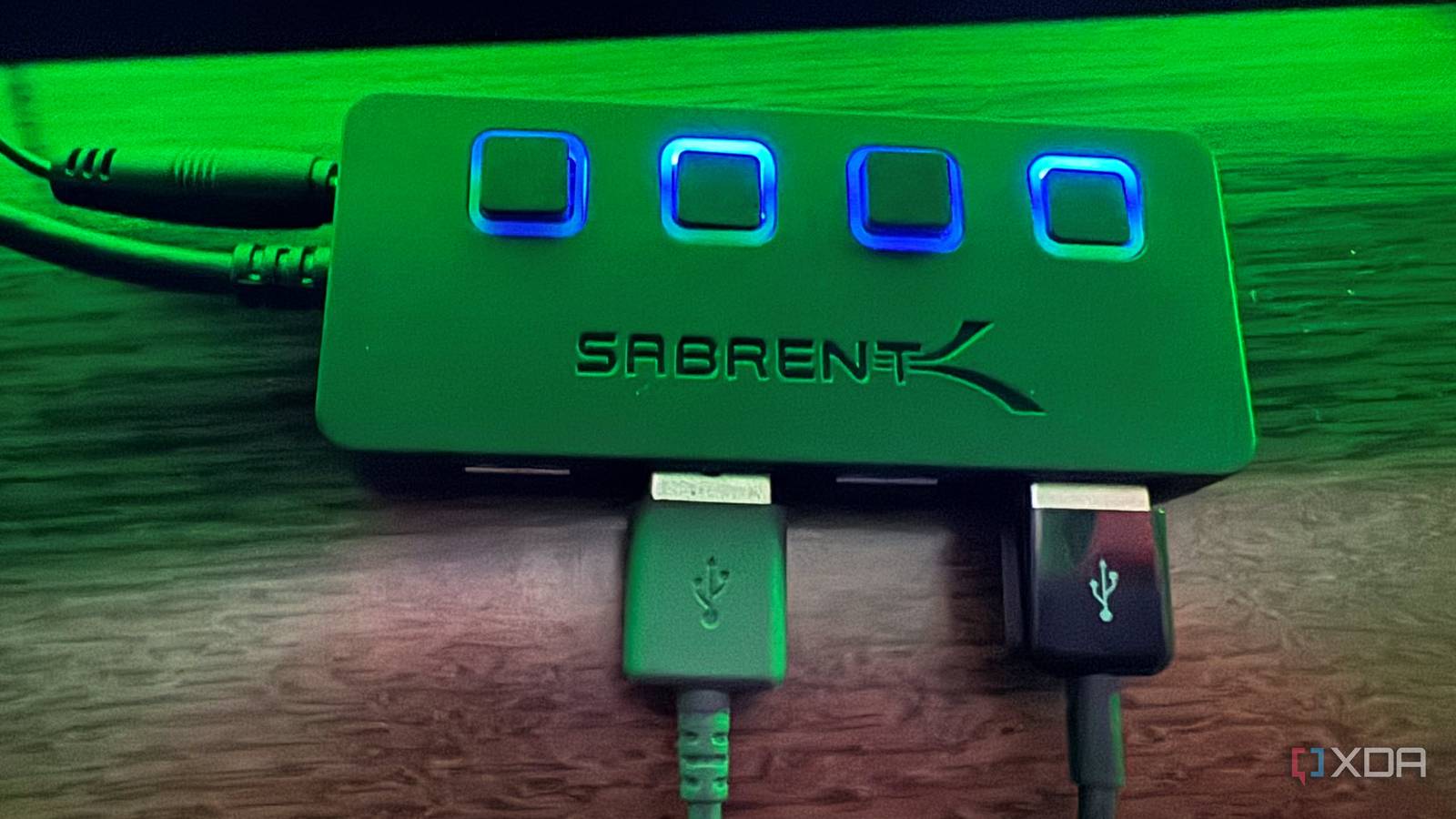
Published Nov 6, 2026, 3:01 PM EST Based in rural Minnesota, Brian Burgess worked in IT for 10 years before finding his passion for writing about consumer technology. Brian earned his degree in computer and network technology in 2000. He held various IT positions, including help desk support, router installations for IBM, database administration, and other associate network administration roles. He's been a personal technology journalist for 18 years and has written thousands of articles about Microsoft products and services, Android, iOS, streaming, and more. He has written for notable tech sites including XDA, InformationWeek, How-To Geek, Byte, groovyPost, and others. When he is away from the keyboard, you will hear him playing guitar, working outdoors, and watching Star Trek. I'm fed up with streaming sticks that draw power from my TV's USB port. You can do a lot with a TV's USB port, but it's often underpowered for streaming devices with demanding power needs. This is especially true with older sets. It's convenient if it works since I don't have to plug it into the wall or power strip. But a TV's port isn't always a reliable power source. New devices with direct-power connectivity (a cable that plugs into the USB port to power the stick) require more power than the port can provide. Depending on the TV, I get low-power errors, random crashes, or the stick won't turn on. It's not a universal problem, but it's broad enough to be concerning. TV sets aren't meant to run streaming computer devices Most USB ports are underpowered Your TV's USB port is meant for low-power actions like inserting a flash drive to view photos or other local media. I have last year's Roku HD streaming stick and the Fire TV 4K (3rd-generation), and both have direct-power cables that draw power from the TV's USB port. Sure, it is convenient; it eliminates a wall wart mess (plugging device chargers into wall outlets), hanging cords, tangled cords, and keeps things clean for wall-mounted sets. But you might plug it in, and nothing will happen. Many TV sets' USB ports are underpowered and offer a trickle of energy — usually around 0.5A. But the new Fire TV Stick and Roku HD Stick need 5V/1A to run, and if they don't work, the companies recommend plugging them into the included wall adapter anyway. That happened to me when I plugged in my Roku HD Stick into an older 4K TV earlier this year. I was instantly irked because I had to pull out the wall adapter and plug it into the power strip surge protector. Another problem with using the set's USB port is that the device may not stay charged when the TV is powered off, and will cold-boot every session. That can cause long delays that are simply unacceptable. Low-power messages, random reboots, and crashes in the middle of streaming can occur. USB port power output varies wildly between models. Check your set's USB rating before buying a device if you plan to use direct USB power to make sure it will work. Cold boots and random crash interruptions Turning off the TV powers off the USB port, and inconsistent power causes crashes If your TV's USB port does power your stick, that's great. However, you might have to deal with cold boots. That's when you turn off your TV; it also powers off the stick. So, each time you fire it up, it takes longer to complete its boot cycle. That creates an unnecessary delay that can get really annoying when you're done for the day and just want to stream Netflix. If you only run one streaming stick, some sets let you keep the port powered even when the TV is off. Check your TV's power or system settings to find it and set it to "Always on." However, the stick can power on and seem to work. But a TV's USB port may supply too little or inconsistent power to the streaming device. That can cause all sorts of issues, like buffering, random crashes and reboots, menu freeze-ups, and more. When that happens, Roku and Amazon recommend plugging their sticks into their included power adapters anyway. Only one port for multiple streaming devices A solution to problematic math Another issue is that I have multiple streaming sticks and only one power USB port on my set. Also, with the number of streaming devices I have, my surge protector gets clogged up fast. So I have to plug them in directly or get creative. My mind immediately went to using one of my powered USB hubs. This is cool for a geek, but it shouldn't have to be the solution for an average consumer. A similar situation happened to my aunt and uncle, and they had to call me for help. With a powered USB-A hub, I plug the hub's power adapter into my power strip, connect the device's power cords, and plug the sticks into the HDMI ports I want to use. When looking for a powered hub, consider how many devices you have and what they need. I used a cheap Sarbrent 4-port hub with a 5V, 2.5A power adapter, and plugged the USB Type-A port into the hub instead of the TV's port. But the power capacity is shared across all ports. It doesn't mean each port has adequate power for all connected devices. Still, I can successfully power my Amazon Fire TV Stick and Roku HD device without a problem. I even connected an Onn 4K Google TV streamer and multiple external drives to create a locally hosted network server with the budget box. The Onn streamer and drives worked well, with no device interruptions. A hub offers more ports for devices and can solve issues with underpowered USB ports on TVs in general. So, even if you have one stick and an underpowered USB port on your TV, a hub works and provides headroom for expansion. Don't plug the hub into the set's USB port. That can send power back into the port and damage it and the TV. Leave your set's USB port out of the chain for this configuration. Direct power for streaming sticks is a convenient problem My new TV can power a new direct-power streaming stick with no hiccups. However, on older sets, the sticks introduce problems or don't turn on at all. However, since I have multiple streaming devices and don't want tons of chargers in my power strip, I use a powered hub to get the job done. It only requires plugging in one device instead of four or more. Plus, the USB port on my set stays open if I need it. Sabrent 4-port USB Hub (HB-UM43)
I stopped using my TV's USB port as a power supply for streaming devices
Full Article
Original Source
Read the full article at Xda-developers →KhanList aggregates and links to publicly available news content. We do not host full articles from third-party sources. Always verify important information with original sources.