
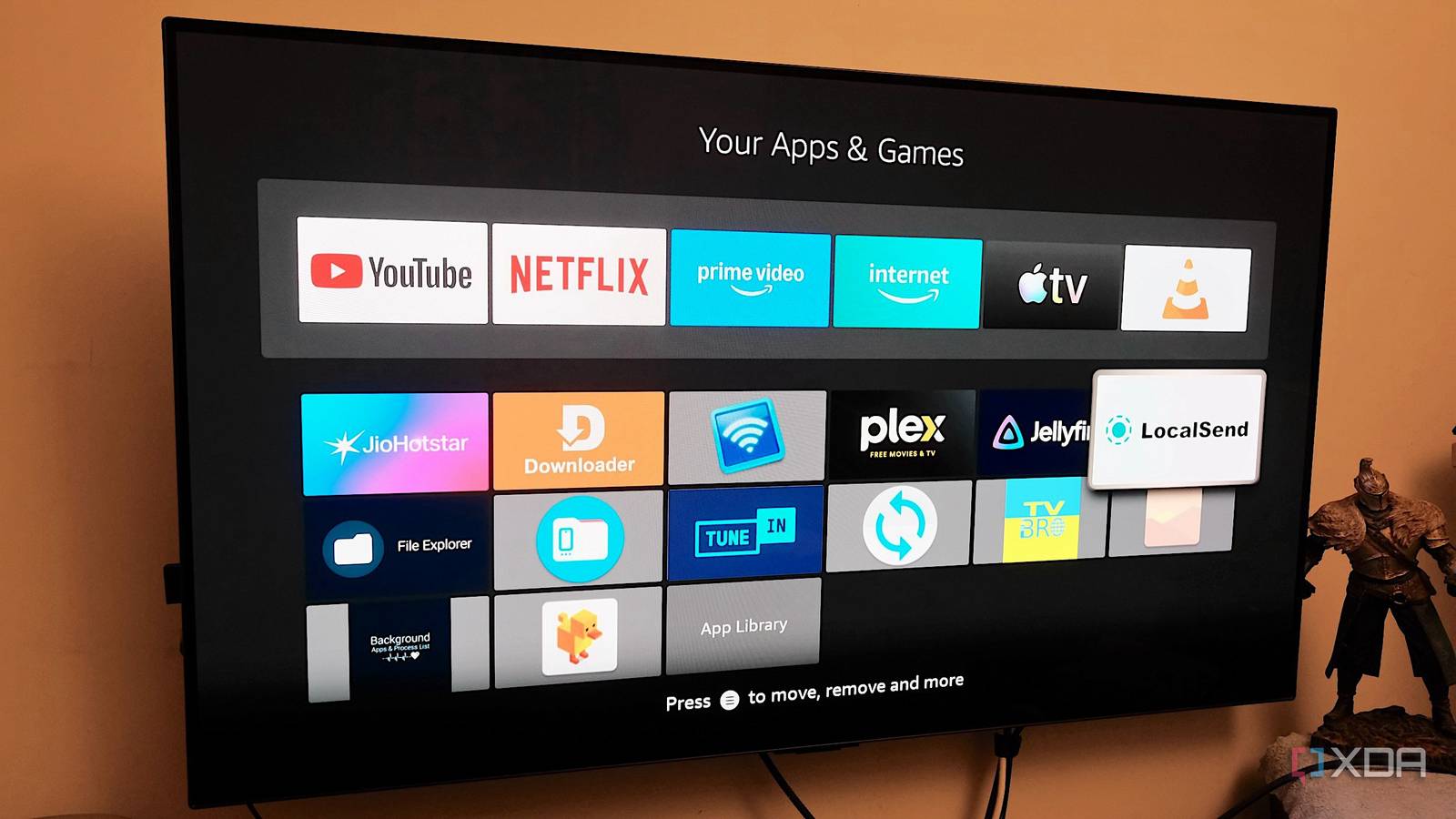
Published Sep 18, 2026, 6:00 PM EDT Samir Makwana is a technology journalist and editor from India since past 18 years and his work appears on MakeUseOf, HowToGeek, GSMArena, BGR, GuidingTech, The Inquisitr, TechInAsia, TechWiser, and others. He has written news, features, and gadget reviews for national technology media publications. His passion is to help people with their technology problems and gadget purchases. For that, he has worked for some of the biggest international technology publications, covering news, explainers, how-to guides, listicles, and product-buying guides. He has worked as an editor and managed teams since 2015. His expertise broadly covers computers, smartphones, game consoles, headphones, smart home products, browsers, and apps. I stopped treating my Fire TV Stick like a cheap streaming box the day I started sideloading APKs. And it turned out to be more capable than I expected. Its fate changed when I started removing ads and loading an Android launcher. My experiments went further, and I stopped using the Fire TV Stick for streaming. Later, I found six apps that changed how I use my Fire TV Stick. None cost anything, and most are available in Amazon’s curated app store. LocalSend made sure I didn’t need a USB cable Moves files over Wi-Fi without touching a cloud account While Downloader is a solid way to sideload apps on Fire TV Stick, finding the right code and typing it in is clunky. Instead, I use LocalSend on Fire TV Stick to send APKs, images, and other files from my phone, laptop, and home server. It’s like an AirDrop but with wider cross-platform support. The best part is that nothing routes through a third-party server. I opened LocalSend on my phone and discovered the one running on my Fire TV Stick on the same network. Then, I sent files over HTTPS with an auto-generated certificate. It felt easier to push APKs than to use ADB from my laptop or home server. The only requirement is that I install it on every device where I want to send and receive files. Then it shows up under Nearby Devices within a few seconds. Surprisingly, this app is available on the Amazon Appstore. TV Bro gives an actual browser experience I've always missed a browser on Fire OS, and the Silk browser wasn’t cutting it. While Firefox is good enough for most users, I wanted a remote-friendly browser. That’s how I found TV Bro, an open-source browser built specifically for remotes. I can use tabs, bookmarks, voice search, and even a download manager without needing a mouse. The built-in ad blocker strips out banner and video ads by default. The toolbar toggle lets me turn it off if a page breaks. It also blocks pop-ups and unwanted autoplay ads. I had to sideload this app through the Downloader, like other APKs, since it isn’t available in the Amazon Appstore. Managing stick’s storage with AnExplorer I transfer a lot of files to the Fire TV Stick and forget about it. I only try to remove those files when storage gets low, and that’s where AnExplorer helps most. This is my go-to file explorer on the Fire TV Stick, and it does a lot more than basic local browsing. Beyond fetching files from local storage, AnExplorer offers several ways to source files. It offers SMB and FTP for home servers. It also supports cloud storage from Google Drive, Dropbox, OneDrive, and Box. I can even unarchive ZIP and RAR files. That’s extremely useful while moving subtitles or ROM files. I set it as the default file picker so that I can easily open common archives and files. TuneIn lets me use the stick even when the screen is off Radio and podcasts run as audio in the background I realized that even though the Fire TV Stick sits plugged into the TV, I don’t really need a display. That’s why I use TuneIn to stream live radio stations and also listen to popular podcasts. The audio keeps playing in the background even when the screen goes to sleep. I leave the app streaming audio through the TV speakers while I work on something else in my room. The remote and Alexa are built for one thing at a time; TuneIn keeps playing while I do something else. The basic app is free, but it has ads that require a Premium subscription to remove. The subscription also adds a few exclusive stations and live sports radio. Background Apps & Process List helps free memory Force-stopping everything with a single tap Unlike Android phones, the Fire TV Stick doesn’t have a "kill all apps" button or option. There’s no way to know what applications and services are running in the background. Like the app’s name, it lists every app and service that runs all the time. This app shows that list so I can force-stop one or all of them to free up memory. Selecting an app from the list takes me to the App Info screen, where the Force Stop option is visible. Amazon Appstore has several similarly named apps that offer the same functionality. Stick with the listing that has the most reviews and an active developer. Force-stopping a system app can affect device stability. Doing that across every app on the list makes it worse. Aerial Views to fetch video screensavers Pull clips from self-hosted feeds or online libraries This open-source app is available on the Amazon Appstore and even the Google Play Store. Once installed, I can choose the media sources to fetch screensavers from. For starters, I got access to hundreds of videos from Apple, Amazon, Jetson Creative, and Robin Fourcade. I found 4K videos with Dolby Vision since my LG C2 supports it. With a few ADB commands for the newer Fire OS, I installed Aerial Views in no time. Besides replacing the default screensavers, it can pull up media from the USB drive, SMB or WebDAV shares. I can also import images from an Immich server and Nextcloud Memories. Using video screen savers helps with burn-in projection since the position of the on-screen overlays keeps shifting. Getting more out of the hardware than simply streaming The Fire TV Stick is an Android device that Amazon has locked down by default. Every app on this list works around that limitation differently. It's about moving files, browsing the web without ads, managing local storage, monitoring memory, playing audio, or replacing the screensaver. If your Fire TV Stick is also sitting idle, you can use one of these apps to push it beyond generic video streaming.
I stopped using my Fire TV Stick just for streaming after discovering these apps
Full Article
Original Source
Read the full article at Xda-developers →KhanList aggregates and links to publicly available news content. We do not host full articles from third-party sources. Always verify important information with original sources.