
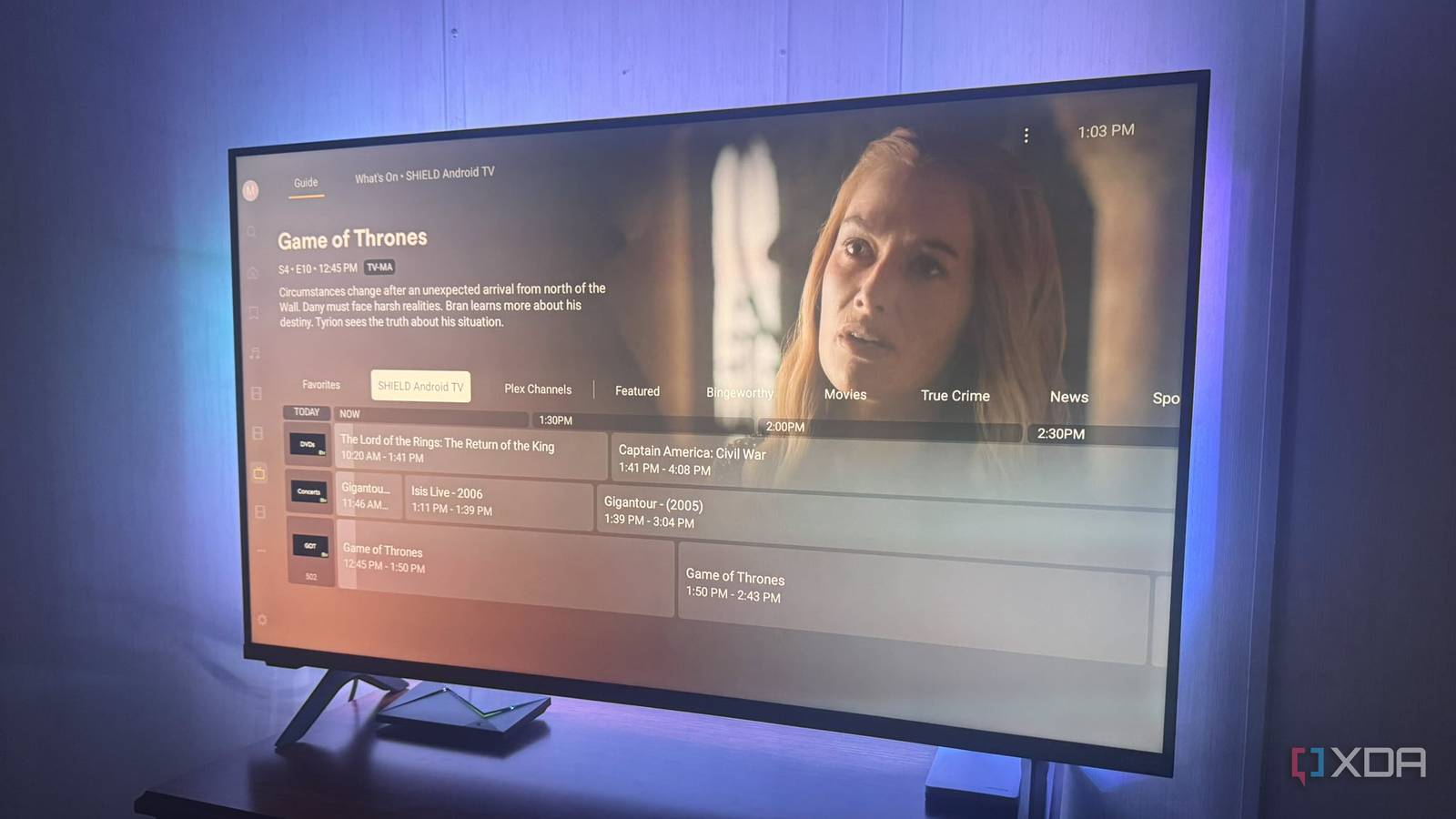
Published Oct 4, 2026, 11:30 AM EDT Based in rural Minnesota, Brian Burgess worked in IT for 10 years before finding his passion for writing about consumer technology. Brian earned his degree in computer and network technology in 2000. He held various IT positions, including help desk support, router installations for IBM, database administration, and other associate network administration roles. He's been a personal technology journalist for 18 years and has written thousands of articles about Microsoft products and services, Android, iOS, streaming, and more. He has written for notable tech sites including XDA, InformationWeek, How-To Geek, Byte, groovyPost, and others. When he is away from the keyboard, you will hear him playing guitar, working outdoors, and watching Star Trek. I've never had good luck getting television reception using a digital antenna. So I retired the bulky antenna that took up space and added to the cord clutter behind my TV. With a simple app and by adding movies, shows, and other media to channels, I created my own customized, live TV-style experience on Plex. I was still looking for a better solution, and when I used Tunarr to turn my self-hosted media into Live TV, part of the piece was ErsatzTV's FFmpeg build. I quickly found that the open-source project works with Plex to create similar live-style channels for my Plex setup. Installing ErsatzTV It has cross-platform availability ErsatzTV is a free and open-source project with builds for Linux, macOS, and Windows available on its GitHub page. Installation is a breeze: extract the zip folder into a handy directory on my local drive. I started by launching the ErsatzTV-Windows executable to open the tray icon, followed by the configuration web page. However, that didn't work at first, so I opened ErsatzTV.exe, which opens in a prompt window. It stayed blank and showed no errors. So I manually pointed my browser to http://127.0.0.1:8490 and saw the ErsatzTV welcome screen. From there, I could configure my server and media and create a schedule for my self-hosted content. Once I configured everything, I started using the tray icon to manage it. ErsatzTV Setting up ErsatzTV It's straightforward once it recognizes your media Once I got it running in a local browser window on my PC, I located my Plex server and enabled the folders that contained the content I wanted to add. After it found what it needed, I added my movies, TV shows, and other media to the collections I wanted to create. Then I added a channel, selected a schedule, and configured the playouts. Since I hadn't used ErsatzTV before, I created only a few collections and scheduled them, so I'd have a few movies to test on Plex on my Nvidia Shield. It's not as straightforward as setting up movies and shows in Tunarr, but once I got used to how it worked, it wasn't too hard to pick up. It also seems to offer more control over channels and programming schedules. Once I had a few movie collections ready and scheduled, I was ready to start using it on my Shield Pro. Pointing ErsatzTV to Plex My media is scheduled through Shield and other devices Now that I had a few movie collections scheduled and set up, it was time to move to Plex Web so it would see ErsatzTV as a Live TV & DVR device. Plex didn't automatically recognize Ersatz, but I could manually add it using my computer's IP address on port 8094 and the properly pointed XML file. It connected to the first channel I created, and I tested it to ensure it played properly. Getting it to work on Plex Web was one thing; the next was making sure it played on my Shield. I went to the Live TV section, where Tunarr is already showing channels, and the channels I created played successfully. I fired up my Shield Pro running Plex, went to the Live TV section, and found the stations I created there; the movies and shows I added played. Now I have another way to enjoy live TV on Plex. I can watch the content I want, not just what the included livestreaming channels automatically feed me. It's a better way to watch TV because I can use content from my Plex server to create stations based on what I want to see. I live in a rural area, so being able to ditch my digital antenna and watch my favorite content in a linear TV fashion is more appealing, and it saves room for other equipment I might need to add behind the television. TV station manager Broadcasting my content is a nice gig to have It's nice to be my own TV station manager, where I can curate channels from my own media and have a program guide to fit. On the backend, I can change program scheduling, fill specific time slots, shuffle a collection, create playlists, and more. With custom viewing like this, you no longer need an antenna. There are a few trade-offs, though. The app needs to run on a separate machine that is always on. So, if the power goes out or network connectivity drops, you'll need additional maintenance and troubleshooting. Also, you need Plex Pass to watch EratzTV channels through Plex. The project itself is free, but you need Pass to add channels to the Live guide. Still, it's not a dealbreaker since there's nothing from OTA or FAST stations to watch most of the time. This project offers a great way to build a live TV station with channels that stream media from my personal server. I can put a single movie on and have it loop continuously, or add several to a channel schedule, so I have more choice in what I watch in Plex's live TV section. If I create enough content, I will never get rerun boredom again and will never run out of something to watch in the live TV setting.
I stopped using my digital antenna after finding a much better way to watch live TV
Full Article
Original Source
Read the full article at Xda-developers →KhanList aggregates and links to publicly available news content. We do not host full articles from third-party sources. Always verify important information with original sources.