
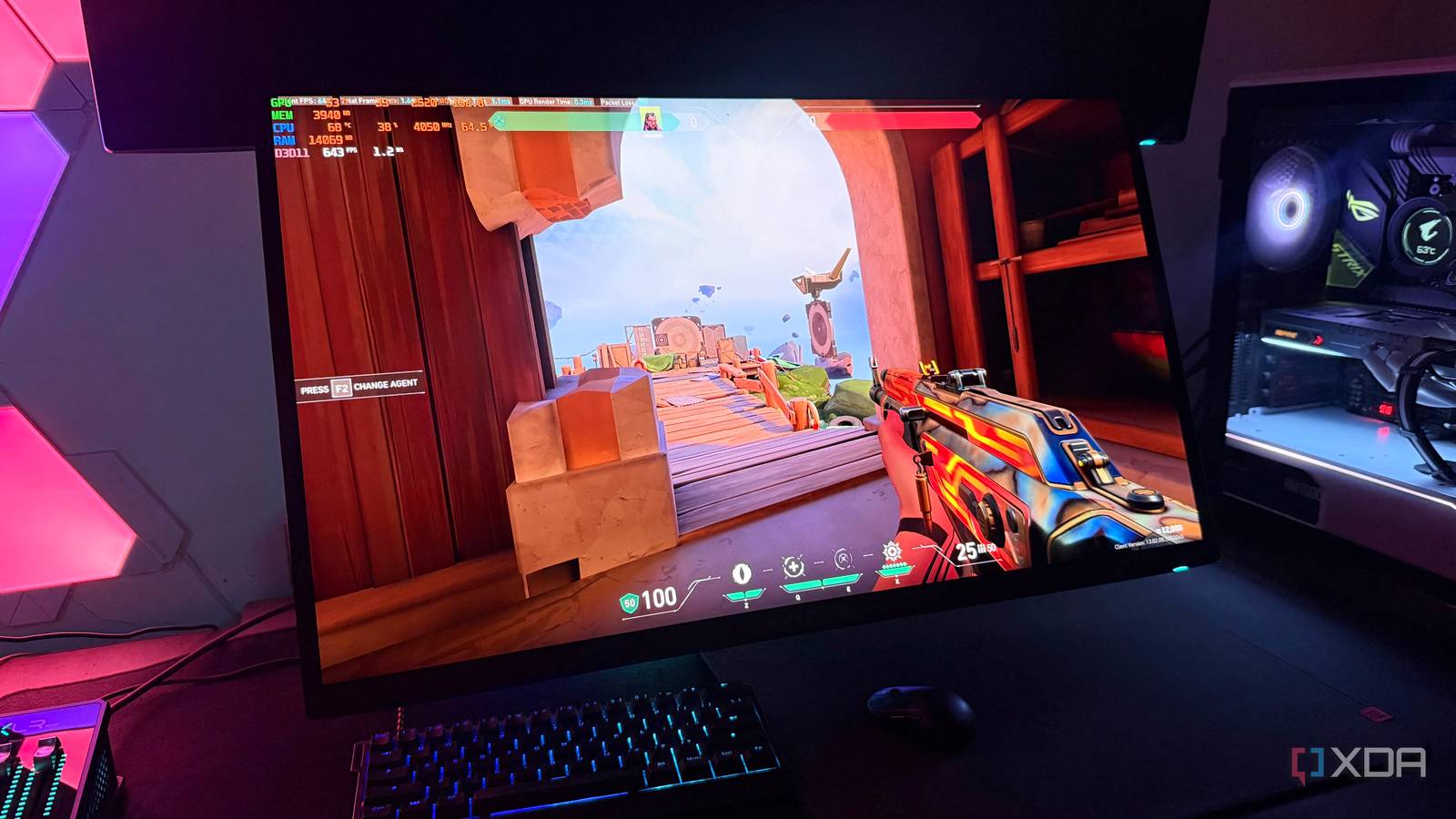
Published Sep 2, 2026, 7:00 AM EDT Hamlin has been in the tech field for over nine years. Since 2017, his work has appeared on MakeUseOf, Android Police, OSXDaily, Beebom, and more. He served as the Senior Editor at Valnet's MakeUseOf for over two years before joining XDA. He uses a high-end gaming rig for desktop use and a MacBook for traveling, but dislikes some of the quirks of macOS. You're more likely to catch him at the gym or on a flight than anywhere else. Many gamers use DLSS for 4K gaming these days, and for good reason. Even flagship GPUs like the RTX 4090 and 5090 can struggle to maintain playable frame rates at native 4K, especially once ray tracing is enabled, so upscaling from a lower internal resolution can give you a much-needed FPS boost. In fact, I'm comfortable saying that DLSS has gotten so good that native 4K simply isn't worth chasing anymore. At 1440p, though, DLSS still hasn't won me over. Now, you're probably thinking that the internal resolution is so low that the upscaled image simply doesn't look good enough, but that's not the case. My reason for avoiding DLSS at 1440p is still the lower internal resolution, but it has nothing to do with image quality. DLSS still looks very impressive at 1440p, especially with DLSS 4.5's Preset L and M. The thing I'm not impressed with is the FPS boost I get from DLSS Quality in most games, but I can't really blame my GPU for that. DLSS at 1440p makes my CPU the bottleneck The internal resolution is too low for games to stay GPU-bound When you use DLSS Quality, the game renders internally at 66.7% of your output resolution. At 1440p, this would mean the game actually renders at 960p, which isn't even 1080p. That might sound like an image quality problem, but DLSS 4.5 does a pretty good job upscaling from 720p with Preset L. The real problem is that 960p isn't demanding enough to keep modern GPUs fully utilized in a lot of games. In fact, even 1080p is enough to make many games CPU-bound. That's exactly why reviewers run CPU benchmarks at 1080p with the fastest GPU they can get their hands on. The idea is to take as much load off the GPU as possible and force a CPU bottleneck, so any differences between the CPUs stand out more. At 960p, you're rendering roughly 20% fewer pixels than at 1080p, which takes even more work off the GPU. And as you probably already know, when your CPU is the bottleneck, the GPU sits underutilized, so you're not going to see the FPS boost that you typically expect from DLSS. My CPU/GPU pairing only makes the problem worse I'd need something like the 9850X3D to get more out of DLSS at 1440p I have an RTX 4090 paired with the Ryzen 7 5800X3D, which isn't the best combination by today's standards. But remember, when this GPU launched back in 2022, the 5800X3D was one of the fastest CPUs you could get. And to be fair, this four-year-old CPU still holds its ground at 1440p and rarely bottlenecks my 4090 unless I'm playing esports titles like Valorant or Counter-Strike 2. But the moment I enable DLSS on my 1440p/360Hz OLED monitor, it's a completely different story. Even in fast-paced AAA shooters like Battlefield 6 and Call of Duty: Warzone, using DLSS Quality at 1440p barely improves my frame rate. For instance, I'd be averaging around 130FPS at native 1440p, and DLSS would push it to 140FPS. That's not even a 10% improvement, which is disappointing considering I usually see about a 30% improvement at 4K. I'm confident a 9850X3D would improve my numbers, but upgrading my CPU just for DLSS doesn't seem like a great idea when even the fastest CPU probably won't be enough to keep a flagship GPU fully utilized at 960p. Yes, it still helps in GPU-bound titles But I play those kinds of games like once a year I'm not trying to say that DLSS is pointless at 1440p. Even a 10% improvement in your frame rate is enough to justify it. And most gamers aren't using flagship GPUs like the RTX 4090 or 5090 anyway. Even with an RTX 4090, I did see a noticeable FPS jump in demanding open-world AAA titles like Assassin's Creed: Shadows and Cyberpunk 2077, especially once ray tracing entered the picture. Even though they also become more CPU-bound at 960p, there's still enough GPU load for DLSS to make an impact. But the last time I actually played a game that demanding was last year. Since my experience with Assassin's Creed: Shadows, I haven't had any trouble with my RTX 4090 in any of the games I've played. Even 007 First Light comfortably averaged around 100FPS at native 1440p. Besides, I don't need a single-player story game running at triple-digit frame rates either. I need those numbers in fast-paced shooters, but that's exactly where DLSS struggles to boost performance. If enabling DLSS isn't going to improve my FPS by at least 20%, I'd much rather use DLAA to get the best image quality possible and put that unused headroom to better use. DLSS at 4K and DLAA at 1440p just feels right for my GPU After spending months switching between native 1440p and DLSS, and more recently trying out DLAA, I feel like I've finally found the sweet spot for my RTX 4090. At 4K, DLSS Quality makes perfect sense because the internal resolution is still 1440p, which isn't low enough for my 5800X3D to be a major bottleneck in the vast majority of games. At 1440p, though, I'd rather go in the opposite direction and use DLAA to avoid TAA blur and get better image quality. For you, DLSS might very well be worthwhile, depending on your GPU and CPU combination. So pay attention to what kind of FPS uplift you get and where your GPU usage sits before deciding whether it makes sense.
I stopped using DLSS at 1440p, but not for the reason you think
Full Article
Original Source
Read the full article at Xda-developers →KhanList aggregates and links to publicly available news content. We do not host full articles from third-party sources. Always verify important information with original sources.