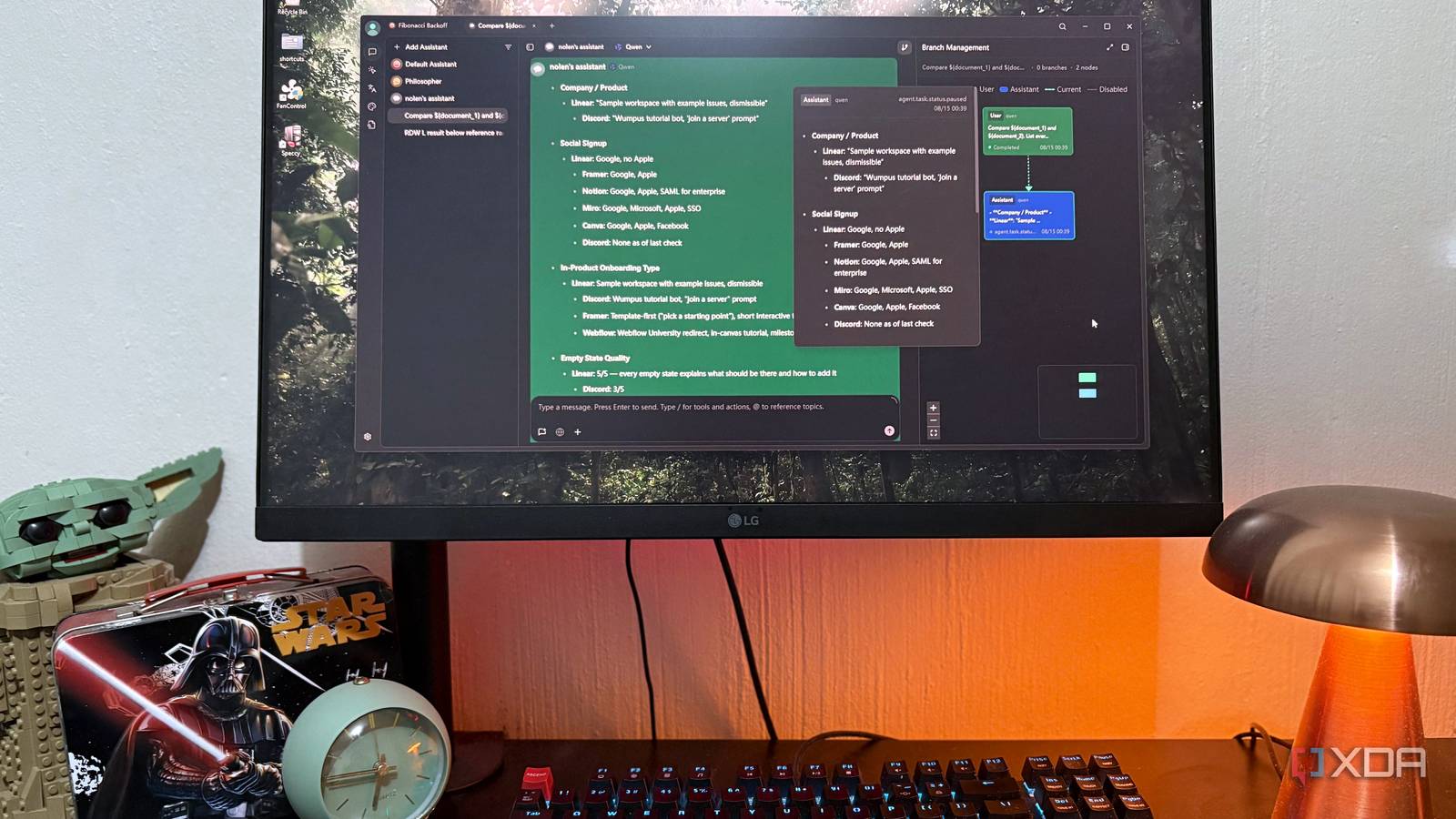
Published Aug 16, 2026, 4:00 PM EDT Nolen began their writing career in 2019, with three years dedicated to editing the Creative section at MakeUseOf. Their expertise lies at the crossroads of technology and creativity, covering areas like photography, video editing, and graphic design. Outside of work, you'll often find Nolen diving into a good book, writing their own stories, or playing video games. Uploading personal documents to cloud chatbots is pretty normalized, but that doesn't mean that you don't feel a little pause before doing it. You know that your private information is "somewhere out there" now, but because we can't see what's actually happening, it's easy to sweep it under the rug. As I've expanded my coverage in tech and learned more about self-hosting and how private vs cloud servers work, the discomfort started to grow. As a result, I've stopped uploading private documentation to cloud bots pretty much entirely. That doesn't erase the need for an interactive layer on top of these docs, it just shifted where I'm getting it from. And I've found the perfect tool for the job, called Cherry Studio. Want to stay in the loop with the latest in AI? The XDA AI Insider newsletter drops weekly with deep dives, tool recommendations, and hands-on coverage you won't find anywhere else on the site. Subscribe by modifying your newsletter preferences! A little intro to Cherry Studio The free, open-source, local-first AI workspace app I came across Cherry Studio in my hunt for private RAG alternatives, and it really stood out to me over tools like AnythingLLM or even a local LLM runner, due to its workspace build. Cherry Studio is an open-source desktop app that acts as a single front-end for basically any AI model you'd want to use, cloud or local. It's available on Windows, Mac, and Linux. It has a massive provider spread. It hooks into OpenAI, Anthropic, Gemini, DeepSeek, Qwen, plus whichever local models through Ollama or LM Studio. Setting up your own server through LM Studio takes two minutes, and that's pretty much it - you've got a fully self-hosted AI workspace stack. The cool thing, however, is that you can send the same prompts to multiple models at once and see their responses side by side, which is a whole other topic worth exploring. Cherry's assistants is what puts it in a whole other category from chat wrappers. It ships with over 300 prebuilt assistants (Editor, Legal Affairs, Doctor, Summarize, you name it), and you can also build your own. They're basically pre-tuned for specific tasks, so I can get an AI legal adviser when working with bank docs or a medically-tuned assistant for my health records. Then there are reusable prompts, which work really well in tandem with assistants. These are prompts you write once and assign a trigger word so you don't have to write it out every time. It's not groundbreaking and many AI apps have something similar, but it is invaluable for how much time it saves, especially with repetitive work such as balancing your accounts every month. My sensitive files finally stopped leaving my machine The private document problem, solved Now, I'm not immune from the AI takeover. Claude and Gemini probably know more about me than I'd like them to, this is inevitable in the adoption of this new tech. But that doesn't mean I have zero power or control - I still get to decide what information I give it access to, as long as I make a little extra effort to keep certain aspects of my life off the cloud. And Cherry Studio is the perfect tool for handling that. Cherry supports PDF, Word, PowerPoint, Excel, plain text, Markdown, and URLS into what it calls its knowledge base. By the way, you can also export chats in most of these formats too, so you've got a two-way street situation here. Import works the same as any other tool - you just drop them in, send your prompts, and get responses grounded in the content. It uses RAG (retrieval-augmented generation), which means your documents get chunked and turned into a searchable index, then when you ask something, the relevant chunks get pulled and fed to the model with your prompt. That's how a RAG system allows a model to handle way more content than would fit in its context window. This RAG setup is only fully local if you use a local embedding model, though. If you use a cloud embedder like OpenAI's for better recall, then your docs still get sent to that provider during indexing. So for anything sensitive, ensure you have your local LLM hooked up. Cherry Studio also offers local models for you to download within the app. Beyond that, everything else stays on your machine by default, including the API keys, chats, attachments, knowledge bases, and settings. There's no Cherry-operated relay, requests go directly from the app to whichever provider you configured, so if it's a local provider, it's completely private. My use case so far has been pretty broad. Basically anything that reveals my ID, bank numbers, or medical information goes in here now. If we're being completely honest, local LLMs aren't great for everything, but reading a document and answering the question is squarely in what a 7-12B model does competently. You're not asking it to build you an app or write a novel, you're just asking it to give you snippets of information from content you already gave it, just synthesized better. The feature that stretched it even further Giving the model more tools without giving up local control Cherry supports MCP, which is Anthropic's open standard for letting a model call external tools. This could mean pulling a file from your PC, checking a webpage, or running a search, depending on which tool you've turned on. Cherry ships with a bunch pre-wired so you don't even need to set them up yourself, including things like filesystem, web search, GitHub, fetch, memory, and more. And you can also add your own from the built-in marketplace. The filesystem MCP in particular means you don't even have to import documents into a knowledge base every time, just point the model at a local folder and let it read files on demand from there. Now I can just say "look in my tax 2025 folder and tell me what I paid in provisional tax" and the model reads directly from disk. Just keep in mind the permissions. Giving a model filesystem access doesn't come without risk. I only enable this for specific chats where I actually want it, and only give read access to smaller nested folders rather than large overarching ones. "Just use Claude" is not the answer for everything I still use Claude and some other mainstream bots constantly. But just not for documents that contain super sensitive information. Basically, if I wouldn't be ok with something being open in public, I don't give it to a cloud bot anymore. And this is exactly where a tool like Cherry Studio comes in - it gives you the full workspace for a document workflow, while keeping everything on your own machine. Cherry Studio
I stopped uploading sensitive documents to Claude after finding a self-hosted tool that handles them just as well
Full Article
Original Source
Read the full article at Xda-developers →KhanList aggregates and links to publicly available news content. We do not host full articles from third-party sources. Always verify important information with original sources.