
Published Sep 19, 2026, 7:00 PM EDT Maker, meme-r, and unabashed geek, Joe has been writing about technology since starting his career in 2018 at KnowTechie. He's covered everything from Apple to apps and crowdfunding and loves getting to the bottom of complicated topics. In that time, he's also written for SlashGear and numerous corporate clients before finding his home at XDA in the spring of 2023. He was the kid who took apart every toy to see how it worked, even if it didn't exactly go back together afterward. That's given him a solid background for explaining how complex systems work together, and he promises he's gotten better at the putting things back together stage since then. For years, my troubleshooting loop has looked the same. A command fails, I hit Win + Shift + S, crop the red text, and paste it into a chatbot. It works, but my error output ends up on someone else's servers, tokens and all. That bothered me more after I let a local LLM loose on my server logs and saw what those logs give away. I already switched my local AI setup to AMD's Lemonade, running on my Strix Halo box in a Proxmox LXC, so the fix was right there. Microsoft sells the same idea, because Intelligent Terminal can talk to a local LLM, but it only works in that one terminal on Windows, and half my failures happen over SSH. So I built the scrappy version instead, and threw five real errors at it. The screenshot loop was the real bottleneck I'm much slower than the AI The model was never the slow part. The slow part was everything I did to get the error in front of it. Screenshot, crop, switch windows, paste, explain which OS I'm on, which shell, what I was trying to do. By the time I'd set the scene, I'd lost the thread of what I was fixing. Screenshots are lossy, too. Long errors get cut off, and the model never sees the exit code or the directory I was sitting in, so it's working with half the story. That's how you get a confident answer to the wrong question. Let's face it, terminal output is full of stuff you wouldn't paste into a public forum. Connection strings with passwords baked in, bearer tokens in curl output, internal IPs, usernames. I'd rather that text never leave my network. My backend is Lemonade Server in an LXC on my Proxmox node, serving an OpenAI-compatible API on port 13305. Anything that can talk to OpenAI can talk to it, including my terminal window. I'm running Qwen3-Coder-30B-A3B-Instruct with the Q4_K_M quantization on llama.cpp, using the Vulkan backend and a 32K context. It's quick and knows its way around shell errors. A 30B model won't beat a frontier model on a gnarly kernel panic. For a typo in a package name or a service that won't start, it doesn't need to. LLM LLM is a small CLI tool and Python library for using dozens of large language models from your command line. Wiring it up took two config files and one function The client is a CLI you might already have The client is Simon Willison's llm command-line tool. It pipes text into any model, handles OpenAI-compatible endpoints through a small YAML file, and logs every prompt and response locally. That last part is an extra bonus because it also serves as a history of every error I've asked about. Installing it on Windows is one command: uv tool install llm Pointing it at Lemonade takes a file called extra-openai-models.yaml in llm's config folder: - model_id: lemonade-coder model_name: Qwen3-Coder-30B-A3B-Instruct api_base: "http://lemonade.ip.goes.here:13305/api/v1" The second file is a saved template called explain, which is just a system prompt. It asks for a one-line cause, quoting the output that proves it, then one fix command, capped at 120 words, with anything destructive banned. I want a fix, not an essay. The piece that pulls it all together is a small function I named wtf. I know, it's a terrible name, but it amuses me. Put it in front of any command, and it runs normally, showing output as it goes. If the command succeeds, nothing else happens. If it fails, wtf grabs the last 150 lines, adds the OS, shell, working directory, and exit code, masks anything that looks like a secret, and sends it to the model. I planned to call it ex, until I remembered ex is vi's line editor and already lives on most Linux systems. Overriding it would have been a fun surprise for future me, just not a good one. In PowerShell, the command goes in a script block. Bare wtf also works, explaining the last PowerShell error without re-running anything: wtf { winget install Not.A.Real.Package } Before anything goes to the model, the wrapper masks anything that looks like a secret: tokens after an equals sign, bearer tokens in headers, credentials in URLs, long hex strings, and JWTs. Belt and braces with a local model, but it means I can point wtf somewhere else later. The model only suggests, never executes. I also didn't make wtf re-run the previous command to capture its output, because some commands you really don't want running twice. A apt transaction or a pct destroy is not the place for a retry loop. It works, but that depends on your definition of work While it can read the errors easily, the fixes are less useful I tested five common issues—things I could probably figure out given enough time, but that are easier to screenshot and send to a pattern recognition machine. Every answer landed in three to six seconds, which is what matters. Faster than I can crop a screenshot, slow enough to notice. The Linux answers came back quicker than the Windows ones against the same server, so that gap is the client starting up, not the model thinking. Error Shell Answer Time winget package that doesn't exist PowerShell Right cause, sensible fix (winget search) 4.9 s Get-Item on a missing path PowerShell Right cause, useless fix 5.1 s Rust build failure in a project folder PowerShell Right cause, correct fix 6.2 s apt install with a typo'd package bash Right cause, fix re-runs the typo 3.2 s systemctl restart on a misspelled unit bash Right cause, genuinely useful fix 2.8 s Reading the error is what it's good at. On the Rust failure, it identified the type mismatch, quoted the offending line, and returned a corrected one. On the winget miss, it read the exit code and suggested searching for the real package ID. Proposing fixes is what it's bad at, and the missing-path case showed why. Three runs gave three different fixes: create the folder, run the failing command again, then suppress the error with -ErrorAction SilentlyContinue. On the Proxmox host, ls /nope earned a mkdir -p /nopeso this is the model's habit, not a PowerShell quirk. The cause was right every time. There's nothing to fix, though, because the path is missing due to something I typed, or a script expected, and the model can't see that. So it reaches for the shape of a fix. The exception shows what good looks like. For the misspelled systemd unit, it offered systemctl list-unit-files | grep caddy: not a fix, but a command that finds the real name. When it stops repairing and starts investigating, it saves me precious time. PowerShell has one gotcha. Errors from native programs like winget and git never land in $Error, so bare wtf after one of those finds nothing to explain. You have to wrap the command in wtf { } up front, which means typing it before you know anything is about to fail. Output also loses its colors, because it's piped through a log file on the way past. And the model will occasionally be confidently wrong, just like the cloud ones. Telling me to run Get-Item C:\nope -ErrorAction SilentlyContinue isn't a fix; it's a mute button. The difference is that I'm checking a two-line answer rather than a wall of text, so wrong answers are easy to spot. Screenshots are now for bug reports, not for me to use I haven't screenshotted an error message since, and I don't miss it. The answer shows up in the same window as the problem, and the text never leaves my network. Sure, the fixes aren't always reliable, but I can figure that part out on my own. What is indispensable is finding the issue in the first place, so I know what to search for. If you already run a local model for anything else, this is the cheapest upgrade you can give your terminal.
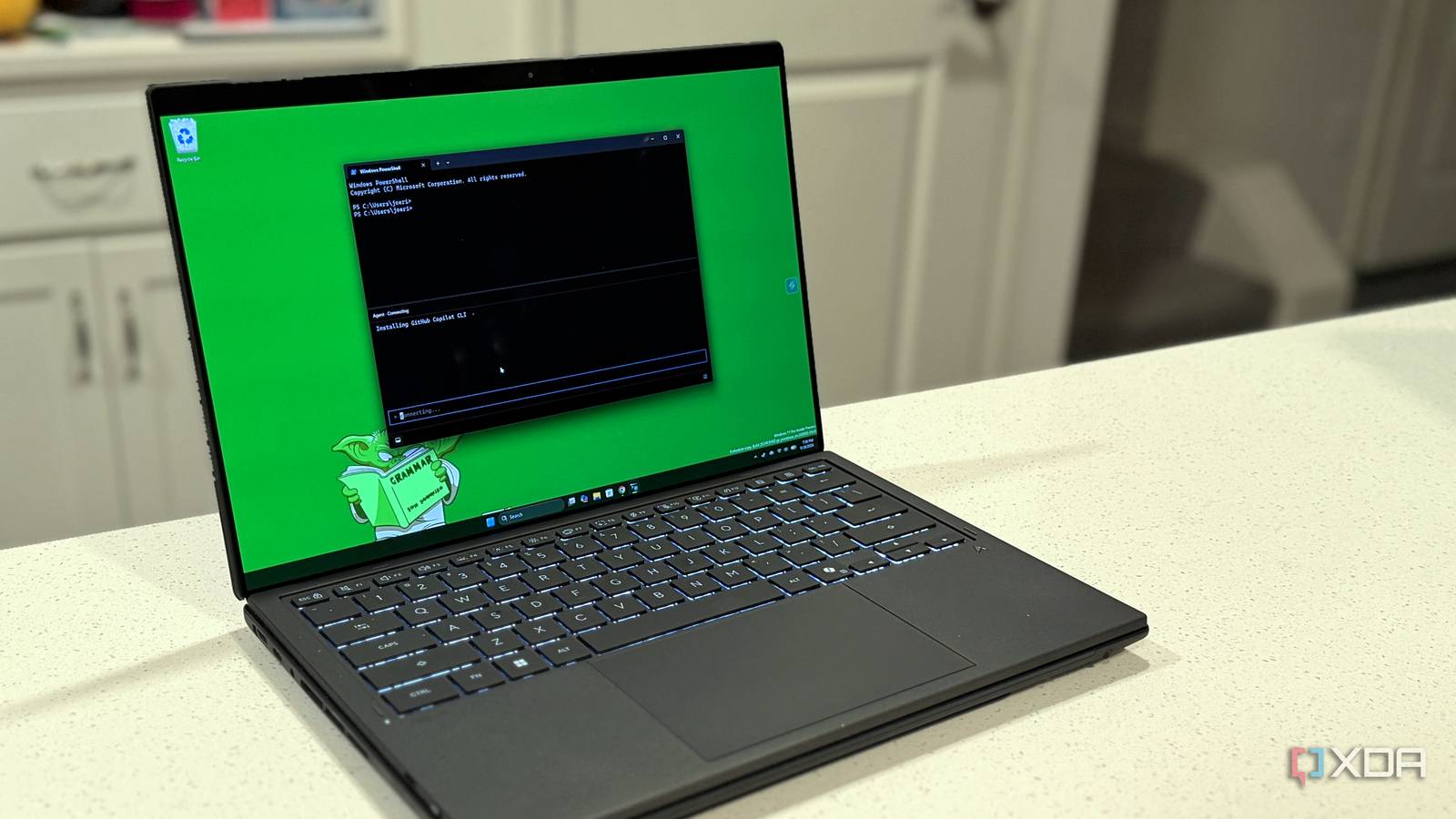
I stopped screenshotting error messages after wiring a local model directly into my terminal
Full Article
Original Source
Read the full article at Xda-developers →KhanList aggregates and links to publicly available news content. We do not host full articles from third-party sources. Always verify important information with original sources.