
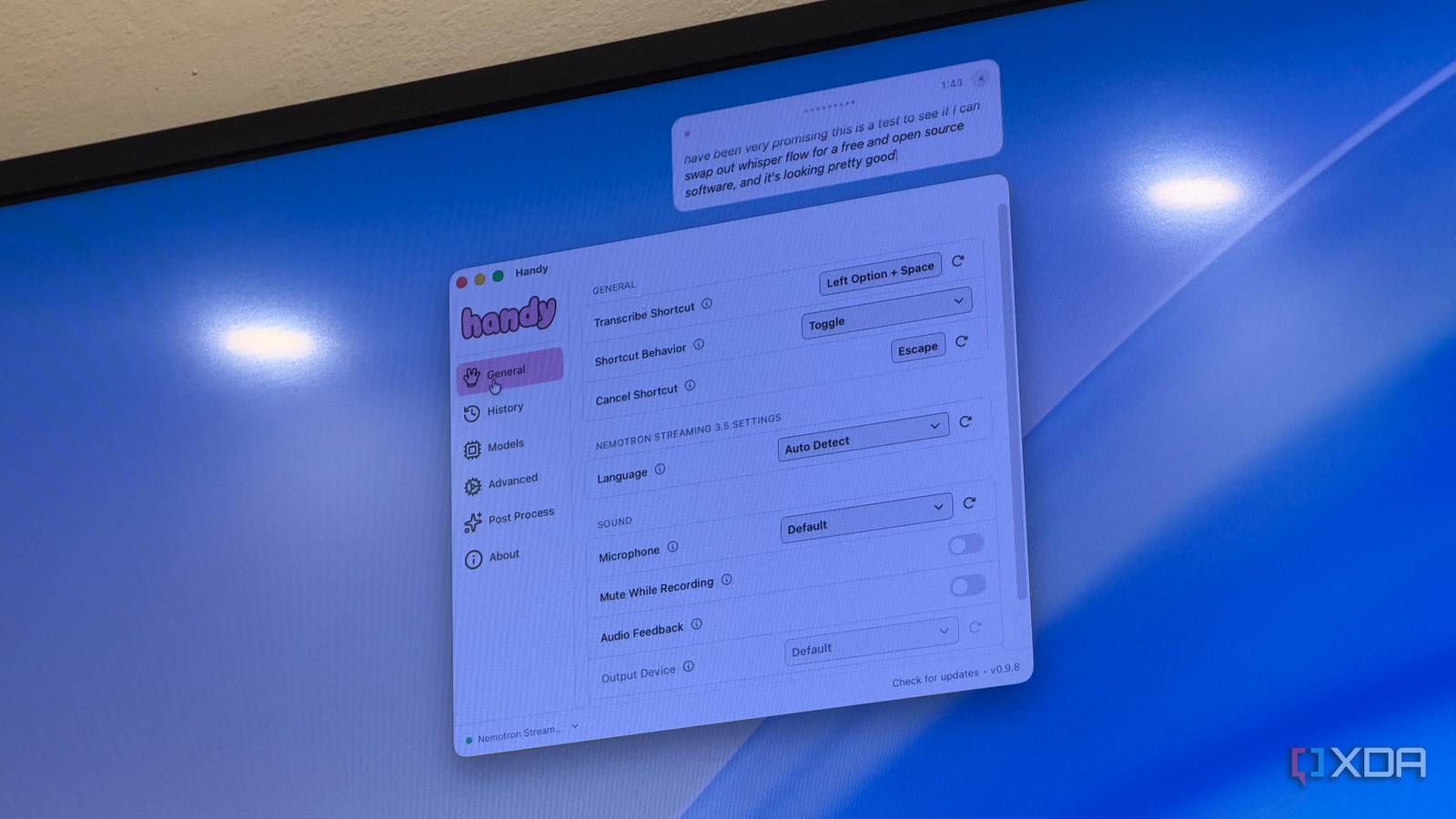
Published Oct 14, 2026, 8:00 AM EDT Dhruv Bhutani has been writing about consumer technology since 2008, offering deep insights into the personal technology landscape through features and opinion pieces. He writes for XDA-Developers, where he focuses on topics like productivity, networking, self-hosting, and more. Over the years, his work has also appeared in leading publications such as Android Police, Android Authority, CNET, PCMag, and more. Outside of his professional work, Dhruv is an avid fan of horror media spanning films and literature, enjoys fitness activities, collects vinyl records, and plays the guitar. As a journalist, I spend a lot of time taking notes. Whether I'm outlining an article or gathering pointers for an in-depth guide, typing thousands of words a day gets tedious real quick. I've previously dabbled in Otter for transcription. It worked fine, but as soon as I started talking fast, it failed to capture my accent. So, I started looking for an alternative. While looking for an alternative, I stumbled upon Handy. This open-source dictation app runs speech recognition locally on my Mac and lets me swap out AI models to find one that fits my needs. The app costs nothing and has worked better than many paid apps I've tried so far. Go figure. Handy makes dictation work in any app Choose your transcription model and select your preferred shortcut With a tool like Otter, my biggest problem, yes, even bigger than its lack of accuracy, was that Otter treats transcription as a discrete task. You open the app, hit record, wait for it to process the audio file, and then copy the resulting transcription into whatever text processor or app you're using. When you're trying to put down free-flowing thoughts in a note, this constant to-and-fro is annoying, to say the least. Handy takes a different approach. It's clearly inspired by Wispr Flow. Once you've installed Handy and downloaded a speech recognition model, you can activate dictation using a keyboard shortcut and let it do its thing. Just speak naturally, and the resulting text automatically gets inserted into whatever application you are using. This could be a messaging app, an email, a text processor, or even a CMS. There are no restrictions, of course. Plenty of customization is on offer, and it starts with the variety of transcription models available. I started testing with the Parakeet 0.6B model, but eventually settled on Canary 180M Flash and Nemotron Streaming 3.5 for a better balance of speed and accuracy. The app lists dozens of models, including several that have been specifically optimized for languages like Japanese or Korean. These models are downloaded on the fly, and you'll need to pick one before you get started. Other customization options include the obvious ones, like selecting a keyboard shortcut that works for you or enabling the app at login. You can also change the app's default behavior: it can either record only while you hold the shortcut or toggle recording on and off every time you press the shortcut buttons. This gives you a lot of flexibility based on how you use transcription. If most of your usage is in short bursts, setting it to record only while holding the keys might make sense. In my case, since I tend to speak long passages at a time, I've found the toggle option a better fit. Finally, you can also apply post-processing to your transcripts, and enabling this feature just requires an OpenAI API key. Admittedly, I didn't really bother with this feature since I don't have much use for it, and the default transcription is more than good enough without any additional cleanup, but I like the idea of saving modifiers as base prompts you can attach to your transcript. So, when you press the dedicated post-processing shortcut, you can convert your transcript into a structured note, a bullet list, or anything else you want. Very nifty. Local transcription gives me more control over my audio Use Whisper models offline without subscriptions or usage limits So, outside of the convenience of not having to copy-paste my texts between apps, what does this offer? We've already covered the benefits of switching to a model best suited to your accent. But beyond that, there is a fundamental difference in how your audio is handled after you speak. Otter, for example, typically sends your recordings to remote servers for processing. Handy, on the other hand, runs its speech recognition models directly on your own computer. You don't even need an internet connection after you download the model. This local approach matters for more than privacy. For one, you don't have to think about usage limits or subscriptions. You can also transcribe even in places without internet connectivity. Think of a flight or a cafe with poor network connectivity. Sure, getting started takes a little more effort than signing up for a website and entering your credit card details, but you get immense flexibility and the ability to customize your experience. You don't need another subscription to turn speech to text Otter still has its place, especially if you tend to record a lot of meetings. It's a great tool designed specifically for the task, with the added ability to organize long transcripts. But it is far from the only tool out there, and it certainly isn't the best if you are working with an accent like mine. Handy won't replace every function of a transcription platform, but it makes voice dictation available where I need it. As it turns out, that's exactly what I needed. Just select a model that suits your needs, tap a shortcut, and start talking. The app being open-source and free is just an added benefit. Handy Handy is an open-source speech to text transcription software that lets you swap out Whisper models on the fly.
I stopped paying for Otter after setting up local Whisper dictation, and it understands my accent better
Full Article
Original Source
Read the full article at Xda-developers →KhanList aggregates and links to publicly available news content. We do not host full articles from third-party sources. Always verify important information with original sources.