
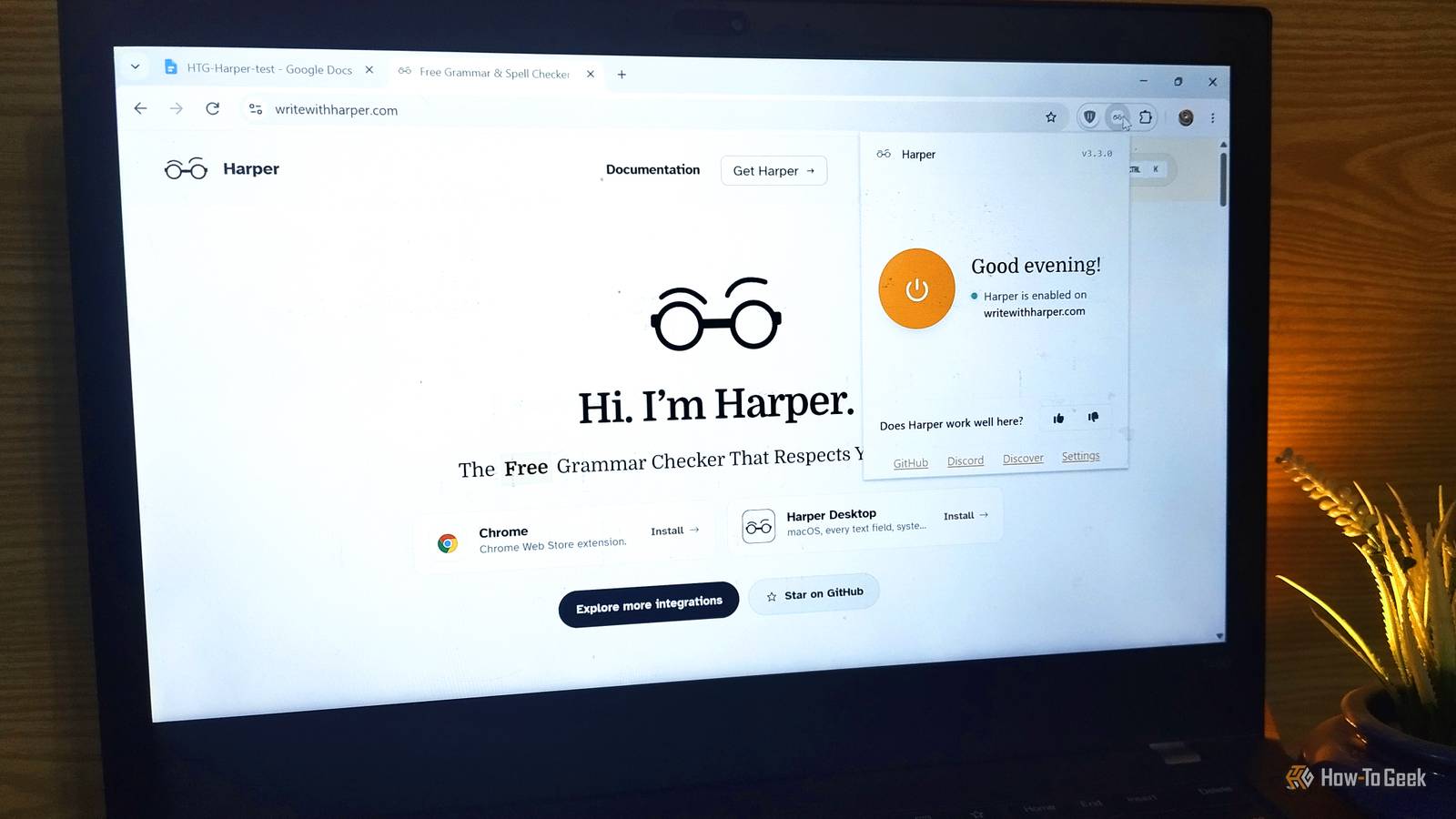
Published Nov 29, 2026, 10:30 AM EST Nimrah has spent the last five-plus years writing about technology, with Linux being one of her favorite subjects to explore. Her work covers everything from Linux and open-source software to databases, cybersecurity, and everyday software. She has contributed to Baeldung, Make Tech Easier, and LinuxHint. She particularly enjoys turning a concept that initially seems complicated into something anyone can understand. Away from tech, she loves to read, cook new recipes, and try new restaurants and cuisines. I spend most of my workday writing, so a reliable grammar checker is important. But I don't need an AI assistant to rewrite my sentences, change my tone, or suggest ways to make my writing sound more professional. I already have my own writing style. I just want something to catch the spelling and grammar mistakes I occasionally overlook. That's why I stopped paying for Grammarly and started using Harper instead. It's free, open-source, and works locally in your browser. It isn't as comprehensive as Grammarly or LanguageTool, but it handles enough of my everyday proofreading to make me wonder why I was paying for a subscription in the first place. Grammarly had more features than I wanted A proofreader is all I was looking for Grammarly is useful, but its growing collection of AI writing features isn't particularly appealing to me. I don't want a tool to rewrite my paragraphs, change my tone, or turn my conversational sentences into something that sounds like a corporate email. As a writer, I'd rather make those decisions myself. Most of the time, I need help with much smaller things: a misspelled word, a missing apostrophe, an incorrect article, or a grammatical mistake I didn't notice while editing. I also want something that works in everyday text fields, such as emails, Google Docs, website forms, and CMS, without requiring me to open a separate application. LanguageTool was another option, but its increasingly commercial approach wasn't what I wanted either (nor did I want to self-host another application). I wanted a straightforward proofreading tool that I could use without worrying about another subscription. Harper is the free, open-source alternative I switched to A lightweight grammar checker that stays out of my way Harper is an open-source grammar checker released under the Apache 2.0 license. It focuses on proofreading rather than trying to become an all-in-one AI writing assistant. Its developer created it partly because LanguageTool felt too slow and resource-intensive for everyday use. Unlike cloud-based proofreading services, Harper performs its checks locally. That means you don't need to send your writing to a remote server for grammar checking, and you can keep using it without an internet connection. I usually use Harper's Mac desktop application, but it also offers browser extensions for major browsers. For this experiment, I decided to stick with the browser extension and test it across everyday writing environments. That way, the results aren't limited to one desktop operating system, and readers using Windows, macOS, or Linux can get an idea of what to expect from the browser version. I gave Harper some real writing mistakes to find It catches grammar mistakes but misses a few others I tried Harper in Google Docs, Gmail, and my CMS, using the kinds of mistakes I regularly encounter while writing. I also deliberately introduced errors to see which ones it could catch. Harper did well with spelling mistakes, grammar errors, articles, apostrophes, and several punctuation issues. It also correctly recognized technical names instead of treating every unfamiliar word as a spelling mistake. That's particularly useful when writing about Linux applications, commands, and software. I liked that I could add unfamiliar words to a personal dictionary, too. Once I added a technical term, Harper stopped flagging it unnecessarily. Another thing I appreciated was what Harper didn't do. It didn't constantly suggest rewriting sentences that were already correct, and it generally left conversational language alone. I could write naturally without having to dismiss suggestions to make my paragraphs sound more like me. Harper also continued working offline, which is a nice bonus for a browser-based proofreading tool. However, my testing revealed some gaps. It wasn't particularly reliable with commas or capitalization in the middle of sentences. It also didn't consistently suggest where a full stop or question mark was needed. In some cases, leaving a space before starting another statement meant Harper didn't offer the correction I expected. It also missed some missing-word mistakes, including occasions when an article or a word such as "was" should have been present. These aren't minor shortcomings when you're relying on a grammar checker to catch errors you might overlook. There was another compatibility wrinkle. On Firefox on my Mac, Harper displayed its options but didn't work inside Google Docs, although it worked on other websites. When I tried the extension in Chrome on Windows, it worked across all the sites I tested. Your experience may therefore depend on your browser and platform. Harper isn't a complete Grammarly replacement Some mistakes slip right past it I wouldn't recommend Harper if you're looking for an extensive proofreading suite. Grammarly and LanguageTool offer more comprehensive writing assistance, and Harper doesn't match all their grammar and punctuation checks. Its browser compatibility also deserves consideration, particularly if Google Docs is where you do most of your writing. My Firefox experience wasn't as smooth as my Chrome experience. Still, I don't see these limitations as deal-breakers for my particular workflow. Google Docs has its own built-in grammar checker, so I can use it to catch things Harper misses, such as questionable sentence endings. When I need an additional check, I can also run my writing through Grammarly's free tier. I proofread my work myself, too, and my editor provides another essential layer of review. No automated tool can replace a real editor who understands the context, accuracy, and intent behind an article. And if I ever need help adjusting a tone or rewriting a particularly awkward sentence, I can use a free AI tool separately rather than pay for a proofreading subscription that bundles features I don't want. I don't miss paying for Grammarly Grammarly still has its place, but its growing collection of AI writing features isn't for everyone. Sometimes, all you need is a tool that catches basic spelling and grammar mistakes without trying to rewrite everything you type. Harper isn't the most comprehensive grammar checker I've tried, and it won't catch every mistake. But whether you're a student, a working professional, or someone who simply wants cleaner everyday writing, it offers a straightforward alternative. It's free, open-source, works offline, and doesn't constantly push unnecessary rewrites. Sometimes, a proofreader that knows when to leave your writing alone is all you need.
I stopped paying for Grammarly and use a free open-source alternative instead
Full Article
Original Source
Read the full article at Howtogeek →KhanList aggregates and links to publicly available news content. We do not host full articles from third-party sources. Always verify important information with original sources.