
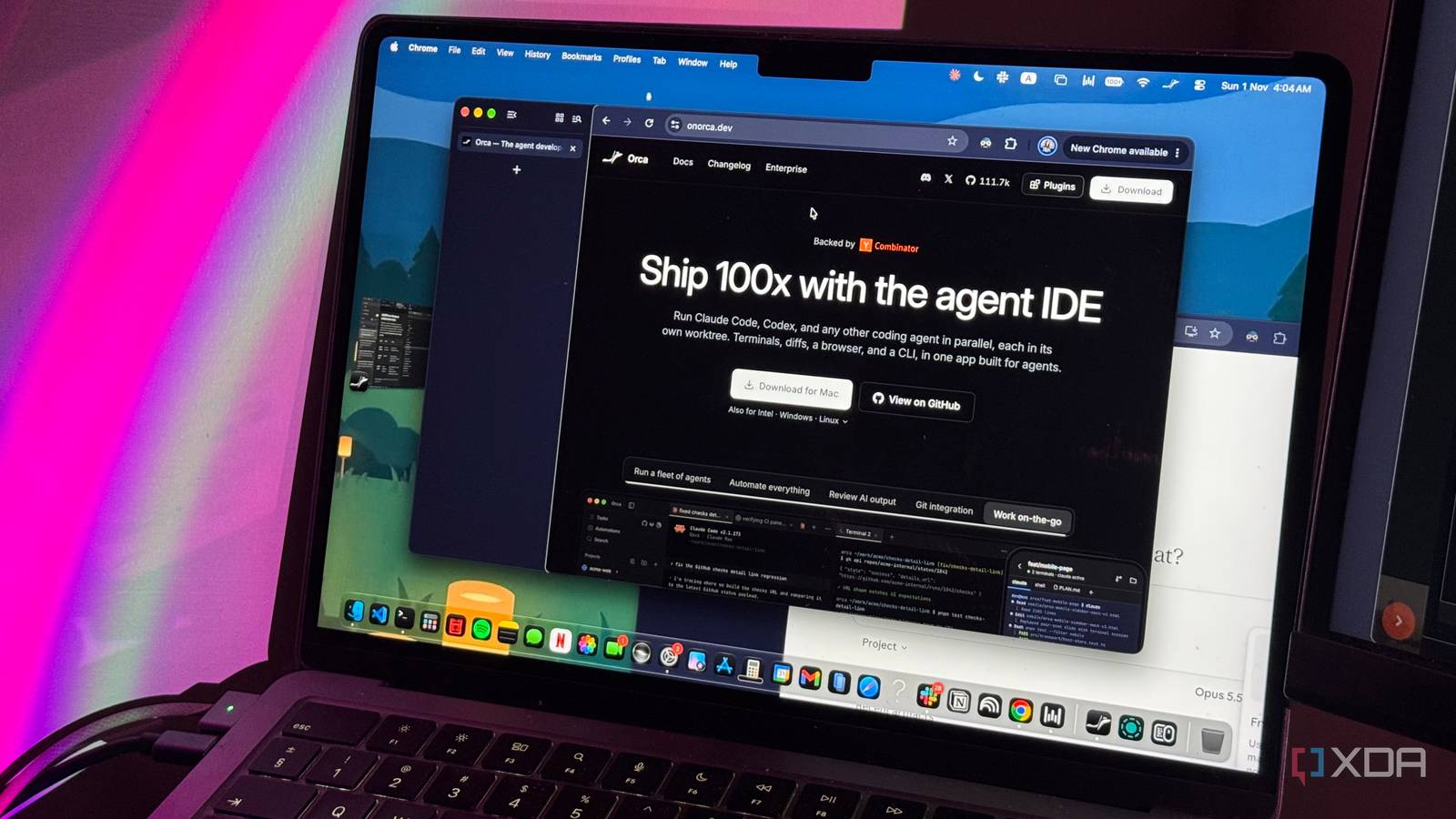
While increasingly capable AI coding agents have taken a lot of the grunt work out of coding, they've also introduced a bunch of new problems. Beyond increasing the amount of vibe-coded slop you'll see everywhere and fueling fears that AI is going to replace developers, there's another problem that doesn't get talked about nearly enough: managing the very tools doing the coding for you. It's like being a team lead with a bunch of developers working on different parts of a project. Except, instead of managing people, you're managing AI agents, each with its own workflow, quirks, and way of doing things. When you're running multiple agents in parallel, keeping track of what each one is doing and jumping between terminal tabs is no fun. After months of juggling them in separate windows, I came across an open-source app that lets me bring all my coding agents into one workspace. Orca is an open-source Agent Development Environment Meet the IDE's AI-native cousin If you have even the slightest familiarity with the coding world, you've probably heard of the term IDE (Integrated Development Environment). Chances are, you even have one installed on your device. There's another term you might not have come across though, even if you actively use AI coding agents: Agent Development Environment, or ADE. While traditional IDEs are designed to help developers write, edit, and debug code, ADEs are built around a slightly different workflow. Instead of writing code yourself, you're supervising AI agents that do the coding for you. Think of it as having a dedicated workspace where you can manage multiple agents, keep track of their progress, and review the changes they make. That's exactly what Orca is. Developed by Stably AI, a San Francisco-based startup backed by Y Combinator, Orca is a free and open-source ADE that lets you run multiple AI coding agents from one interface. The company was founded by Jinjing Liang and Neil Parker, who previously worked at Google and Uber, respectively. Despite its GitHub repository only being created in March 2026, Orca has already racked up over 110,000 stars on GitHub as of this writing. It's available on macOS, Windows, and Linux, and even has companion apps for iOS and Android. Orca doesn't replace your coding agents It brings them together Rather than being yet another coding agent to add to the mix, Orca is a tool that brings all the ones you're already using into a single workspace. This means that instead of choosing between Claude Code, Codex, Antigravity, and other coding agents, you can use them all without constantly switching between different apps and terminal windows. Orca states that it works with any CLI agent, including Claude Code, Codex, Grok, Cursor, GitHub Copilot, Muse, Devin, Kilokode, Qwen Code, Hermes Agent, and so on. While I expected Orca would be somewhat intimidating to set up, all you need to do is grab a desktop build directly from its GitHub repository. If you prefer downloading apps through a package manager, you can also install it using Homebrew on macOS or the AUR on Arch Linux. The app is available for macOS, Windows, and Linux, so you're not restricted to a particular operating system. Once you've installed it, you'll be shown the coding agents you already have installed on your device, along with the ones Orca supports but hasn't detected. You can then select the agents you want to use and start working with them. There's no need to set up entirely new accounts or abandon your existing subscriptions. Orca takes the headache out of running agents in parallel More agents shouldn't mean more headaches I often end up running multiple coding agents in parallel. Even when I'm not testing LLMs out for the sake of seeing their capabilities and writing about them, I've come to realize that different agents have distinct strengths and weaknesses. For instance, until a few months ago, Codex was great at handling backend development but wasn't nearly as good at frontend work. So, whenever I was building something, I'd often have Codex handle the backend while Claude Code worked on the frontend. Now, think about what that entails. You're running two different coding agents, keeping track of what each one is working on, making sure their changes don't interfere with one another, and eventually bringing everything together into one functioning project. Add a third agent to the mix, and things get even more complicated. That's where Orca makes a difference. To get started, you import an existing Git repository into Orca. From there, you can create separate workspaces for each coding agent you want to use. So, for instance, I could have Claude Code working on the frontend, Codex handling the backend, and Antigravity working on something entirely different, all within the same project. Orca uses Git worktrees to keep each agent's work isolated, meaning every agent gets its own working directory and branch. This way, you don't have to worry about them overwriting each other's changes while they're working. The best part is that you don't need to manually create and manage those worktrees yourself, either. Orca handles much of that for you. You can also split the interface into multiple panes to keep an eye on your agents simultaneously, rather than constantly switching between terminal tabs. Orca even displays status indicators to let you know when an agent is working, has finished, or needs your attention. It makes reviewing code incredibly easy The code doesn't review itself One of the reasons I've always preferred using coding agents within IDEs is that I can actively open the files they're creating and see the changes they're making without constantly switching between different apps. While getting an AI agent to write code for you is great, being able to inspect what it's actually doing is just as important. Orca doesn't overlook this. It comes with a built-in code editor and diff viewer, so you can see exactly what an agent has changed, which lines it's added or removed, and how those changes compare to the original code. You can even highlight specific lines, leave comments, and send your feedback back to the agent in one go. What makes this particularly useful is that you don't need to jump into VS Code or another editor every time you want to review something. You can go from assigning a task to reviewing the resulting code without leaving Orca. And since it also has built-in Git integration, you can stage changes, create commits, and handle much of the process of bringing everything together from the same interface. There's more to Orca than managing coding agents It doesn't end there Launching your preferred coding agent in Orca is incredibly straightforward, too. Instead of opening a terminal, navigating to your project's directory, and typing claude or codex, all you need to do is click the + button at the top and select the agent you want to use. Orca takes care of launching it for you. What I particularly like, though, is that you aren't limited to opening coding agents. From the same menu, you can also open a new terminal, browser tab, Markdown file, or even a mobile emulator, all without leaving Orca. To give you an example, I recently worked on a study app where Claude Code acted as the main orchestrator and handled the backend, Codex worked on the learning and assessment algorithms, and Antigravity took care of the frontend. Once I was ready to see what they'd built, I didn't even need to switch to a separate browser. I just opened a browser tab within Orca itself and previewed the app right alongside my coding agents. It's one of those little conveniences that might not seem like a big deal initially, but when you're constantly jumping between coding agents, terminals, and browser windows, having everything in one place makes a noticeable difference. Orca keeps my usage limits in check, too My browser and terminals finally get along Usage limits on AI tools have always frustrated me. There are very few things I find more annoying than getting a random notification telling me I've hit my usage limit, especially when I'm right in the middle of working on something. When you're using just one coding agent, keeping track of your usage isn't too difficult, though. For instance, I downloaded a Claude Code mod that displays my usage limits directly in the terminal, so I always know how much I have left. Things get a little more complicated when you're juggling multiple coding agents, though. You'd need to check each one's usage separately, which can get annoying pretty quickly. Thankfully, Orca has a built-in usage tracker at the bottom of its interface that displays your usage limits across different coding agents. You can see how much of your allowance you've consumed and when your limits reset all without leaving the app. Now, you could totally accomplish much of the above with a few terminal windows, Git worktrees, and manually keeping track of all your separate usage limits or installing third-party tools to do so. That's exactly what I think makes Ocra so appealing. It brings everythng together in one place, and takes a lot of the manual work out of managing multiple agents. For someone who is always jumping between different coding agents, it's an app I will definitely be opening at the beginning of every
I stopped juggling Claude Code, Codex, and other coding agents after finding this open-source app
Full Article
Original Source
Read the full article at Xda-developers →KhanList aggregates and links to publicly available news content. We do not host full articles from third-party sources. Always verify important information with original sources.