
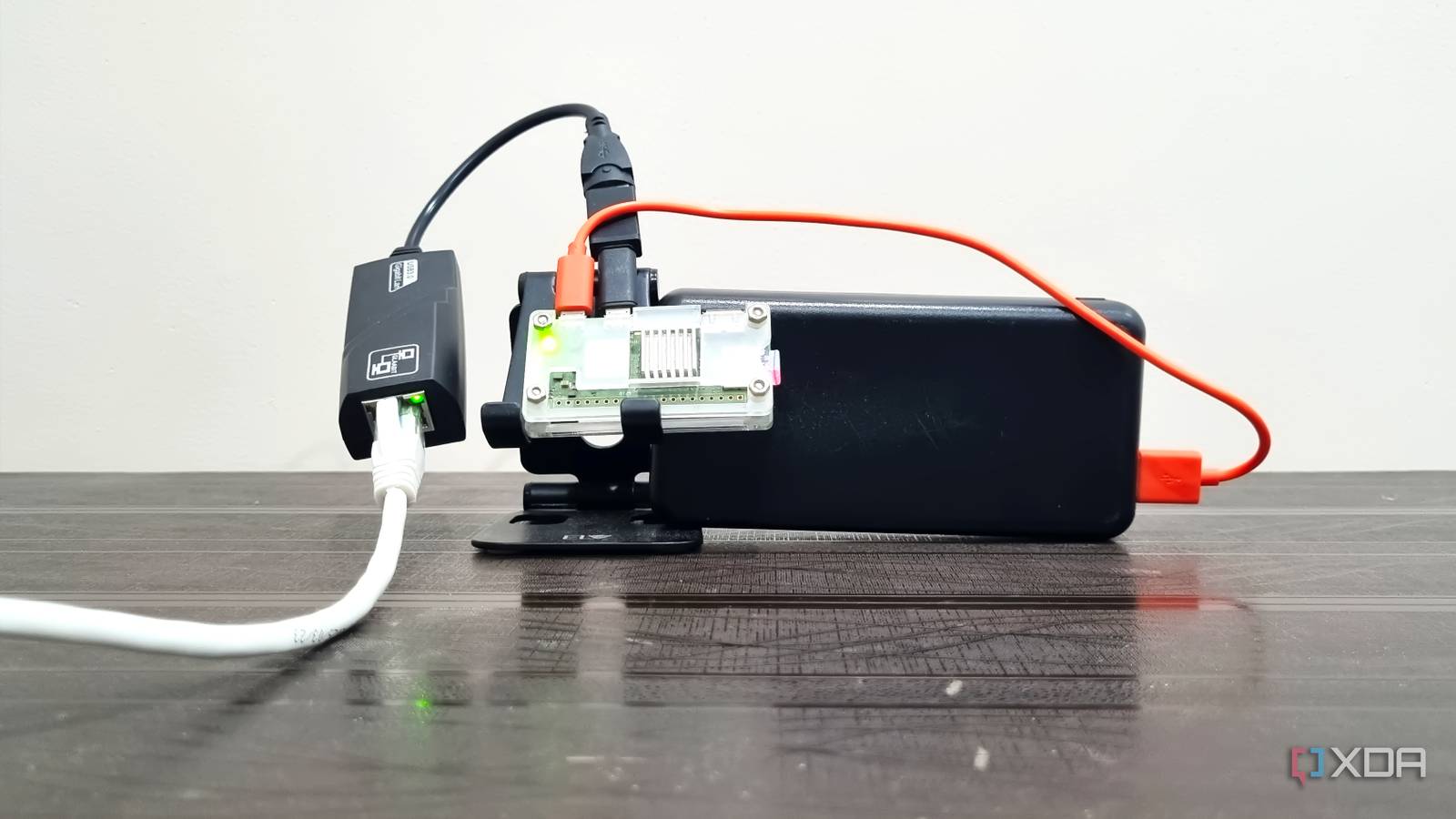
Published Oct 3, 2026, 3:30 PM EDT Abhishek is an author at XDA who covers computing. He has loved computers since he got the Lenovo G570 in 2012. Abhishek holds a master's degree in computer applications and began his writing career in 2018. He loves writing how-to articles, listicles, and informational posts on popular operating systems and web services. He closely follows the Windows Insider program and tests new Insider builds to discover upcoming experimental features and upgrades. His past work includes long-term collaborations with reputed publications like Tom's Hardware, and Windows Latest. When not writing anything, he is busy watching new episodes of One Piece or searching for something binge-worthy. Self-hosting starts with basic items and can evolve into a complex setup with the best possible hardware. The progression becomes necessary for a better overall experience and system responsiveness. Some projects can benefit from a cheaper yet functional alternative. When you think of a home network stack, you might think of an old laptop, network switches, or even enterprise servers. I won't deny that these components can deliver better performance. However, I was curious about experimenting with an SBC for a basic networking stack. I put everything I needed on a Raspberry Pi Zero 2 W, and the setup didn't disappoint. It serves as a network-wide DNS resolver and ad blocker, along with a few other monitoring tools. DietPi is a perfect pick It's been hard to convince me to switch to another Raspberry Pi operating system ever since I installed DietPi. I'm amazed by its expansive set of tools, huge set of preconfigured software packages, and resource-frugal nature. DietPi can run on barely 70MB of memory, the lowest in my tests. I compared it with Armbian and the official Raspberry Pi OS Lite, and both needed more than 100MB to run. A quick flash with the official Raspberry Pi Imager tool prepped the SD card for DietPi. I usually prefer pre-configuring the wireless network and other settings to directly access the SBC via SSH. But this time, I added a USB-to-Ethernet adapter to the Raspberry Pi Zero 2 W. It's more stable and is better if you want to use the SBC for networking projects. After that, I decided to create a quick network stack of Pi-hole and Unbound. The former would block DNS requests, while the latter would act as a recursive DNS resolver. With this combination, I wouldn't need to rely on Google or other DNS providers. Apart from that, Tailscale was a worthy addition to the setup as it enabled remote access and HTTPS support. The tools in my stack don't need HTTPS support, but it's great to have an option. I installed Tailscale directly via a curl command before moving on to the Docker setup. Only Tailscale exists outside Docker and Docker Compose were painless to install because of DietPi's software utility. After setting up Docker, I deployed Pi-hole and Unbound as containers. Dealing with all the networking configuration to make Unbound connect and handle DNS requests from Pi-hole was a pain. Once set up, I had these two containers running with the Pi-hole web portal active. I also had to modify the router's DHCP settings and set the Raspberry Pi Zero 2 W’s IP address as the DNS server. The router sends the DNS requests to the SBC, and the container listens on port 53. Most users simply deploy Pi-hole and let it handle DNS filtering and resolving. But I use Unbound as a resolver, which helps me avoid public providers like Google. Usually, you'll find such a setup on a laptop or a dedicated machine. But I was surprised to see it work so well for my home devices. It's a bliss to avoid ads and trackers on most pages, and if you use an ad-blocking extension, the overall experience is much better. Pi-hole can't block ads in apps like YouTube, but that's a small price to pay. I'm happy that most websites now load without bothersome advertisements. One thing to note is that I don't have that many devices requesting DNS queries in my home. Only my Windows PC and phone need a DNS resolver. Other phones usually cycle between apps and rarely used browsers. So the Pi server has less load. If you have a lot of users and multiple devices, performance might differ. Monitoring the server Beszel and Glance handle everything While I can access the Pi-hole dashboard via the web portal, having a separate monitoring tool is better. Prometheus and Grafana are the common choices, but I use Beszel. My SBC doesn't have the computing power to run heavy monitoring tools, and Beszel doesn't need much. It can track system resource consumption and has a nice graphical interface to view everything. I can even configure it to trigger alerts when CPU or another component usage reaches a certain limit. Lastly, adding a dashboard makes all the setup nice and tidy. I don't need to frequently open an SSH window to check Docker containers or open the Pi-hole dashboard. Glance is a lightweight tool just like Beszel, and I have a simple DNS dashboard setup inside it. On the left, it shows the status of all Docker containers running on the system. If a container is down, I can immediately notice it and SSH to the SBC. On the right side, I have two big panels. Glance embeds the Beszel web interface in an iframe, pulls data from the agent, and displays it. I can see CPU, memory, and display usage with uptime details. Below it is a Pi-hole widget, which is available via the Glance community widgets catalog. It shows the main graphs for queries, blocked items, and domains that the current list covers. It's not an interactive dashboard, but I'll modify the Docker container presentation to redirect to their actual web URLs. Raspberry Pi Zero 2 W continues to surprise me Most projects, like a media server or local cloud storage, suffer on this SBC. But my network stack works without problems, with no noticeable lag, and stays responsive. I've used it for some time and never encountered any page load issues except when the internet connection was down. All the DNS requests are now offloaded to the SBC and not to a public DNS provider. The setup barely uses 50 percent of memory and only 10 percent of disk storage. So I can add a few more lightweight containers if needed. Raspberry Pi Zero 2 W The Raspberry Pi Zero 2 W is a small SBC with Wi-Fi and Bluetooth connectivity.
I squeezed my entire network stack onto a Raspberry Pi Zero, and it broke my assumptions about what's essential
Full Article
Original Source
Read the full article at Xda-developers →KhanList aggregates and links to publicly available news content. We do not host full articles from third-party sources. Always verify important information with original sources.