
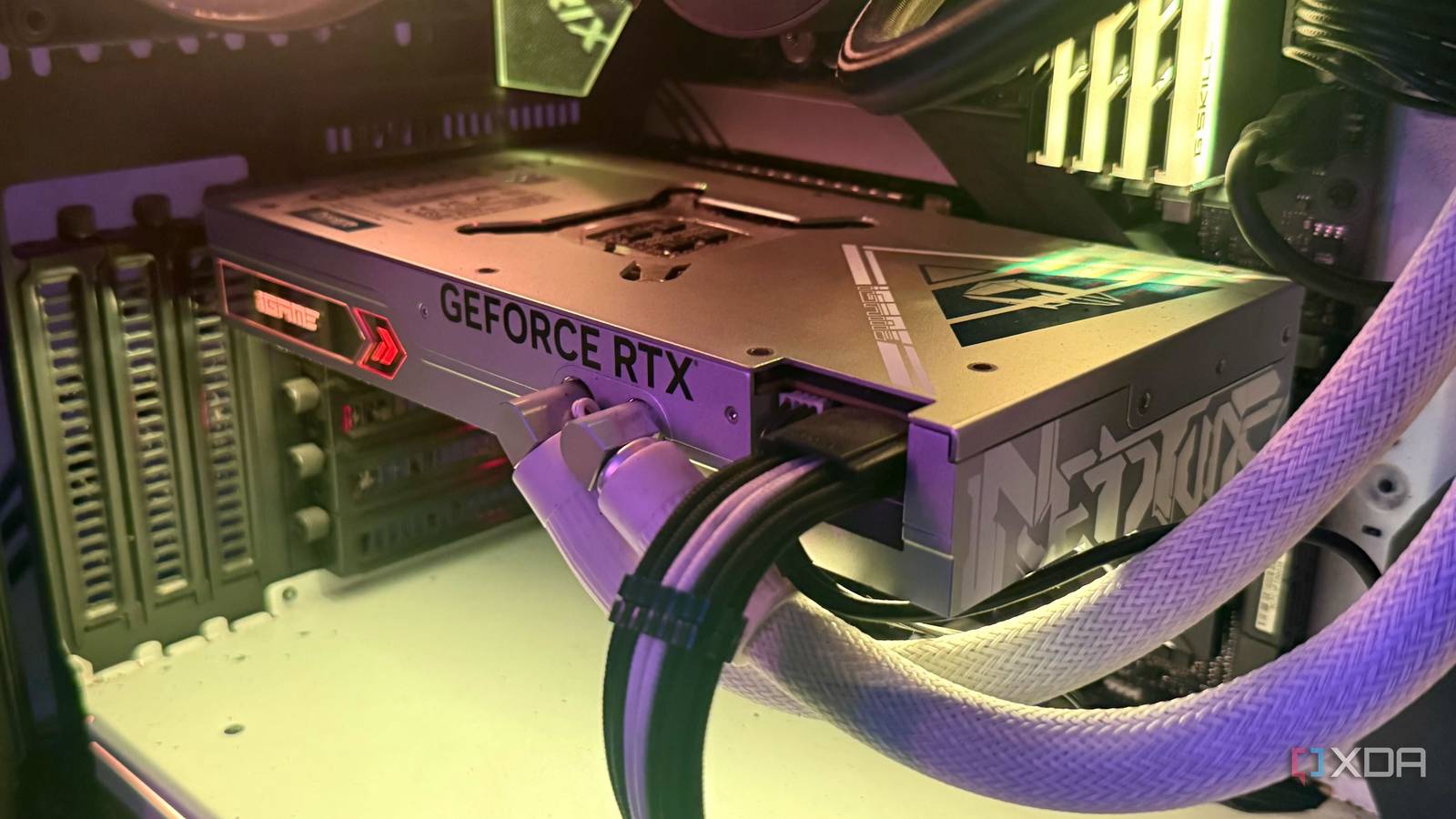
Published Sep 19, 2026, 12:01 PM EDT Hamlin has been in the tech field for over nine years. Since 2017, his work has appeared on MakeUseOf, Android Police, OSXDaily, Beebom, and more. He served as the Senior Editor at Valnet's MakeUseOf for over two years before joining XDA. He uses a high-end gaming rig for desktop use and a MacBook for traveling, but dislikes some of the quirks of macOS. You're more likely to catch him at the gym or on a flight than anywhere else. For the longest time as a PC gamer, I've only ever used air-cooled GPUs, going back as far as the MSI GTX 680 Twin Frozr III. When I upgraded to the GTX 1070, I opted for the triple-fan Asus Strix variant, and I went with another Strix when I first built my current PC with the RTX 3090. I never cared much about custom liquid cooling back then because I didn't want to deal with the added cost and maintenance of building an entire loop. But still, I've always chased lower temperatures for peace of mind while gaming. When I had the Strix RTX 3090, I noticed temperatures creeping into the 80s under load, despite it having three fans and a beefy heatsink, so when I learned that the RTX 4090 was even more power-hungry, I didn't want to take my chances with another air-cooled model. That's why I opted for the Colorful Neptune RTX 4090, even though it cost $2,000. As I expected, this GPU ran significantly cooler when it was new, operating around 60–65C, but four years later, I appreciate everything I gave up for those lower temperatures. It just takes way too much space That radiator makes rearranging your build a lot more complicated One thing I do really love about my Neptune 4090 is how much thinner the card itself is compared to anything else I've used in the past. After dealing with GPU sag on my Asus Strix RTX 3090, I definitely appreciated not having another chunky heatsink hanging off the PCIe slot and blocking the second PCIe slot on my motherboard. But now, I have a massive 360mm radiator that's longer than the card itself and needs its own mounting location in the case, and that's where things start to become inconvenient. Installing it isn't all that hard, but rearranging or upgrading parts later definitely gets tricky. At one point, I wanted to upgrade to the Arctic Liquid Freezer III 420. Even though my Phanteks P500A case supports a 420mm radiator at the front, I can't use it when I have the GPU's radiator installed there. Of course, I could switch to a different case or move the 360mm radiator to the top, but that's exactly the kind of compromise I wouldn't have to think about with an air-cooled GPU. Even if it's a 3.5-slot card, it's one unit that doesn't need me to allocate a separate part of my case just to accommodate it. I'm scared to even take this GPU apart Repasting used to be something I wouldn't think twice about I still remember the first time I repasted my GPU. I was a little nervous about taking apart my GTX 1070, but it wasn't nearly as complicated as I thought it would be. It's not that hard to take the cooler off an air-cooled GPU once you know where all the screws and cables are, and I've never really worried about doing it since. In fact, I even disassembled my RTX 3090 twice, once to repaste and once to replace the thermal pads that were worn out after mining for several months. But I still haven't been able to bring myself to do the same with my RTX 4090, despite it now running a lot hotter than it used to, sometimes hovering around 85–88C, which is alarming for a liquid-cooled GPU that ran around 60C when it was new. The reason is that I don't trust myself nearly as much when there's a water block, pump, and tubing involved. That's a lot more hardware I could potentially mess up on a $2,000 GPU. The last thing I want is a coolant leak because I damaged something while disassembling it. The thermals alone make most of this worth it But I don't mind trading a few degrees for flexibility anymore When you see temperatures 10-15C lower than what you're used to with air-cooled GPUs, it's pretty easy to overlook everything else. That's exactly how I felt with the Neptune 4090 when I first got it. I went from seeing my Strix RTX 3090 creep into the 80s under load to having a much more powerful GPU sit around 60-65 while playing AAA titles. The fans didn't have to ramp up as much for these temperatures either, so I was getting a quieter GPU too. But now, with the same GPU hovering around 80-85C, I'm starting to see the other side of that tradeoff. It's probably due for a repaste after four years, but that's exactly the kind of maintenance I've been putting off because I'm not comfortable disassembling it. Plus, I've always had this concern that the pump could eventually fail, which I dismissed when I bought this card because I assumed I'd upgrade sooner. With an air-cooled GPU, the fans are really the only part of the cooler I'd worry about wearing out, and replacement fan kits are usually pretty cheap. At this point, I'd gladly take a GPU that's easier to maintain even if it runs a bit hotter. And let's not forget that I wouldn't have to plan upgrades around a massive radiator taking up space. Air cooling just makes more sense in the long run I don't regret buying the Neptune RTX 4090 because it gave me exactly what I wanted at the time: the lowest temperatures possible. Back then, I assumed I'd upgrade by now, so things like pump longevity and long-term maintenance weren't real concerns for me. But today, especially with the market the way it is, I don't think I'll ever go back to upgrading my GPU every two years or so. And for long-term use, air cooling still wins because it's easier to maintain and there's less that can go wrong with the cooler itself. For my next GPU, I think I'm ready to go back to the Asus Strix version of whatever Nvidia's next flagship ends up being.
I spent 4 years with a liquid-cooled GPU, and now I appreciate air cooling more than ever
Full Article
Original Source
Read the full article at Xda-developers →KhanList aggregates and links to publicly available news content. We do not host full articles from third-party sources. Always verify important information with original sources.