
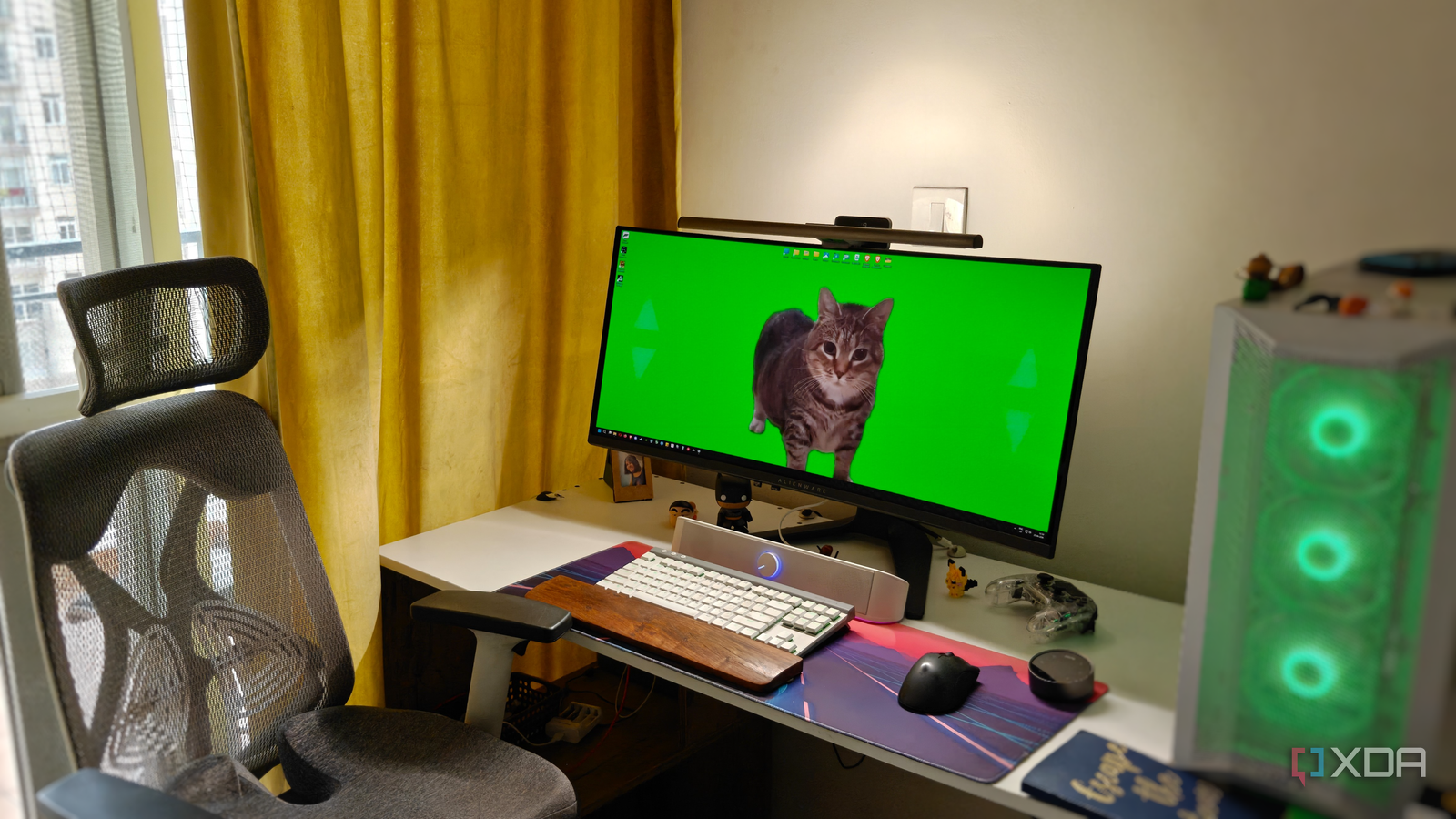
Published Aug 24, 2026, 7:00 AM EDT After a 7-year corporate stint, Tanveer found his love for writing and tech too much to resist. An MBA in Marketing and the owner of a PC building business, he writes on PC hardware, technology, and Windows. When not scouring the web for ideas, he can be found building PCs, watching anime, or playing Smash Karts on his RTX 3080 (sigh). Ten years ago, I never thought about ergonomics, whether I was working on my laptop in the office or playing on my PC at home. Having turned 34 this month, however, I'm a lot more careful about my posture when working for 6–8 hours and gaming for a few more — all at my desk. The body can only take so much, and having dealt with neck and back pain for years, I don't intend to make things worse for myself. That's exactly why I feel the non-hardware upgrades I've made to my desk over the years are worth every penny. They might have seemed secondary when I bought them, but they've genuinely helped me do my job better and for as long as I've been able to. Writing and gaming at a desk all day isn't conducive to peak fitness, and even if I play squash and hit the gym regularly, the ergonomics need to be in place to avoid chronic issues. A monitor arm for maximum control There's only so much space on your desk Despite being a PC user for over 26 years, I had never used monitor arms for the bulk of that time. It was partly because I never had a setup that demanded one, but also because I didn't think I would actually benefit from it. Upgrading to an ultrawide monitor last year, however, I finally realized that a monitor arm made sense. My desk is decently large, but the 34" monitor I bought was still too big for it. An even larger desk would have made the room feel smaller, so a monitor arm was the next best solution to reclaim my desk space. Getting rid of the excellent Alienware stand was hard, but the new monitor arm took over all the necessary jobs, namely height, tilt, and swivel adjustments. A comfortable workspace is essential to enjoying your work and maximizing your productivity. A cramped desk makes me cranky, and that's no way to sustain a job, let alone one that involves spending hours at a desk. Acer Dual Monitor Arm $56 $70 Save $14 Max. Display Size 34 inches Max. Weight 19.8 lbs per arm Height Adjustment Up to 18.1 inches Tilt Adjustment +90°/-60° Color Options Black A monitor light bar to reduce eye strain My neck and back aren't the only things that need protecting My work and play hours often extend into the night, at which point my trusted floor lamp is called upon to illuminate my workspace. The problem is that it lights up the entire room. When I used a monitor light bar for the first time, I was surprised by how much more sophisticated it was than my floor lamp setup. I can control how much of my workspace gets illuminated, and whether I want front or back lighting, or both. Using the backlight alone gives me great bias lighting for my gaming sessions. And I can control the brightness and temperature of the lighting the way I want. I also love the BenQ ScreenBar Halo 2's presence detection, which automatically activates and deactivates the lighting. All the fun stuff aside, the biggest advantage of using a monitor light bar is that the eye strain I used to feel on my OLED monitor has gone away. The light bar eliminates the harsh contrast between the screen and the ambient lighting so that I can work comfortably for longer. There are no stray reflections on the screen either. I don't think I can go back to using my floor lamp anymore. Quntis Light Bar This monitor light bar from Quntis connects over USB, has automatic dimming, and features uniform, flicker-free soft lighting. You also won't have to worry about screen glare, and you get to enjoy close-to-natural light. This bar is perfect for smaller monitors, and it's got a pricetag to match. An ergonomic chair to protect my back and neck You'll regret ignoring it for too long Until five years ago, I used whatever chair felt comfortable when working or gaming. My back and neck issues hadn't arrived yet, so an ergonomic chair wasn't my priority. I was too busy hunting for a cheap RTX 30 series graphics card in the middle of the pandemic. Soon after, however, I started feeling a growing stiffness in my back and neck, prompting me to finally invest in a decent ergonomic chair (not a fancy "gaming" model). I spent around $130 on it, but it has served me well for almost four years now. The lumbar support keeps my back comfortable, and the headrest supports my neck. Considering it can get slightly hot in the summers, the mesh back keeps things airy. And the adjustable armrests come in handy when aligning my arms with the desk. An ergonomic chair is undoubtedly a must-have part of any work-from-home setup. Staples Hyken Chair $155 $300 Save $145 The mesh Hyken chair from Staples features a contoured back, automatic synchro-tilt, and adjustable armrests. Plus, you can adjust seat height as well as lock the back to find the perfect position for you. The best part is that this chair only costs a fraction of what the most expensive options do. A spacious desk for a comfortable workspace Your setup will only expand in size None of the upgrades on this list would be complete without a large desk at the center of it all. You can technically get by with a 4 ft. x 2 ft. desk, but the moment you get a display larger than 27 inches, things start to go downhill. Add the accessories like the headphone stand, wireless charger, a controller, and some figurines, and you'll need a second desk to accommodate everything. This is where a spacious desk solves multiple problems in one go. It not only eliminates desk clutter, but also keeps it aesthetically pleasing. When you have enough room to maneuver something around without relocating three other things, it gives you peace of mind, which directly helps your productivity. You need to keep your room dimensions in mind when choosing the desk, but if your space can accommodate a large desk comfortably, I would highly recommend it. It's not something you buy frequently, so investing right the first time is key. Your PC setup is just as important as the core components A powerful PC will last you for years, but you need several ancillary products to support you if you intend to keep your body and mind comfortable for years. An ergonomic chair and spacious desk are non-negotiable for most gamers. Monitor arms and light bars may seem wasteful, but once you realize the benefits, it's hard to go back. It's all about making your space work for you.
I spend all day at my PC, and these 4 desk upgrades are the ones I'd never give up
Full Article
Original Source
Read the full article at Xda-developers →KhanList aggregates and links to publicly available news content. We do not host full articles from third-party sources. Always verify important information with original sources.