
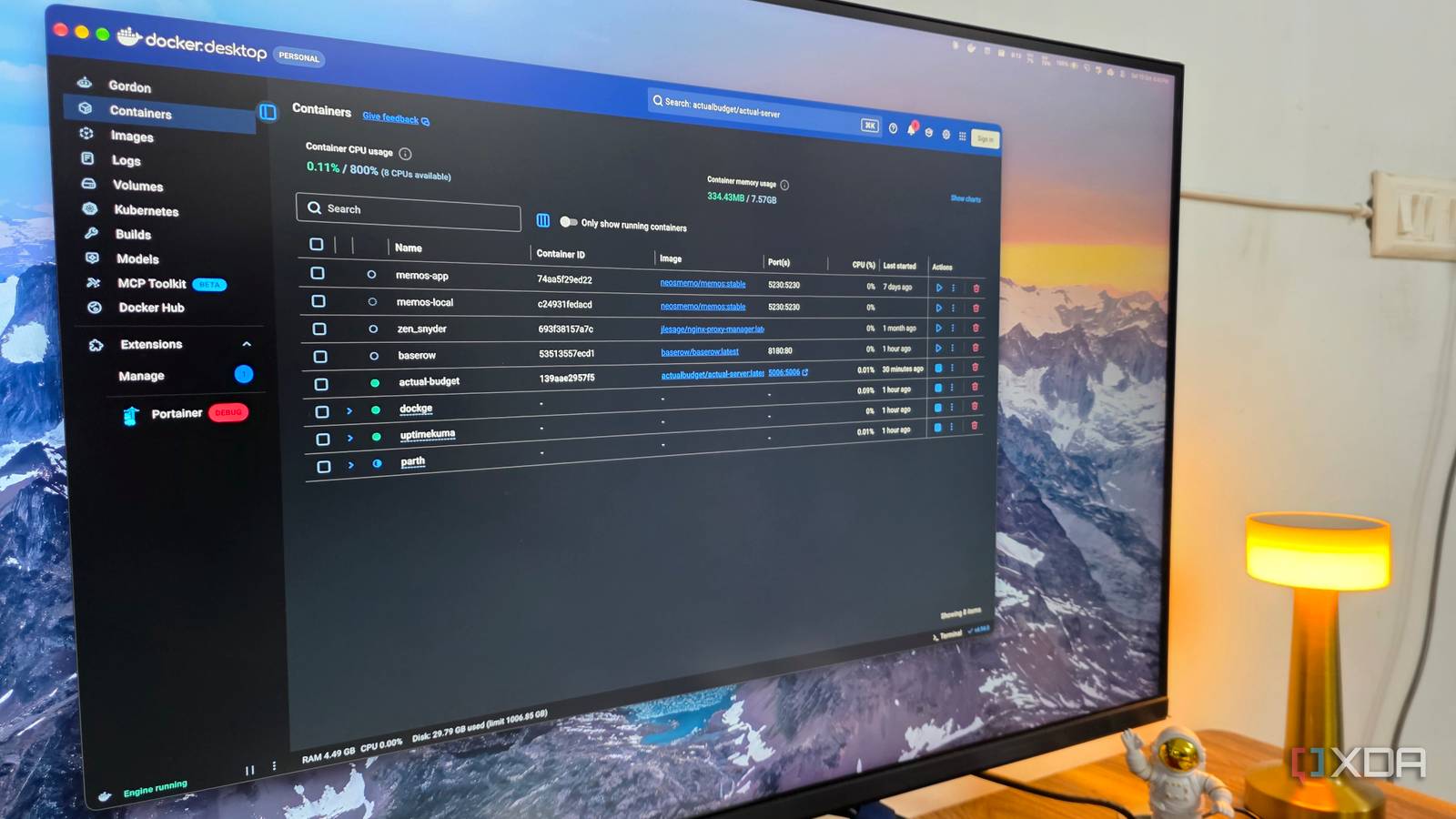
Published Oct 10, 2026, 4:30 PM EDT Parth, a seasoned tech writer, wields the keyboard (or pen) with finesse to unravel the intricacies of both Windows and Mac operating systems. He has covered evergreen content on mobile devices and computers for multiple publications over the last six years. You can find his work on AndroidPolice, GuidingTech and TechWiser. Whether it’s demystifying system updates, deciphering error codes, or exploring hidden features, Parth’s prose guides readers through the binary maze. When not immersed in tech jargon, you’ll find him sipping chai, pondering the next software review, and occasionally indulging in a friendly debate about mechanical keyboards. Running a home lab is fun until you start adding up the cost of hardware, electricity, maintenance, and the countless hours spent troubleshooting Docker containers. So instead of installing random containers just to see what they could do, I decided to focus on apps that could replace the paid tools I use every day. A few weeks later, my home lab was no longer just a playground for Docker experiments. It became an essential part of my workflow, and the money I saved made the setup feel worthwhile. Actual Budget Handling my expenses like a pro Running a freelance writing business comes with plenty of easy-to-overlook expenses. Between software subscriptions, AI tools, domain renewals, hosting services, and occasional hardware purchases, I relied on a paid expense tracker like Spendee to understand where my money went. Actual Budget let me drop that subscription without losing the features I needed. It’s an open-source, self-hosted budgeting app with a clean interface, customizable spending categories, detailed financial reports, and support for recurring transactions. I can import existing entries via CSV, create rules to automatically categorize expenses, and track spending across different accounts. I particularly like its envelope budgeting system, which lets me allocate money to specific categories instead of blindly spending throughout the month. Baserow Excellent alternative to Asana I have always relied on project management tools like Airtable to keep my business organized. Between article pitches, editorial calendars, client details, and published stories, I need a structured system to manage everything. However, paying a recurring subscription for what is essentially a glorified database started feeling unnecessary. That’s when I discovered Baserow. It offers a familiar spreadsheet-like interface with customizable fields, linked tables, filters, and multiple views, including Kanban, Calendar, Gallery, and Form. I use it for my personal work and client website projects, where I can automate tasks, build customizable dashboards, and create a robust workflow. The self-hosted version gives me plenty of flexibility without the usual cloud storage, although some advanced features require paid licenses. I essentially replaced another $10 per month subscription with a container running on hardware I already own. That’s exactly the kind of practical return I wanted from my home lab. OpenCloud My personal cloud without recurring bills Cloud storage is one service I can’t imagine working without. Between article drafts, screenshots, research documents, and other project files, I need everything accessible across my Windows desktop, MacBook, and phone. Instead of paying for another cloud storage subscription, I decided to put OpenCloud on my home server. It offers a polished web interface, automated file sync, projects to keep my related information in one place, desktop clients, and file sharing. I can create password-protected sharing links, set expiration dates, and more in a beautiful UI. It also supports online document editing through a Collabora integration, making it more than a basic file storage solution. The best part is that I can use the storage hardware I already own. I am no longer limited by a cloud provider’s ever-changing storage tiers (looking at you, Microsoft), although I still need to maintain proper backups. Memos My random ideas finally found order I have tried countless paid note-taking apps over the years, including Evernote, Roam Research, Notion, and several lesser-known alternatives. However, I don’t always need a feature-packed workspace just to capture a quick thought or an interesting article idea. That’s where Memos comes in. It’s a lightweight, self-hosted note-taking solution with a refreshing approach. Instead of forcing me to organize everything into notebooks and folders, Memos presents my notes in a chronological timeline. I can jot down an article idea, save research snippets, attach images, and use Markdown formatting. Memos doesn’t replace every advanced note-taking feature I use, but it handles everyday capture in style. More importantly, I don’t need another paid note-taking service for something this straightforward. StirlingPDF One Docker container replaced countless tools PDF utilities are another category where subscriptions can quickly become expensive. As a writer, I regularly deal with invoices, contracts, reference documents, and other PDF files. I don’t necessarily need a full Adobe Acrobat subscription just to merge a few documents or convert a file. StirlingPDF has become one of the most practical containers running on my home server. It offers a collection of tools for merging, splitting, compressing, rotating, and converting PDFs. I can also add signatures, apply watermarks, and redact sensitive information. What I appreciate most is the convenience. Instead of hunting for random online PDF utilities, I have a single interface that handles almost everything. I turned hardware into actual savings Self-hosting isn’t necessarily about ditching every cloud service or avoiding subscriptions altogether. For me, it was about making better use of the hardware I already owned. My home lab is no longer just another expensive tech hobby. It’s now a productive workspace that helps me run my business, and that’s a much better return on my investment than I initially expected. If you already have a mini PC or an old computer gathering dust, these apps are a great place to start.
I self-hosted the apps I use for work and my home lab finally started paying for itself
Full Article
Original Source
Read the full article at Xda-developers →KhanList aggregates and links to publicly available news content. We do not host full articles from third-party sources. Always verify important information with original sources.