
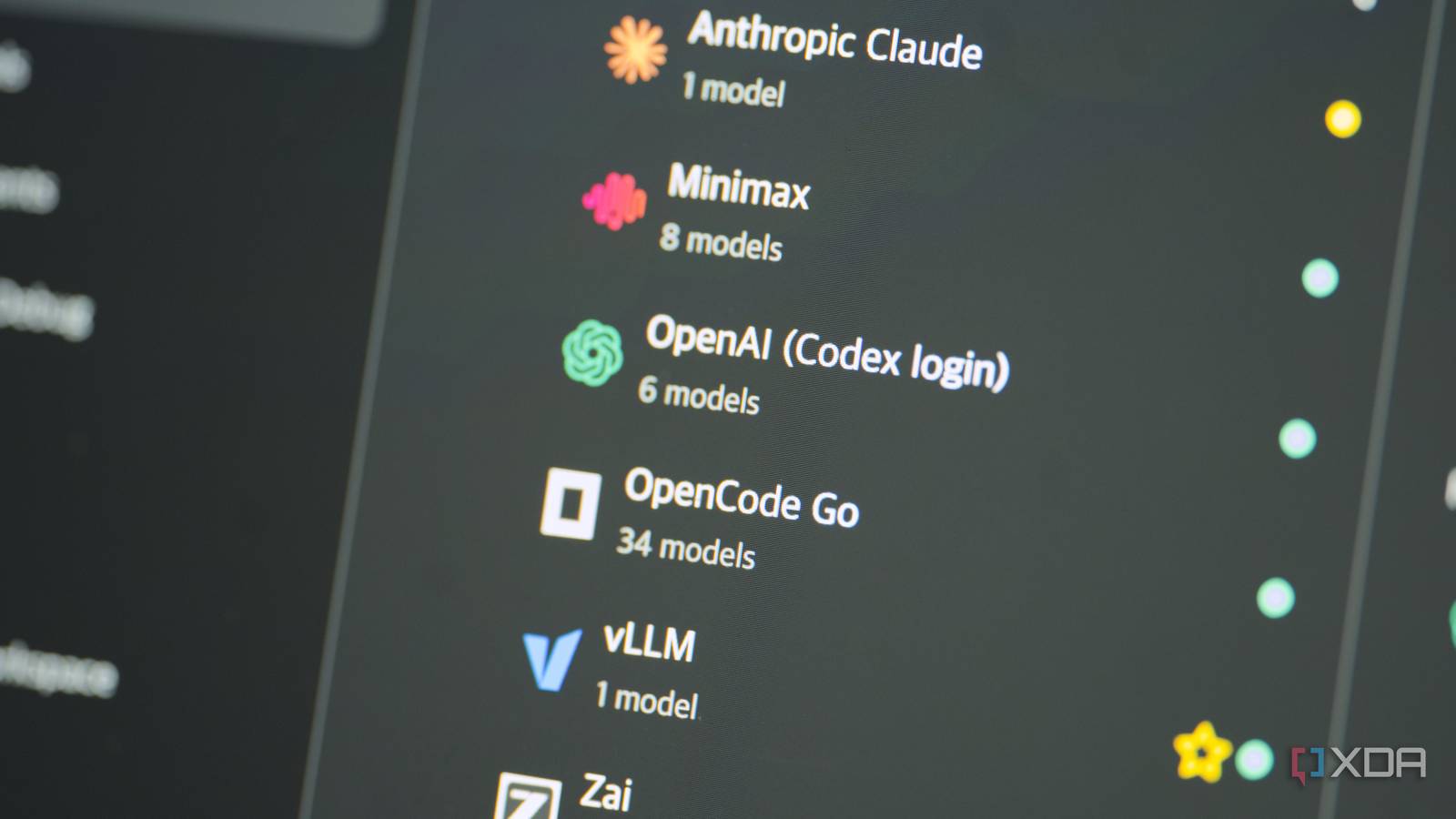
Published Sep 18, 2026, 7:00 PM EDT I’m Adam Conway, an Irish technology fanatic with a BSc in Computer Science and I'm XDA’s Lead Technical Editor. My Bachelor’s thesis was conducted on the viability of benchmarking the non-functional elements of Android apps and smartphones such as performance, and I’ve been working in the tech industry in some way or another since 2017. In my spare time, you’ll probably find me playing Counter-Strike or VALORANT, and you can reach out to me at adam@xda-developers.com, on Twitter as @AdamConwayIE, on Instagram as AdamConwayIE, or u/AdamConwayIE on Reddit. I've been using the ChatGPT Desktop app recently, and as far as it was concerned, it's been talking to OpenAI's servers this entire time. In actuality, it's been talking to a combination of models through my OpenCode subscription, MiniMax M3, and even my local LLMs, like Qwen 3.8 27B and GLM-5.3-Flash. Earlier this year, OpenAI rolled the Codex desktop application into the ChatGPT application, replacing it with a simple toggle that switches between using it for chat, or using it for coding. You can switch between individual projects, pick your models, or simply ask questions or have a conversation. You're restricted to OpenAI's models, naturally, but a free, open-source tool gives you access to way more than just OpenAI's models, and it's called opencodex. opencodex is a pretty neat tool that works by proxying ChatGPT Desktop; you open the web UI, set up your models, and restart ChatGPT. On launch, it'll pick up all the regular OpenAI models alongside whatever you configured additionally, and it simply just... works. opencodex pretends to be the OpenAI API, but it runs on your machine Codex can simply use a different base URL Codex ordinarily supports the OpenAI Responses API, but its base URL is configurable from your machine's environment variables. When you install and run opencodex, it modifies the ~/.codex/config.toml file to add the following environment variables, overriding the defaults: # Auto-injected by opencodex openai_base_url = "http://127.0.0.1:10100/v1" # Auto-injected by opencodex experimental_realtime_ws_base_url = "http://127.0.0.1:10100/v1" What this does is fairly simple: when the Codex app looks to make a request, be it to list the available models, or send a chat message, it goes through the proxy first. To list the models, the proxy first contacts and aggregates the responses of any configured model providers, turning that into a list of available models that shows in the application. Then, when you select a model and send a chat message, it hits the proxy first which then decides where it gets routed to. Models show up in the Codex model picker like normal, with my GLM-5.3-Flash showing up as "vllm/glm-5.3-flash", alongside all of the models from my OpenCode subscription that I've linked to it, too. The reason it exists as a proxy rather than a fork or modification of Codex is that translation survives Codex updates while also working with both the CLI and the desktop application, and despite installing a couple of Codex updates, it's continued to work just fine. Installing opencodex is incredibly simple A simple npm install command To get started with opencodex, it's a simple npm install command to get both the proxy and the web dashboard up and running. You can use "ocx init" if you want a guided walkthrough to set up everything step by step, which writes the config, asks what provider you want, and offers to inject the config.toml file with the openai_base_url environment variable we mentioned above. Out of the box, it has support for models that are running on the same machine using the following runtimes on their default port: Ollama vLLM LM Studio However, you're not limited to just those options, as opencodex supports anything that supports either an OpenAI-compatible API or Anthropic's Messages API. It works over my private network, so I have different models that run on different machines all working through opencodex. Once I had opencodex installed, adding my own model was really easy. I just created a new vLLM provider, added my DGX Spark cluster to it, and it automatically picked up GLM-5.3 Flash, which has been my go-to model as of late. In the web UI, I can also see token statistics, including individual API calls, estimated API costs, individual model usage, and more. It's really nice and easy to use, and it makes it possible to evaluate your token usage and see what you use the most. MiniMax M3 really struggled Technically speaking, the claim that opencodex can use "any LLM" is correct, with the caveat that tool calls might decide whether your LLM can actually do anything with what you make available to it. Codex has a rather unique tool calling structure. It has a freeform apply_patch for edits, shell access, MCP namespaces, and tool_search for discovery, and models which are trained on specific tool calling styles will flail when trying to use them. For example, when I tested MiniMax M3, it got totally, utterly lost. GLM-5.3 Flash and Qwen 3.8 27B both handled it just fine, though, so it's not something that every model is going to struggle with. If a model you ordinarily use in the likes of Pi, Claude Code, or OpenCode works fine, but doesn't work in Codex, I'd first investigate whether it's correctly making tool calls or not. To be fair, every other model that I've tried has worked fine in Codex, and it was specifically MiniMax M3 that ran into issues like these. It definitely seems to be more of a niche problem, and for the majority of people, it should work just fine. It's also important to be aware that web searches still go through OpenAI's servers, and so do vision requests if your model is setup as a text-only model. Models are given a "web_search(query)" tool to use, and when the model calls it, it uses GPT-5.6-Luna from your ChatGPT login to actually make the search. You can also configure Anthropic, xAI, Gemini, and Exa backends for search if you'd prefer. Vision, meanwhile, works on a similar principle. If your model is a text-only model, a request containing an image goes to OpenAI's servers, identified, and then the text replaces what would have been the image in the prompt to the originally selected model. It's similar to what I did with my own shim layer for DeepSeek V4 Flash, but working through the Codex app instead. If you try out a lot of LLMs or run local LLMs alongside your cloud models, opencodex is worth giving a try. It's a seamless experience in the Codex app, and it looks good, too. In my experience, models do fine with Codex-style tool calling syntax, but if they don't, you can always try switching to another model instead.
I run my local LLMs inside the ChatGPT desktop app now, and it took one free open-source tool to do it
Full Article
Original Source
Read the full article at Xda-developers →KhanList aggregates and links to publicly available news content. We do not host full articles from third-party sources. Always verify important information with original sources.