
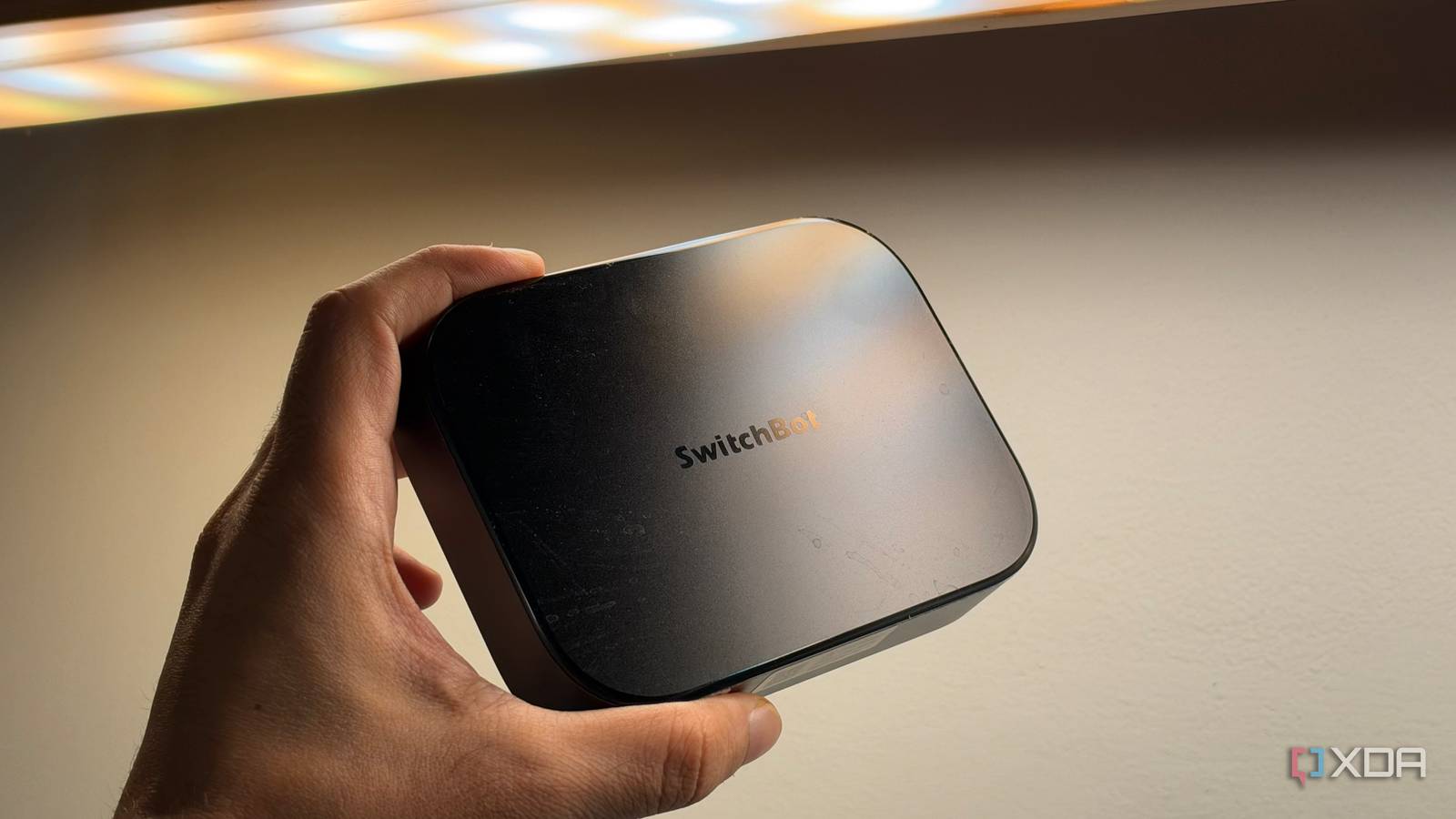
Published Oct 27, 2026, 5:00 PM EDT Dhruv Bhutani has been writing about consumer technology since 2008, offering deep insights into the personal technology landscape through features and opinion pieces. He writes for XDA-Developers, where he focuses on topics like productivity, networking, self-hosting, and more. Over the years, his work has also appeared in leading publications such as Android Police, Android Authority, CNET, PCMag, and more. Outside of his professional work, Dhruv is an avid fan of horror media spanning films and literature, enjoys fitness activities, collects vinyl records, and plays the guitar. My Home Assistant setup is the backbone of my smart home. However, it's not a setup that I've built overnight. It's taken me years to settle on what I have today. From a Raspberry Pi to my current NAS-based setup, I did a lot of trial and error getting the right hardware in place and everything set up. Enough that I wished that there was a more appliance-like approach to the problem. Yes, I'm aware that Home Assistant Green exists, but if I'm using a piece of hardware as the central part of my smart home ecosystem, it should be able to do more. That's how I came across the SwitchBot AI Hub. In principle, it isn't exactly an obvious choice if all you really need is Home Assistant, but hear me out. The SwitchBot AI Hub runs containerized versions of Home Assistant and Frigate on a single device and offers OpenClaw support if you want to experiment with AI-powered control. This approach has some compromises, but it's astonishing how much works right out of the box. This palm-sized box has replaced three separate devices for me. Home Assistant and Frigate in one compact box The SwitchBot AI Hub solves my biggest smart home server problem Home Assistant is the foundation of my smart home, and I use it to bring devices from different manufacturers into one interface and create automations that would otherwise require juggling multiple apps. Between Hue lights, Zigbee relays and smart switches, I wanted one place to manage everything, and Home Assistant gives me that flexibility. Frigate handles the other half of my setup. I run a motley mix of RTSP-enabled cameras. Between Reolink and UniFi, Frigate is one of the few tools that can tie it all together, process camera streams, record footage, and even detect objects. In fact, you can even set it to identify people, vehicles, and other objects. That makes it easy to find relevant footage without scrubbing through hours of recordings. The problem is that running object recognition and video processing is fairly processor-heavy, and my old Raspberry Pi was absolutely not up to the task. In fact, I had to remove Frigate from my Pi altogether because, during processing, it was prone to killing processes on my Home Assistant instance. That wasn't an option. The SwitchBot AI Hub, on the other hand, is designed from the ground up to handle this workload. It includes support for both Frigate and Home Assistant Core. The hardware, too, includes an AI accelerator rated for 6 TOPS of performance. That's not class-leading by any stretch, but more than enough for the tasks the hub is meant to do. Put together, it is the appliance-style hub I was looking for. While SwitchBot advertises the hub as a hub for its assortment of smart home devices, it also supports Home Assistant and Frigate equally well. In fact, you don't need to dabble in command-line tools or even a web interface to get either set up. The SwitchBot app includes one-tap installers for both, and you can update your Home Assistant instance directly from the mobile app. Similarly, Frigate supports up to eight RTSP-compatible camera feeds. This lets you pull in cameras you might already have without buying SwitchBot-branded cameras. Coming from a Raspberry Pi that used to choke on two 4K cameras, this is a big upgrade. Why I'd choose the SwitchBot AI Hub, despite its limitations Very good, but not perfect After a few months with the hub, there's one major reason I'd choose the SwitchBot AI Hub over a Raspberry Pi:Frigate. Home Assistant alone isn't enough to justify the switch and investment because it is light enough to run on even an older Raspberry Pi if all you're doing is running a few basic automations and controlling lights, sensors, and switches. That said, a fully integrated hub has some downsides. The biggest is the lack of control. For example, the SwitchBot Hub does not include Zigbee support, and you can't just plug in a Zigbee controller to the USB port. That's a big miss in my books, and if this is a use case for you, the AI Hub isn't going to work out. You can't directly integrate things like Hue lighting, Zigbee relays, or smart switches. In my case, I use a Hue integration, which works well enough for me, but might not for you. Matter support isn't quite perfect either. The AI Hub can act as a Matter bridge for supported SwitchBot devices, exposing them to compatible smart home ecosystems. However, that isn’t the same as having Matter controller support built into the Home Assistant installation running on the device. With the SwitchBot AI Hub, you'll need to enable the SwitchBot integration and pull in your Matter integrations through it instead of connecting directly to Matter devices. Depending on how in-depth you want to go with Home Assistant, you might run into one more limitation. The SwitchBot AI Hub runs Home Assistant Core in a container that doesn't include the Supervisor and app management offered by HAOS. So, your ability to install add-ons is going to be somewhat limited compared to a bare-metal Home Assistant install. That said, not everyone needs add-on support, and the Core experience works exceptionally well. A simpler, but just as capable server for your smart home The SwitchBot AI Hub makes a lot of sense to me as a Raspberry Pi alternative as long as you keep your expectations in check. It can handle reasonably complex automations and process multiple camera feeds in a compact and, frankly, visually appealing form factor. I'm not a big fan of giving AI tools unfettered access to my devices, but if you want to experiment, you can even install OpenClaw on the hub and use it to interact with your smart home via chat-based controls. Yes, the Home Assistant instance isn't full-fledged HAOS, nor do you have unfettered access to the file system for installing additional ancillary software. But not everyone needs that. If your goal is to build a Home Assistant smart home as simply as possible, the SwitchBot AI Hub offers an easy way to do that. SwitchBot AI Hub The SwitchBot AI hub is a compact home server that can run Frigate and Home Assistant, combining it with home automation and security camera monitoring.
I replaced my Raspberry Pi with one box running Home Assistant and Frigate
Full Article
Original Source
Read the full article at Xda-developers →KhanList aggregates and links to publicly available news content. We do not host full articles from third-party sources. Always verify important information with original sources.