
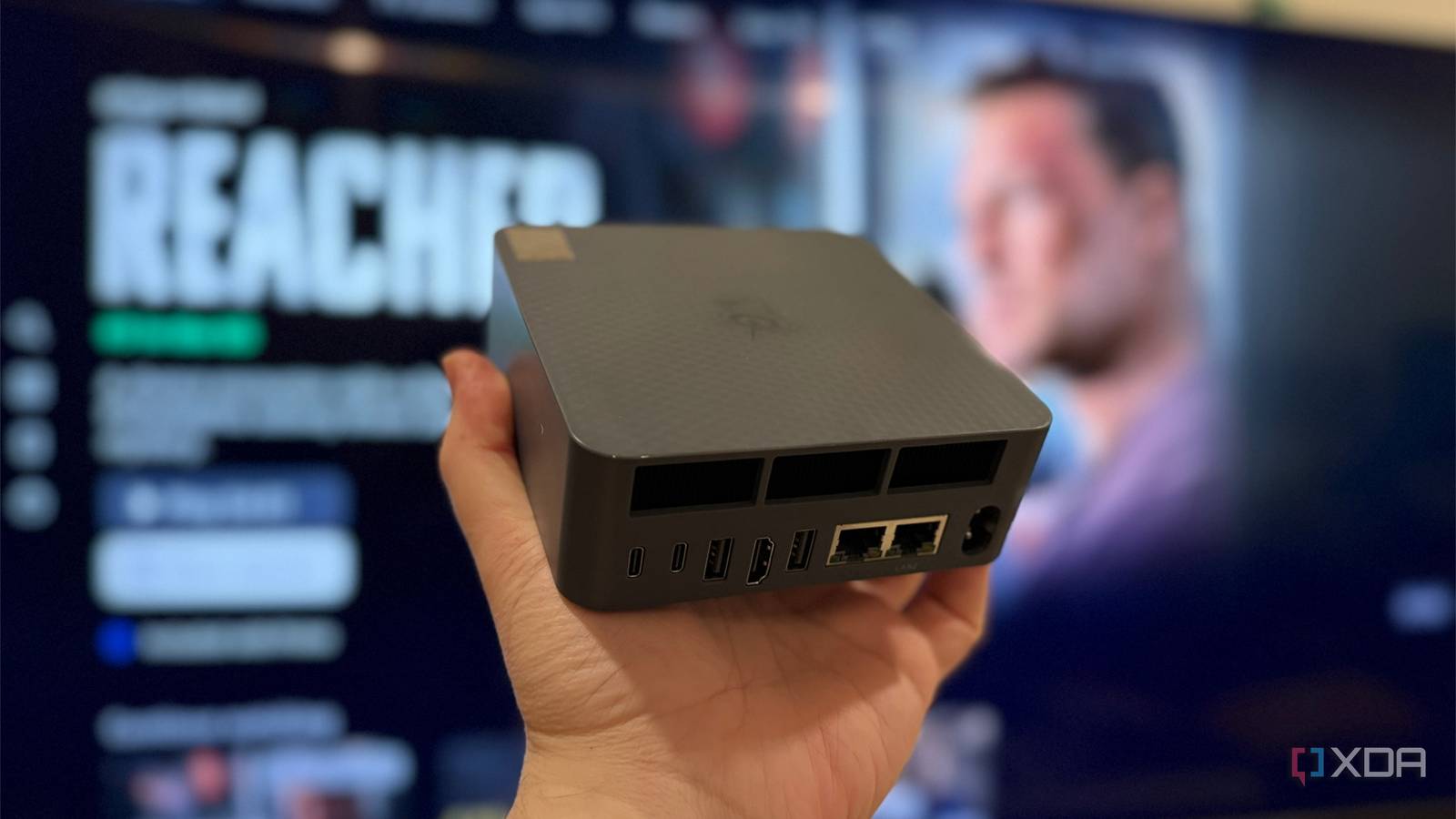
Published Sep 27, 2026, 1:30 PM EDT Maker, meme-r, and unabashed geek, Joe has been writing about technology since starting his career in 2018 at KnowTechie. He's covered everything from Apple to apps and crowdfunding and loves getting to the bottom of complicated topics. In that time, he's also written for SlashGear and numerous corporate clients before finding his home at XDA in the spring of 2023. He was the kid who took apart every toy to see how it worked, even if it didn't exactly go back together afterward. That's given him a solid background for explaining how complex systems work together, and he promises he's gotten better at the putting things back together stage since then. My Amazon Fire TV has lived under my TV since 2015, and for most of that time it did exactly what I asked. It's the square second-generation box from before the Cube, and it still sideloads anything I throw at it. But Amazon's guaranteed updates for it ended in 2021; it never got the new interface, and apps have been dropping support for it ever since. The obvious fix is a new Fire TV Stick, except every new one runs Vega OS, and newer Fire TV Sticks running Vega OS don't sideload at all. So I skipped it and put a Beelink EQ Mini under the TV instead, in the same living room where my smart TV's outbound traffic now has its own rules, and my 15-year-old AV receiver still outperforms every new soundbar. It turns out a mini PC does plenty that Amazon never meant a streaming box to do. I can install anything, and nobody can take that away Amazon closed the door Sideloading was the whole reason I bought a Fire TV in the first place. Flip on apps from unknown sources, push an APK over, and you're done. Vega OS removes that toggle entirely, blocks custom launchers, and turns Developer Mode into a workflow that needs an Amazon developer account and device registration. The Vega storefront also carries roughly 3,000 apps, compared with around 40,000 on Fire OS. A Windows 11 mini PC has no toggle to take away. I run Jellyfin full-screen, and anything that runs on Windows is fair game, whether it's in the Microsoft Store or not. There's no approval process, and no storefront deciding what my TV is allowed to do. Sure, Amazon can lock down its own hardware however it likes. But I paid for the box, and I'd like to decide what runs on it. On the EQ Mini, that's not up for debate. Beelink EQ Mini The EQ mini comes with an Intel Core 3 processor, 10 GbE and 2.5 GbE networking, two Thunderbolt 4 ports, and one HDMI 2.0 for TV use. My home screen doesn't try to sell me tacos Switching brands doesn't help Streaming boxes are ad platforms that happen to play video, and it shows. Roku started showing ads when you hit pause in 2025, on top of a home screen already stuffed with sponsored rows. Google TV isn't any better, although it's less intrusive. I tried the Roku Ultra before settling on the mini PC, and it didn't fix anything. It just moved the ads around. My Google Chromecast Ultra dodges the problem by having no interface at all, which is one way to solve it, I suppose. Okay, Windows 11 isn't innocent here either, with its Start menu recommendations and tips. I turned those off under Settings -> Personalization -> Start, and I rarely spend time on the desktop. Every website is an app now Firefox with uBlock Origin changed how I use the TV more than I expected. YouTube plays without pre-roll ads, and any site that never bothered with a TV app is suddenly on the big screen. That covers niche streaming services, sports streams from the official broadcaster's site, and my own Home Assistant dashboard. The Fire TV technically has a browser too, in Amazon's Silk. But it's a TV browser in the worst sense, and extensions are off the table. On the mini PC, it's the same desktop Firefox I use everywhere else, with the same extensions and the same logins. To be clear, a browser from the couch needs a decent remote or an air mouse, and a D-pad won't cut it. I'll get to that trade-off at the end. Once that's sorted, though, the whole web is fair game—not just the apps Amazon approved. AV1, 4K, and spare M.2 slots The EQ Mini runs Intel's Core 3 304, and its media engine handles modern codecs without breaking a sweat. CNX Software tested the EQi, a sibling model on the same chip, and found it played everything from 4K30 up to 8K60 smoothly, with AV1 and VP9 decoded without dropped frames. My Fire TV 2 predates AV1 decoding entirely. Storage is the other big win. The Fire TV 2 has 8GB of internal storage plus a microSD slot, while the EQ Mini ships with 512GB and has two empty M.2 2280 slots (PCIe 4.0 x2 and x1) that take up to 4TB each. That's room for emulators, a local media cache, and whatever else I decide the TV needs. The 12GB of LPDDR5 is soldered, so this isn't an upgrade-everything machine. But for a box that lives under a TV, storage is the upgrade that matters. It has 10GbE, and the Fire TV has 100Mbps Overkill, but useful overkill The Fire TV 2 has a 10/100 Ethernet port, and that's a real limit for local media. A 4K UHD Blu-ray remux can spike past 100Mbps, so the wired port on my old box couldn't keep up with full-quality rips from my NAS. It's the same problem as the bargain-bin networking speeds premium TVs ship with. The EQ Mini has one 10 GbE port and one 2.5 GbE port, which is 100 times the bandwidth on the fast one alone. Let's face it, no video file needs 10GbE. The second port is the useful part, because I can put the mini PC on a media VLAN on one port and keep the main LAN on the other. It also means the EQ Mini doubles as a fast node sitting right next to my network gear, rather than a dead end at the edge of it. Streaming boxes treat Ethernet as an afterthought. This one treats it like a server would, and it pairs nicely with a cheap managed switch. My gaming PC now reaches the couch Streaming, not native gaming The EQ Mini isn't a gaming PC, and I won't pretend otherwise. That's fine, because it doesn't need to do the heavy lifting. My RTX 5090 desktop does that part, and the EQ Mini streams it to the TV with Moonlight or Steam Link over wired Ethernet. Xbox Cloud Gaming runs in the browser too, and a Bluetooth controller pairs like it would with any Windows PC. Steam's Big Picture mode even gives me a controller-friendly interface, so I never need a keyboard. Moonlight and Steam Link have Android versions, so a Fire TV can run them in theory. But a 2015 chip on 100 Mbps Ethernet was never going to make that feel good. On the mini PC, it's just another app I launch from the couch. It works a second job when the TV is off A server hiding under the TV This is the part Amazon really never intended. When nobody's watching anything, the EQ Mini keeps working as a Tailscale subnet router and a secondary Technitium DNS instance. A streaming box sits idle between shows, and this one earns its keep around the clock. That only makes sense if it sips power, and it does. It uses very little power at idle, which makes it perfect for the job. It's quiet enough that I forget there's a fan in the TV cabinet at all. And it's efficient enough that leaving it on 24/7 doesn't bother me. I'm not going back to a streaming stick, even a new one It's not all upside, and I'd be lying if I said otherwise. Netflix 4K works on Windows 11 in Edge and in Chrome since August 2026, but HDR and Dolby Vision support for streaming apps is patchier on a PC than on a dedicated box. Most mini PCs, including the EQ Mini, also skip HDMI-CEC, and I haven't quite gotten around to getting an IR blaster yet. But I often boot into Xbox Mode, and then I can use a Bluetooth controller to navigate around. Those are minor issues to me, though, and I get way more usefulness now.
I replaced my Fire TV with a mini PC, and now my TV does things Amazon never intended
Full Article
Original Source
Read the full article at Xda-developers →KhanList aggregates and links to publicly available news content. We do not host full articles from third-party sources. Always verify important information with original sources.