
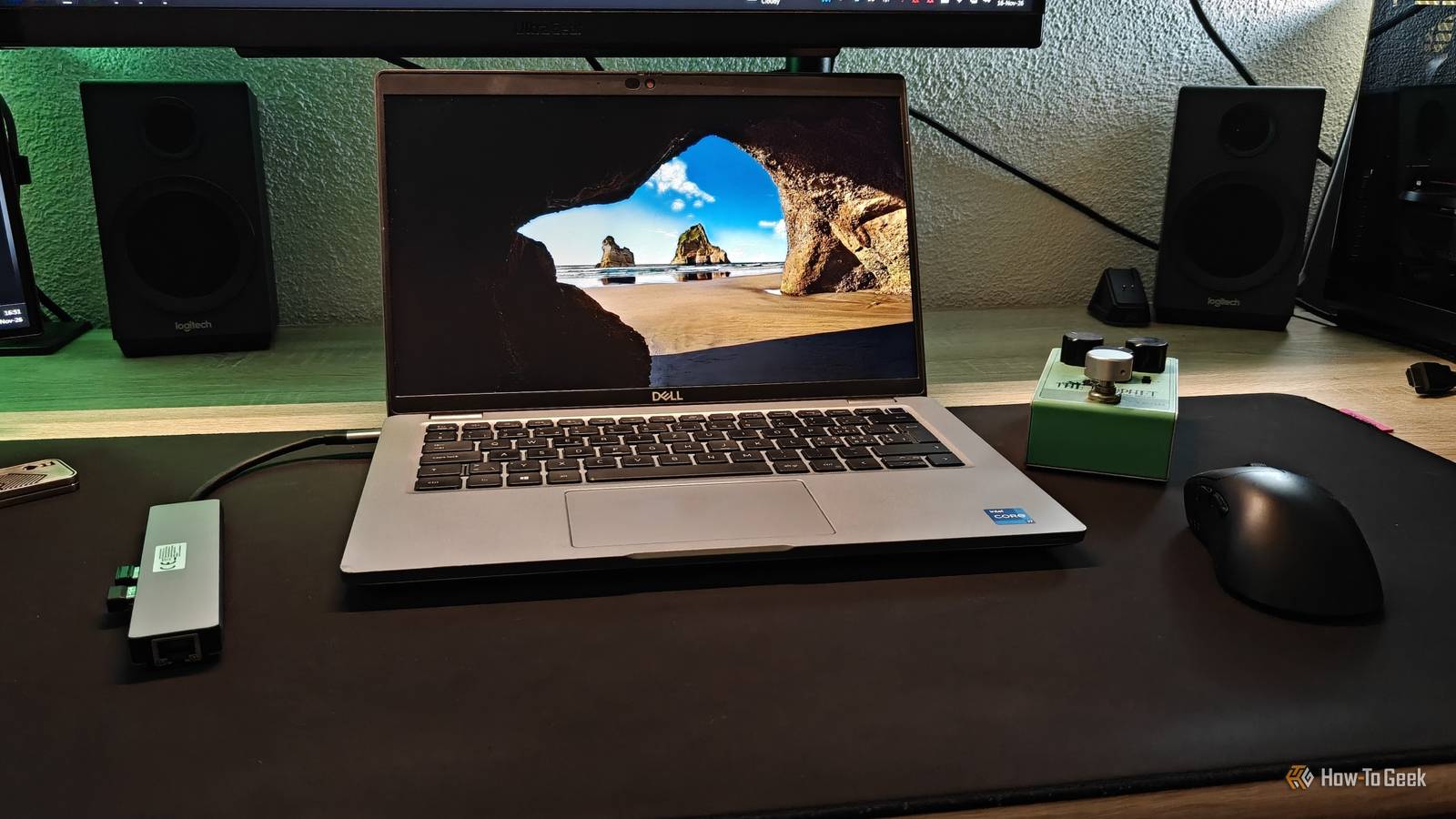
Published Nov 17, 2026, 7:30 AM EST Ismar is a Senior Author at How-To Geek. He previously worked as a writer, editor, and general manager at a content agency before joining the team in 2023. He began his writing career in 2021 after completing a BA in English Language and Literature. Beyond How-To Geek, Ismar has contributed to Red Stag Fulfillment and Authority Hacker. He has also worked on various SEO projects to help clients improve their search visibility. Ismar has been around Windows PCs since the age of three, so friends and family naturally chose him as the resident tech support. His projects often involve tinkering, such as disassembling mechanical keyboards and gaming mice to mod his beloved gear. He also enjoys pushing hardware to the max through overclocking while staying on a reasonable budget. An avid gamer, Ismar has logged thousands of hours across various genres, including first-person shooters, RPGs, racing games, and roguelites. When he is not at his desk, he is probably exploring other people’s phones to discover their quirks and features or experimenting with the latest AI tools. In his free time, Ismar enjoys spending time with his wife, working out at the gym, playing guitar and bass, cooking gourmet meals, and traveling. Above all else, he’s a proud cat owner. I'm a desktop guy, but a little over a year and a half ago, I bought a used Dell Latitude 5420 business laptop for around $300. I just needed something portable for work and watching movies when I was away from home. Somewhere between then and now, I got married, so I let my wife use my laptop instead of the super slow 2-in-1 she used before. The funny thing is, I never really put the Latitude through its paces myself. It was shockingly fast for the mostly browser-based work I do, but I never used it extensively. So, I finally decided to use the laptop as my main PC for an entire week. I gave my laptop the same workspace treatment as my desktop PC Putting it to the test Before I tell you how my week with this laptop went, let's first briefly go over the setup itself. The laptop has a 14-inch touchscreen, which is basically a prerequisite for me. I specifically bought it to use as the all-inclusive mobile PC it is, meaning I don't normally use it with a mouse. The Latitude 5420 is part of Dell's business line and has pretty solid specs. It's equipped with the top-of-the-line CPU available for this specific laptop, the 11th-generation Intel Core i7-1185G7, 32GB of 3200MHz DDR4 RAM (which I upgraded from 16GB), and an extensive selection of ports that makes everyday life with it a lot easier. The laptop always seemed pretty capable to me, but then again, I only ever used it for tasks I'd consider typical on a small 14-inch screen: one app in the foreground (usually Obsidian for me), with a few browser tabs, Slack, and Asana running in the background. I didn't even run Spotify in the background, as I find it just a little more convenient to use my wireless earbuds with my phone when I'm in a coffee shop or on vacation. To make this a proper experiment and see if the laptop could replace my primary $2,000+ gaming PC, I gave it the full desktop treatment. I connected one monitor through the built-in HDMI port, the second through a USB-C hub, as well as my mouse, keyboard, and headphones, and I was off to the races. This old Dell was still fast enough for almost everything I do The little laptop that could As a writer, I don't run any particularly heavy apps, but rather, I keep a bunch of smaller apps and browser tabs running at all times. I write articles in Obsidian and keep several Chrome tabs open at all times as I research, with the occasional use of Affinity and Windows' built-in Photos app to edit photos. To my astonishment, this aging laptop handled everything I could throw at it without any major hiccups. It was a few seconds slower than my desktop PC in some tasks, such as opening several apps at once, selecting objects when editing photos in Affinity, spamming Ctrl+T to open several browser tabs in quick succession, and browsing files stored on the device. However, it never reached a point where it would freeze or stutter noticeably. Even when I had all my apps open at the same time and Spotify playing music in the background, the text editor in Obsidian didn't experience any lag that would otherwise throw me off. Granted, my current workflow is fairly light compared to what some others expect from their laptops. It doesn't involve using local LLMs, software development, or heavy 3D rendering, and to be honest, I don't think this laptop would be particularly well suited to those workloads anyway. Although 32GB of RAM is a decent amount for local AI, it doesn't have a dedicated NPU, a feature that's become a major focus for modern AI laptops. I also tried running some lightweight games on it. I got around 50 to 60 FPS in games like Hades II, The Rogue Prince of Persia, and some older titles like the 2005 and 2012 versions of Need for Speed: Most Wanted. Honestly, the only thing I never really liked about this laptop is that its display has a refresh rate of just 60Hz, which can make even office work feel stuttery when you're used to working with a high refresh rate display. Luckily, I was able to run my main monitor at 144Hz at 1440p through the built-in HDMI 2.0 port, which the laptop's integrated Iris Xe graphics handled surprisingly well. Pushing the laptop harder showed its limitations, but better cooling helped I finally found its limits When I initially set up my laptop to use it as a desktop, I immediately realized that its fan was barely audible, even when CPU usage suddenly spiked as I launched three apps simultaneously. In fact, the laptop froze for about 10 seconds before everything finally loaded, which made me wonder whether the CPU was thermally throttling. To address this, I booted into the laptop's BIOS and switched the thermal management profile from Optimized to Ultra Performance. This profile increases both processor and fan speeds to prioritize performance, allowing the CPU to sustain higher performance under load. It works great for me because I wasn't concerned about battery life, and I immediately noticed improved performance across the board, although the laptop did get noticeably louder under heavy loads. I don't normally edit videos, but for testing purposes, I downloaded DaVinci Resolve and tried messing around with a random clip I recorded on my phone. Basic editing tasks like cutting, adding transitions, and scrubbing through the timeline worked surprisingly well. Exporting the 1080p video also went relatively smoothly. I think I could get at least some basic video work done on this laptop, which surprised me considering how old it is. An old laptop can be a perfectly capable desktop that still fits in a backpack My main takeaway from this week is that I don't always need to spend money on upgrades to get a good computing experience. If you just need a reliable laptop for office work, school projects, and general desktop use, I just don't see a reason to buy something more expensive, especially after I gave my laptop the desktop treatment. I had everything I needed to get my work done quickly and efficiently. And whenever I wanted a change of scenery, I could simply unplug it and take it with me. The whole experience was so surprisingly smooth that I almost forgot I wasn't using my desktop anymore.
I replaced my desktop with an old Dell laptop for a week, and it held up better than I expected
Full Article
Original Source
Read the full article at Howtogeek →KhanList aggregates and links to publicly available news content. We do not host full articles from third-party sources. Always verify important information with original sources.