
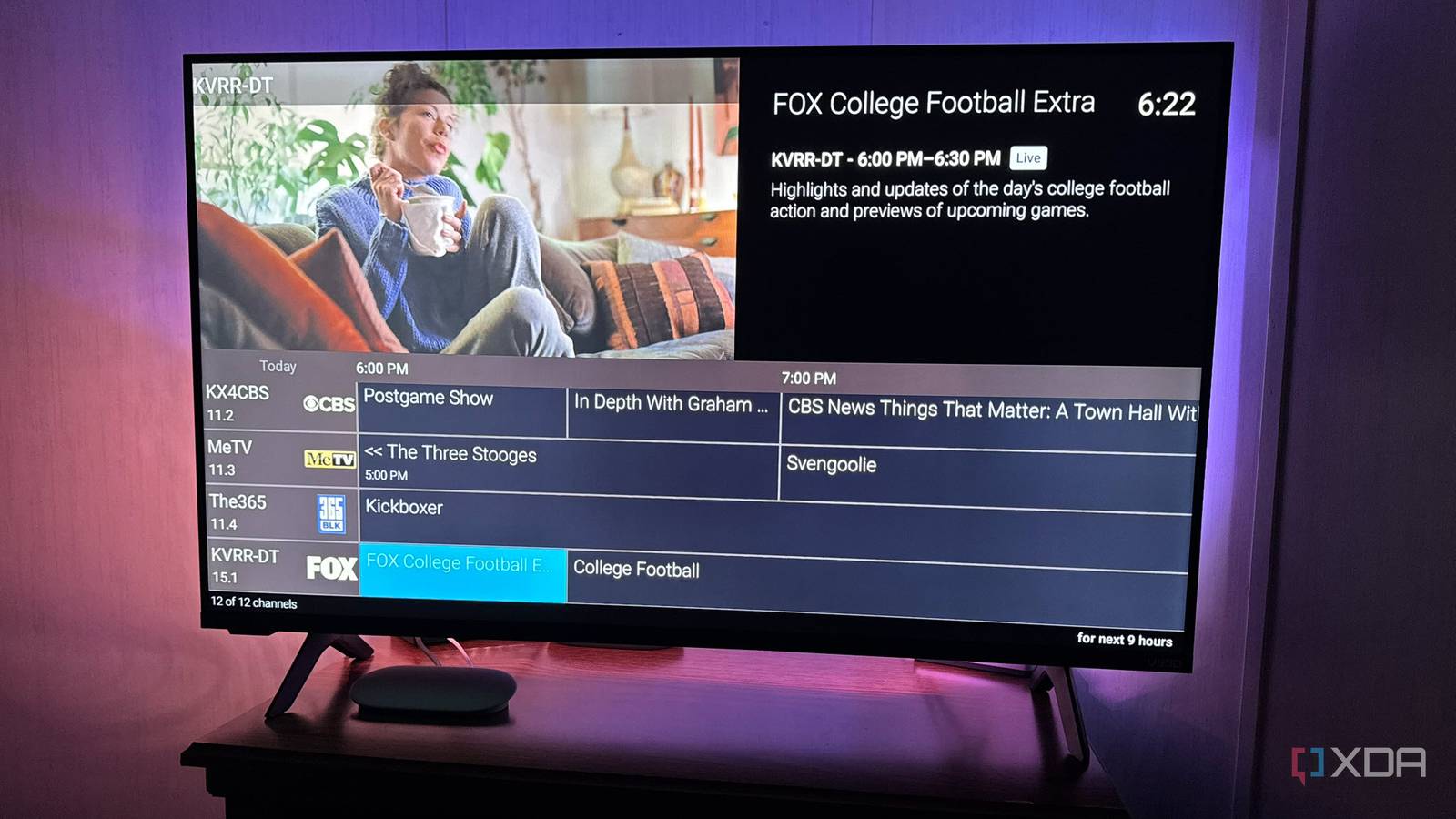
Published Oct 22, 2026, 8:30 AM EDT Based in rural Minnesota, Brian Burgess worked in IT for 10 years before finding his passion for writing about consumer technology. Brian earned his degree in computer and network technology in 2000. He held various IT positions, including help desk support, router installations for IBM, database administration, and other associate network administration roles. He's been a personal technology journalist for 18 years and has written thousands of articles about Microsoft products and services, Android, iOS, streaming, and more. He has written for notable tech sites including XDA, InformationWeek, How-To Geek, Byte, groovyPost, and others. When he is away from the keyboard, you will hear him playing guitar, working outdoors, and watching Star Trek. Over the years, I have moved between free over-the-air (OTA) channels, cable, and live-streaming services like Hulu Live and YouTube TV. I also love my self-hosted media and watch it more than streaming. But I still enjoy live TV — mainly for local NFL games and local newscasts. I might also turn it on for background noise while doing housework. But once I put Jellyfin to the test with a cheap network tuner, I was ready to combine live TV and my own media to save some cash. I set up a network tuner with Jellyfin and created self-hosted channels. Now, I no longer need to pay for cable, and I can distribute the signal to all screens. Live TV through Jellyfin Some assembly and configuration required Most people focus on self-hosting their media with Jellyfin and watching it anywhere in the house, and remotely, if they trust a secure setup. However, live TV is an overlooked feature that comes in handy with a cheap tuner and digital antenna. Once it's set up, you can watch OTA channels anywhere, which nicely complements the media you already own. It can create a unique viewing experience for my ripped Blu-rays and live local programming, including big sporting games. Before combining the two, I had a cable box or a live TV streaming service that charged a hefty monthly fee. With OTA programming, I get the content I want without paying for a cable box with hundreds of channels I don't even want. Ditching cable (or live-streaming TV) and combining OTA content with personal media gives me more freedom to choose what to watch. I got a refurbished HDHomeRun for under $100, connected an HD antenna, and plugged it into my router. It's a one-time expense, and all I had to do was configure it on my Jellyfin server. Setting up a TV channel guide It's not as easy as it was in Plex, but it works Getting live OTA TV to work with a digital network tuner like HDHomeRun is straightforward: add it to the Live TV section of the Jellyfin server. However, it gets trickier if you want a traditional channel guide. Once you add the tuner, Jellyfin sees the live channels the antenna picks up, and you can watch and record shows from them. But I don't know what's on until I open the station, which is where a channel guide helps. Jellyfin has built-in discovery for the network tuner, but treats channel listings separately. Plex, on the other hand, has built-in tuner discovery and guide sourcing. Once you add the tuner, Plex automatically creates a traditional channel guide. However, Jellyfin takes some additional work to populate a guide. You must have an XMLTV download/import configuration source for program listings. SiliconDust offers a free XMLTV file with three days of listings. It also offers a DVR guide for $35/year that provides 14 days of listings and updates automatically. I set up the free version, and I use a PowerShell script to download fresh listings and update the guide in Jellyfin's dashboard. If I recorded a lot of shows, I may opt for the update service or use GitHub to automate two-week updates, like Zap2XML. I create self-hosted, commercial-free channels that display alongside the OTA program guide During my journey to get live channels through Jellyfin, a couple of other projects piqued my interest, like Tunarr and ErsatzTV. Both let me turn my self-hosted media into live TV channels. It makes me a station manager: I decide what airs on each channel, what type of channel it is, and once configured, they air 24/7. I might be looking for something to watch, check the guide, think, "I haven't watched this in a while," and let it air. It's a live TV-like experience for my own media library. Both projects work well, but I've been leaning more toward Tunarr to create my own channels. I can create a channel that airs only episodes of House, Game of Thrones, or House of the Dragon, or combine shows in the same genre. I can create a channel that airs only action, dramas, or movies from a franchise like the MCU or John Wick. There is a lot of flexibility, and including it in the same guide combines the best of self-hosted media and free live TV. So, I won't get bored surfing channels as I do on my cable box trying to find something to watch. Tunarr Live TV and my own media complement my viewing experience in Jellyfin By adding a cheap network tuner for live TV to Jellyfin and adding my own self-hosted, commercial-free channels, I was able to ditch the cable box. I can access the programming I want to watch throughout the house. Plus, I don't have a monthly expense for a service that is a firehose of content I rarely watch. It's a reimagined TV experience that saves money. The only expense is a network tuner and storage if you record a lot of live television.
I replaced my cable box with Jellyfin, and now I'm paying nothing for live TV
Full Article
Original Source
Read the full article at Xda-developers →KhanList aggregates and links to publicly available news content. We do not host full articles from third-party sources. Always verify important information with original sources.