
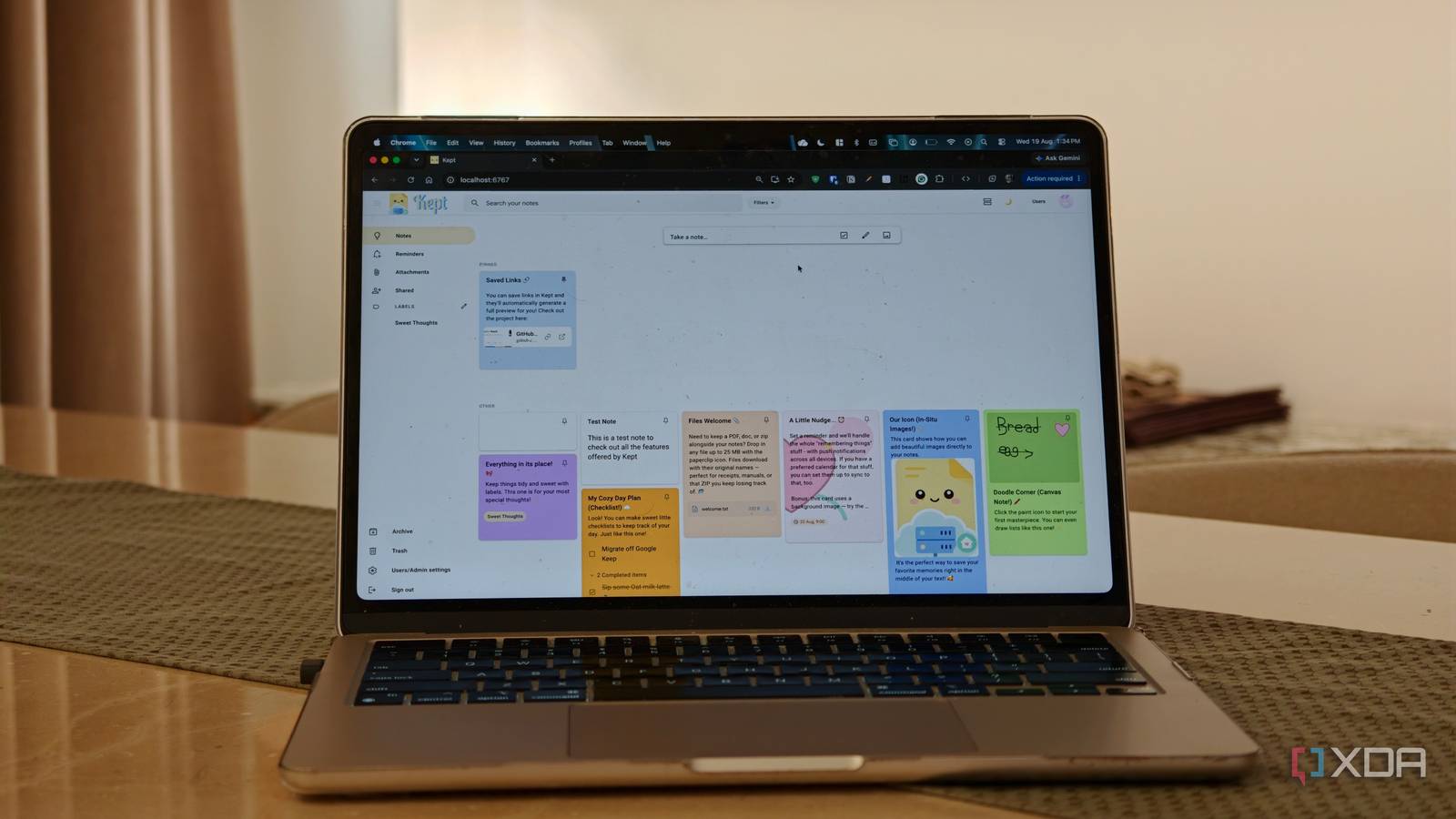
Published Aug 24, 2026, 7:30 AM EDT Dhruv Bhutani has been writing about consumer technology since 2008, offering deep insights into the personal technology landscape through features and opinion pieces. He writes for XDA-Developers, where he focuses on topics like productivity, networking, self-hosting, and more. Over the years, his work has also appeared in leading publications such as Android Police, Android Authority, CNET, PCMag, and more. Outside of his professional work, Dhruv is an avid fan of horror media spanning films and literature, enjoys fitness activities, collects vinyl records, and plays the guitar. Saving notes isn't a problem when looking for a solution. Plenty of software solutions are designed to fit whatever your needs are. From simple tools to full-on productivity managers, there's something for everyone. Over the years, I've dabbled in several permutations and combinations. I might save a note in a notes app, or leave a reminder in a reminders app. But for the most part, Google Keep has been my go-to for consolidating all these features. However, as much as I like Google Keep's simplicity, I've wanted to move my notes outside Google's ecosystem. That's why I installed Kept. This self-hosted notes app looks and behaves exactly like Google Keep, except it runs on your system, giving you the best of both worlds. Kept keeps note-taking deliberately simple Labels, colors, and search keep everything easy to find Installing Kept is as simple as it gets. Just follow the developer-provided terminal command, and it'll be up and running in minutes. Head to the local URL, and you'll see an onboarding screen that walks you through setup. Just create the first account to get started, and you're in. I installed Kept because I didn't want to master another productivity system. Keep works because Keep is simple. It focuses on putting notes and reminders somewhere cleanly and quickly. Moreover, it makes them easy to find. Kept follows that same ethos. The interface feels immediately familiar to start with. Notes sit in a card-based layout, and you can do all the basics like pin important notes, archive them when they are no longer needed in view, or trash them altogether if you're done with them. Like Google Keep, Kept lets you swap out note colors if you are following a color-coded organization system and use labels to give your notes some structure. You won't find multiple nested folders here and, in my opinion, that's a good thing. Organization obsession is good, but it can lead to decision paralysis as well. When you need to find something, search and filters come to the rescue and can find relevant notes by scanning through them. Like any half-decent note-taking app, Kept supports more than just basic notes. You can create everything from checklists to reminders. But more than that, you can add images and links to your notes as well. Kept can parse individual URLs to show a link preview, which is especially useful. I use it for storing interesting projects I come across on GitHub, and the preview function helps me make sense of what I'm looking at instead of guessing at URLs. Your notes stay on your server A self-hosted Google Keep replacement Now, you might be thinking, if I'm using an app that looks exactly like Google Keep, why don't I just use Google Keep itself. That's a valid question, and the key difference is where the data lives. Unlike Google Keep, Kept is designed to run directly on your own server. The Docker-based setup keeps the database, uploads, and all generated data on your NAS or server. For one, that makes it a natural fit for my increasingly self-reliant setup. But more than that, it gives you full ownership. You can back up the data as you wish, wherever you wish, without relying on Google's cloud infrastructure. Kept also supports browser-based push notifications for reminders. I work at my desk all day, so this is particularly handy for everyday reminders. Plus, if I'm on the go or don't have connectivity, the clients can work offline and sync back all changes once I'm connected back to the server. On the topic of being on-the-go, Kept comes with native iOS and Android apps that sync back to the same self-hosted server. This makes Kept a full-fledged replacement for Google Keep, not just something you can access on your network. For desktop use, you can install it as a PWA. All that to say is that you've got plenty of options to make Kept work in your workflow. Kept supports multiple users, of course, and by extension, that means that you can share notes between users on the same Kept instance. In fact, you can even have real-time collaboration. That makes it a great choice for maintaining things like shared lists. I've been using it as a shared shopping list for weekly chores, and it's worked exactly as I'd expect. Honestly, it is Google Keep, but on your server. A familiar note-taking experience without Google's cloud I've tried dozens of note apps, but Kept is one that I might stick to for the long run. It looks like Google Keep, runs like Google Keep, and can even import Google Keep notes. All of that makes it effectively a drop-in replacement. The interface is easy enough for anyone to understand almost immediately while giving you all the essentials, like a scratchpad for notes or a checklist. All while giving you control that comes with running a self-hosted service. Kept Kept is an open-source app that replicates the Google Keep experience on your home server.
I replaced Google Keep with a self-hosted alternative that works offline and syncs to your phone
Full Article
Original Source
Read the full article at Xda-developers →KhanList aggregates and links to publicly available news content. We do not host full articles from third-party sources. Always verify important information with original sources.