
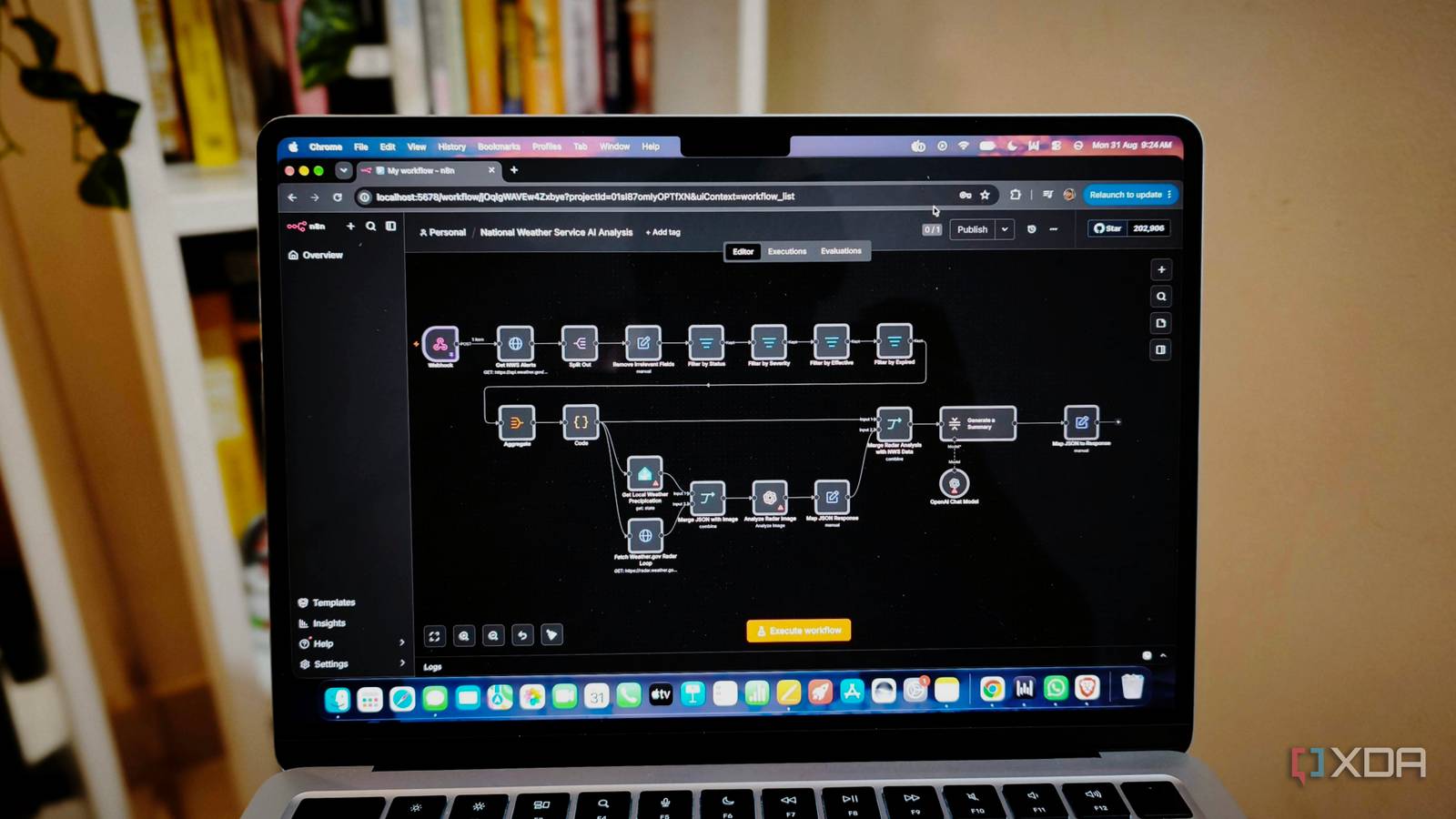
Published Oct 5, 2026, 8:01 AM EDT Anurag is an experienced journalist and author who’s been covering tech for the past 5 years, with a focus on Windows, Android, and Apple. He’s written for sites like Android Police, Neowin, Dexerto, and MakeTechEasier. Anurag’s always pumped about tech and loves getting his hands on the latest gadgets. When he's not procrastinating, you’ll probably find him catching the newest movies in theaters or scrolling through Twitter from his bed. I’ve made sure every smart appliance in my house remains usable even when it’s disconnected from Wi-Fi. I don’t want an internet outage to stop me from using something I own, especially when it’s sitting a few feet away. But I recently noticed that quite a few of my home automations still depend on the cloud. I’ve been paying attention to how the devices work without giving the automations the same treatment. I already use Home Assistant, so I’m moving those cloud-dependent routines to a self-hosted n8n instance on my home network. My aim is to keep the triggers, conditions, and device commands local, so the automations can run without reaching an outside server. So far, I haven’t faced any issues with the workflows I’ve moved. My lights shouldn’t need someone else’s servers I want everything to work without the cloud If a motion sensor needs to switch on a light in the same room, I don’t see a reason for that request to leave the house. Running it through a cloud service adds dependencies to a straightforward job, and an internet outage can interrupt the routine. The provider can also discontinue the service your setup relies on. For example, Belkin shut down Wemo’s cloud services on January 31, 2026, removing app control, remote access, and Alexa and Google Assistant integrations. Compatible devices already configured with Apple HomeKit could continue working locally, but their cloud-dependent features stopped working regardless of whether the hardware was still functional. You're also sharing information. Your automations can reveal occupancy changes and device activity, showing when you’re home and how you use your devices. Although it’s not very sensitive information, keeping those events local gives you more control over where that information goes. Rebuilding the routines in n8n Home Assistant remains part of the setup Home Assistant already manages the devices in my house, so it remains part of the setup. I’m using n8n to build the workflows around those devices, with Home Assistant handling the commands that reach them. n8n has a built-in Home Assistant node that can read entity states and call services, including actions for lights, switches, and media players. To connect it, you need your Home Assistant host address, port, and a long-lived access token. You can point that connection at the server on your local network. To rebuild your existing routines, identify what starts them, the conditions that apply, and what happens afterward. Take a scheduled lighting routine, for example. A Schedule Trigger starts the workflow at the chosen time, and a Home Assistant node retrieves the relevant occupancy state. The workflow then checks whether someone is home before another Home Assistant node calls the service that switches on the lights. Sensor-driven workflows need a different starting point. In this case, Home Assistant forwards an event to n8n’s local webhook through an HTTP request. That request starts the workflow, which can check other devices’ states before deciding what to do. The Home Assistant node reads states and issues commands. n8n gives me more room to experiment I can set up more complex automations The routines I’m moving to n8n cover bedtime, presence-based actions, and scheduled device controls. That includes coordinating the TV, speakers, and lights; dimming the bathroom light before switching it off; and checking whether someone is home before running certain actions. n8n is a visual workflow editor, so you build and manage automations by connecting nodes on a canvas. Each node handles a task, and the connections show how data and decisions move through the workflow. I find that useful when a routine has many conditions or different outcomes. The editor makes the logic easy to follow, which also lets you set up more complex automations. For example, you can set up an automation that generates a device health report. It could bring together low battery readings, unavailable devices, and unusual room temperatures, group the findings by room, and check for persistent problems again before including them in an update. You could also record previous findings, so the report distinguishes a new problem from something you already know about. Home Assistant can support complex logic too, but I’d prefer managing this kind of workflow on n8n’s canvas over maintaining several separate routines and notifications. n8n also has a range of integrations, so you are not missing out on anything. Alongside Home Assistant, n8n has nodes for MQTT, databases, and many other tools. When a service doesn’t have a dedicated node, you can use the HTTP Request node to communicate with its API. n8n also lets you play with AI n8n also lets you add AI to your workflows. For example, n8n’s Ollama Chat Model node lets you connect to a locally running model that can turn those device-health findings we discussed above into a readable summary. You are able to use local LLMs alongside your existing automations without sending the input to a hosted AI service. You can choose where AI adds something useful and keep straightforward tasks, such as a timed light switch, governed by their existing rules.
I replaced every cloud automation in my house with a local n8n workflow, and my smart home finally feels like mine
Full Article
Original Source
Read the full article at Xda-developers →KhanList aggregates and links to publicly available news content. We do not host full articles from third-party sources. Always verify important information with original sources.