
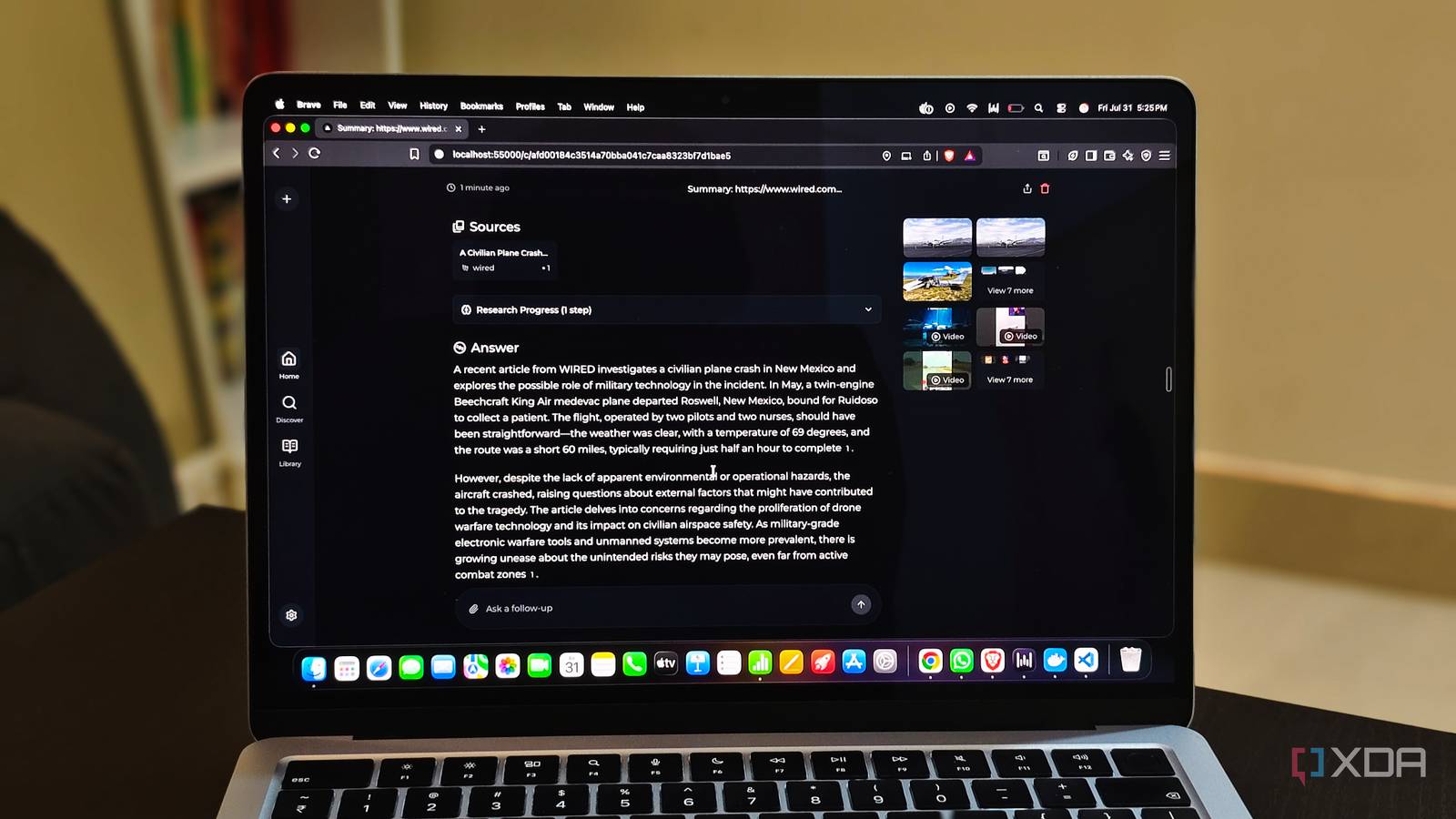
Published Oct 3, 2026, 5:30 PM EDT Mahnoor Faisal is a tech journalist covering AI and productivity tools with bylines at XDA, SlashGear, MakeUseOf, Laptop Mag, and Android Police. She's been writing professionally since she was sixteen, and has since penned hundreds of articles. This includes in-depth coverage of AI tools like NotebookLM to breaking news across the AI space. Her passion for technology started when she received her first iPod Touch (4th generation) on her 8th birthday, and she's been deep in the tech world ever since. Currently pursuing a degree in computer science, Mahnoor brings both a journalist's eye and a technical foundation to her coverage of how AI is reshaping the way we work and learn. Sign in to your XDA account While my bank already hated to see Apple Music, Spotify, Canva, Adobe Creative Cloud, iCloud+, Google One, Netflix, and about half a dozen other subscriptions coming every month, I know AI tools have made an already existing problem significantly worse. Now, practically every AI tool I use wants its own cut too. Claude Max, ChatGPT Plus, Google AI Pro, Perplexity Pro, Cursor Pro, and so on. Unlike the subscriptions I listed at the very beginning, though, AI subscriptions overlap a lot more. Spotify and Canva are solving completely different problems. ChatGPT, Claude, Gemini, Perplexity, and Cursor, on the other hand, can all do many of the same things —they just tend to be better at different parts of the job. That overlap is exactly what made me wonder how many of them I actually needed to be paying for. Instead of looking for one open-source app that could somehow replace everything, I decided to rebuild the different parts of my AI workflow with free, open-source alternatives and see how much I could get away with. Jan My local LLM finally feels (well, looks) like ChatGPT After analyzing the kind of tasks I use AI for, I've realized local LLMs can handle the bulk of my work quite easily. Sure, there are inevitably tasks where I still want the stronger reasoning, larger context windows, or specialized tools that come with frontier models, but most of what I ask AI to do on a normal day really isn't that demanding. While I initially relied on Ollama and LM Studio for all my local AI needs, Jan ended up being a much better fit for what I was actually trying to replace. Ollama primarily positions itself as a way to run and build with open models, while LM Studio focuses on making local AI easy to run on your computer. Jan's pitch is a lot more aligned with what users like me want. It's described outright as an open-source replacement for ChatGPT and Claude. After using it, I can see why. The biggest difference is that Jan doesn't feel like I'm opening an app just to run a local model. It feels like I'm opening an AI assistant. The interface is very ChatGPT-like. I can keep separate conversations and Projects, create custom Assistants with their own instructions, upload files, switch between different models, and connect extra tools through MCP. Getting a model running is also much less intimidating than the phrase "local LLM" makes it sound. Jan has its own model hub connected to Hugging Face, so instead of downloading GGUF files manually and figuring out whether your laptop can actually run them, you can browse models from inside the app. It's also not local-only, and ships with about a dozen of remote providers. This means I can use Jan for both my local and cloud models. What really sold me on it, though, is that going local doesn't automatically mean giving up all the extras I've gotten used to with ChatGPT. Jan has web search and page fetching built in, so supported models can still pull in current information instead of being stuck with whatever they were trained on. And if I want to take things further, MCP lets me add things like browser control and other external tools! Though Ollama is excellent at running models, I've found that Jan is much better at handling everything around them. It feels like a middle ground between Ollama, LM Studio, and Open WebUI! Vane Perplexity, minus the Pro plan Vane, previously known as Perplexica, has long been advertised as an open-source alternative to Perplexity, and I can see why! At its core, Vane is an AI-powered search engine that searches the web, pulls together relevant information, and gives you a summarized answer with sources attached. So, basically, the reason I use Perplexity in the first place. The difference is that Vane can run with local models through Ollama, which means I don't necessarily need to send every question off to another company's servers. It uses SearXNG underneath for web search, and I can choose between different search modes depending on what I'm doing. Speed Mode is there when I just want a quick answer, Balanced Mode is meant for normal searches, and Quality Mode digs deeper when I actually care about the research. I can also narrow searches down to things like the general web, discussions, or academic papers instead of throwing every source type into the same pile. That sounds fairly basic on paper, but it's exactly the kind of stuff that makes Perplexity useful to me. I rarely open it because I want to have a long conversation with an AI. I open it because I want to ask a question, get something reasonably current back, and immediately see where the information came from. Vane supports image and video search, lets me upload files and ask questions about them, can restrict searches to specific domains, and even has widgets for things like weather, calculations, and stock prices! That said, Vane is nowhere near as frictionless as just opening Perplexity.com and using it. You need to go through the hassle of setting it up, and Docker is the recommended route. However, once it's running, I get most of the parts of Perplexity I actually care about without paying for another AI subscription. Open Design My second designer doesn’t need a subscription While a Claude subscription was once limited to the actual Chat panel, it’s since expanded into much more of a full-fledged workspace. You get Claude Code, Cowork, and a relatively newer feature called Claude Design. One of the best use cases I’ve personally found for AI is using it as a secondary designer. I’m not a very creative person, and I spend way more time than I can afford perfecting slide decks, posters, infographics, and even content for socials. That’s why I’ve been experimenting a lot with Claude Design since it launched. It can take a prompt and turn it into things like slides, one-pagers, prototypes, and other polished visual assets. You can then edit them right within the interface using prompts or by tweaking individual elements yourself. This makes it feel a lot less like a one-and-done image generator and more like having a second designer sitting beside you. However, once I tested Open Design, a completely open-source alternative built around the same idea, I never really felt the need to keep paying $20 just for access to something like Claude Design. Open Design is local-first and lets you use the AI agent you already prefer as the actual design engine. That can be Claude Code, Codex, Cursor, Gemini CLI, OpenCode, or several others, rather than locking you into Anthropic’s models. It can generate things like websites, prototypes, slides, images, and other visual assets, and the output stays as actual files you can keep working with instead of living inside a closed platform. That flexibility is probably what I like most about it. I can keep the same general prompt-to-design workflow I liked in Claude Design, but I’m not tied to a single model or subscription to do it. If I want to use OpenCode one day and Gemini CLI the next, I can. I can also bring in my own design system through a DESIGN.md file, so the output can follow the same colors, typography, spacing, and overall style instead of starting from scratch every single time. Open Code Claude Code and Codex, but I get to pick the model For the longest time, the only reason I could justify my Claude subscription was Claude Code. I've developed a fairly good system around it at this point, and I use it for everything from fixing tiny bugs to making changes across entire projects. While it's excellent at what it does, the catch is, yet again, that I'm bound to Anthropic's models only. Codex has been my current favorite, but it comes with the exact same problem: I can only use OpenAI's models with it. Given that different models have different capabilities, I feel like locking an entire coding workflow to one provider is unnecessarily limiting. There are times when Claude is better at understanding a messy codebase, times when an OpenAI model handles a task better, and plenty of smaller jobs where I really don't need to be paying for a frontier model at all. That's exactly where OpenCode comes in. It gives me most of the things I've already built my Claude Code workflow around, including a dedicated planning mode, Skills, MCP server support, and the ability to actually read and make changes across a project. The key difference is that the agent itself isn't tied to one company's models. I can swap between Claude, OpenAI, Gemini, or even local models depending on what I'm working on, without having to rebuild the rest of my setup around them. Open Notebook NotebookLM, but I call the shots As an added bonus, this entire experiment also made me realize there was another AI subscription I probably didn't need to keep around. I've written about NotebookLM far more than any normal person reasonably should, and I still think it's one of the best AI tools Google has made. However, a huge part of why I use it comes down to the features it built around my sources rather than the chatbot itself. Open Notebook gets surprisingly close to replicating that. I can upload my own sources, ask questions grounded in them, generate summaries and notes, and even create NotebookLM-style Audio Overviews from the material I've added. That's easily one of my favorite NotebookLM features, since I can turn a pile of notes, readings, or research into something I can listen to instead of sitting down and going through everything again. Of course, NotebookLM still has more polish and some newer features Open Notebook doesn't completely replicate. But if the main things I want are source-grounded chat, summaries, notes, and Audio Overview-style podcasts, Open Notebook covers a surprisingly large chunk of why I use NotebookLM in the first place.
I replaced ChatGPT, Claude, Gemini, and Perplexity with free open-source alternatives
Full Article
Original Source
Read the full article at Xda-developers →KhanList aggregates and links to publicly available news content. We do not host full articles from third-party sources. Always verify important information with original sources.