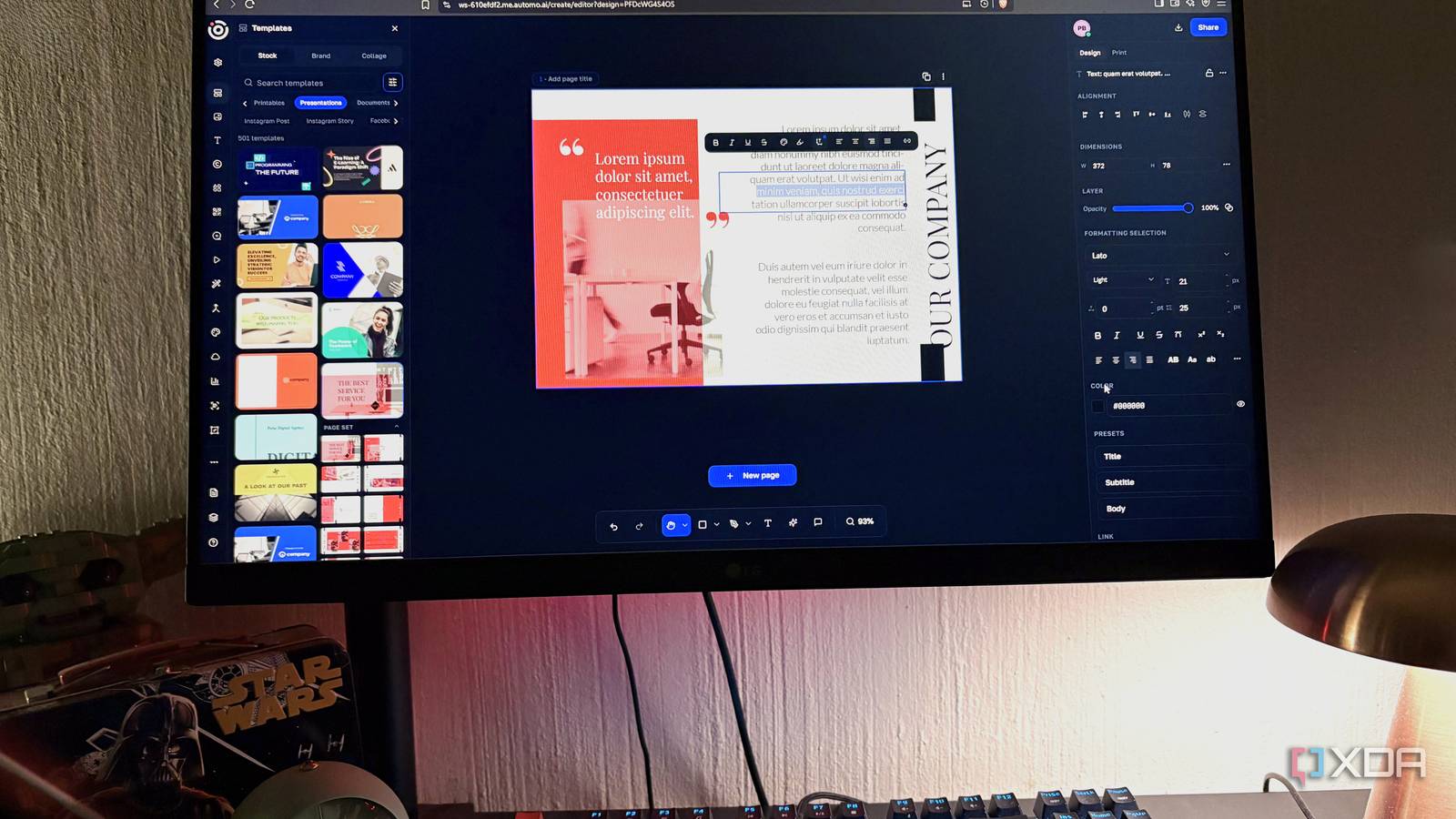
Published Aug 13, 2026, 10:30 AM EDT Nolen began their writing career in 2019, with three years dedicated to editing the Creative section at MakeUseOf. Their expertise lies at the crossroads of technology and creativity, covering areas like photography, video editing, and graphic design. Outside of work, you'll often find Nolen diving into a good book, writing their own stories, or playing video games. Sign in to your XDA account Every time someone asks about escaping Adobe or Canva, the same list usually pops up, like Affinity, GIMP, Figma, Krita, maybe Pixlr. Each one handles a little slice of what the paid suites do, because the reality is that replacing something like Adobe means stitching several tools together. And replacing Canva means settling for less, since there's yet to be a proper free replacement with such a vast template collection. There's a whole category of tools that never come up in these conversations though: the all-in-one tools. Full workspace platforms that happen to include a design suite, a photo editor, slide decks, probably AI generation, perhaps even video editing. Desygner is one of those platforms… What Desygner actually is The design suite is just one tab in something much bigger Desygner is a drag-and-drop design platform with a proper brand kit at its center. You upload your logos, colors, and fonts once, and they apply across every template and format you touch after that, which is more or less Canva's entire philosophy summed up. Where it goes different is the toolkit around it. Desygner is now part of Automo, which is a full business workspace covering CRM, HR, marketing, finance, and a bunch of other stuff I honestly have no need for. Desygner sits in the "Create" tab among all of that, and that Create module on its own gives you a photo editor, a design workspace, a presentation editor, a video studio, a whiteboard, a website builder, and a full PDF suite. Pricing is where it starts to feel actually unfair to Canva. The free tier gives you the editor, the template library, the brand kit, and the PDF tools with no paywall on any of the core features. Pro+ is $5 a month (annually) or $10 monthly, which is nothing compared to what Canva Pro or Adobe charge. The AI features do use credits though, so a couple of features like the Mockup Builder and the AI PDF tools will chew through those. But as with most tools, there's always a caveat, and this one isn't bad at all. The design and photo editor stack that eats Adobe Express and Canva They punch above their weight The photo editor is the part I want to talk about first, because I was expecting a regular Canva-style or Express-style editor with filters and maybe background removal. What's actually in there is a layer system, shape dynamics, brush hardness, spacing, jitter controls, and a pattern mode with scale, opacity, rotation, and offset sliders. This is closer to what Photoshop's brush engine does than what Canva or Adobe Express has ever shipped. I poked around with the pattern mode, setting a custom brush tip and adjusting roundness and angle independently. It's a pretty intuitive toolkit and you're really not short on artistic options. There's also a Mockup Builder that uses GPT Image 1 - you drop in artwork, pick a base image, and it composites your artwork onto shirts, billboards, bottles, or laptop screens. So here you're also getting Adobe Firefly-tier stuff inside the design tool. Worth mentioning, although some of the features overlap, the design workspace is separate from the photo editor, so just make sure you pick the right one for your project. In the design workspace, there are templates with categories for social media, presentations, printables, and documents, just to name a few - this handles the Canva side of things straight away. Then there's also the elements panel - again, a complete Canva replacement, with a massive collection of pre-designed and pre-curated illustrations and design elements, from arrows to clouds. Each one is fully editable with things like stroke width, opacity, drop shadows, etc. Text tooling is also on the same level; you're not getting the short end of the stick anywhere in Desygner, even on the free tier. The PDF suite and presentation editor that replace Acrobat and PowerPoint Nobody should have to pay for PDFs and presentations The PDF tools are the part nobody seems to mention when they talk about Desygner, and I think this might actually be the most useful part of the whole workspace. There's a full organize, optimize, edit, convert, and security stack in there. Organize gives you merge, split, page rotation, and page reordering, all in-browser, all free. The edit side is where it starts feeling like Acrobat's paid tier - proper PDF editing rather than just annotation, form filling, signing, and text extraction. That's the whole reason why anyone even pays for Acrobat. Security features are the area I didn't expect much from, but it has the full toolkit, including unlock, redact, and validate. The redact tool alone is a paid Acrobat feature that most free alternatives don't touch. There's also an AI PDF layer sitting on top with Explain, Compare, Contract Check, and Summary, though those use credits. The presentation editor is right next to the image and design editor, and it has multi-page, layer control, alignment tools, and per-element strokes and effects. The formatting depth is what makes it such a good PowerPoint alternative: you get font size adjustment in px or pt, line height, letter spacing, alignment on all four axes, hex input, and brand palette pulls. Doing PDF work and slide work inside the same brand-kit-aware workspace as your design work is a workflow thing more than a feature thing, and I think that's what actually replaces those two apps for me. No need to pay for numerous separate subscriptions Canva, Adobe Express, Acrobat, and PowerPoint, all replaced by one tab in a workspace I stumbled into looking for something else. I'm probably always going to rely on Affinity and Figma for serious design work, but Desygner has proved itself capable of knocking out at least four other tools in one go.
I replaced Canva, Adobe, and PowerPoint with a tool that's been hiding in plain sight, and it does everything they charge for
Full Article
Original Source
Read the full article at Xda-developers →KhanList aggregates and links to publicly available news content. We do not host full articles from third-party sources. Always verify important information with original sources.