
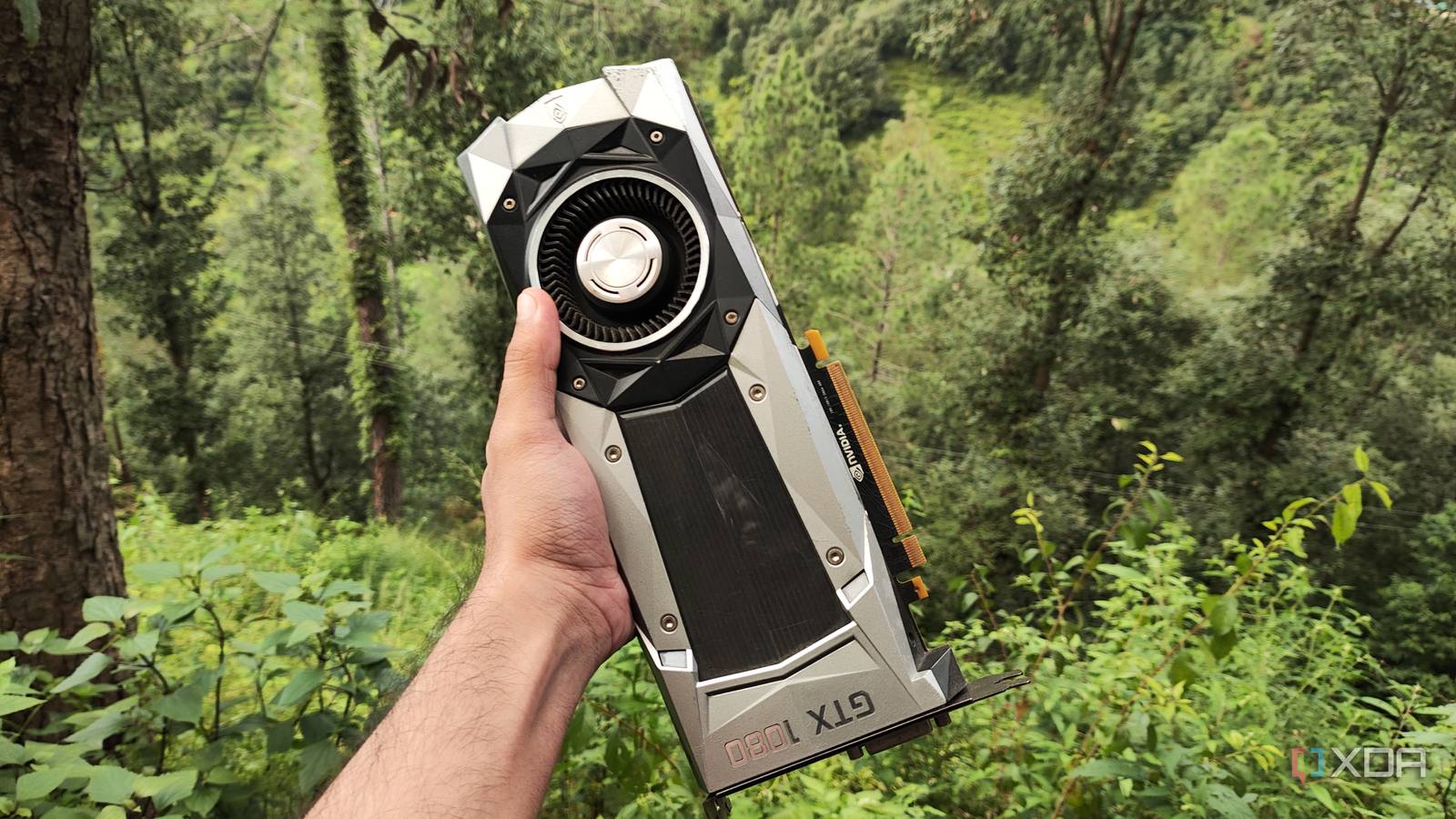
Published Nov 22, 2026, 10:30 AM EST Ayush Pande is a PC hardware and gaming writer. When he's not working on a new article, you can find him with his head stuck inside a PC or tinkering with a server operating system. Besides computing, his interests include spending hours in long RPGs, yelling at his friends in co-op games, and practicing guitar. With the ever-increasing hardware prices making it hard to upgrade my paraphernalia, I’ve started repurposing old systems for my tinkering projects. And I must say, old components pack quite a punch even in the big 2026, with even the oldest laptop in my arsenal providing enough horsepower to run a bunch of self-hosted services. But if there’s one aspect of home lab projects where I never expected aged systems to serve well, it’s locally-hosted LLMs. After all, self-hosted AI models typically require a lot of VRAM and modern GPU architecture for the best results, which many of my dinosaur graphics cards simply can’t offer. Or so I thought, until I had this quirky idea to run mixture-of-experts models on a GTX 1080 I’d salvaged from an old gaming machine. As it turns out, my 10-year-old card still has enough juice to power bulky models for my productivity tasks. I had to use specific drivers for my Pascal-era GPU But LXC passthrough worked flawlessly Considering that Nvidia had pulled the plug on my GTX 1080, the first hurdle in this project was ensuring my distro of choice could use my graphics card. Speaking of the OS, I was going to use Proxmox as the underlying distro, with a Debian-powered LXC housing the inference engine. That’s because I wanted a platform where I could run other self-hosted applications in tandem with my local AI models, and between Proxmox’s lightweight nature, killer LXC passthrough provisions, and neat web UI, it had everything I was looking for. Unfortunately, the last couple of drivers released last year for the GTX 1080 don’t mesh well with Proxmox, and I’d run into errors when installing the drivers on pve-kernel 7.x. Fortunately, Nvidia released driver version 580.119.02 earlier this year to address this specific problem, and it’s what helped me continue working on this project. I ran the apt install -y build-essential pve-headers-$(uname -r) command within the Shell tab of my Proxmox node to grab the necessary packages for the installation process before executing wget https://us.download.nvidia.com/XFree86/Linux-x86_64/580.173.02/NVIDIA-Linux-x86_64-580.173.02.run to pull the drivers. Then, I ran chmod +x NVIDIA-Linux-x86_64-580.173.02.run to turn it into an executable and used ./NVIDIA-Linux-x86_64-580.173.02.run to start the installation wizard. The driver setup process barely took a few minutes, and I ran nvidia-smi to check whether my GPU was actually detected by PVE. Sure enough, my GTX 1080 was working on the server in all its 8GB VRAM glory. As for the LXC, I decided to use the Debian script from the ultra-helpful PVE Community Scripts repo instead of setting up everything manually. That’s because it can automatically configure GPU passthrough for my GTX 1080 without forcing me to tweak config files manually. After waiting a few minutes for the script to work its magic, my Debian LXC was up and running. Since I’d already downloaded the Nvidia drivers on the Proxmox hub, I quickly used the Shell tab on the host to execute pct push 109 NVIDIA-Linux-x86_64-580.173.02.run NVIDIA-Linux-x86_64-580.173.02.run and send the package to my LXC, with 109 being its CID. Once I’d logged into the LXC, I turned my driver installation file into an executable with chmod +x yet again. However, I appended the --no-kernel-modules flag to the ./NVIDIA-Linux-x86_64-580.173.02.run command, otherwise, the driver installation would fail right away. With that, my Debian LXC was ready for my LLM workloads. I chose llama.cpp as the inference engine for my LLMs Specifically, its Vulkan backend Although the local LLM landscape has a bunch of cool inference engines, llama.cpp is the only one I rely on these days. Unlike Ollama, llama.cpp is light enough to not impede my local LLMs’ performance, and it includes all sorts of flags to help me customize my AI experiments. Of course, I had to choose a backend to power my GTX 1080-based llama.cpp instance. After tinkering with a few options, I decided to roll with the Vulkan variant, which provides rock-solid performance without forcing me to put up with as many compatibility issues as the CUDA variant on my Pascal-era card. I started things off with the apt install glslc glslang-tools libvulkan1 vulkan-tools libvulkan-dev libcurl4-openssl-dev spirv-tools build-essential cmake curl command to grab the necessary packages for llama.cpp. On the Vulkan front, I created a new directory with mkdir -p /usr/share/vulkan/icd.d/ and pasted the following snippet into /usr/share/vulkan/icd.d/nvidia_icd.json to ensure the API detects my GPU: { "file_format_version" : "1.0.0", "ICD": { "library_path": "libGLX_nvidia.so.0", "api_version" : "1.3" } } As for llama.cpp, I used git clone https://github.com/ggerganov/llama.cpp to pull its files and switched to their folder with the cd llama.cpp command. Then, I generated the config files for llama.cpp with cmake -B build -DGGML_VULKAN=ON before executing cmake --build build --config Release -j$(nproc) to finally compile everything. Bulky mixture-of-experts models run surprisingly well on my discontinued graphics card But it meshes just as well with lighter LLMs for productivity apps On paper, the lack of Tensor cores and 8GB VRAM on my GTX 1080 make it less than ideal for dedicated inference tasks, especially for models that need to load dozens of billions of parameters into my GPU’s memory. Or at least, that’s how things are with conventional dense models. LLMs bearing the Mixture-of-Experts architecture let me use my RAM in addition to my GPU’s VRAM to load the models, and they do so without resulting in my token generation speeds nosediving. For the uninitiated, the routing mechanism within MoE models routes each token through a small subset of the overall expert sub-networks. Since only a specific set of experts are needed for my inference tasks, I don’t need to load everything onto the GPU’s VRAM. Instead, I can let the attention layers, active expert layers, and embeddings remain on the GTX 1080’s limited memory, and use the --n-cpu-moe flag to offload the rest of the expert weights onto the CPU and system RAM. To put this into perspective, my VRAM-constrained card can handle Qwen3.6-35B-A3B – an extremely bulky 35B model – when I use the right set of flags and parameters when deploying it. Specifically, I ran the ./build/bin/llama-server -m "/root/models/Qwen3.6-35B-A3B-Q4_K_M.gguf" --mmproj "/root/models/mmproj-Qwen3.6-35B-A3B-BF16.gguf" -c 100000 -ngl 999 --n-cpu-moe 40 --host 0.0.0.0 --port 8082 command within the llama.cpp folder to get llama-server up and running, before prompting it with random terminal logs from Proxmox. Well, this “discontinued” GPU from Nvidia managed anywhere between 50–70 tokens/second in prefill speeds and around 15.2 t/s during the actual processing phase. Considering that I’d set the context size to 100000 tokens, that’s pretty darn impressive for a 10-year-old GPU that lacks on the Tensor core and VRAM fronts. Gemma-4-26B-A4B delivered similar results on the prefill front, though its actual speeds were a tad slower at 14.6 t/s. Even if it’s a bit slow for AI-controlled voice assistants and instant chatbots, I can still harness the bulky variants of Qwen3.6 and Gemma 4 for Vane, VS Code, and other bulky coding/reasoning tools just fine on this GPU. And in case I need really fast inference speeds, I can always rely on Gemma 4 E4B, which the GTX 1080 can comfortably run at 238 tokens/second when processing the prompt and deliver around 48 t/s in generation speed. I refuse to toss my decade-old GPU out just yet As someone who has heard plenty of horror stories about low-parameter LLMs delivering hallucinated and incorrect responses, I was pleasantly surprised by my GTX 1080’s performance. Sure, it took me an afternoon to set everything up, but after witnessing how well my outdated gaming companion can handle bulky MoE models, I’m planning to use it as a dedicated LLM-hosting workstation for my Home Assistant, Vane, and other productivity tasks. llama.cpp Llama.cpp is an open-source framework that runs large language models locally on your computer.
I recycled my old GTX 1080 to run local LLMs, and it still keeps up with Qwen and Gemma
Full Article
Original Source
Read the full article at Xda-developers →KhanList aggregates and links to publicly available news content. We do not host full articles from third-party sources. Always verify important information with original sources.