
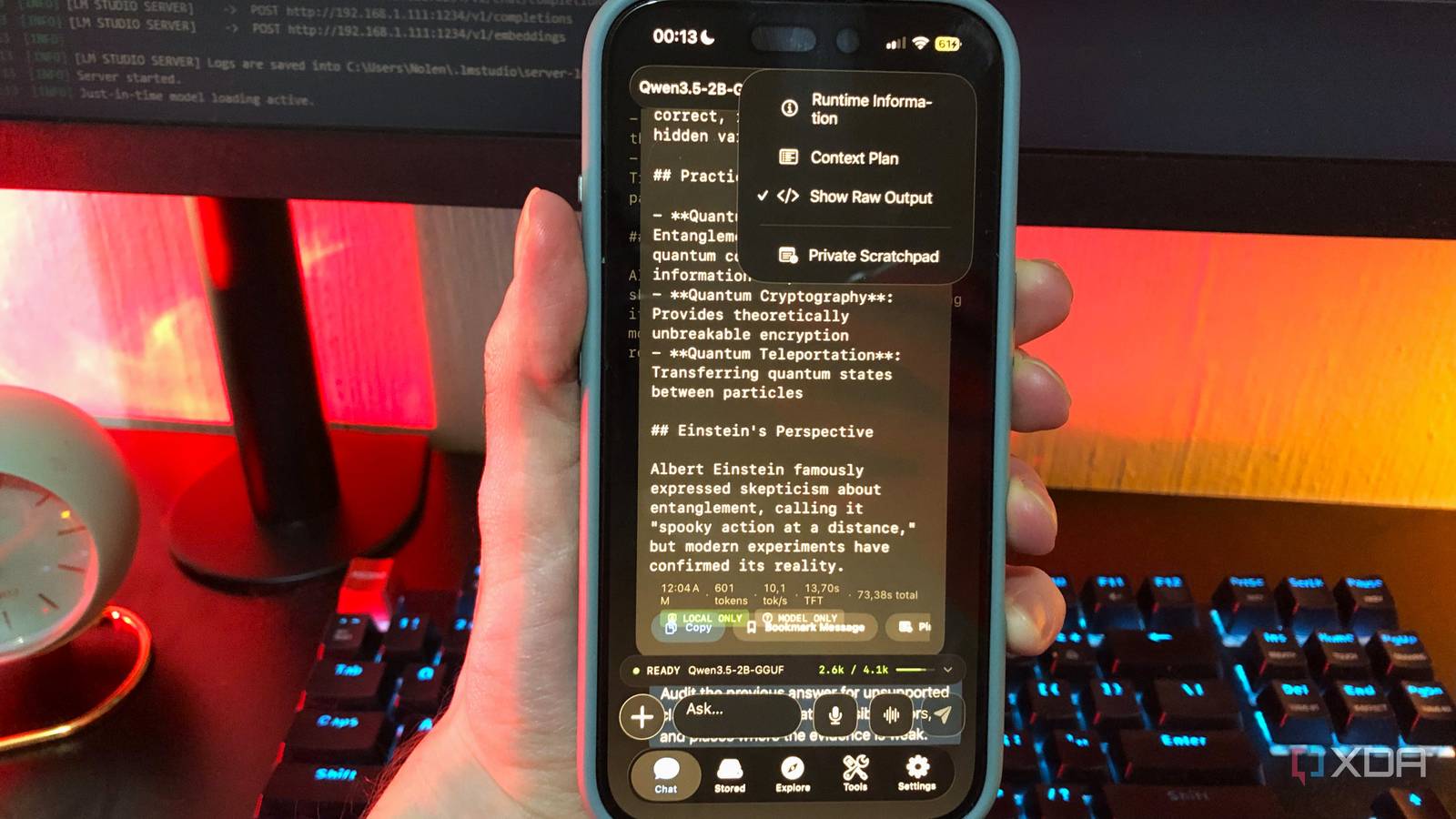
Published Sep 30, 2026, 6:00 AM EDT Nolen began their writing career in 2019, with three years dedicated to editing the Creative section at MakeUseOf. Their expertise lies at the crossroads of technology and creativity, covering areas like photography, video editing, and graphic design. Outside of work, you'll often find Nolen diving into a good book, writing their own stories, or playing video games. When you really think about how most people use Claude or ChatGPT on their phones, it's really not that deep. For example, most simply use it to reword an email before it goes out, or ask for an explanation of a word they hadn't heard before. Most of these tasks don't need a frontier model in a data center, but that's where they end up anyway because the app is on your home screen and an easy reach. Local models have been on my phone this year too. They started out as a side experiment, but slowly revealed themselves to be more useful than I anticipated. So, I wanted to see how far I could push them, and it turns out cloud AI was never that necessary anyway. Want to stay in the loop with the latest in AI? The XDA AI Insider newsletter drops weekly with deep dives, tool recommendations, and hands-on coverage you won't find anywhere else on the site. Subscribe by modifying your newsletter preferences! Picking a model that fits your phone The memory decides more than any app or setting does Your memory will matter more than any runner app or setting, which is a little funny coming from a desktop with 8GB of VRAM, since it's the same number I'm always working around there. I'm using the iPhone 16 base model which has 8GB of unified memory, and because a single app doesn't get all of it, you're realistically looking at 2B to 4B models, usually as a quant (a compressed version of the model, where something like Q4 means it's squeezed down to roughly 4-bit). The quant's file size is the first thing I check, since that's roughly what the model needs just to load. Context length is the sneakier one, because it isn't part of the file at all - the model card lists the max a model can handle, like 128K tokens for Gemma 4's edge models and 262K for Qwen 3.5, but the context you actually run is a setting in the app, and every token of it takes extra memory on top of the model itself. On a phone, that max is rarely realistic, so mine usually sits around 4k-8k, and some mobile runners actually check whether a model fits before loading it, so it doesn't just crash. Qwen 3.5 2B at Q4_0 is what I open for quick questions, and it hits 32 tokens per second on short prompts while staying above 20 on longer ones. Gemma 4 E2B lands around 26 tok/sec, and this is probably the model that gets most of my chatting because it's a little warmer to talk to than Qwen, and it also handles my images and voice notes since it has vision and audio. Whenever I'm getting a little more serious and actually want to learn or research, I go for Qwen 3.5 4B at Q3_K_M instead, which drops to around 13 tokens per second but is a lot sharper on reasoning and structured answers. Picking just one model isn't something I recommend. You probably wouldn't just stick to one cloud bot for everything either, so the same thing applies here. Depending on what you actually use them for, a handful of models can cast a wider net for specific tasks. Finding an app that actually works like Claude or ChatGPT A chat box alone won't cut it Getting a local LLM to run on a phone is the easiest part - finding an app to run them in, that's actually useful to you, is the trickier part. I've tried about six of them now, and most come down to a simple chat box and a model picker. This isn't going to cut it if you're looking for a ChatGPT or Claude replacement. The features around the model are just as important, so if a runner lacks the workspace tools, I look elsewhere. Google AI Edge Gallery has been one of my favorites lately, but it does come with a caveat - it only runs models in LiteRT, Google's own on-device format, and that catalog is small, so that means I'm on Gemma whether I planned to be or not. But what I get in return is the most multimodal setup on my phone, since AI Chat takes images and audio now, with separate Ask Image and Audio Scribe tools on top. Agent Skills are Edge Gallery's version of tools, and they let the model pull facts from Wikipedia or set reminders and calendar events, with a way to load extra skills from a URL if the built-in ones don't cover something. You can also set a system prompt per tool, which is about as close to Claude's custom instructions as it gets. And there's another app I've been enjoying this year too, called Noema, mostly because it has one feature that all the others lack - it accepts document attachments in-chat. I can add PDFs and EPUBs straight into a project, which is pretty much Claude Projects on a phone, and it all gets indexed locally so the model can search through it and cite the passage an answer came from. There's opt-in web search as well, where the model can open a page and dig up the evidence behind an answer, plus persistent memory and a Python tool. Noema truly is the full package. The downside with it is that it's iOS-only. The prompts I still send to Claude and ChatGPT The stuff my phone still can't do offline Using AI offline is a big part of why I like mobile local LLMs because we get frequent power cuts which sometimes take the data towers with them, so even mobile data isn't an option. I still like local-only offline-first workflows regardless of the power situation, but there are simply certain tasks that can't wait and need a connection, and though some runners support web, a 2B model is a weak link when it comes to reading web results properly. Speed is another part of it. What makes a chatbot feel quick is how soon the first words show up, and Nielsen Norman Group's research puts the limit for keeping your train of thought at about a second, which network lag and thinking pauses on mobile chew through pretty easily. So for any research task where I need help with something I know nothing about, like coding, the cloud is still ahead. Battery is another aspect. One breakdown found 20 inference runs drain about 10% on an iPhone 16 Pro, and sometimes that's a charge I'd rather keep for other apps and tasks on my phone. Another issue is that local chats stay put instead of following me to my desktop, so if I plan on continuing the conversation on another device, it goes to the cloud bot. Claude still has a job, just a smaller one Claude and ChatGPT aren't going anywhere, what's changed is that they simply aren't the default anymore, especially when it comes to private documents I'd rather keep on-device or when I need a brain that works without a connection. If you want to try this, scroll back through a week of your own chatbot history before downloading anything, since it's the quickest way to see how much of it needed the cloud in the first place. Google AI Edge Gallery Noema
I ran a local LLM on my phone for a month, and it handled 90% of the prompts I used to send to Claude and ChatGPT
Full Article
Original Source
Read the full article at Xda-developers →KhanList aggregates and links to publicly available news content. We do not host full articles from third-party sources. Always verify important information with original sources.