
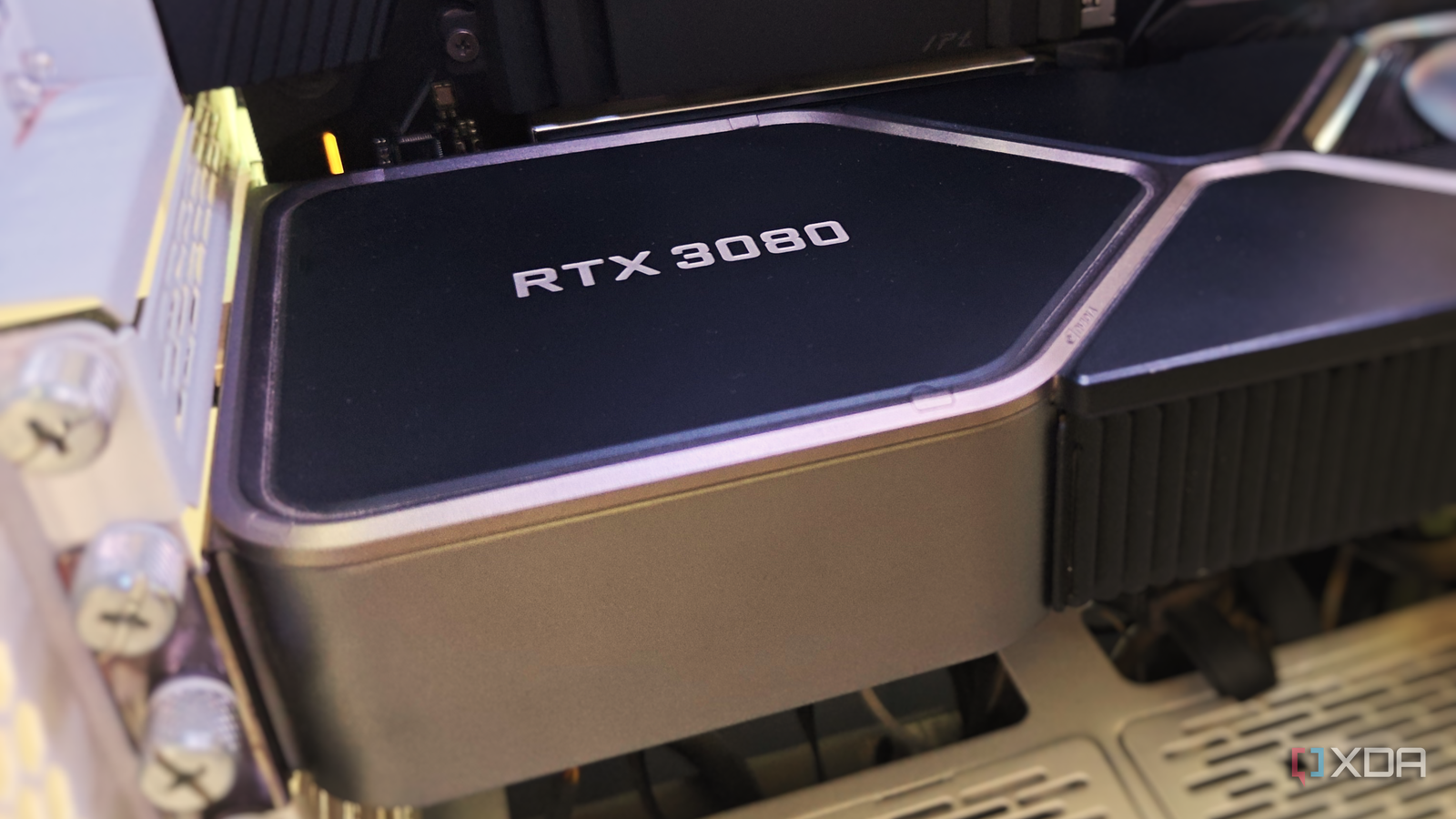
Published Nov 6, 2026, 4:31 PM EST After a 7-year corporate stint, Tanveer found his love for writing and tech too much to resist. An MBA in Marketing and the owner of a PC building business, he writes on PC hardware, technology, and Windows. When not scouring the web for ideas, he can be found building PCs, watching anime, or playing Smash Karts on his RTX 3080 (sigh). The joy of PC gaming is best experienced with others. I recognize the value of finishing a single-player game as much as the next guy, but playing with friends or a significant other has its own charm. So, after years of hounding my partner to get into gaming, I finally convinced her to get a PC of her own. However, she would only give in to a build that fit on her tiny desk. That meant an SFF case and all the limitations that came with it. I couldn't just buy the fastest parts that fit the budget. A tiny build needed the usual compromises in the case, GPU, cooling, and other departments. That said, I was determined to build a 1440p gaming PC with a minor footprint without exceeding a $1,000 budget. The challenge: Fitting 1440p gaming performance in a tiny build And surviving the build itself Unlike building in a mid-tower or full-tower case, an SFF build requires you to be a bit more involved with the part selection. Choosing the beefiest graphics card or liquid cooler is no longer a given. Depending on how small your case is, even a few extra centimeters on the GPU could leave you with no room for the PSU or the front intake fan. You may have to get an SFF PSU and low-profile cooler, often paying what's known as the "SFF tax." Then, there's the hassle of assembling and managing cables in a limited space. Those who've only ever built PCs in spacious cases may be in for a rude shock once they actually start building in a tiny case. Another concern is the PC's potentially limited cooling capacity, since you usually can't fit large AIOs or dual-tower air coolers. You'll either have to pick a weaker graphics card that doesn't require too much cooling or compromise on the aesthetics by buying a larger case. Even the inability to pick a standard ATX motherboard can deprive you of some features. Many of these concerns, however, can actually be handled rather easily, which is what you'd see in this build. I wanted a PC that looked significantly smaller than my own, so that my partner couldn't complain about it. This definitely made the planning phase longer than it needed to be. The build: Choosing the case and graphics card The right case makes everything else easier It all begins with the case, so my plan was to balance the appeal of a tiny case, the convenience of enough space, and the affordability. Boutique mini-ITX cases may look phenomenal, but are too expensive and often demand more patience than I have. A slim chassis can be affordable, but limits the amount of GPU power I can fit inside. So, I landed on a case that wasn't the smallest, but still looked compact without excluding most standard components. The V500 Mini Portable is a little-known case from a brand called "Alamengda." I've seen this exact case featured in several mini-ITX builds on YouTube, so I wasn't too worried about the $75 eBay listing (brand-new, not used). This compact case fits both mATX and ITX motherboards, allows GPU length up to 320mm, and accommodates standard ATX power supplies, while measuring less than 13 liters. It also has mounts for top, rear, and bottom fans. I picked a used Ryzen 5 5600, since it's all you need for 1440p gaming, and eBay had pre-owned listings for around $100, which saves me $50 compared to buying it new. Cooling it doesn't need much, and I chose the inexpensive Thermalright AXP-90 X53 low-profile cooler, which is only 53mm tall. The MSI B550M PRO-VDH WiFi is a great motherboard for this build, priced under $90 and providing me with all the necessary features. Since GPUs and RAM aren't affordable right now, I decided to buy pre-owned parts. After comparing the likes of RTX 4070, RTX 4070 Ti, and RX 7800 XT, I realized I didn't want to spend $500 on a used GPU. So, I finalized an RTX 3080 10GB for around $250. It promises RTX 4070-level performance, and the 10GB VRAM isn't a dealbreaker yet, even at 1440p. After all, I'm using the same card in my own PC for my 3440 x 1440 ultrawide monitor. I spotted a 32GB kit of DDR4-3600 memory on eBay for around $75, which is more than decent in the current market. For storage, I decided to buy a new 1TB Gen4 NVMe SSD for around $150. The power supply duties would be handled by the MSI MAG A750GL PCIE5, a 750W Gold-rated unit with a fully modular design. For case fans, a 3-pack of the Thermalright TL-C12C X3 looked just right. The performance: Where is the compromise? This SFF PC punches well above its weight My mission to build a powerful SFF gaming PC for my partner is half done, now that I know exactly which components to buy. The final budget comes to about $850. I still have around $150 to spare from my original target, but spending that won't get me a better GPU for the right price. Anything faster than the RTX 3080 on the used market isn't priced right, and the new market has nothing interesting for $400. The RTX 3080 and Ryzen 5 5600 combo is fantastic for 1440p 60+ FPS gaming in most titles, powered by DLSS upscaling. Even DLSS frame generation now works on RTX 30 series cards, thanks to community mods. The 32GB RAM makes this build well-prepared for modern titles, and even if heavy ray tracing is out of the question, this build turned out great for under $900. It won't take too much space on my partner's desk, but it will run almost everything she wants to play. All that remains now is finding the time to actually buy these parts and build the PC for her on a spare weekend. If you're looking for assistance on a new gaming, productivity, or creative build, or simply want to plan an upgrade, XDB Builder can help you out. It's an all-in-one tool that acts as your build assistant even when you're not quite sure what your PC needs. An SFF PC doesn't mean losing out on gaming performance I always assumed that a tiny PC would inevitably come with more than a few compromises. However, the wide variety of compact cases means there's always something for every level of performance. And you don't even need to spend a bomb on a compact gaming rig. Putting together a tiny 1440p gaming PC can still be done within $1,000.
I put together a tiny gaming PC build without compromising on performance
Full Article
Original Source
Read the full article at Xda-developers →KhanList aggregates and links to publicly available news content. We do not host full articles from third-party sources. Always verify important information with original sources.