
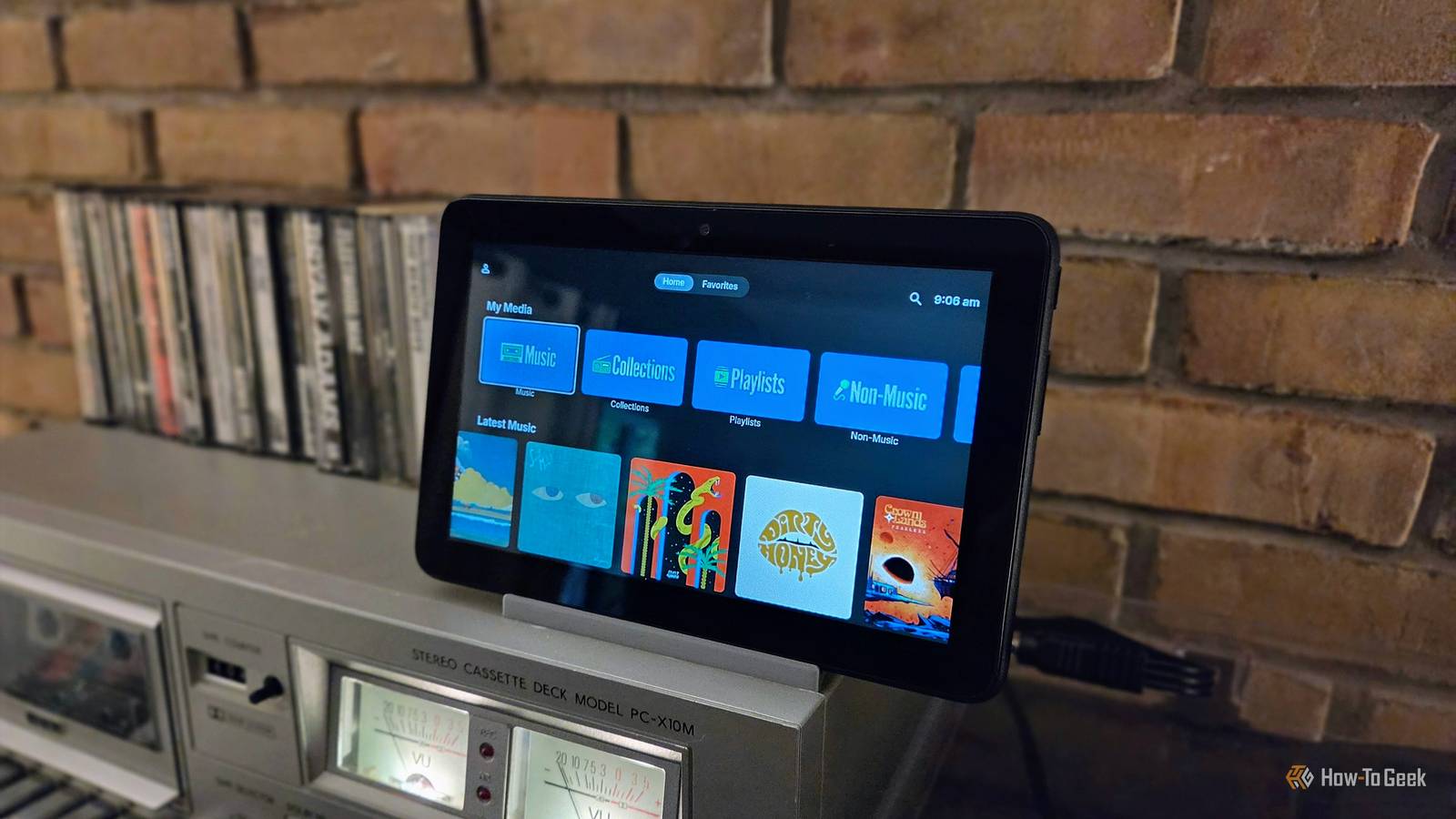
Published Oct 17, 2026, 6:30 AM EDT Joe Fedewa has been writing about technology for over a decade. Android and the rest of the Google ecosystem have been a focus for years, as well as reviewing devices, hosting podcasts, filming videos, and writing tutorials. Joe loves all things technology and is also an avid DIYer and food blogger. He has written thousands of articles, hundreds of tutorials, and dozens of reviews. Before joining How-To Geek, Joe worked at XDA-Developers as Managing Editor and covered news from the Google ecosystem. He got his start in the industry covering Windows Phone on a small blog, and later moved to Phandroid where he covered Android news, reviewed devices, wrote tutorials, created YouTube videos, and hosted a podcast. From smartphones to Bluetooth earbuds to Z-Wave switches, Joe is interested in all kinds of technology. After several years of jailbreaking and heavily modifying an iPod Touch, he moved on to his first smartphone, the HTC DROID Eris. He's been hooked ever since. As much as I would love to say I've fully converted to physical media, most of my music listening still happens on my phone. But I really enjoy sitting in my den and listening to my turntable and cassette deck. Combining those two experiences was easier than I thought. Maybe you know what I'm talking about. Listening to music with headphones while I work or cook dinner has a very different vibe than sitting on the couch with a cup of tea as a record spins. Of course, the speakers are much better in the latter scenario, too. So let's bring the digital world into the comfy, analog world. An old Android tablet as a music terminal Better than plugging in your phone There's a room in my house that we call the "den," and it's where we keep our turntable, cassette deck, and speakers, as well as our physical music collection. It's a perfect, cozy room (especially after adding my custom mini vintage fireplace) for relaxing and listening to music without screens. Now, bringing my digital music collection — which I keep on an Emby server — into this room could be extremely simple. The stereo receiver that we use has Bluetooth built in, so I could technically just connect my phone wirelessly and play music on the same speakers. But "easy" wasn't the goal. Instead, I was hoping to bring the physical media experience to my digital music. The act of getting up and walking over to the turntable to change albums leads to being more patient with music. It's too easy to tap "skip" on my phone if I don't immediately recognize a song. Plus, albums are meant to be listened to in order. The solution was a secondary device that lives at the music station along with the turntable and cassette deck. I happened to have an old Amazon Fire 7 tablet that wasn't being used for anything, and the display size was perfect for this. All I had to do was remove as much Amazon junk as possible, install the Emby Android app, and connect the device to the sound system with the 3.5mm headphone jack (remember those?). Seamlessly blend in the digital device Many of my repurposing projects can be accomplished with only the old device, but this is one that needs a couple of extras. First and foremost, to connect a phone or tablet to a sound system, you'll probably need a 3.5mm to RCA analog cable. Depending on the device, you may also need a USB-C to 3.5mm adapter. If you're adding the digital music player to a setup that includes other devices, like a turntable or cassette deck, a huge quality-of-life upgrade is an RCA switcher box. Plug all of your audio players and speakers into this simple device, and then you can select which one is using the speaker. So, I push "1," and my turntable is connected to the speaker, "2" for the cassette deck, and "3" for the Fire tablet. No more swapping cables. I have this affordable $17 switcher, and it's been a game-changer. Fosmon 4-Way RCA Splitter AV Switcher 4 in 1 Now, the last thing to consider is power. Ideally, you'd have a device that runs solely on AC power without a battery. Android phones and tablets don't usually allow for this, but they're such perfect devices for projects like this. Thankfully, many modern Android phones that don't have removable batteries include some sort of "battery bypass" mode or system. For example, Samsung Galaxy devices have "Pause USB Power Delivery" in Settings > Advanced features > Game Booster settings. This is only activated with a compatible 25W USB PD charger and when the battery is above 20%. Google Pixel phones, on the other hand, have essentially the same feature, but it's not explained. Apparently, enabling the "Limit to 80%" charging setting enables bypass charging. You can also try to find an Android device that can be used with the battery fully removed. The easiest solution isn't always the best As I said, there was a very easy and obvious solution staring me in the face. However, physical media isn't easy. But the inconvenience that comes with manually changing and selecting media is a feature, not a bug, in my opinion. Digital music, especially streaming, lacks some of that intentionality, and I'm happy to bring a little of it back.
I put an old Fire tablet next to my turntable and it fixed my music listening
Full Article
Original Source
Read the full article at Howtogeek →KhanList aggregates and links to publicly available news content. We do not host full articles from third-party sources. Always verify important information with original sources.