
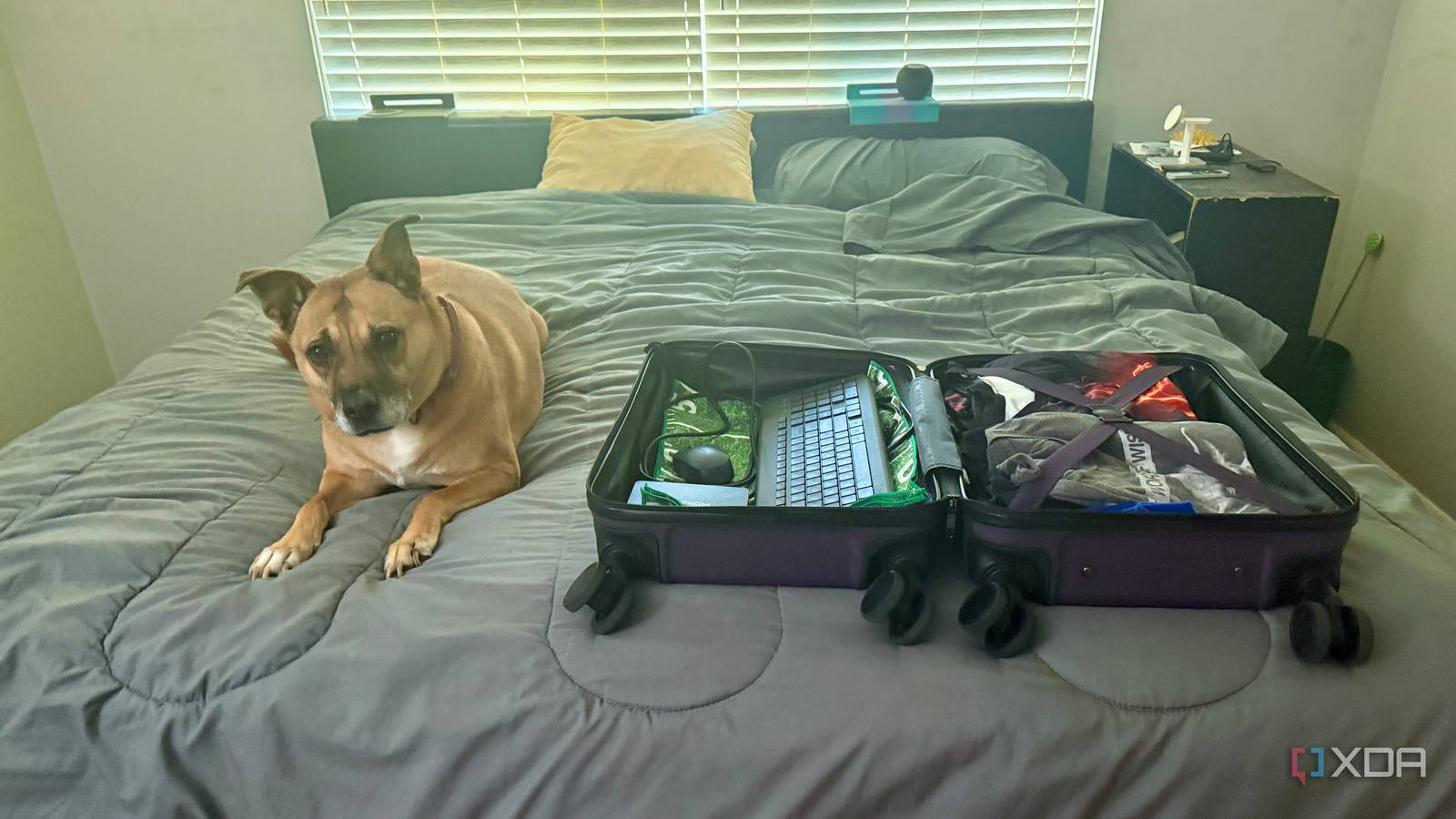
Published Sep 7, 2026, 11:30 AM EDT Jeff's been involved in the IT industry since before the Internet and spent more than 20 years working in technical support, system administration, network administration, and consulting roles. He holds an undergraduate degree in English, a Master's degree in English with a focus on professional writing and editing, and another Master's degree in Computing & Information Systems. After teaching university English and computer science for a few years, Jeff launched his writing career. He's written for Macworld, Tom's Hardware, groovyPost, The Mac Observer, and more before beginning here at XDA. Hotel TVs have always annoyed me more than they probably deserve. There’s usually a perfectly decent screen across from the bed, but actually watching what I want can mean digging through clunky menus, dealing with a limited number of apps, fighting with casting, or giving up and watching something on my laptop instead. On a recent trip, I decided I was done depending on whatever the hotel had set up and put a mini PC in my carry-on. It added more gear to the bag, sure, but once I had a full computer connected via HDMI, the TV finally stopped feeling like someone else’s locked-down appliance. A mini PC gives me control over the entire screen Hotel television software no longer decides what I watch The first improvement was getting the hotel’s software out of the way. Once the mini PC was connected via HDMI, the TV became what I wanted it to be in the first place: a screen. I didn’t have to learn another smart TV interface, sign in to whatever apps happened to be available, or find out whether the hotel’s casting setup would cooperate. I switched inputs and used my own computer. That sounds almost embarrassingly obvious, but hotel TVs have a talent for making ordinary things irritating. Some are loaded with hotel-specific menus that put property information and room services ahead of basic controls, while others make input switching harder to find than it has any right to be. Streaming apps can help, but then I’m sitting on the bed entering a password one character at a time with a remote control. I’d rather not spend part of a trip arguing with an on-screen keyboard. With the mini PC, I also no longer care what the TV supports beyond HDMI. I can open a browser, play a local video file, connect to my own media server, or use basically any service that already works on a desktop computer. There’s no way to check whether a native app exists for that particular TV platform or whether its built-in player supports the file I want to watch. If the PC can handle it, I’m thinking of the television. Jellyfin feels much better on the hotel television The setup became much more useful because so much of my media already lives on infrastructure I control. Instead of hoping the hotel TV supports the service I want, I can open Jellyfin the same way I would on any other computer. That lets me get my own library onto the biggest screen in the room without plugging a drive directly into the television or worrying about its built-in media player. At that point, the TV is barely involved. That solved one of those small travel annoyances I didn’t really notice until it disappeared. I don’t necessarily want to find something new to watch just because I’m away from home, and I definitely don’t want to remember which streaming service currently has something I already keep on my own server. Opening Jellyfin shows me the same library I use at home. I can pick up where I left off and move on with my evening. The mini PC also gives me a normal computer on the largest display in the room, which turned out to matter more than I expected. If I need to check something in a browser, access one of my home lab services, or handle a quick task without pulling out my laptop, the machine is already connected. No, I wouldn’t choose a hotel television for serious desktop work. But that extra flexibility is useful when the alternative is carrying a device that can only stream video. Captive portals are far less annoying on computers Hotel Wi-Fi setup becomes a normal browser task Hotel Wi-Fi is one reason I’ve become less interested in relying on dedicated streaming hardware while traveling. Networks that require a room number, surname, terms agreement, or a browser-based login can turn what should be a two-minute setup into another thing to troubleshoot. Sometimes a streaming device handles captive portals without complaint. Sometimes it doesn’t, and now I’m reaching for another device to get the first one online. A mini PC makes that part boring again. I select the hotel network, open the login page if it doesn’t appear automatically, enter whatever information the property wants, and I’m connected. There’s no hotspot detour and no wondering whether a stripped-down setup screen will handle the network properly. It behaves like a computer because it is one. That’s also useful if the connection starts acting strangely later. If I need to reconnect, re-authenticate, or figure out why something isn’t loading, I’ve got a full operating system and browser instead of a handful of appliance-style settings. Hotel Wi-Fi is already a network I don’t control. I’d rather have normal troubleshooting tools on my side than add another layer I don’t control. Carrying another computer is not completely effortless The obvious downside is that it takes up space in the carry-on. A streaming stick is tiny, while a mini PC still needs room for the computer, its power supply, an HDMI cable, and a way to control it from across the room. The setup grows a bit once everything is bundled together. If all I wanted was an hour of Netflix before bed, bringing a full PC would be hard to justify. The TV can also make the whole plan annoying before the mini PC even turns on. HDMI ports aren’t always easy to reach, especially when the screen is mounted close to the wall, and feeling around behind a hotel television for an open port gets old quickly. Even after the cable is connected, I still need the hotel remote to switch inputs. If that function is restricted or buried somewhere weird, the PC can’t fix it for me. Not every hotel TV will cooperate with this setup. Some properties restrict input switching or mount televisions so tightly that reaching an HDMI port is difficult, so the mini PC only helps if you can actually get the TV onto the right input. And I’m not going to pretend this belongs in my bag for every single trip. For one overnight stay, watching something on my laptop or tablet is probably easier than unpacking another device. The mini PC makes more sense when I’ll be there for several nights or know I’ll spend a decent amount of time in the room. Otherwise, I’m carrying a surprisingly capable answer to a question I might barely ask. A little more hardware removes several bigger limitations Even with the extra gear, I still prefer the mini PC because it eliminates more annoyances than it creates. A streaming stick takes up less room, but it also has a much narrower purpose. The mini PC can stream, browse, play local files, connect to my home services, and handle weird network behavior without forcing me into a separate workaround every time something changes. That’s what earns it space in my carry-on. The accessories haven’t bothered me much, either. An HDMI cable and a compact input device don’t take up much room, and I’m already traveling with chargers and other electronics anyway. I wouldn’t tell someone packing as lightly as possible that this is the obvious choice. For the way I normally travel, though, the extra pieces aren’t enough of a burden to outweigh what I get from them. The bigger advantage is knowing exactly what I’ll have once I turn it on. It’s a normal computer running software I already understand, not an unfamiliar TV interface I’m seeing for the first time at the end of a long day. I’m not hoping the hotel’s casting setup works, checking whether an app is installed, or entering another long password with arrow buttons on a remote. I plug in my own machine, and most of those variables disappear. Hotel televisions are finally useful on my terms I haven’t actually made the hotel TV any better. It still runs the same software, displays the same hotel menus, and has the same remote on the nightstand. I’ve just stopped expecting it to do anything beyond providing a usable HDMI input. Once I started treating it as a display rather than a complete entertainment system, nearly everything that had bothered me became irrelevant. The mini PC can stream, browse, play local files, connect to my home services, and deal with weird network behavior. I don’t think everyone should start packing a mini PC alongside their toothbrush, especially for short trips when a phone, tablet, or laptop is plenty. But if I’m staying somewhere long enough that I know I’ll actually use the TV, the computer has earned its spot in my carry-on. I get my media, my browser, my home services, and a familiar desktop without relying on whatever the hotel decided its television should support. The screen was never the useless part. The problem was everything the hotel expected me to use around it. Jellyfin iOS compatible Yes Android compatible Yes Desktop compatible Yes Carrying a mini PC loaded with my Jellyfin library makes hotel TVs much less irksome.
I put a mini PC in my carry-on, and hotel TVs stopped being useless
Full Article
Original Source
Read the full article at Xda-developers →KhanList aggregates and links to publicly available news content. We do not host full articles from third-party sources. Always verify important information with original sources.