
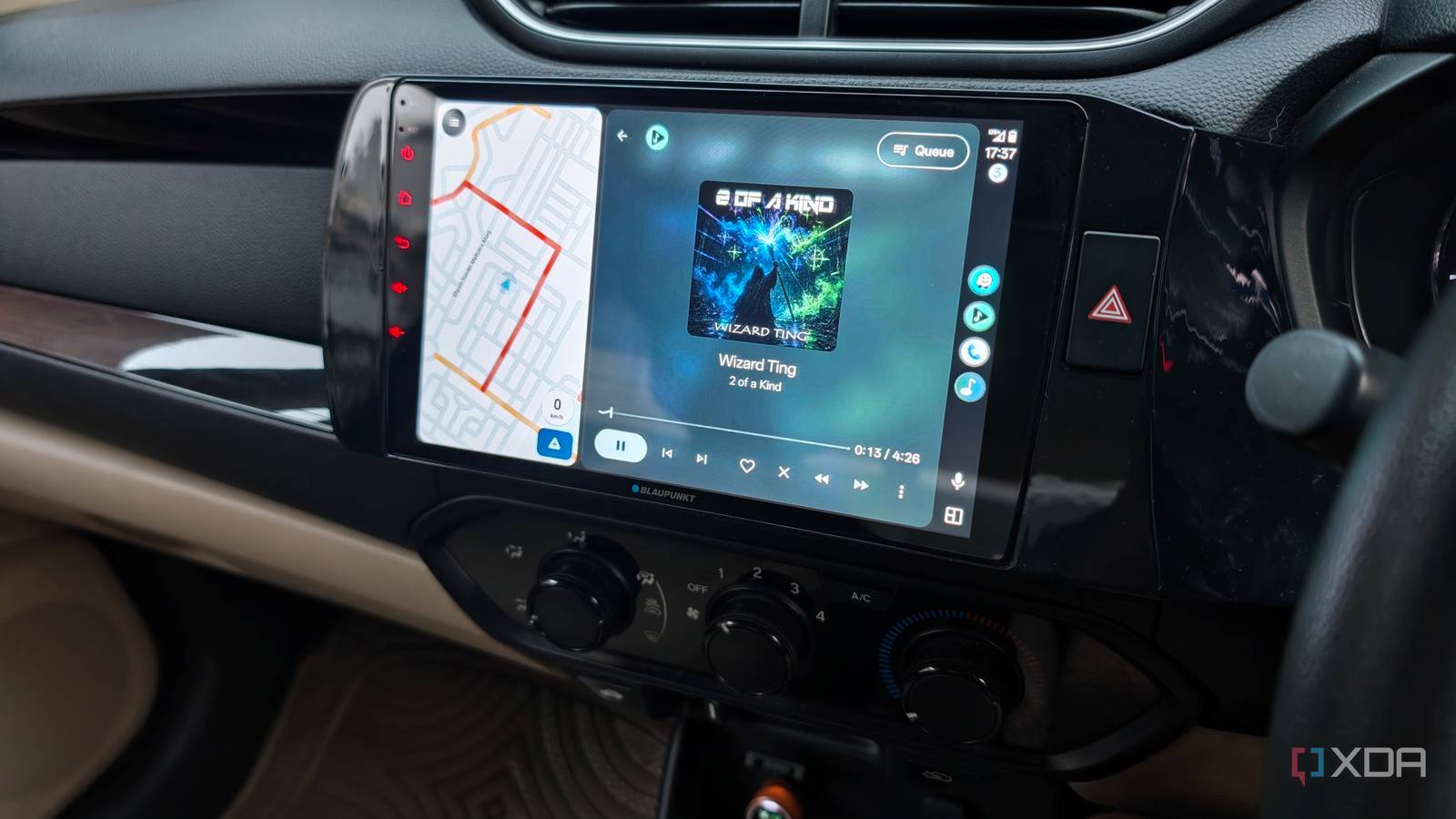
Published Oct 24, 2026, 8:30 AM EDT Dhruv Bhutani has been writing about consumer technology since 2008, offering deep insights into the personal technology landscape through features and opinion pieces. He writes for XDA-Developers, where he focuses on topics like productivity, networking, self-hosting, and more. Over the years, his work has also appeared in leading publications such as Android Police, Android Authority, CNET, PCMag, and more. Outside of his professional work, Dhruv is an avid fan of horror media spanning films and literature, enjoys fitness activities, collects vinyl records, and plays the guitar. Streaming services are convenient, but they can't beat the appeal of a well-curated, organized music library. My music collection has outlasted several phones, and I have thousands of tracks stored as MP3s and FLACs on my NAS. The only problem? Listening to them in the car isn't quite as straightforward as opening Spotify or YouTube Music. Android Auto makes streaming services easy, but it isn't designed for local music. But there's a fix. I installed Musicolet from the Google Play Store. This free Android music player can read locally stored audio files, supports nearly every music format, including FLAC, and integrates seamlessly with Android Auto. Musicolet solves the problem of playing my own music on the go Don't forget to copy over your FLAC files to your phone storage One of the biggest problems with a personal music collection is that, outside of computers, the world has largely moved on to streaming and wireless playback. It makes access rather inconvenient. At home, I have Navidrome to stream this music across my connected speakers. On the go, I usually carry an old iPod. But my car is the part I've been trying to solve. Musicolet solves that problem by focusing entirely on local music. You just copy a folder to your smartphone's storage, and Musicolet scans the audio files and organizes them into a library you can browse by album, artist, folder, or playlist. Between FLAC, MP3, AAC, ALAC and even Opus, you don't have to worry about converting file formats. Basically, Musicolet can probably play whatever you throw at it. For me, the FLAC support is most useful. My NAS is chock-full of FLAC albums, and when I'm stepping out, I usually just want to copy a folder instead of bothering to convert audio files. I just open my NAS box's app, grab the files, and let Musicolet scan them. There are no accounts to bother with, and Musicolet doesn't offer any SMB or streaming compatibility. Compared to Symfonium, that's a positive in my books. I prefer focused apps, and a music player that does one thing and does it well is more likely to excel. But as simple as it might look, that doesn't mean the app lacks features. You get things like a built-in tag editor for correcting metadata and album artwork. That's been handy when fixing up old demos and files from a decade ago with inconsistent album metadata. Similarly, it lets you create playlists. I'm a big fan of vibe-based playlists that mix and match genres, and I can make these on the go in Musicolet. Bring your FLAC library to Android Auto with a single app Musicolet brings offline playback to your car Of course, none of that matters if the app doesn't have solid Android Auto integration. That's basically where this entire experiment started. I wanted to bring my high-res audio library with me, but I also wanted to get around the limitations of local music listening in my car. Musicolet solves this beautifully through its Android Auto integration. Once you've connected your phone to Android Auto in your car, open the app on the car's display and browse your music library. From here, you can access playlists and choose whatever you want to hear. Musicolet exposes all standard ways to navigate your library, so you can choose your preferred artist, album, genre or any other way to browse your music library. Of course, it also supports playlists, letting you pull up your own curated lists on the go. Since this music is pulled from your phone's storage, it doesn't require an internet connection. You can be in a low-network or no-network area, and the phone will work just the same. The other obvious benefit is data usage. My plan gives me 2GB of data usage a day. Meanwhile, a standard FLAC album can be 300-400MB in size. That's 2-3 hours of streaming and a phone completely out of data, especially when I'm on the road. Using Musicolet means I can totally avoid that data anxiety. Finally, this setup lets me maintain separate queues. I'm very specific about my music listening experience. I still use Spotify for discovery, but it is hardly a good choice when you want more intentional listening. That's why I split my listening experience between the two apps. Musicolet for more intentional, album-based listening and Spotify for everything else. Bring your offline library to your daily driving routine Musicolet can replace streaming services for some users, but I don't use it that way. For me, Musicolet sits alongside streaming services. It's for on-the-go listening when I still want high-res audio without the data usage penalty. It's also for long drives when I know internet connectivity can get spotty. The app makes it easy to access my offline collection through the Android Auto interface I already use for navigation and media, and with support for practically any file format, I can keep using my existing media files with no transcoding or conversion. It's as easy as installing a free app from the Play Store. Musicolet Musicolet is a music playback app for Android that offers deep integration with Android Auto Related I stopped using Bluetooth audio in my car, and my music finally sounds like it should Wired is better, and worth the hassle sometimes
I play my FLAC library in Android Auto without touching my data plan
Full Article
Original Source
Read the full article at Xda-developers →KhanList aggregates and links to publicly available news content. We do not host full articles from third-party sources. Always verify important information with original sources.