
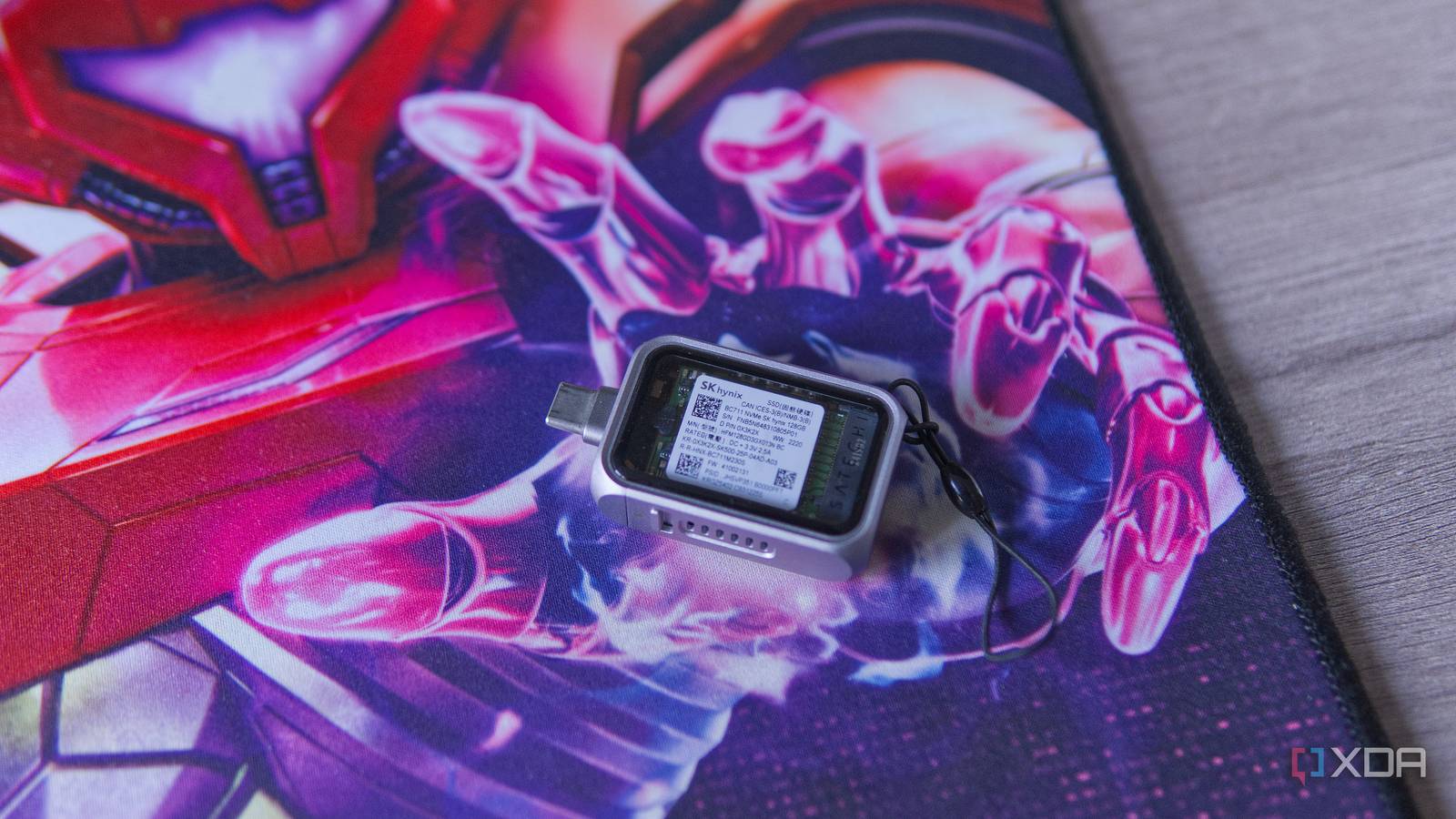
Published Nov 25, 2026, 7:00 AM EST João has been covering the tech world for over 7 years, with a heavy focus on laptops and the Windows ecosystem. I also love all things tech and videogames, especially Nintendo, which he's always happy to talk about. Prior to joining XDA in 2021, he worked at Neowin: https://www.neowin.net/news/poster/jo%C3%A3o-carrasqueira/ PC data storage is at an interesting point in time. Companies that sell SSDs may want you to believe you need the latest PCIe 5.0 SSDs for the shortest load times all around, and gaming is a big aspect of that. However, we're at a point where the maximum theoretical speeds of SSDs are higher than most games need. Portable SSD enclosures make it much easier to upgrade your storage, though, since you can have it in addition to the storage already inside your PC. But if SSDs are getting so much faster, can a USB drive still keep up? That's what I wanted to figure out, so I decided to move my Steam library to an external SSD using a cheap enclosure and test a few games. Setting the baseline We're talking about fast internal storage I performed these tests of a review unit of the Geekom A9 Mega compact PC. I'm still working on that review, and as part of those tests, I measured the SSD's performance with CrystalDiskMark. Those readings came out to around 7,048MB/s sequential reads and 6,693MB/s writes, which is on the higher end of what a PCIe 4.0 SSD can offer. Of course, I also had to record load times for a few games using the internal storage. I chose Resident Evil Requiem, Control Ultimate Edition, Elden Ring, Hellblade: Senua's Sacrifice, and The Darkness II. I set the benchmark to be from clicking the Continue button on the main menu (or whatever the last option is before loading starts), and until the loading icon or progress bar disappeared. Some games have fade transitions into gameplay, but this added some uncertainty as to when I should stop the timer, so I figured this was the best option. I also ran each test three times, to account for any variation in my own speed stopping the timer, as well as any potential differences when reloading into the game without going through the desktop again. But to keep things simple, I'll stick to the average times below: Game Average load time Control 6.95 seconds Elden Ring 6.96 seconds Hellblade: Senua's Sacrifice 1.29 seconds The Darkness II 4.07 seconds Resident Evil Requiem 6.94 seconds Yes, the results for Hellblade also seem oddly low, to the point where I figured the game must be loading my current location in the background before I start playing. But loading up an older chapter on my profile didn't change those times significantly, so I kept it in. A cheap USB-C enclosure comes close Though it's not quite the same Now that I have a baseline, let's see how well an external SSD enclosure can do in comparison. The unit I'm using here is Satehci's Mini NVMe SSD enclosure, which costs $60 and only supports USB 3.2 Gen 2 speeds, which means roughly 10Gbps bandwidth. When I reviewed the enclosure, I found it can get a little over 1,000MB/s read speeds, which is significantly slower than the internal SSD on this PC. Testing the same five games as above, I found most of the results to come surprisingly close for most titles. Take a look below: Game Average load time Control 8.65 seconds Elden Ring 7.05 seconds Hellblade: Senua's Sacrifice 1.44 seconds The Darkness II 4.11 seconds Resident Evil Requiem 11.03 seconds Elden Ring, Hellblade and The Darkness II are all very close to their load times from the internal SSD, to the point where I stringly doubt you'd notice a difference. It's the more demanding titles that seem to pose a problem. Control is a good bit worse, taking over a second and a half longer to load on average. Resident Evil Requiem has the worst average by far, but it seemed to fall victim to a particularly bad run the first time, which took over 14 seconds. Quitting to the game's menu and trying again landed around the 9.5 second range both times, which isn't as egregious. On the whole, though, the experience isn't significantly worse running these games off of an external SSD. Even just using a standard USB connection, you can get pretty great speeds, and hubs with this kind of speed can be found for very low prices on Amazon, many even cheaper than this Satechi offering. What if we upgrade the enclosure? Can USB4 make a difference? While I wanted to focus on a cheaper SSD enclosure, curiosity got the best of me, and I also wanted to try a higher-end SSD enclosure. In this case, I happened to a Satechi Thunderbolt 5 CubeDock review unit with an SSD enclosure built-in. This computer doesn't support Thunderbolt 5, but it does have USB4 40Gbps ports, which is roughly equivalent to Thunderbolt 4, and that's already a big leap from the enclosure I mentioned above. Here's how the results panned out: Game Average load time Control 8.08 seconds Elden Ring 6.93 seconds Hellblade: Senua's Sacrifice 1.41 seconds The Darkness II 4.06 seconds Resident Evil Requiem 8.63 seconds Evidently, there is some benefit to a faster external SSD, and USB4 speeds can nearly match an internal SSD for some titles. Control and Resident Evil Requiem remain the most demanding of the bunch, but we're talking about less than 2 seconds longer to load into a save file compared to internal storage, and that's far from a major problem. Then again, even a cheaper SSD enclosure isn't a huge downgrade in terms of the overall experience and load times. Things may be a little worse here and there, but if you grew up with HDDs or even old-school SATA SSDs, the performance of these external drives is a much bigger improvement than the difference between an SSD enclosure and an internal SSD. You don't need the fastest SSDs With manufacturers pushing for higher and higher SSD speeds, it can be tempting to think you need all that bandwidth for the optimal experience, but if anything, these tests show that even a massive downgrade in theoretical performance can still provide a nearly perfect experience in real-life scenarios. Just as an external SSD enclosure is still plenty fast and offers close to the same experience, you may also not need the most expensive SSDs out there. Most of the time, the difference just isn't worth the added cost. Satechi Mini NVMe SSD Enclosure $42 $60 Save $18 Capacity Drive not included Power Bus-powered Speed Up to 10Gbps Connection USB 3.2 Gen 2 port (or included cable) Portable Yes The Satechi Mini NVMe SSD enclosure can fit M.2 2232 SSDs and delivers bandwidth up to 10Gbps, providing solid performance for external storage that can even be used to play games directly off of it.
I moved my Steam library to a cheap external NVMe enclosure, and it wasn't the downgrade I expected
Full Article
Original Source
Read the full article at Xda-developers →KhanList aggregates and links to publicly available news content. We do not host full articles from third-party sources. Always verify important information with original sources.