
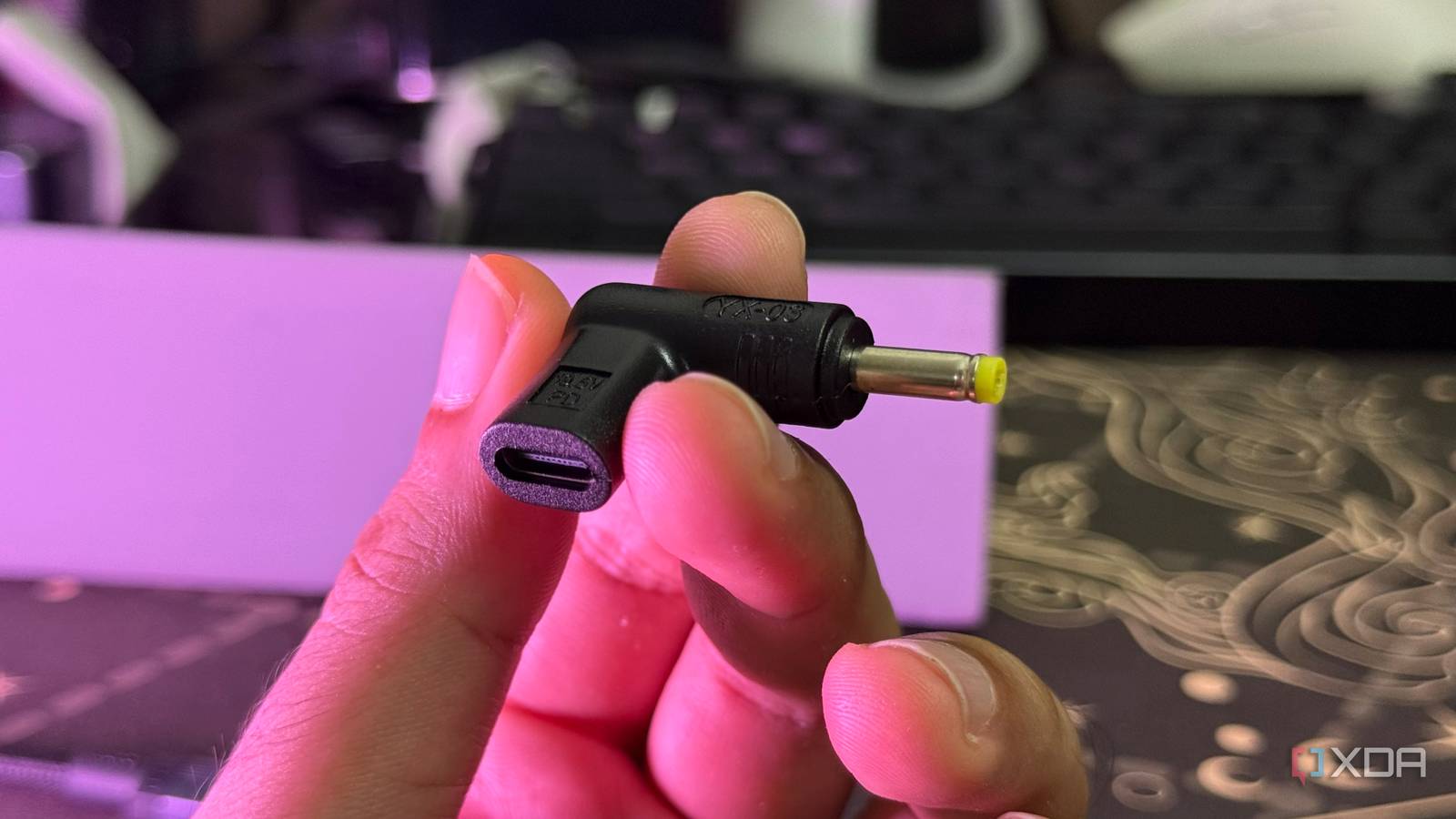
Published Oct 7, 2026, 5:00 PM EDT Abid covers consumer hardware, gaming, and platform updates with an emphasis on accuracy, clarity, and reader-first context. He holds a BSc in Computer Science and Engineering, and his work can be found in multiple publications, including Notebookcheck. Outside of work, he enjoys exploring new gaming hardware, testing system performance, and keeping up with developments across the broader tech landscape. My old laptop has the right specs to act like a sleeper home server, but it's been collecting dust for a while. The reason is that I have lost the laptop's barrel plug charger, and I don't want to add a chunky adapter to my setup, which I try to keep minimal. Since I already have a capable desktop charger, my only option was USB-C charging, but my old laptop doesn't even have a Type-C port. That's when I discovered USB-C-to-barrel jack adapters, and they happen to cost less than a proprietary laptop charger brick. USB-C gave my old laptop the second chance it deserves I didn't even need to modify it The easiest part of this USB-C charging upgrade is that I didn't need to tweak the laptop's hardware. No soldering was involved, so this modification requires little to no DIY skill. As for the adapter, it essentially acts like a bridge between the laptop and the USB-C charger. From the laptop's perspective, it's being charged from the same barrel jack it always relied on for power. This also means that I can remove the USB-C-to-barrel-jack adapter and charge with the laptop's original charger if I need to. My old laptop had everything for the USB-C adapter to work The voltage and wattage had to be within range, and they did Not every laptop will start to charge when you use a USB-C adapter instead of its proprietary charger. Before purchasing the converter, I needed to make sure that the power requirements matched what the Type-C setup could provide. The laptop's original charger was rated at 19.5V and 3.3A, while my desktop charger has a custom power delivery profile and can deliver up to 21V at 6.67A. That means I had enough headroom, but the USB-C charger doesn't have to meet the output voltage and amp requirements. You would also need to make sure that the USB-C-to-barrel adapter meets the requirements as well. Voltage, in particular, matters because the adapter must provide what the laptop expects. Other aspects to check include the connector size and polarity. If all these are okay, the laptop should charge normally once connected to a Type-C charger. This won't work with every old laptop Proprietary charging systems and high-powered laptops can complicate things While the USB-C-to-barrel adapter worked for my relatively low-powered laptop, it doesn't mean that the setup will work for every laptop. Beyond voltage and amp requirements, other factors can complicate this Type-C charging mod. Some laptops, for example, have additional requirements. They rely on proprietary charging protocols, and a third-party USB-C adapter may not meet this requirement. High-powered laptops are another story. For instance, my desktop charger maxes out at around 140W, while some laptops require 180W, 230W, or more under heavy workloads. A small USB-C PD charger won't meet this power requirement through a single port. Ugreen Nexode 160W 4-Port Charger This 160W 4-Port charger from Ugreen is great at charging up just about any device, including a MacBook Air, quickly and efficiently, while with four ports, you can charge all the devices you bring with you out into the world at once. I didn't expect a $10 adapter to be this useful But there are still a few reasons I would look for the original charger Even though this sub-$10 USB-C-to-barrel adapter works like a charm, there are still a couple of reasons why I would look for the laptop's original charger. One is that while I could make the Type-C setup work with my desktop charger, it didn't work with a regular USB power brick. From what I found, the regular USB power brick didn't meet the power delivery profile my laptop needed. Of course, I could buy a high-power USB-C charger, but that's another purchase just to use the laptop on the go. The original charger is also a known-good solution for charging the laptop, and I wouldn't need to worry about it meeting the right power profile. For now, though, the USB-C setup works well and meets my specific use case.
I lost my old laptop's barrel charger, so I added USB-C charging for less than $10
Full Article
Original Source
Read the full article at Xda-developers →KhanList aggregates and links to publicly available news content. We do not host full articles from third-party sources. Always verify important information with original sources.