
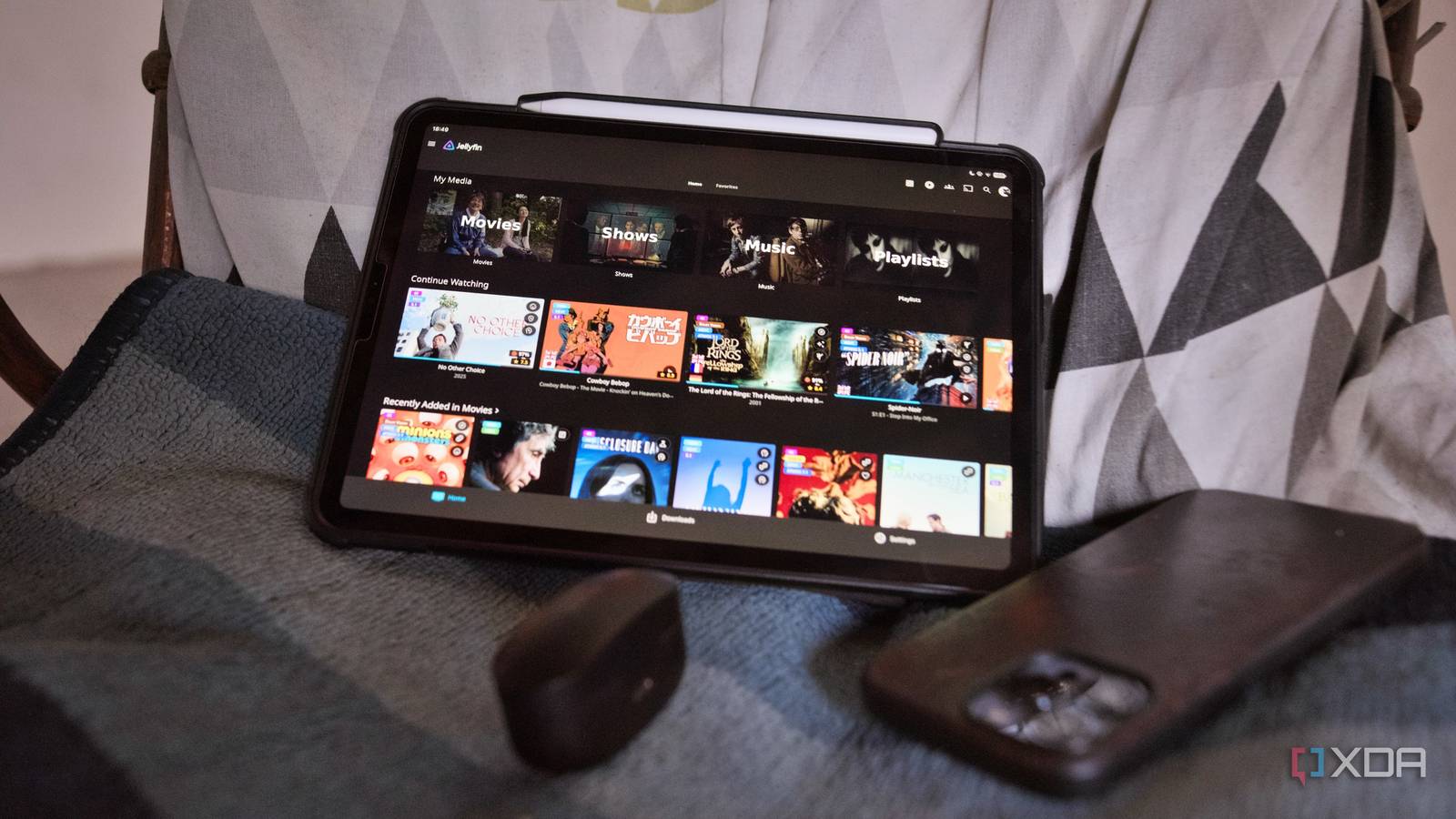
Published Aug 27, 2026, 11:30 AM EDT Samir Makwana is a technology journalist and editor from India since past 18 years and his work appears on MakeUseOf, HowToGeek, GSMArena, BGR, GuidingTech, The Inquisitr, TechInAsia, TechWiser, and others. He has written news, features, and gadget reviews for national technology media publications. His passion is to help people with their technology problems and gadget purchases. For that, he has worked for some of the biggest international technology publications, covering news, explainers, how-to guides, listicles, and product-buying guides. He has worked as an editor and managed teams since 2015. His expertise broadly covers computers, smartphones, game consoles, headphones, smart home products, browsers, and apps. I love the home control Jellyfin gives me over my library of movies and TV shows. What I don't love is accidentally watching an episode that belongs in the middle of the season. My media library wasn't broken exactly. It was inconsistent and messy. A few months ago, I wrote about TinyMediaManager, a Docker container to organize my library. I didn't expect how much of the backlog it would fix without me touching a single file by hand. What I didn't expect was how many of Jellyfin's mistakes it would catch along the way. I'd only noticed those mistakes after Jellyfin had already gotten them wrong. My media library had no consistent naming system Every batch of files in my media library came from a different era. Some Blu-rays were ripped using a friend's writer. Others were collections and downloads I got from people's hard drives. No wonder there was no consistency in naming the episodes like S01E01 for shows. Jellyfin's metadata scraper had no way to discern, since none of them followed the same convention the server expects. Jellyfin's scraper grabbed the nearest plausible match, slapped on a poster, and called it a day. It didn't verify whether the poster indeed belonged to the movie or episode. At first, I thought it must've been an error with only a few files. Band of Brothers was the worst offender, which forced me to do something about it. The Behind the Scenes episodes were never picked up correctly; entire seasons showed up out of order, and the featurettes weren't labeled properly. Even the poster belonged to another show with the same name. Fixing all that by hand meant renaming each file one at a time and then manually correcting the metadata in Jellyfin. I knew exactly how tedious that'd be, so I decided not to do it. Jellyfin iOS compatible Yes Android compatible Yes Desktop compatible Yes Reviewing every match before making changes Letting TinyMediaManager scan the folders and match what it could against The Movie Database revealed a lot. Despite the inconsistent names, it was able to identify files well enough to pull correct matches from its metadata providers. Instead of applying those changes, it let me review every match before committing to anything. So I wasn't trusting a bot blindly to rewrite my library. That's my gripe with Jellyfin's tools, since they don't offer that. Jellyfin identifies all files individually. So, if the naming is off, it'll just grab and map a random metadata entry. The worst part is that I only discover it when I'm stuck fixing it by hand, one file at a time. In TinyMediaManager, the entire show or movie gets treated as a single unit. It identified whatever it could to give me the season and episode information I needed. Then, it let me apply those details consistently across Band of Brothers. Batch renaming fixed what Jellyfin couldn't Band of Brothers show finally made sense to Jellyfin Once the matches looked right in TinyMediaManager, batch renaming and NFO file generation occurred in a single pass. Those files that had sat for all those years with confusing names were finally renamed to Jellyfin's expected naming format. The correct posters and artwork came with them, instead of manually fixing the cover art. What I really like about TinyMediaManager is that it lets me stage-rename files in separate folders before replacing anything in my live media library. So a bad match never touches my actual Jellyfin folders until I confirm that it looks right. I've spent enough evenings renaming files to know exactly what this saved me. No more wasting nights on tedious, error-prone name editing. My new workflow lets me review and commit across my entire library in a sitting or two. NFO files stopped Jellyfin from guessing the filenames I stopped Jellyfin and TinyMediaManager fighting each other I always thought the NFO files were useless. It turns out that they're crucial for storing details about the movie, episode, and series in the same folder as media files. In case Jellyfin's database becomes corrupted, I can use metadata from TinyMediaManager and NFO files to restore posters and descriptions offline. Once I committed changes in TinyMediaManager, all I had to do after that was trigger a manual library scan in Jellyfin after turning off its automatic metadata refresh. That's how the two tools stopped fighting over the same files and no longer overwrote each other's work. The important part is that the cleanup and correction happened outside Jellyfin. So TinyMediaManager was correcting the filenames and creating local metadata that helped Jellyfin use better information when it scanned the library. Manual work was still necessary for a few files A handful of obscure titles, OVAs, and behind-the-scenes content totally escaped TinyMediaManager. I had to search for and match their metadata manually. It was a bit tricky since some better metadata providers are locked behind the paid PRO license. Occasionally, TinyMediaManager would hit a snag on unidentifiable episodes, but restarting the app fixed that. TV shows needed an extra step. TMDB's scraping works fine for shows on the free tier, but automatic metadata identification is limited to movies. Shows aren't identified on their own. I had to select each show individually and run a TMDB search and scrape before it would pull the right season and episode data. Fixing the metadata problems of my media library in one sitting While TinyMediaManager is free for personal use, the free tier only includes the TMDB scraper. It's the reason I no longer dread opening folders in my media library. All I wanted was to watch TV show episodes in the correct order. In the process, I managed to sort out the rest of my library without having to hand-fix hundreds of files. I didn't see that coming, and it's why I'd point any Jellyfin user to it before spending a weekend manually renaming files. TinyMediaManager TinyMediaManager is an open-source, Java-based media management tool. It lets you organize artwork, posters, and metadata for movies and TV shows.
I let one free tool clean up my Jellyfin metadata, and years of mislabeled files fixed themselves
Full Article
Original Source
Read the full article at Xda-developers →KhanList aggregates and links to publicly available news content. We do not host full articles from third-party sources. Always verify important information with original sources.