
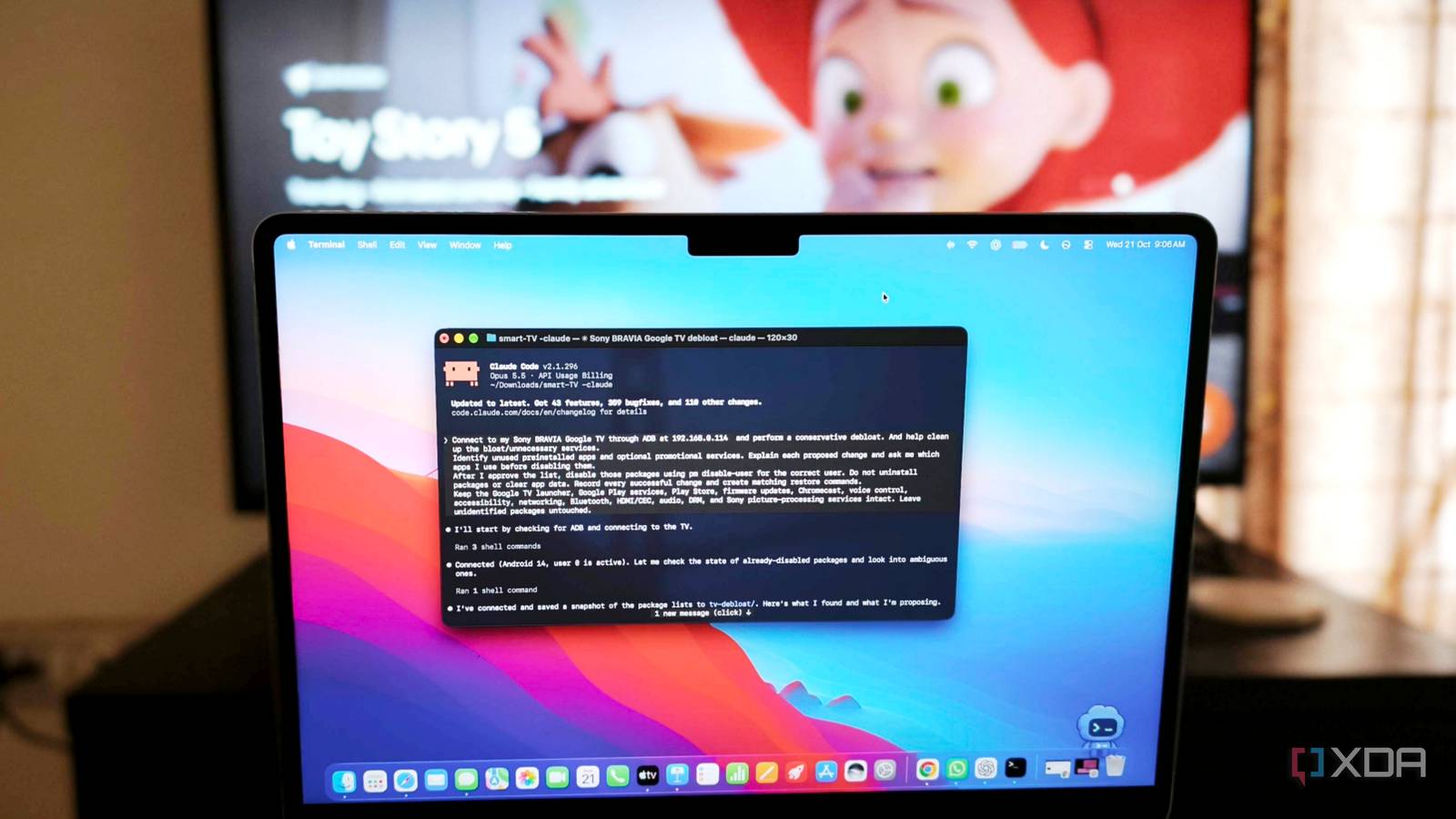
Published Oct 21, 2026, 3:00 PM EDT Anurag is an experienced journalist and author who’s been covering tech for the past 5 years, with a focus on Windows, Android, and Apple. He’s written for sites like Android Police, Neowin, Dexerto, and MakeTechEasier. Anurag’s always pumped about tech and loves getting his hands on the latest gadgets. When he's not procrastinating, you’ll probably find him catching the newest movies in theaters or scrolling through Twitter from his bed. By now, you've seen all those posts on Twitter/X, Reddit, and other social media platforms where people have connected their TVs to coding agents and achieved massive performance improvements. Generally, if you're using a modern smart TV, you'll notice some lag when booting it up or navigating apps like Netflix, YouTube, or other services. I personally attribute that lag to the hardware. Most of these smart TVs have abysmal specs, with truly unimpressive processors that are almost a decade old and, at times, not even 2GB of RAM. For example, when I use my smart TV with a Nvidia Shield TV, it just glides. The Nvidia Shield also runs Android TV. But regardless, I gave in to the trend and "hacked" my own Sony TV using Claude Code. I made a few changes, and I'm not going to lie, I did see some performance improvements, but they weren't anything as grand as what people on the internet are claiming. Let me explain. I let Claude Code loose on my Sony TV. And it found apps I wasn't using I have a Sony Bravia running Google TV, and for this experiment, I connected it to Claude Code using Android Debug Bridge (ADB). Also, just so you are aware, ADB has been around for quite some time. You could always use ADB to clean things up, either through Python scripts or by running ADB commands directly. It lets the coding agent access my TV over the local network, inspect installed packages, run diagnostic commands, and make system changes. I gave Claude Code clear instructions to identify unnecessary apps and services, but it had to ask for my approval before turning off anything. The AI agent reviewed the installed packages and shortlisted several apps to uninstall. I ultimately approved just three – Sony's promotional app, Sony Select, and a retail demonstration app. I have absolutely no use for these apps, and removing them wouldn't affect how I use my TV. I did notice some improvement in responsiveness, but the main problem that I have been facing, which is the lag when I turn on the TV, was still there, and in fact, it has been there since the day I bought this TV. I asked Claude Code to research this, and it found something interesting that I had also noticed when using this TV. Claude Code ran a series of tests involving YouTube, Netflix, Prime Video, and the Settings menu, both shortly after restarting the TV and after letting it settle for five minutes. During the initial tests, YouTube took 5.7 seconds to launch, compared with just 332 milliseconds in the later test. Prime Video went from 4.35 seconds to 662 milliseconds. The agent also found that the TV's CPU was nearly fully occupied during the early tests, with considerable memory swapping and reclamation taking place in the background. Here's where things got interesting. These improvements weren't necessarily the result of turning off those three apps. The TV was performing much better once its background activity settled down and frequently used apps were already in memory. The problem is the launcher You can easily find a replacement While removing apps you don't use definitely helps, the bigger problem with the clutter and distractions people usually refer to is associated with the launcher. For example, on Google TV, ads cover the home screen. You have banner ads, video ads, and recommendations for what to watch. So, deleting apps alone isn't enough. You also need to ditch the launcher. For that, you could either go down the route the internet is taking by vibe-coding a launcher yourself using Claude Code. That can be done, but it won't be the best launcher unless you put time, effort, and, of course, tokens into it. Or you could skip all of that and download a launcher that's already available on the Play Store. My personal favorite is AT4K Launcher, which removes the Google TV interface and replaces it with a minimalist launcher similar to what you get with Apple TV. This is a simple change. All you need to do is download the app, and I find it better than coding a whole launcher from scratch. If you don't like AT4K Launcher, you can also consider Projectivy Launcher or other launchers available on the market. They basically do the same job. You can't code your way around bad hardware It's going to stay bad As I mentioned above, there's only so much you can do with software when the hardware running it is underpowered. My Sony TV has around 2GB of RAM, and the tests made it pretty obvious where the trouble starts. Shortly after restarting, the CPU was almost fully occupied, and Android was busy reclaiming memory. I can turn off Sony's promotional apps, replace Google's launcher, and reduce animations, but none of these changes will give my TV more RAM or a faster processor. And this is where I have a problem with this cleanup trend. You can reduce animation speeds to make the interface appear faster, and a minimalist launcher has fewer things to load and display. Of course, these changes can improve responsiveness, and I'm not denying that. But they don't necessarily make Netflix load faster or fix the sluggishness you experience when the TV has just booted up and several background services are competing for resources. Now, I don't think using Claude Code for this experiment was pointless. It saved me the trouble of manually identifying packages and running ADB commands, and it helped me understand what was actually happening when my TV slowed down. But I don't see the point in vibe-coding a launcher or unthinkingly disabling system packages. Not to mention, you could also end up breaking the smart TV if you mess with the wrong packages.
I let Claude Code debloat my Smart TV, and it exposed a bigger problem
Full Article
Original Source
Read the full article at Xda-developers →KhanList aggregates and links to publicly available news content. We do not host full articles from third-party sources. Always verify important information with original sources.