
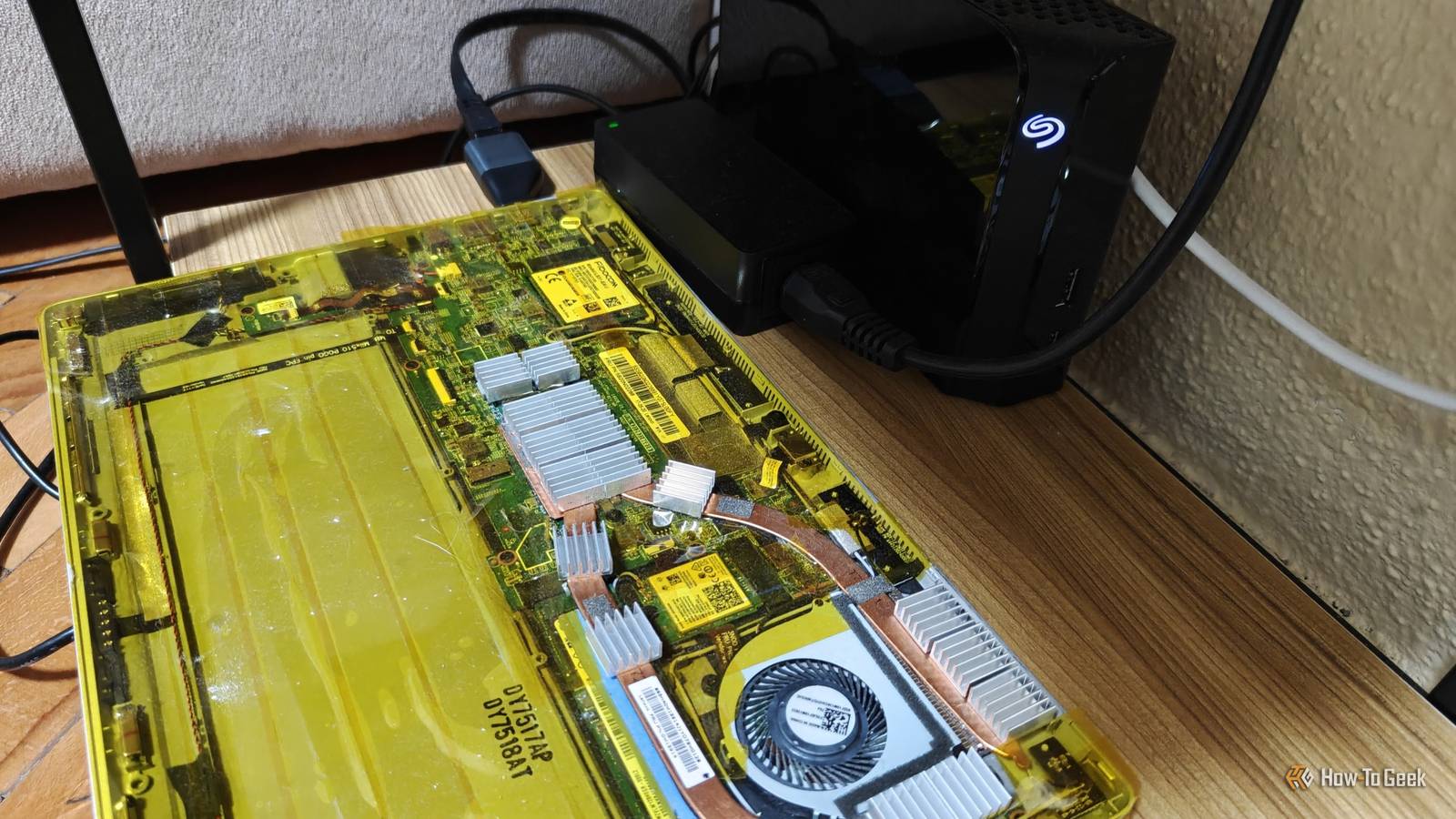
Published Oct 13, 2026, 7:00 AM EDT Ismar is a Senior Author at How-To Geek. He previously worked as a writer, editor, and general manager at a content agency before joining the team in 2023. He began his writing career in 2021 after completing a BA in English Language and Literature. Beyond How-To Geek, Ismar has contributed to Red Stag Fulfillment and Authority Hacker. He has also worked on various SEO projects to help clients improve their search visibility. Ismar has been around Windows PCs since the age of three, so friends and family naturally chose him as the resident tech support. His projects often involve tinkering, such as disassembling mechanical keyboards and gaming mice to mod his beloved gear. He also enjoys pushing hardware to the max through overclocking while staying on a reasonable budget. An avid gamer, Ismar has logged thousands of hours across various genres, including first-person shooters, RPGs, racing games, and roguelites. When he is not at his desk, he is probably exploring other people’s phones to discover their quirks and features or experimenting with the latest AI tools. In his free time, Ismar enjoys spending time with his wife, working out at the gym, playing guitar and bass, cooking gourmet meals, and traveling. Above all else, he’s a proud cat owner. Earlier this year, I bought a 6TB hard drive and hooked it up to an old laptop for one simple task: to back up my photos and manage them through Immich so that I could finally stop paying for Google Photos. Between my wife and me, we had around 50,000 photos to move over, but even after loading them all onto the server, I’d barely scratched the surface of the drive’s capacity. The laptop's Intel Core i5-7200U wasn’t exactly breaking a sweat, either. So, with all this storage to spare and the hardware effectively sitting idle, I figured I might as well put it to good use by running a few more lightweight self-hosted services. One thing led to another, and before I knew it, my simple photo server had turned into a whole stack of services that I now can't live without. I turned my photo server into my own streaming service with Jellyfin Movie night without the subscriptions When you think about it, turning a photo server into a full-fledged media server is a natural next step, and I ended up doing the same. Jellyfin is a media server that can turn your media library into a proper self-hosted streaming service, with support for TV shows, movies, music, e-books, live TV, and more. This is perfect for those of us who are tired of subscribing to multiple streaming services and want to switch to collecting and ripping DVDs and Blu-rays to build a permanent media collection we can play over and over again without paying ongoing subscription fees. To run Jellyfin, you generally need two things: a PC that's always on and plenty of storage, both of which my photo server already had. Powerful hardware helps with real-time transcoding, but most media can play directly without stuttering on compatible devices. And if you do need to transcode, Jellyfin supports hardware-accelerated transcoding without charging extra, unlike Plex, which generally requires a Plex Pass for this feature. That's why I opted for Jellyfin in the first place. So, I set aside 4TB of my 6TB hard drive for movies and TV shows. And just like that, I effectively turned my photo server into a media server, too. Goodbye, manual sorting Jellyfin is great for managing your media library and handling the client-facing streaming side of a self-hosted service, but it can't do everything. It can fetch metadata, artwork, cast information, IMDb ratings, and more with the right metadata providers or plugins, but it can't organize and rename the actual files. For that, you need a collection of apps commonly referred to as the *arr stack because their names end in "arr." Each app manages a different type of content: Sonarr for TV shows, Radarr for movies, Lidarr for music, and so on. These apps can automatically manage your library by moving files into their appropriate folders and renaming them. They can also track wanted media, search configured sources for available releases, send them to a preconfigured download client, monitor quality settings, and handle a few other tasks. This is incredibly useful for building an organized library because media files can have wildly inconsistent names. The *arr stack takes care of that by giving each file a standardized name. For example, a file might initially be named Family.Guy.S04E03.Blind.Ambition.1080p.WEB-DL.DD5.1.H.264-GROUP.mkv, but after Sonarr processes it, it becomes Family Guy - S04E03 - Blind Ambition.mkv and gets stored under TV Shows > Family Guy > Season 04. Apart from these file management apps, there are a few other related utilities that I've installed. I've got Bazarr to automatically find and download subtitles for my movies and shows, and I've also set up Tdarr to re-encode my library, helping me save hundreds of gigabytes of space without paying a dime. I blocked unwanted trackers across my entire home network with AdGuard Home The whole network benefits AdGuard Home is one of the most impactful self-hosted services you can run, and yet it's incredibly lightweight. It can even run on a Raspberry Pi 3, so even a low-powered photo server should be able to handle it without hiccups. Once you configure your router to use AdGuard Home as your primary DNS server, you can monitor the DNS requests made by devices on your network. But the real benefit is that you can use it as a DNS-level filter for unwanted traffic. It can block requests to known advertising, analytics, tracking, and malicious domains, including those used by mobile apps and smart-home devices. This is particularly useful for blocking unwanted connections on devices like smart TVs, where installing a traditional ad blocker isn't an option. It also gives you granular control over which domains your devices can access. For instance, following the recent LG TV data-collection controversy, I configured AdGuard Home to let my smart TVs access only a handful of domains I explicitly allow. Everything else gets blocked. That being said, some devices can bypass DNS filtering by using hard-coded DNS servers, so don't rely solely on AdGuard Home to keep your data private. I guess this is how everyone ends up self-hosting everything When I first set up this server, I just wanted to keep my private photos out of the cloud and save a few bucks in the process. I didn't expect it to become a home for my media collection, network-wide ad blocking, and an ever-growing list of other services. Now I'm officially hooked on homelabbing, and I can't wait to discover my next favorite self-hosted service.
I just wanted a home server for photos. Somehow I ended up with these 3 self-hosted services, too
Full Article
Original Source
Read the full article at Howtogeek →KhanList aggregates and links to publicly available news content. We do not host full articles from third-party sources. Always verify important information with original sources.