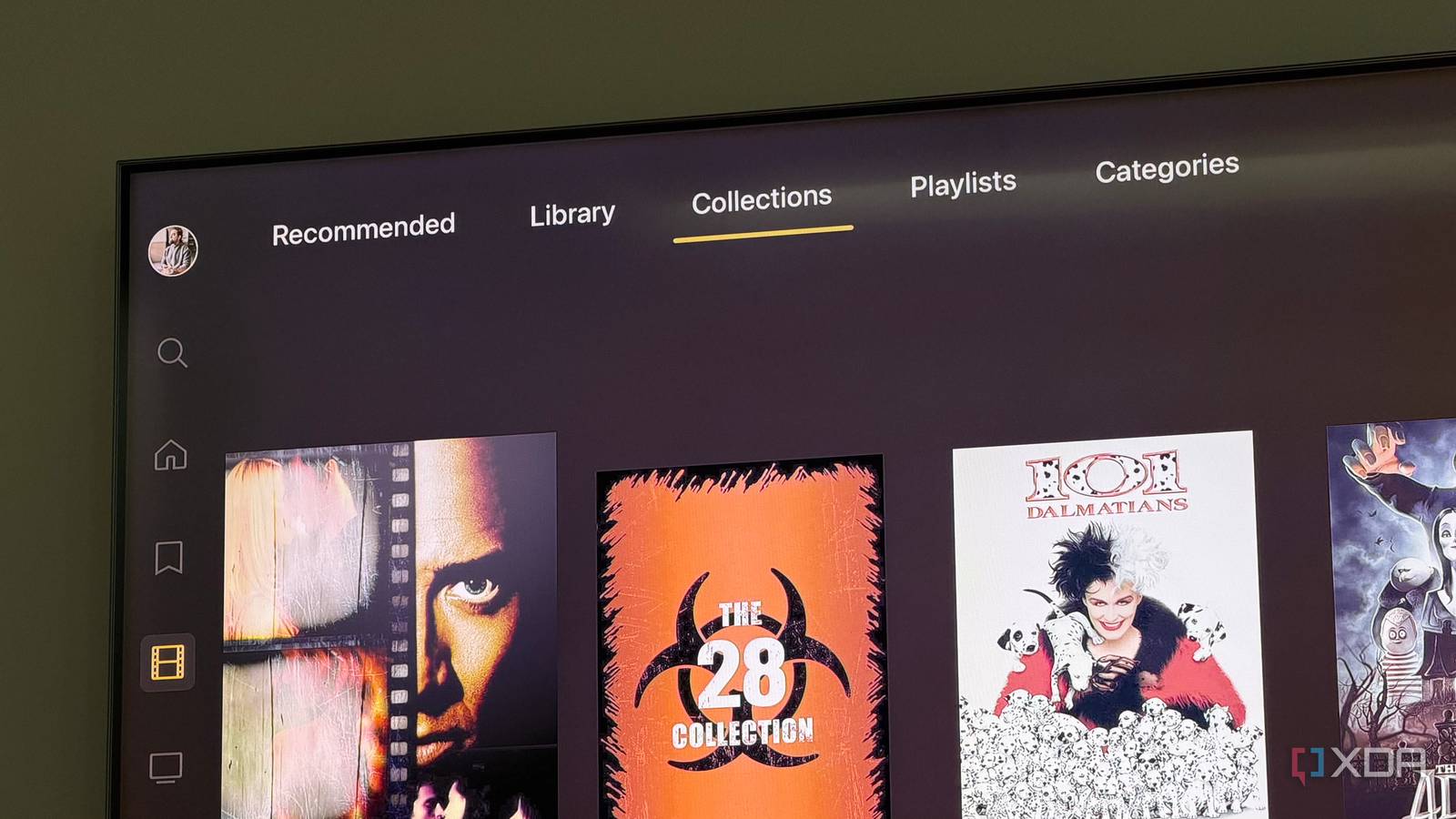
Published Aug 19, 2026, 11:30 AM EDT Dhruv Bhutani has been writing about consumer technology since 2008, offering deep insights into the personal technology landscape through features and opinion pieces. He writes for XDA-Developers, where he focuses on topics like productivity, networking, self-hosting, and more. Over the years, his work has also appeared in leading publications such as Android Police, Android Authority, CNET, PCMag, and more. Outside of his professional work, Dhruv is an avid fan of horror media spanning films and literature, enjoys fitness activities, collects vinyl records, and plays the guitar. I've been using Plex for years, but like most people, my usage was pretty straightforward. I'd add media to the library, let it grab metadata, and watch the content. However, once my media collection crossed a certain threshold, I started looking for options to organize it better. Look, finding content to watch is a real challenge, and there had to be a better way. That's when I discovered Plex Collections. Built right into Plex, but barely talked about, this feature is a godsend if you tend to hoard franchises or just like to put together genre-based collections. And it's become one of my favorite ways to navigate my library. Collections make large libraries significantly easier to browse Not just for large franchises Credit: When I first started using collections, the first thing I noticed was that it completely changed the way I revisit movie franchises. With a growing library, individual posters are not a very efficient way to navigate. Similarly, you can't really scroll through by name because there can be decades between releases in a franchise. And search, well, search is inefficient. Plex already knows the movies are connected through metadata, but Collections gives me a dedicated way to bring them together in the interface. For the most part, I use collections when I'm dealing with popular franchises, trilogies like Back To The Future, or even groups of movies that I tend to watch together; case in point, the extended Marvel Cinematic Universe. If I'm in the mood for a James Bond flick, I open the collection and see everything I have in one single spot. I don't have to remember the name of every movie, nor do I have to search for individual movies. Everything is organized by release date within the collection. But while movie-based grouping might be the obvious choice for collections, it's not the only one. I also use collections for groups that don't necessarily belong to the same movie series. Think collections based on directors, or even on movie styles. Prefer vintage horror? You can have a collection of Giallo-style horror movies. Or you can group all the Studio Ghibli or Disney movies together. There's a lot of flexibility here, as collections are based on tags rather than a specific criterion. Obviously, they don't need to be in the same physical folder either. Plex also offers a fair amount of flexibility in how these collections appear within your media library. For example, you can show a collection right alongside an individual item, which could be useful for genre-based collections. But for franchises, I prefer to hide individual movies from the main library view and keep just the collection as the entry point. It helps cut down visual clutter, in my opinion. While metadata-based collections are great for providing structure in a large library, that's not their only use case. Whenever my friends and I get together for a movie night, I put together a collection of our favorites. These could be mood-based collections or just stuff we like to rewatch. There are no limitations here. And the best part is, if you create an event-based collection, you can comfortably delete it without deleting the actual media inside it. Automatically build collections with filters Reduce friction while browsing your media While franchise-based collections are great, there's one more feature that truly elevates the Plex experience for me. That's Plex's smart collections. Unlike standard collections, these collections automatically update based on predefined criteria. You don't need to add movies to the collection manually. Just create filters, and Plex builds the collection from those rules. One of my favorite smart playlists specifically handles recently released media. While I keep adding vintage media to my collection, sometimes I want to watch the latest blockbuster. Instead of scrolling through my library, I tap the recently released smart collection, and it automatically filters my library for me. Similarly, I have a smart collection for unwatched movies. Much like the recently released collection, this one lets me scroll through just the movies that I haven't seen yet. As an aside, if the title no longer interests me, this is a simple way to filter out unwatched media and delete it in bulk. You might be wondering how a collection differs from a playlist, given that they fundamentally do the same thing. The thing is, a playlist is great when I know the exact items I want to watch in order. But a smart collection updates itself to curate a collection for me. Moreover, playlists don't appear inline in Plex, whereas Collections do. When I'm looking up something to watch on my TV, I don't want to juggle the remote around the menu too much. A tool that reduces friction is considerably better, and that tool is Collections for me. Collections have become my preferred way to navigate Plex Before I started using Collections, I'd usually search for a movie by title or scroll through the main library. Now I often start with a Collection and pick a title from that. Collections hasn't entirely replaced the library for me, but more often than not, when I'm in the mood for a specific kind of cinema, I revert to it. Moreover, as my library keeps growing, it's helped me make sense of it. I still use Plex largely the same. Add media, let Plex handle metadata, and press play as usual. But Collections handles filtering and surfacing, which are equally important in a large media library. OS Windows, macOS, Linux Individual pricing Free, $6.99/month, $250/lifetime Plex is the premier home media server software for replacing your streaming subscriptions.
I ignored this lesser-known Plex feature for years, and now I can't live without it
Full Article
Original Source
Read the full article at Xda-developers →KhanList aggregates and links to publicly available news content. We do not host full articles from third-party sources. Always verify important information with original sources.