
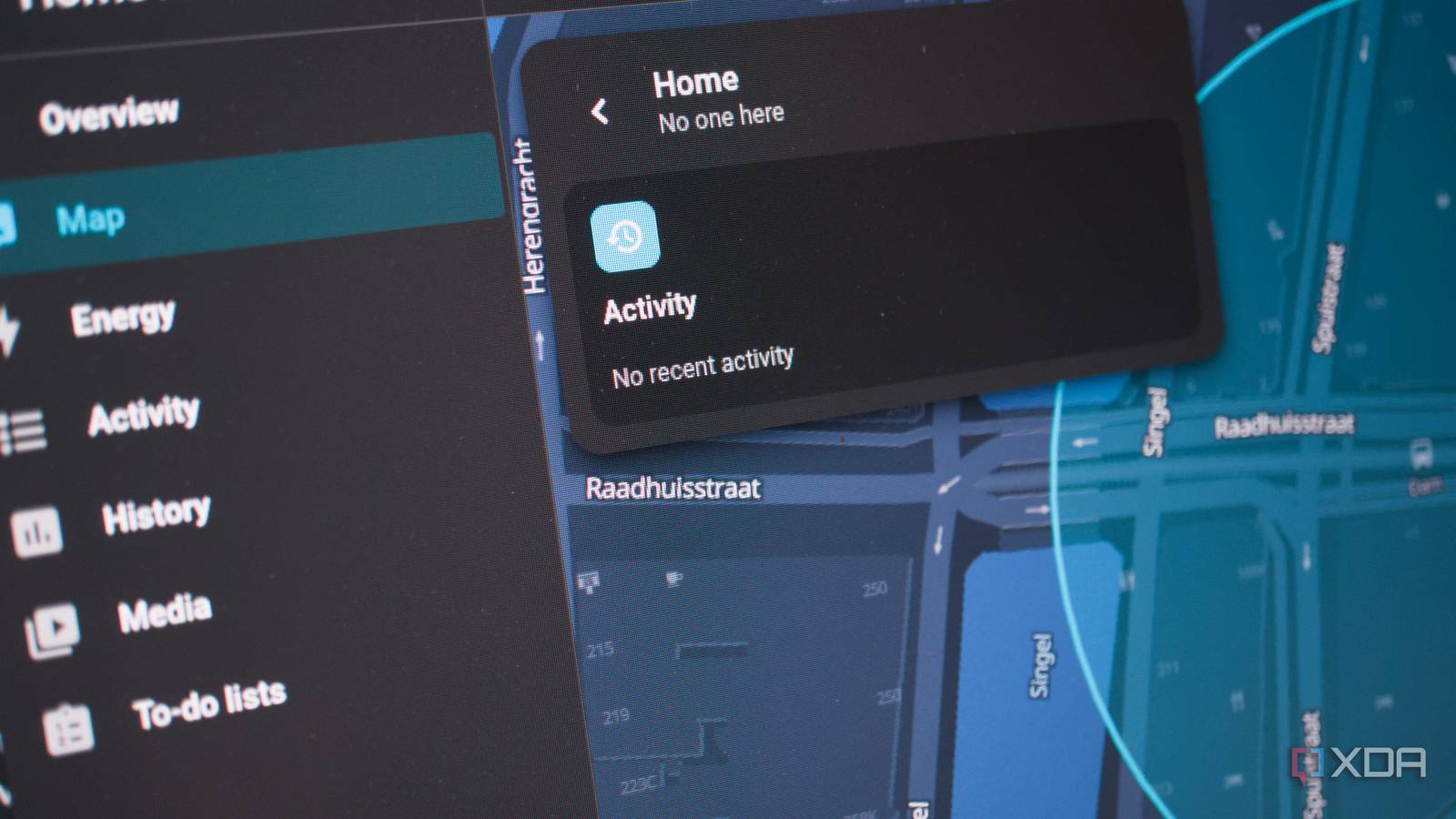
Published Oct 3, 2026, 10:00 AM EDT Richard is the PC Hardware Lead at XDA and has been covering the technology industry for almost two decades. He's been building PCs since young, and when not creating content, you can often find him inside a chassis somewhere. If there's one thing I have never even touched in Home Assistant, it's the map. Sure, it was novel when I first launched Home Assistant and thought, "Oh, cool, I can mark where my smart home is," but that was about it. I never revisited the sidebar entry. I didn't even notice the change in provider, caused by the existing mapping platform requiring an API key. Now, Home Assistant draws the map and caches it locally using OpenStreetMap. And it turns out, this is quite the large deal. The latest Home Assistant beta for October (2026.10) is focused on this new mapping frontier, and we've taken it for a quick spin. The new map looks awesome I must admit, I do enjoy using OpenStreetMap. It absolutely has nothing on Google Maps when it comes to quickly finding an activity to do or working out where to grab a bite to eat, not to mention directions for journeys, but for general browsing, OSM is perfectly servicable, and it looks great. Running it on phones and desktop PCs is easy through Home Assistant too. It's cached, so if the net drops for a sec, you can still browse downloaded vectors, and the Open Home Foundation has built some features on top of this new platform. Thanks to the switch, we now have a much crisper view. It looks awesome. Zooming in and out, panning across landmasses, it's all butter-smooth, so long as your underlying device has the horsepower to keep up. The old mapping system is still hanging around, but it's only called upon if your device (like an old wall-mounted tablet) isn't running the new map too well. Markers have been completely redesigned and now use photos with specific colors. It's easier to see multiple people at a single location too, thanks to them grouping together. Now you see me. Now you don't. The entire map dashboard has been given a fresh lick of paint. There's an overview, located next to the map on the desktop and as a pull-out drawer on mobile. Three tabs are present, one dedicated to people, a second to devices, and a third to zones. Selecting a person will show recent activity, as well as which zones they were present in. This same overview can be shown through the dashboard card, which can be pinned to your profile's default landing page. It's all pretty awesome. What are these zones? I'm here, there, and everywhere. Speaking of zones, you can now set zones on the map and see if people are present there. For instance, you may have a zone for the house, another for the gym, a third for your place of work, and maybe one more for a best friend's house. So long as the installed apps have the relevant location permissions set, you should be able to keep tabs on one another and ensure the entire family is safe. We'd be the last ones to use location-based tech like this to check on one another, but it's a cool addition to play with, especially for scripts. Hello there! Profiles didn't really do much in previous Home Assistant versions. Okay, they did, but you never really bothered with them outside of creating users, setting permissions, loading a default dashboard, and calling it a day. That's all set to change with 2026.10. Clicking the username at the bottom of the sidebar loads up the refreshed user profile. This is now an overview of your Home Assistant account, whereas before it would simply be dumped with data to parse through. Appearance settings will allow you to alter the default dashboard and the order of menu items in the sidebar. Localization handles languages and time zones, as well as how everything is rendered (DD/MM/YYY is the correct way with a 24-hour clock, by the way). Then there's an option to alter how notifications, display, and shortcuts are handled for this particular device—it changes depending on which client is being used, be it a phone or desktop PC. Oh, and now you don't have to handle requests from family members to have their profile photos changed. They can now do it themselves. This was such a strange requirement for Home Assistant and was just another reason why we never really bothered. Everything felt like such a hassle, which is what makes 2026.10 pretty solid so far. This beta continues to make improvements Automations continue to receive development love Home Assistant is great for creating automations, and improvements have been made over the year or so to perfect the user interface, but the team just scored another win with 2026.10. Triggers could be configured with the "triggered by" condition set to do something, depending on which triggered is ... well, triggered. You'd have to enter an ID and then remember which one it belonged to. No one used it, and it largely went unnoticed anyway. That's all changed with this beta. Adding a "triggered by" condition brings up available triggers as part of the automation. There's even an ordered list, depending on which is displayed first. The software tackles everything in the backend, and it's one less thing for us humans to worry about, which is precisely the point of a smart home. To make all our lives that little bit easier. But this isn't everything, as integrations have been added and featured, so be sure to check the official beta blog post for more details. The beta is available for testing right now Ready to take the plunge? Fire up a test instance of Home Assistant OS and join the beta program via the settings area. 2026.10 beta will continue running for the next couple of days, with the full release slated for launch on Wednesday, October 7th. This update might just get me to start seriously using the map and working on more location-based automations, which could work wonders for our automated heating system for the coming winter months. Home Assistant OS Windows, macOS, Linux iOS compatible Yes Android compatible Yes The best smart home platform, period.
I ignored Home Assistant's map for years until the new beta made it worth opening
Full Article
Original Source
Read the full article at Xda-developers →KhanList aggregates and links to publicly available news content. We do not host full articles from third-party sources. Always verify important information with original sources.