
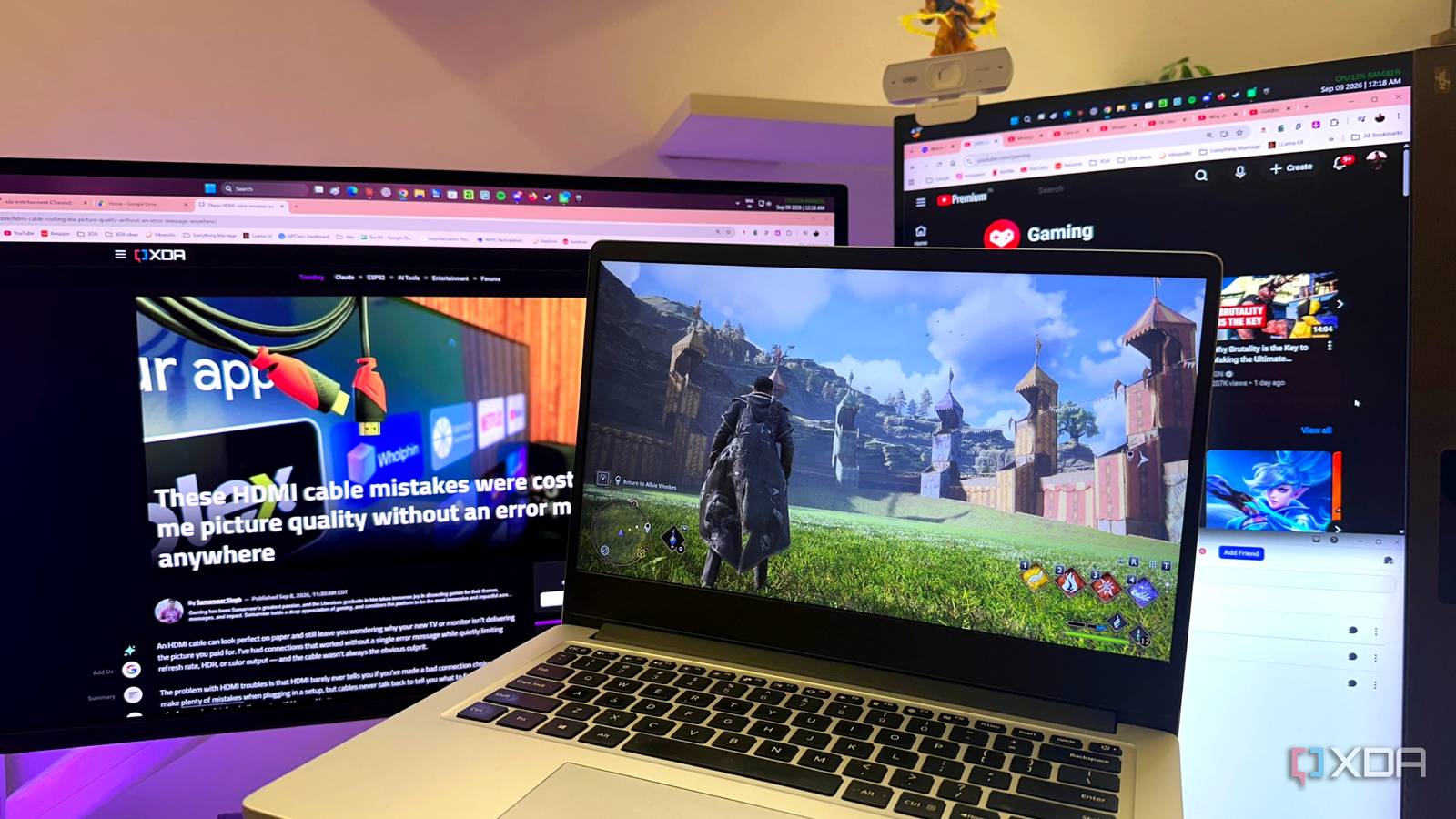
Published Sep 10, 2026, 6:00 PM EDT Gaming has been Samarveer’s greatest passion, and the Literature graduate in him takes immense joy in dissecting games for their themes, messages, and impact. Samarveer holds a deep appreciation of gaming, and considers the platform to be the most immersive and impactful across all media. He can be found engaging with gaming communities online, always ready to debate the finer points of ray tracing or itching to write an 8-page collegiate thesis on any game that impacts him emotionally. The idea of streaming my own video game library on a different device in the house, without being tied to the physical desk-and-chair setup, is hard to resist. That's why I jumped down the game-hosting rabbit hole with the universal first step — Sunshine. I expected a simple setup and a few tweaks before I could get gaming and forget about the hosting software, but I was wrong. When I connected to any other device on my local network — my 4K TV, my 1080p laptop, or even my iPhone — I watched my PC's physical monitor mirror the client-side device. The display changed, the desktop shifted, and what was supposed to be a "remote" gaming session became all too visible on my primary monitor. The biggest problem, of course, was that my physical monitor mirrored my stream, which was supposed to happen off the computer. I didn't want to buy a dummy HDMI plug to cleanly separate the two screens, though. Since Sunshine only needs a display, I gave it one that doesn't physically exist. Sunshine worked perfectly until I connected to it My physical monitor kept becoming part of the stream I began where everyone does — I installed Sunshine from scratch, left its settings at their defaults, and installed Moonlight on my 1080p 60Hz laptop. This laptop doesn't have a discrete GPU or a beefy CPU, but it doesn't need them either, since it only has to decode the game's video stream from my PC. On my laptop, I expected Moonlight to simply receive a 1080p60fps stream, but the moment I started the desktop stream, my physical monitor began mirroring the stream as well. My browser tabs, word processors, and messenger apps, all disappeared because the stream was displaying only Steam's Big Picture Mode. I wrongly assumed it was an oddity with the laptop, but it became evident pretty quickly that my supposedly remote display was dictating what the screen on my desk should do, rearranging its resolution, scale, and refresh rate, and, consequently, my entire desktop icon arrangement as well. Soon enough, this behavior made sense once I understood what Sunshine was capturing. With a normal installation, it works with the display Windows exposes. Sunshine works with the display Windows exposes to it and streams that display to Moonlight. The client gets a video feed of the desktop, but only one screen is involved — the physical monitor on my desk. I realized I had approached Sunshine with the wrong assumption. I didn't need the stream to control or mirror my physical display; I needed Sunshine to have its own display. The obvious question was how to give it one without buying another monitor. I stopped fighting Sunshine and gave it another display I had to stop it from using my monitor My first instinct was to try the obvious fix: make Sunshine match the client. I enabled resolution matching, expecting the 1080p laptop to stop making things strange. It did exactly what I asked, but that made the problem more obvious. Sadly, my monitor dropped to 1080p60Hz, and the stream was still using the physical screen. That was the wrong rabbit hole, though. The issue wasn't that Sunshine was changing my resolution. The stream was being rendered on the monitor on my desk. No amount of resolution switching could change that, so I needed to move the stream somewhere my physical display couldn't see. That's where a virtual display driver comes in. It creates a headless monitor in software for Sunshine to capture. I didn't want to buy a dummy HDMI plug, but this let me use that plug without a physical one. Windows believes another screen is connected, but nothing physical has to change. I headed over to Virtual Display Driver's GitHub page, downloaded the VDC app, and installed a virtual display at 1080p60Hz. Next, I restarted Sunshine so the virtual display's ID would appear in Sunshine's boot logs. You can identify and copy the virtual "MTT by VDD" display's GUID, by opening Sunshine.log via Notepad. It's located in C: > Program Files > Sunshine > Config. With the Display ID secured, I opened up Sunshine's Web UI in my local browser (usually localhost:47990), and went to Configuration > Audio/Video > Display ID. There, I pasted the Display ID for the VDC virtual display, then clicked Advanced Display Device options to ensure Device Configuration was set to "Activate the display automatically and make it a primary display." With that done, Sunshine streams the virtual display I added, and that's the stream my laptop or TV picks up now, leaving my monitor free. The virtual display proved useful beyond fixing the problem Three reasons I'm keeping it around With Sunshine properly configured now, I finally have my primary monitor free while the stream runs straight to my laptop or TV. The obvious benefit is that my partner can game while I'm away from the desk. If I'm making coffee, stuck in a meeting, or finished for the night, she can pick up the laptop and play a game without taking over my monitor. I don't have to log out, hand over my keyboard, or set up my desktop for her. It also makes sharing the PC less ridiculous. I can keep watching a movie on my monitor while my partner games on the laptop, which is useful when buying another gaming PC currently requires the sort of financial planning I'd otherwise reserve for buying a car. Each session has its own display, so neither interferes. When I'm streaming, the separation means I can keep using the desktop. A game can occupy the virtual screen while my browser or messaging apps remain on the physical monitor. Sunshine finally behaves like a streaming tool rather than a remote button. Sunshine My monitor finally gets to stay out of the conversation It's been oddly satisfying to solve a problem that initially feels like it should require more hardware. I didn't need another gaming PC, another monitor, or another increasingly elaborate collection of cables dangling behind my desk. I just needed Windows to understand that a display doesn't have to exist in the physical world to be useful. I've also realized that Sunshine is considerably more flexible than I first gave it credit for. Once the stream has somewhere else to live, the physical monitor stops being the unwilling middleman. For a setup that's already capable of playing games, that's a remarkably small change for something that makes the whole experience feel so much less intrusive.
I gave Sunshine a virtual display, and game streams stopped hijacking my monitor
Full Article
Original Source
Read the full article at Xda-developers →KhanList aggregates and links to publicly available news content. We do not host full articles from third-party sources. Always verify important information with original sources.