
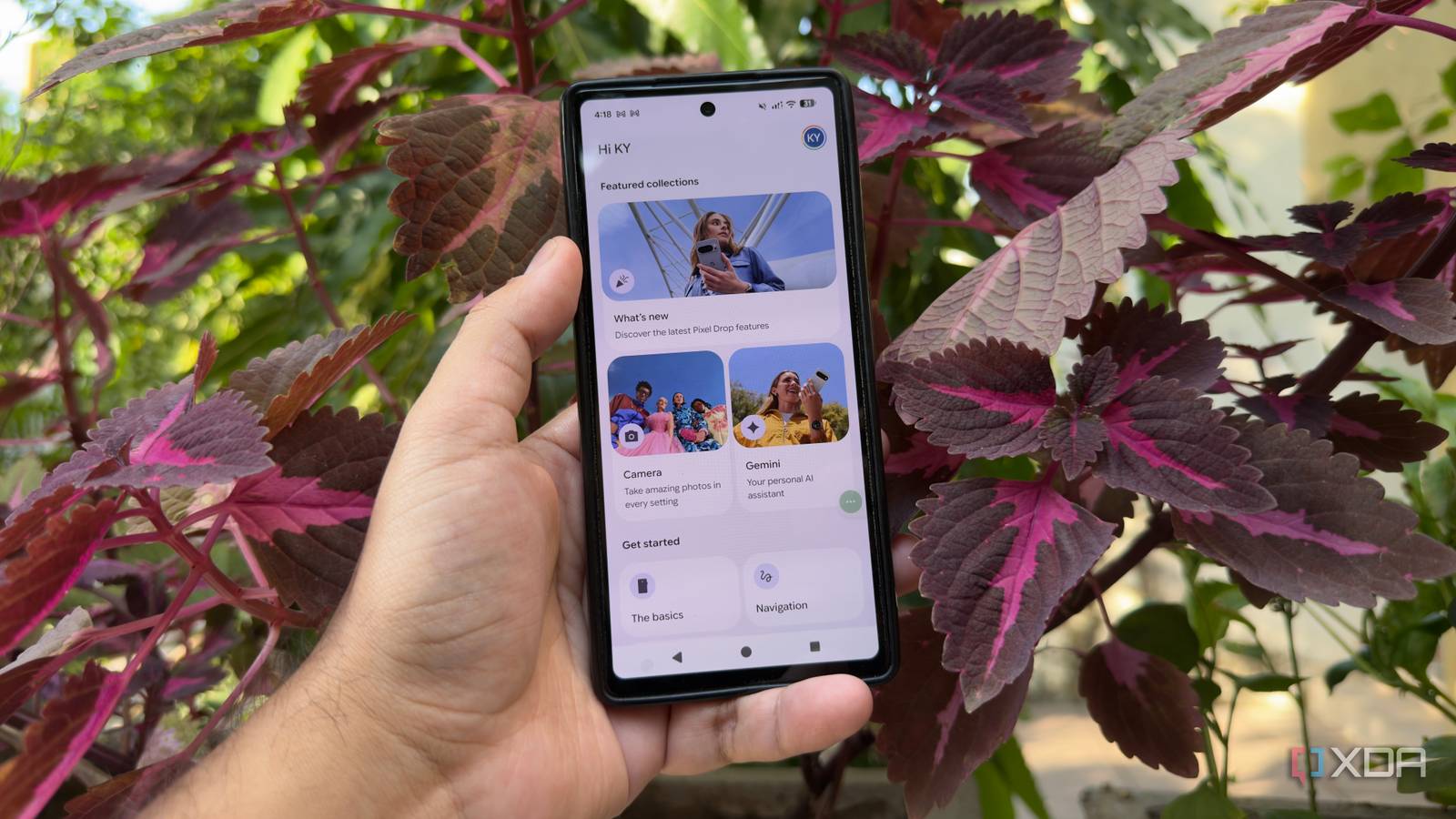
Published Oct 10, 2026, 1:30 PM EDT Beginning his professional journey in the tech industry in 2018, Yash spent over three years as a Software Engineer. After that, he shifted his focus to empowering readers through informative and engaging content on his tech blog – DiGiTAL BiRYANi. He has also published tech articles for MakeTechEasier. He loves to explore new tech gadgets and platforms. When he is not writing, you’ll find him exploring food. He is known as Digital Chef Yash among his readers because of his love for Technology and Food. My Pixel has always felt fast enough, but I started wondering how much of that experience was being taken up by apps I never actually used. Like most Android phones, it came with several Google apps already installed, and I had simply ignored many of them. Instead of accepting that as normal, I decided to take a closer look at what was sitting on my phone. I wanted to see which apps I could remove without disrupting the way I use my Pixel. The goal wasn’t to strip Android down or make risky changes. I simply wanted to see whether a little cleanup could make my phone feel lighter and more focused. My Pixel The easiest choice The My Pixel app was one of the first pre-installed apps I looked at. It’s essentially a hub for Pixel-specific information, tips, and recommendations, which can be useful when you’re new to the phone. But after using my Pixel for a while, I realized I wasn’t getting much value from it. I already knew where most of the settings and features I used were, so I had little reason to keep opening the app. I also didn’t need another app sitting on my phone just to surface tips or point me toward Pixel features I had already discovered. Since I didn’t rely on it daily, removing it was an easy decision. It was one less pre-installed app in my app drawer that served no real purpose for me. Google Health A health app I could skip Google Health was another app I didn’t see much reason to keep on my Pixel. I mostly use my phone for everyday tasks, so a separate app focused on health-related information wasn’t particularly useful. After checking how often I actually opened it, the answer was simple: I almost never did. I also didn’t want to keep apps around just because they came pre-installed when they weren’t part of my regular routine. Removing Google Health felt like an easy cleanup rather than a major change to how I use the phone. I could still use the health features and services I actually needed through the apps I chose to keep. Since I didn’t rely on this one, I removed it and moved on to the next app on my list. AI Core The background AI I didn’t need AI Core was a slightly different case because it isn’t a typical app that I would open and use directly. It works more like a background component that supports certain AI-related features on the Pixel. I noticed it while going through the apps installed on my phone and initially wondered whether I actually needed it. Since I was trying to cut down on things I wasn’t using, I decided to test what happened after removing it rather than simply leaving it installed. I paid attention to whether anything I regularly used stopped working or behaved differently. In my setup, I didn’t notice any meaningful change after removing it. That made it an easy addition to my cleanup list, especially since I had no direct use for the component itself. Google TV The TV app gathering dust I rarely used my Pixel to browse or manage my TV and movie library, so I quickly removed this app. I watch most of my content elsewhere, and I didn’t need another entertainment app on my phone. I also wasn’t using its recommendations or discovery features enough to justify keeping it around. Since it wasn’t connected to anything important in my everyday phone use, I removed it during my cleanup. I didn’t notice any difference in the way I normally used my Pixel afterward. For me, it was just another pre-installed app that no longer served a purpose. Removing it meant one less unused app on my phone and a little less clutter in my app drawer. Google Password Manager I already had passwords covered Password management was a little different from the other apps on my list because I already had a password manager I preferred. I use Bitwarden to store my passwords and handle autofill, so I had very little reason to keep Google Password Manager around as a separate app. I also didn’t want two password managers competing for the same job or creating confusion when filling in login details. Since Bitwarden already covers what I need, the Google app felt redundant on my Pixel. I removed it and checked whether anything I normally use for signing in was affected. It wasn’t. My passwords and autofill workflow continued to work the way I expected, so there was no reason for me to put the app back. It was an easy one to remove. YouTube Music The music app I never opened Music was another area where I already had a setup I preferred, so keeping YouTube Music on my Pixel didn’t make much sense. I use Spotify for my everyday listening, and that’s already where I keep my playlists and discover new music. Because of that, I rarely had a reason to open YouTube Music or use it for anything. I initially left it installed because it came with the phone, but while cleaning things up, I realized I was simply keeping an app I didn’t use. I removed it and continued using Spotify as usual without changing anything else on my phone. I didn’t notice any effect on the apps or features I use every day. For me, removing YouTube Music was an easy way to get rid of another app that had no place in my regular music workflow. A faster Pixel starts with less clutter I didn’t need to make major changes to my Pixel to make it feel cleaner. Removing a few apps I never used was enough to simplify my phone and reduce some unnecessary clutter. The biggest takeaway for me is that a pre-installed app doesn’t automatically deserve a permanent place on my device. If I don’t use something, I’d rather remove it and keep my Pixel focused on the apps and features I actually need.
I gave my Pixel a speed boost by removing these pre-installed Google apps
Full Article
Original Source
Read the full article at Xda-developers →KhanList aggregates and links to publicly available news content. We do not host full articles from third-party sources. Always verify important information with original sources.